
вступ
This manual provides detailed instructions for the safe and efficient operation of your Longer Ray5 20000mW Laser Engraver with Air Assist Kit. Please read this manual thoroughly before using the device to ensure proper setup, operation, and maintenance. Retain this manual for future reference.
Інформація про безпеку
УВАГА: Laser engravers are powerful tools that can cause serious injury if not used correctly. Always follow these safety guidelines:
- Always wear appropriate laser safety goggles when operating the machine.
- Ніколи не дивіться безпосередньо на лазерний промінь або на його відбиття.
- Переконайтеся, що робоче місце добре провітрюється для видалення диму та парів.
- Тримайте легкозаймисті матеріали подалі від шляху лазера.
- Не залишайте машину без нагляду під час роботи.
- Переконайтеся, що машину встановлено на стійкій рівній поверхні.
- Тримайте дітей і домашніх тварин подалі від робочої зони.
- Від’єднайте живлення перед виконанням будь-якого технічного обслуговування або регулювання.
- Ознайомтеся з процедурами аварійного відключення.
Вміст упаковки
Перевірте наявність усіх компонентів в упаковці:
- Longer Ray5 20000mW Laser Engraver Unit
- Допоміжний повітряний насос
- Air Assist Nozzle and Tubing
- Адаптер живлення
- USB кабель
- Захисні окуляри
- Посібник користувача (цей документ)
- Матеріал Samples (may vary)

Image: Air assist kit components including the pump, nozzle, and tubing.
Налаштування
- Розпакування: Акуратно вийміть усі компоненти з упаковки.
- Збірка: Follow the included quick start guide for assembling the main laser engraver frame and attaching the laser module.
- Air Assist Installation:
- Connect the air assist pump to the designated port on the laser module using the provided tubing.
- Ensure the air assist nozzle is securely attached to direct airflow to the engraving/cutting point.
- Підключення живлення: Підключіть адаптер живлення до гравера, а потім до відповідної розетки.
- Підключення до комп'ютера: Connect the engraver to your computer via USB, or prepare for Wi-Fi/TF card connection.

Image: The Longer Ray5 laser engraver with the air assist pump connected and ready for operation.
Інструкція з експлуатації
1. Програмне забезпечення та підключення
The Longer Ray5 supports various software and connection methods:
- Сумісне програмне забезпечення: LaserGRBL and LightBurn.
- Операційні системи: Supports Windows 7+, MacOS, and Linux.
- Способи підключення: Wi-Fi, USB, App, and TF card.
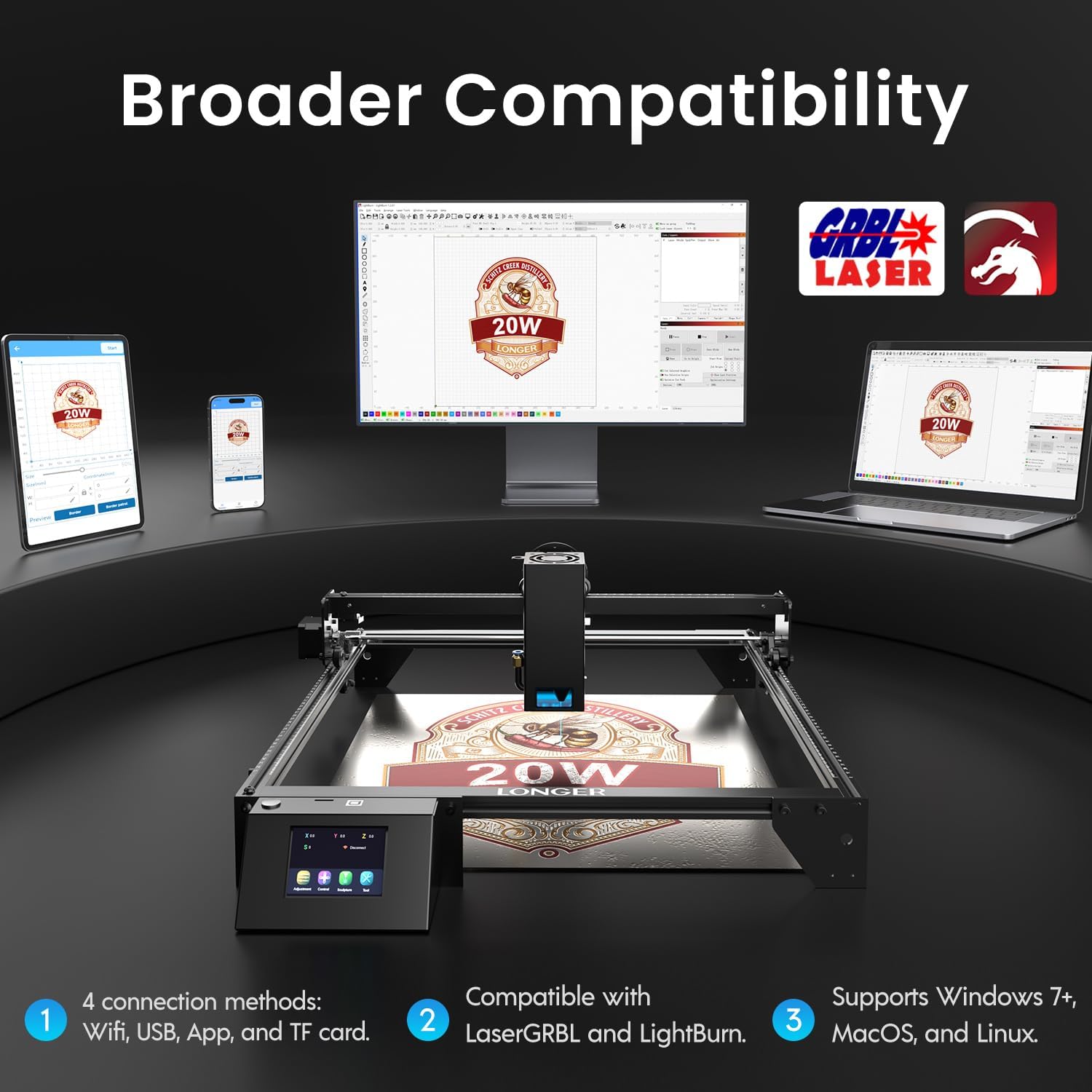
Image: Display showing the Longer Ray5's compatibility with LaserGRBL and LightBurn software, and various connection options including Wi-Fi, USB, App, and TF card across Windows, MacOS, and Linux operating systems.
2. Можливості гравіювання та різання
The 20W diode laser offers high-efficiency performance for various materials.
- Різання: Capable of cutting up to 25mm of wood and 35mm of acrylic. It can also cut 0.05mm metal.
- Гравірування: Engrave hundreds of colors on metallic steel and a wide range of other materials.
- матеріали: Acrylic, metal, wood, stainless steel, and more.
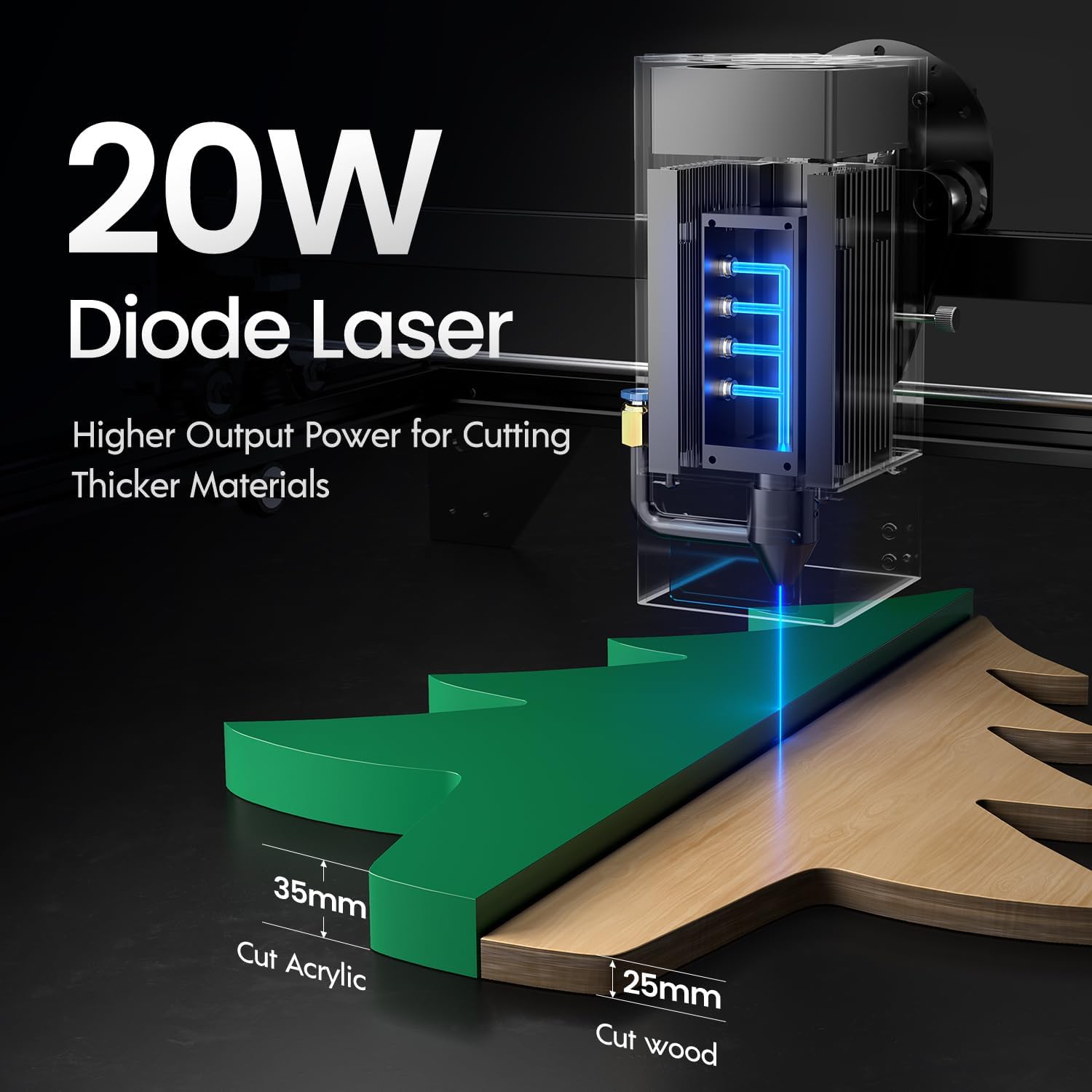
Image: Illustration demonstrating the 20W diode laser's capability to cut 25mm wood and 35mm acrylic.

Зображення: Прamples of engraving capabilities, showcasing over 380 colors on metallic surfaces and other DIY artworks.

Image: A collection of various items demonstrating the versatile material selection for engraving and cutting, including wood, metal, and acrylic.
3. Функція повітряної допомоги
The integrated air assist kit significantly improves cutting and engraving quality.
- Enhanced Cutting: The adjustable airflow (10-30L/min) suppresses smoke and dust, preventing laser energy attenuation and ensuring cleaner, smoother edges.
- Reduced Yellowing: Air assist helps prevent charring and yellowing on materials during laser processing, especially for wood and acrylic.

Image: A visual comparison showing the benefits of air assist, resulting in cleaner cuts and reduced processing time (e.g., 12 minutes with air assist vs. 20 minutes without).
4. Безперервна робота
The Longer Ray5 is designed for powerful continuous working capacity, supporting 24/7 continuous engraving. A single computer can control multiple machines.

Image: Depiction of multiple Longer Ray5 machines working simultaneously, illustrating continuous operation and the ability for one computer to control several units.
Технічне обслуговування
Регулярне технічне обслуговування забезпечує оптимальну продуктивність та подовжує термін служби вашого лазерного граверу.
- Очистіть лазерну лінзу: Periodically clean the laser lens with a soft, lint-free cloth and lens cleaning solution to maintain beam quality.
- Очистити сміття: Remove any accumulated dust or debris from the work area and machine components.
- Check Belts and Rails: Inspect drive belts for tension and wear. Keep linear rails clean and lubricated as per manufacturer recommendations.
- Air Assist Filter: If your air assist pump has a filter, clean or replace it regularly to ensure efficient airflow.
- Оновлення прошивки: Перевірте виробника webсайт для отримання будь-яких доступних оновлень прошивки для покращення продуктивності або додавання функцій.
Усунення несправностей
У цьому розділі розглядаються поширені проблеми, з якими ви можете зіткнутися.
| проблема | Можлива причина | Рішення |
|---|---|---|
| Лазер не спрацьовує | Power not connected, software error, laser module fault. | Check power connections. Verify software settings. Contact support if laser module is suspected faulty. |
| Погана якість гравіювання/різання | Incorrect focus, dirty lens, wrong power/speed settings, material issues, no air assist. | Adjust laser focus. Clean the laser lens. Optimize power/speed settings for the material. Ensure air assist is active. |
| Машина не підключається до комп'ютера | USB cable issue, driver not installed, Wi-Fi configuration error. | Try a different USB port/cable. Install necessary drivers. Reconfigure Wi-Fi connection. |
| Надмірний дим/випари | Insufficient ventilation, air assist not active or weak. | Ensure proper ventilation. Check air assist pump and tubing for blockages. Increase air assist flow. |
Технічні характеристики
| Особливість | Деталь |
|---|---|
| Номер моделі | ПРОМІНЬ5 |
| Вихідна потужність лазера | 20000 мВт (20 Вт) |
| Тип лазера | Діодний лазер |
| Cutting Depth (Wood) | До 25 мм |
| Cutting Depth (Acrylic) | До 35 мм |
| Metal Cutting Capability | 0.05 мм |
| Air Assist Flow | 10-30 L/min (Adjustable) |
| Сенсорний екран | 3.5 дюймів |
| Підключення | Wi-Fi, USB, App, TF Card |
| Сумісне програмне забезпечення | Лазер GRBL, LightBurn |
| Підтримувана ОС | Windows 7+, MacOS, Linux |
| Виробник | Довше |
| Дата першої доступності | 1 серпня 2024 р |
Гарантія та підтримка
For warranty information and technical support, please refer to the official Longer webсайт або зверніться безпосередньо до служби підтримки клієнтів. Зберігайте чек про покупку як підтвердження покупки для гарантійних претензій.
Інтернет-ресурси: Відвідайте Longer Store on Amazon для отримання додаткової інформації про продукт та підтримки.