
вступ
This manual provides detailed instructions for the setup, operation, maintenance, and troubleshooting of your Docooler Wireless Mechanical Keyboard, Fun Cake House edition. Please read this manual thoroughly before using the product to ensure optimal performance and longevity.
The Docooler Wireless Mechanical Keyboard features red switches, PBT keycaps, a high-clear display, and a volume control knob. It supports multiple connectivity options including 2.4G wireless, Bluetooth, and wired connections, and is compatible with Windows, Mac, iOS, and Android systems.
Вміст упаковки
Перевірте наявність усіх елементів в упаковці:
- 1x Docooler Wireless Mechanical Keyboard (Fun Cake House)
- 1x USB Cable (for wired connection and charging)
- 1x 2.4G USB приймач
- 1x Посібник користувача (цей документ)
Налаштування
1. Заряджання клавіатури
Before initial use, fully charge the keyboard. Connect the provided USB cable to the keyboard's USB-C port and the other end to a USB power source (e.g., computer USB port, wall adapter). The display will indicate charging status. A full charge typically takes 2-3 hours.
The keyboard is equipped with an 1850mAh rechargeable lithium battery.
2. Параметри підключення
Your keyboard supports three connection modes: 2.4G Wireless, Bluetooth (BT), and Wired USB.
2.1. Бездротове підключення 2.4G
- Locate the 2.4G USB receiver, usually stored in a compartment on the keyboard.
- Підключіть USB-приймач 2.4G до вільного USB-порту на вашому комп'ютері.
- Switch the keyboard's connection mode to 2.4G (refer to the Режими роботи section for details on switching modes).
- The keyboard should automatically connect. The display will show the 2.4G connection icon.
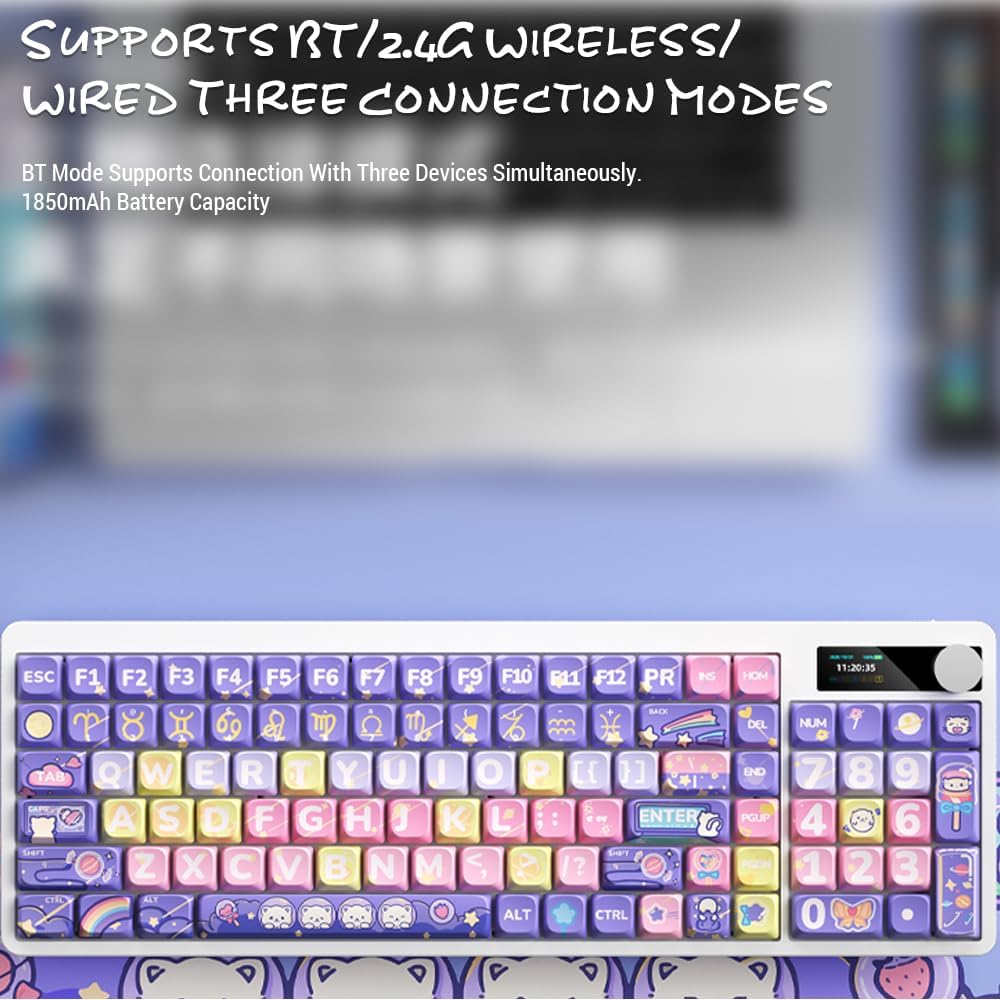
Image: Keyboard display showing 2.4G wireless connection status.
2.2. Bluetooth (BT) Connection
Клавіатура може підключатися до трьох пристроїв Bluetooth одночасно.
- Switch the keyboard's connection mode to Bluetooth (BT1, BT2, or BT3).
- На своєму пристрої (комп’ютері, планшеті, смартфоні) увімкніть Bluetooth та почніть пошук нових пристроїв.
- Select "Docooler Keyboard" (or similar name) from the list of available devices.
- Якщо буде запропоновано, введіть код сполучення, що відображається на екрані.
- Once paired, the display will show the Bluetooth connection icon for the selected channel.
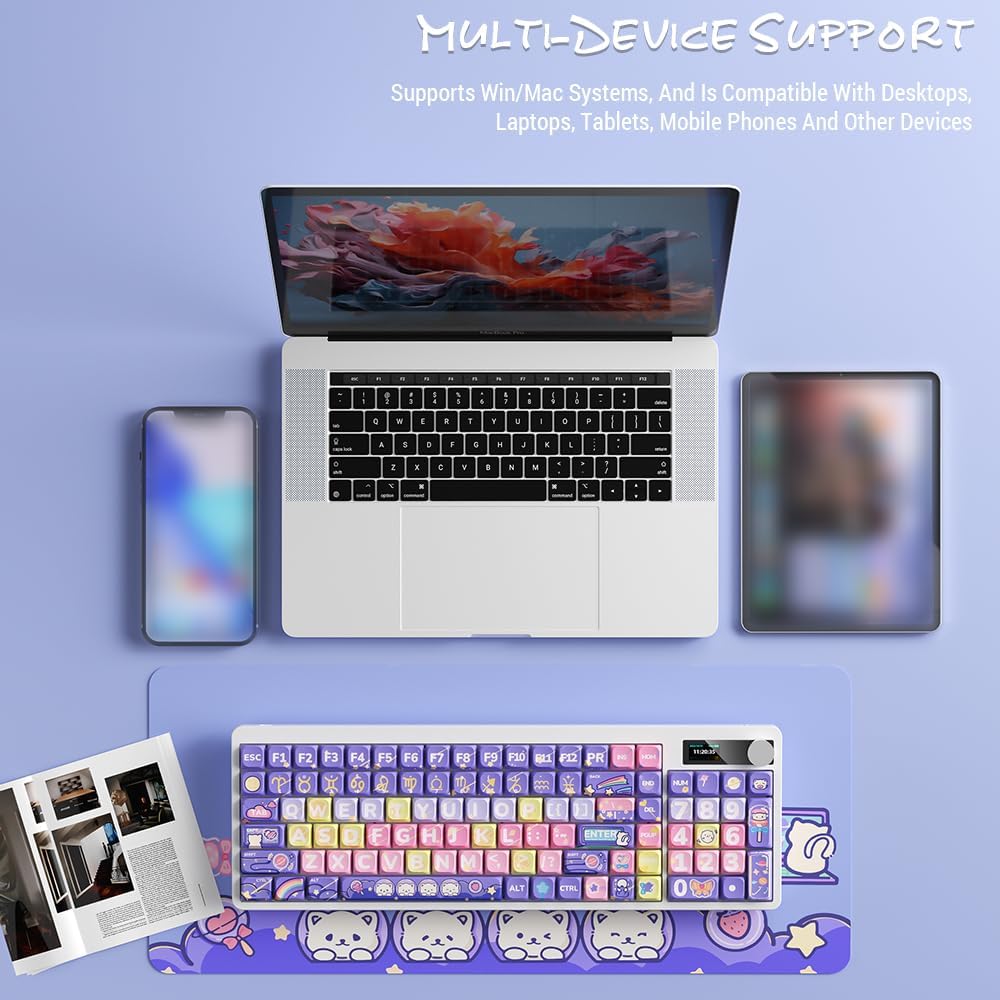
Image: Docooler keyboard demonstrating multi-device support, connected to a laptop, tablet, and smartphone via Bluetooth.
2.3. Дротове USB-з'єднання
- Connect the provided USB cable directly from the keyboard to your computer's USB port.
- Switch the keyboard's connection mode to Wired (refer to the Режими роботи розділ).
- Клавіатура буде розпізнана як стандартна USB-клавіатура.
Інструкція з експлуатації
1. Перемикання режимів підключення
Use the dedicated mode switch or key combination (refer to the keyboard's specific function keys, often marked with icons for 2.4G, BT, and USB) to cycle through the connection modes. The display screen will clearly indicate the active mode.

Image: Close-up of the keyboard display showing indicators for Bluetooth, 2.4G, and wired connection modes, along with battery status and time.
2. High Clear Display Functions
The integrated display provides real-time information and customization options. It can show:
- Дата і час
- Рівень заряду батареї
- Connection Mode (2.4G, BT1/2/3, Wired)
- Налаштування підсвічування
- Рівень гучності
- Custom Images or Dynamic GIFs (customization via software, if available)

Зображення: Детальне view of the keyboard's high-clear display, illustrating various functions such as date, time, power, connection mode, and backlight settings.
3. Ручка регулювання гучності
The metal knob located on the top right of the keyboard allows for quick adjustment of system volume. Rotate clockwise to increase volume, counter-clockwise to decrease. Pressing the knob typically mutes/unmutes audio.

Image: Close-up of the unique metal round knob, highlighting its function for adjusting brightness and volume.
4. Регулювання підсвічування
The keyboard features a colorful backlight. Use the dedicated function keys (often Fn + specific keys) or the display menu to cycle through different lighting effects, adjust brightness, and change colors. Refer to the display for visual feedback on backlight settings.
5. Функціональні клавіші (комбінації Fn)
Багато клавіш мають вторинні функції, доступ до яких можна отримати, утримуючи їх натиснутою. Fn key and pressing the desired key. Common Fn combinations include:
- Fn+F1-F12: Multimedia controls (play/pause, volume, track skip), application shortcuts.
- Fn + клавіші зі стрілками: Backlight brightness/speed adjustment.
- Fn + Win: Lock/unlock Windows key.
- Fn + Mode Key: Switch between 2.4G, BT, and Wired modes.
Consult the keycap legends for specific Fn functions on your "Fun Cake House" keyboard.
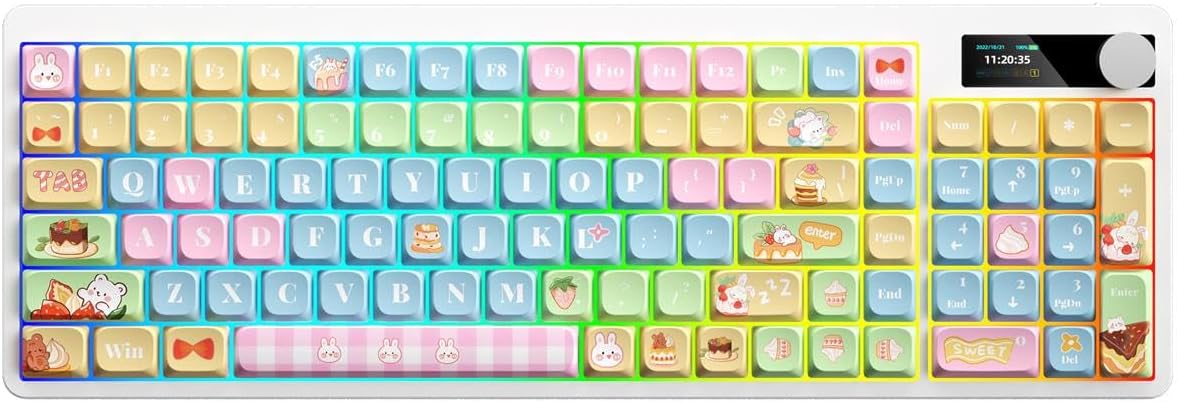
Image: Full layout of the Docooler Wireless Mechanical Keyboard in the Fun Cake House design, showing all 101 keys, the display, and the volume knob.
Технічне обслуговування
1. прибирання
- Перед чищенням від’єднайте клавіатуру від усіх джерел живлення та пристроїв.
- Злегка протріть м’якою тканиною без ворсу dampводою або м’яким миючим розчином, щоб протерти ковпачки клавіш і поверхню клавіатури.
- Для видалення пилу та сміття між клавішами використовуйте стиснене повітря або невелику щітку.
- Уникайте використання агресивних хімікатів, абразивів або розчинників, оскільки вони можуть пошкодити покриття клавіатури та підписи на клавішах.
2. Keycap Removal (Optional)
The PBT keycaps can be removed for deeper cleaning or replacement. Use a keycap puller to gently lift keycaps straight up. Avoid excessive force to prevent damage to the switch stems.
3. Зберігання
When not in use for extended periods, store the keyboard in a cool, dry place away from direct sunlight and extreme temperatures. Ensure the battery is partially charged (around 50%) before long-term storage to preserve battery health.
Усунення несправностей
Клавіатура не відповідає
- Перевірте батарею: Ensure the keyboard is charged. Connect it via USB cable to charge.
- Перевірте режим підключення: Verify the keyboard is in the correct mode (2.4G, BT, or Wired) for your device.
- 2.4G Issues: Переконайтеся, що USB-приймач надійно підключено. Спробуйте інший USB-порт.
- Проблеми з Bluetooth: Re-pair the keyboard with your device. Ensure Bluetooth is enabled on your device. Try forgetting the device and re-pairing.
- Wired Issues: Ensure the USB cable is securely connected to both the keyboard and the computer. Try a different USB cable or port.
- Перезапуск: Restart your computer/device and the keyboard.
Keys Not Registering / Double Typing
- Очищення ковпачків клавіш: Remove keycaps and clean any debris around the switch.
- Оновлення мікропрограми: Check the Docooler official webсайт для отримання будь-яких доступних оновлень прошивки для вашої моделі.
Підсвічування не працює
- Налаштування яскравості: Ensure the backlight brightness is not set to minimum or off. Adjust using Fn combinations or the display menu.
- Енергозбереження: The backlight may turn off after a period of inactivity to save battery. Press any key to reactivate.
Display Screen Issues
- Цикл живлення: Вимкніть і знову ввімкніть клавіатуру.
- Яскравість: Ensure the display brightness is not set too low.
Технічні характеристики
| Модель | Docooler Wireless Mechanical Keyboard (Fun Cake House) |
| Тип перемикача | Червоні перемикачі |
| Клавіатури | PBT |
| Підключення | 2.4G Wireless, Bluetooth (BT), Wired USB |
| Підсвічування | Барвисте підсвічування |
| Перехід ключа | Повний перехід ключа |
| Дисплей | High Clear Display |
| ручка | Metal Volume Control Knob |
| Акумулятор | 1850mAh 3.7V Rechargeable Lithium Battery |
| Розкладка клавіш | 101 Keys (with display screen + knob) |
| Підтримувані системи | Windows, Mac, iOS, Android |
| Розміри | 39.7 х 13.4 х 1.7 см (15.6 х 5.3 х 0.7 дюйма) |
| вага | 621 г (1.37 фунта) |

Image: Diagram illustrating the dimensions of the Docooler Wireless Mechanical Keyboard: 39.7cm (15.6in) length and 13.4cm (5.3in) width.
Інформація про гарантію
Docooler products are covered by a limited warranty from the date of purchase. This warranty covers manufacturing defects in materials and workmanship. It does not cover damage caused by accident, misuse, abuse, modification, improper installation, or normal wear and tear.
For specific warranty terms and conditions, please refer to the warranty card included with your product or visit the official Docooler webсайт.
Підтримка клієнтів
If you encounter any issues or have questions regarding your Docooler Wireless Mechanical Keyboard that are not addressed in this manual, please contact our customer support team.
- Електронна пошта: support@docooler.com
- Webсайт: Visit the official Docooler website for FAQs, drivers, and additional support resources: www.docooler.com
When contacting support, please have your product model (B0DB7YPHFK) and purchase information ready.