
1. Продукт закінчивсяview
The Vieta Pro VM-BS1000WH is a portable, battery-powered Bluetooth speaker designed for high-quality audio playback. Its elegant design allows it to integrate seamlessly into various environments, while its robust features make it suitable for both indoor and outdoor use.
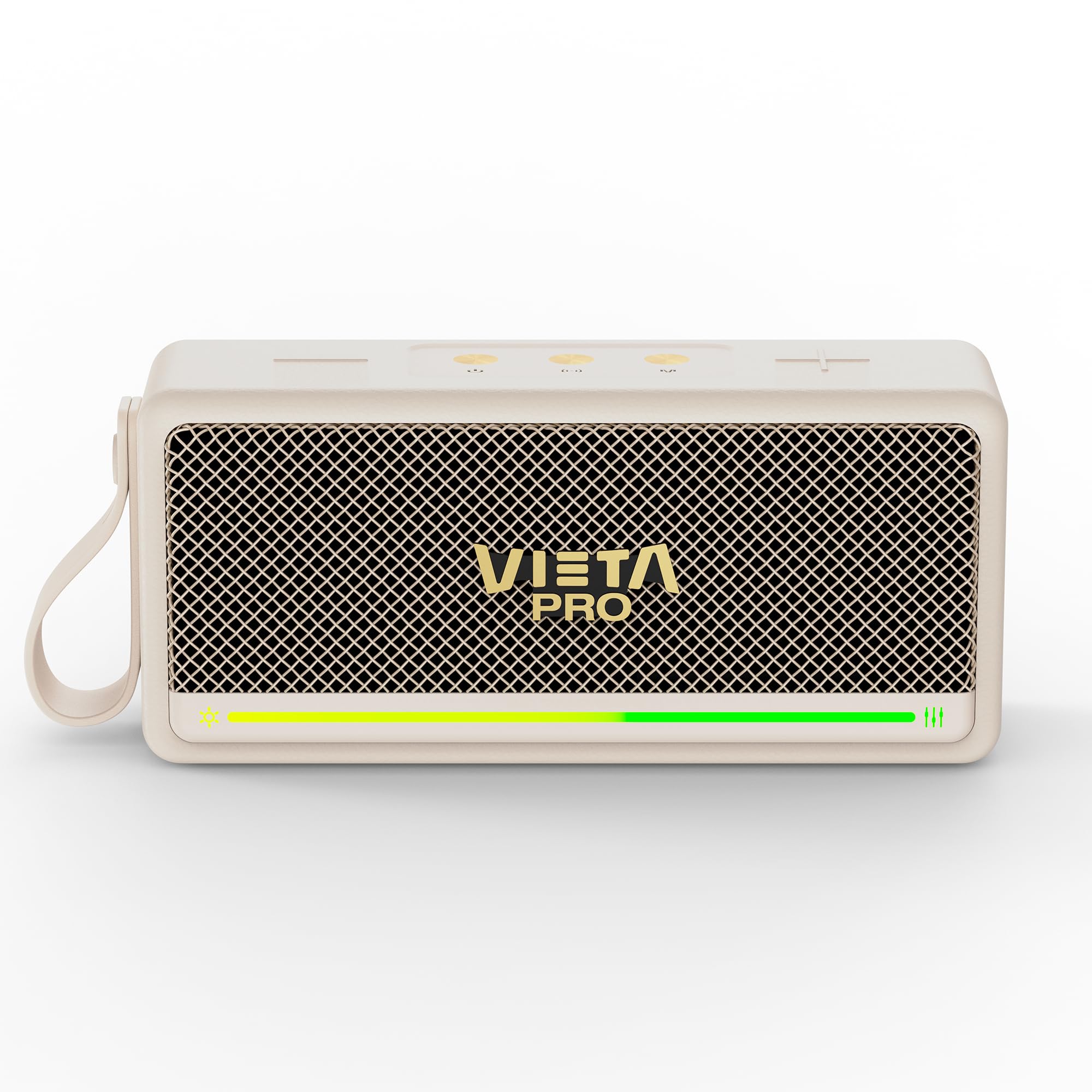
Малюнок 1: Спереду view of the Vieta Pro VM-BS1000WH Portable Bluetooth Speaker.
2. Ключові характеристики
- Bluetooth 5.3: Advanced wireless technology for fast and stable connections.
- Режим TWS (True Wireless Stereo): Enables a true wireless stereo sound experience for immersive listening.
- Водонепроникність IPX7: Certified to withstand splashes and brief immersion in water.
- USB плеєр: Allows direct music playback from a USB drive.
- 10-годинний термін служби батареї: Provides extended use without frequent recharging.
- Shock-resistant design: Підвищена витривалість для активного способу життя.
- Сенсорне керування: Intuitive control method for ease of use.
3. Посібник із налаштування
3.1. Заряджання динаміка
Before initial use, fully charge the speaker. Connect the provided USB charging cable to the speaker's charging port and a compatible USB power adapter (not included). The charging indicator light will illuminate during charging and turn off when fully charged. A full charge provides up to 10 hours of playback.
3.2. Увімкнення/вимкнення живлення
To power on the speaker, press and hold the power button located on the control panel until you hear an audible prompt and the indicator light turns on. To power off, press and hold the power button again until the indicator light turns off.

Малюнок 2: Сторона view of the speaker, highlighting the control panel and ports.
4. Інструкція з експлуатації
4.1. Підключення Bluetooth
- Переконайтеся, що динамік увімкнено та перебуває в режимі сполучення Bluetooth (це позначається миготливим світлодіодом).
- На вашому пристрої (смартфоні, планшеті, ноутбуці) увімкніть Bluetooth та знайдіть доступні пристрої.
- Select "Vieta Pro VM-BS1000WH" from the list of devices.
- Після сполучення динамік видасть звукове підтвердження, а світлодіодний індикатор почне світитися постійно.
4.2. Режим TWS (справжнє бездротове стерео)
To achieve a true wireless stereo experience, you can pair two VM-BS1000WH speakers together:
- Переконайтеся, що обидва динаміки увімкнені та не підключені до жодного іншого пристрою Bluetooth.
- On one speaker, press and hold the TWS button (refer to the control panel diagram) until you hear a pairing tone.
- The two speakers will automatically connect to each other. Once connected, one speaker will act as the master and the other as the slave.
- Now, connect your device to the master speaker via Bluetooth as described in section 4.1. Audio will play in stereo through both speakers.
4.3. Відтворення через USB
Вставте USB-накопичувач, що містить аудіофайли у форматі MP3 files into the USB port on the speaker. The speaker will automatically detect the USB drive and begin playing music. Use the playback controls to navigate tracks.
4.4. Volume and Playback Control
The speaker features touch controls for volume adjustment and music playback:
- Збільшення гучності: Tap the '+' button.
- Зменшення гучності: Tap the '-' button.
- Відтворення/пауза: Натисніть кнопку «Відтворити/Пауза».
- Наступний трек: Натисніть і утримуйте кнопку «+».
- Попередній трек: Натисніть і утримуйте кнопку «-».
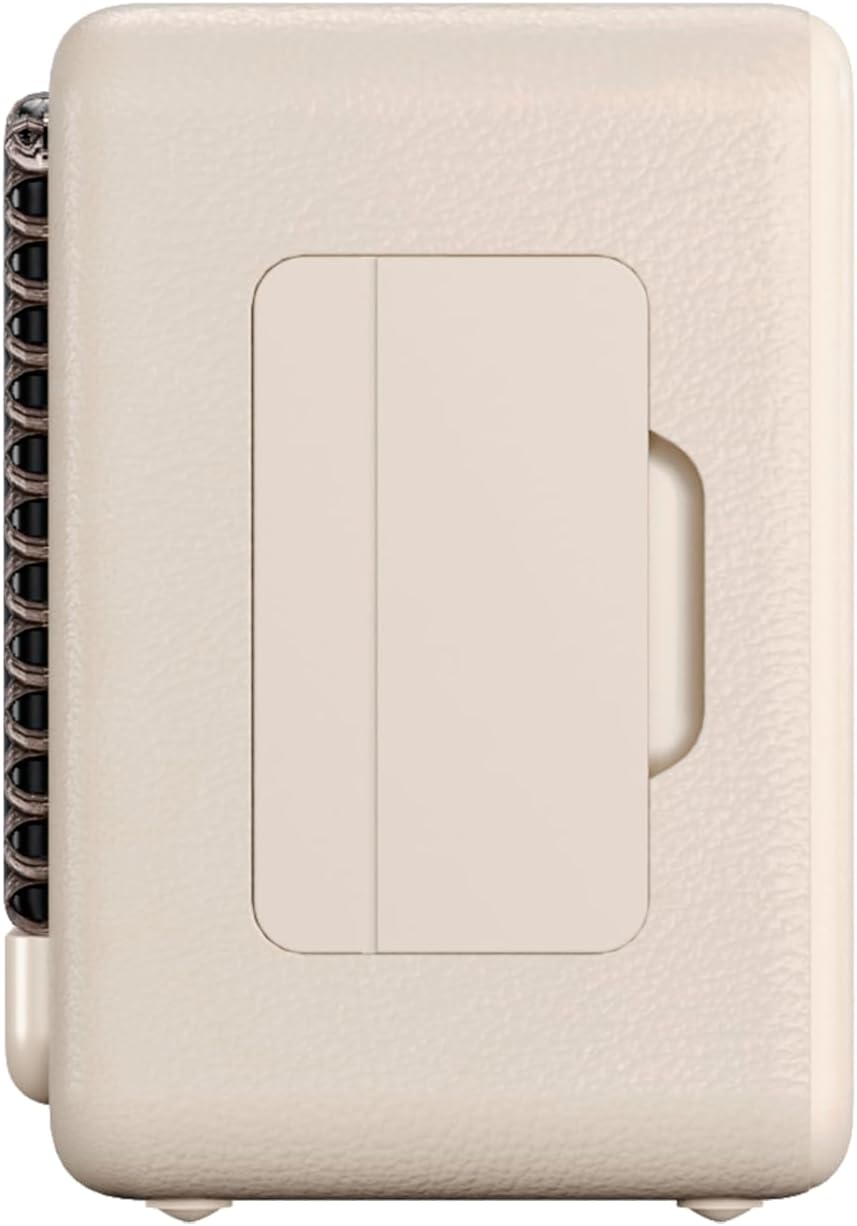
Рисунок 3: Бічний профіfile of the speaker, illustrating its compact design.
5. Технічне обслуговування
5.1. прибирання
Wipe the speaker with a soft, dry cloth. Do not use abrasive cleaners, alcohol, or chemical solvents, as these may damage the surface. Ensure all ports are dry before charging or connecting other devices.
5.2. Водостійкість (IPX7)
The VM-BS1000WH speaker is IPX7 water-resistant, meaning it can be immersed in water up to 1 meter for up to 30 minutes. However, it is not designed for continuous underwater use. Always ensure the charging port cover is securely closed before exposing the speaker to water. After exposure to water, dry the speaker thoroughly before charging.
6. Вирішення проблем
- Немає живлення: Переконайтеся, що динамік заряджений. Підключіть його до джерела живлення та спробуйте ще раз.
- Не вдається підключити Bluetooth: Make sure the speaker is in pairing mode and within range of your device. Disconnect from any previously paired devices. Try restarting both the speaker and your device.
- Немає звуку: Перевірте рівні гучності як на динаміку, так і на підключеному пристрої. Переконайтеся, що динамік правильно сполучено.
- Погана якість звуку: Перемістіть динамік ближче до пристрою Bluetooth, щоб зменшити перешкоди. Переконайтеся, що між динаміком і пристроєм немає перешкод.
- Не працює відтворення з USB: Ensure the USB drive is formatted correctly (FAT32) and contains compatible audio files (MP3). Try a different USB drive.
7. Технічні характеристики
| Особливість | Специфікація |
|---|---|
| Торгова марка | Vieta Pro |
| Назва моделі | VM-BS1000WH |
| Тип динаміка | Портативна Bluetooth колонка |
| Максимальна вихідна потужність динаміка | 25 Вт |
| Технологія підключення | Bluetooth |
| Версія Bluetooth | 5.3 |
| Режим аудіовиходу | Стерео |
| Рівень водонепроникності | IPX7 (водонепроникність) |
| Термін служби батареї | До 10 годин |
| Джерело живлення | Battery Powered (1 C battery included) |
| Спосіб контролю | Дотик |
| Розмір динаміка | 7.5 см |
| Розміри продукту (Д x Ш x В) | 7.7 х 5.6 х 17.1 см |
| Сумісні пристрої | Смартфон, планшет, ноутбук, MP3-плеєр |
| Особливості | Shock-resistant, Wireless speakers, USB port |
8. Гарантія та підтримка
8.1. Обмежена гарантія
This Vieta Pro VM-BS1000WH speaker comes with a Limited Warranty. Please refer to the warranty card included in the product packaging for detailed terms and conditions, including coverage period and limitations. Keep your proof of purchase for warranty claims.
8.2. Підтримка клієнтів
For technical assistance, troubleshooting, or warranty inquiries, please contact FRAMASON AUDIO S.A., the manufacturer. Contact information can typically be found on the product packaging or the official Vieta Pro website. Please have your model number (VM-BS1000WH) and proof of purchase ready when contacting support.