
1. Вступ
This manual provides detailed instructions for setting up, operating, maintaining, and troubleshooting your UOTEK AX3000 5G WiFi 6 Router. This device offers high-speed 5G cellular network access and advanced WiFi 6 connectivity for your home or office environment.
2. Вміст упаковки
- UOTEK AX3000 5G WiFi 6 Router (Model UT-R9010-M)
- 8 x High-Gain Omnidirectional Antennas
- Адаптер живлення
- Кабель Ethernet
- Посібник користувача / Короткий посібник
3. Продукт закінчивсяview
Ознайомтеся з фізичними компонентами та індикаторами маршрутизатора.
3.1. Передня панель
The front panel features LED indicators for Power, Internet status, 2.4GHz WiFi, 5GHz WiFi, and Cellular signal strength.
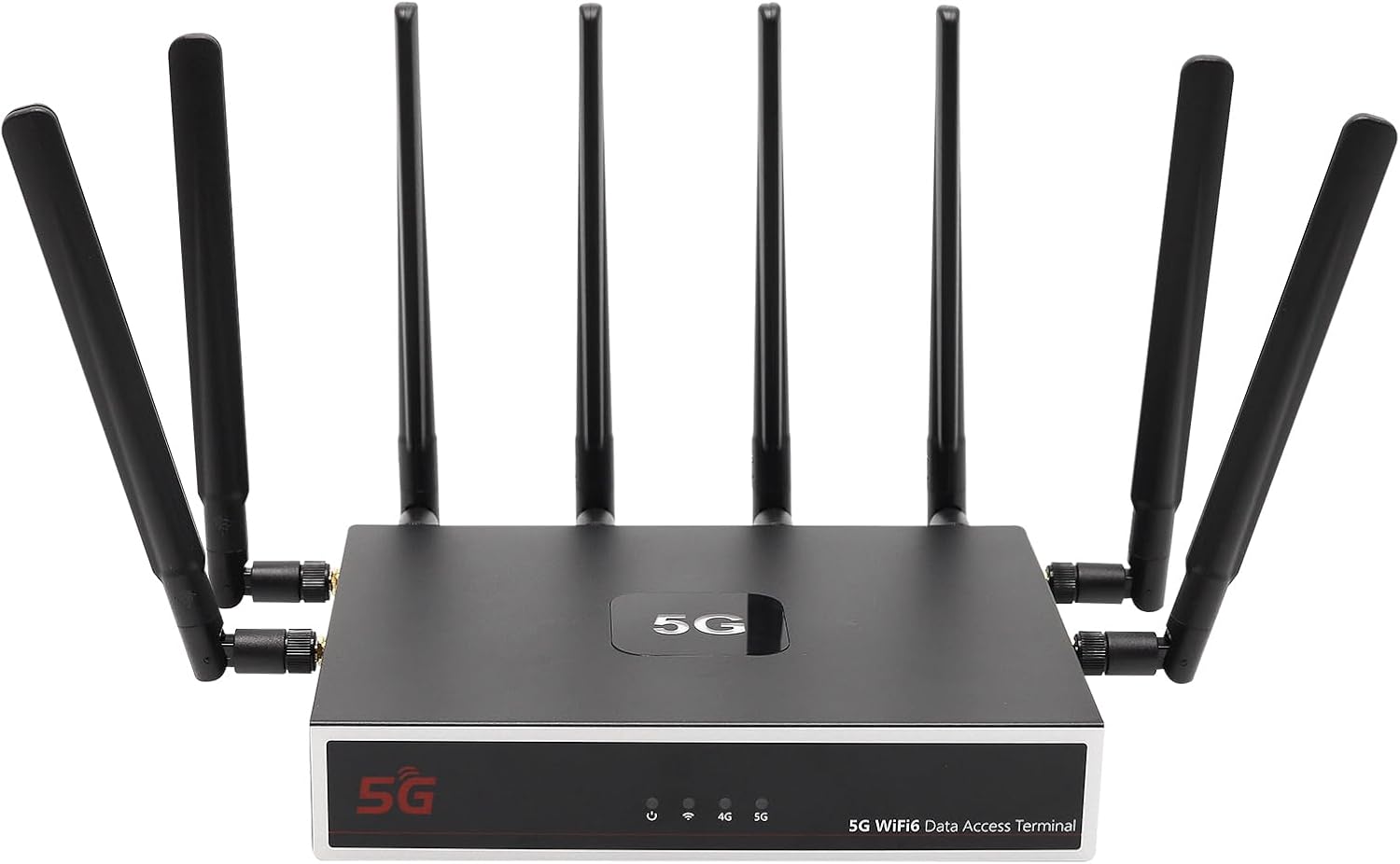
Зображення: спереду view of the UOTEK AX3000 5G WiFi 6 Router, showcasing its sleek design and 8 external antennas for enhanced signal coverage.
3.2. Бічна панель
The side panel includes the dual Nano SIM card slots and connectors for the external antennas.

Зображення: Збоку view of the UOTEK AX3000 router, highlighting the dual Nano SIM card slots and the interfaces for connecting the external antennas.
3.3. Задня панель
The rear panel provides the DC 12V power input, a WAN port for wired internet connection, two LAN ports for wired devices, and a reset button.

Зображення: Задня частина view of the UOTEK AX3000 router, displaying the Ethernet LAN/WAN ports and the power input socket.
4. Налаштування
4.1. Insert SIM Cards
- Знайдіть слоти для SIM-карт на бічній панелі маршрутизатора.
- Carefully open the protective cover.
- Insert your Nano SIM card(s) into the designated slots with the gold contacts facing down and the notched corner aligned correctly.
- Обережно натисніть на SIM-картку, доки вона не зафіксується почувши клацання.
- Щільно закрийте захисну кришку.

Зображення: Детальний view of the dual Nano SIM card slots on the UOTEK AX3000 router, showing the correct orientation for insertion.
4.2. Прикріпіть антени
Screw all 8 high-gain omnidirectional antennas firmly into their respective connectors on the router. Ensure they are securely tightened for optimal signal reception.

Image: The UOTEK AX3000 5G WiFi 6 Router with all 8 external antennas fully extended, ready for operation.
4.3. Підключіть живлення
Connect the provided power adapter to the DC 12V input port on the rear panel of the router, then plug the adapter into a power outlet. The router will power on automatically.
4.4. Початковий доступ та налаштування
- Підключення до роутера: Ви можете підключитися до роутера через Wi-Fi або Ethernet.
- Wi-Fi: шукати the default Wi-Fi network name (SSID) printed on the router's label. Connect using the default Wi-Fi password also found on the label.
- Ethernet: Connect an Ethernet cable from one of the LAN ports on the router to your computer.
- Доступ Web Інтерфейс: Відкрийте a web браузер і введіть IP-адресу за замовчуванням (наприклад,
192.168.100.1) в адресний рядок. - Логін: Enter the default username (e.g.,
admin) та пароль (наприклад,admin) when prompted. You will be guided through the initial setup process. - Set Admin Password: For security, change the default administrator password immediately.
- Налаштування Wi-Fi: Customize your Wi-Fi network name (SSID) and set a strong password.
4.5. Відеопосібник з налаштування
Video: This video demonstrates the unboxing, SIM card insertion, and antenna connection process for a similar 5G router, providing a visual guide for the initial physical setup.
5. Інструкція з експлуатації
5.1. Підключення пристроїв
- Wi-Fi: On your devices (smartphones, laptops, tablets), search for your configured Wi-Fi network name (SSID) and enter the password.
- Ethernet: Connect devices like desktop computers, smart TVs, or gaming consoles to the router's LAN ports using Ethernet cables for a stable wired connection.

Image: The UOTEK AX3000 5G WiFi 6 Router efficiently connecting up to 100 smart devices simultaneously, ensuring high capacity and efficiency.
5.2. Dual SIM Card Functionality
The router supports dual SIM cards, allowing for automatic switching between networks to maintain optimal signal strength and connectivity. If one network signal weakens, the router can seamlessly switch to the stronger available SIM card.
5.3. Wi-Fi 6 (802.11ax) Enhancements
Benefit from advanced Wi-Fi 6 technologies like OFDMA and DL MU-MIMO, which enable more stable and high-speed wireless transmission. These technologies allow the router to synchronously schedule multiple users to send and receive data in parallel, reducing network latency and improving overall efficiency.

Image: A diagram comparing Wi-Fi 6 (OFDMA+MU-MIMO) with Wi-Fi 5, showing how Wi-Fi 6 allows data from multiple users to be transferred simultaneously, improving efficiency.
5.4. Налаштування VPN
The router comes with pre-installed OpenVPN and WireGuard support, allowing you to configure VPN services for enhanced security and privacy. Access the VPN settings through the web interface to set up your preferred VPN service.
Video: This video provides a setup guide for a GL.iNet router, demonstrating how to connect to Wi-Fi and configure VPN services through the web interface, which is applicable to general router setup.
6. Технічне обслуговування
6.1. Оновлення мікропрограми
Regularly check the UOTEK official website for the latest firmware updates. Firmware updates can improve performance, add new features, and enhance security. Follow the instructions provided with the firmware update package carefully.
6.2. Скидання до заводських налаштувань
If you encounter persistent issues or wish to clear all configurations, you can reset the router to its factory default settings. Locate the reset button on the rear panel, use a paperclip or a thin object to press and hold the button for about 10 seconds until the LED indicators flash.
6.3. Оптимальне розміщення
For the best Wi-Fi coverage and 5G signal reception, place the router in a central location within your home or office, away from obstructions like thick walls, large metal objects, and other electronic devices that may cause interference. Elevating the router can also improve signal distribution.
7. Вирішення проблем
7.1. Немає підключення до Інтернету
- Check if the SIM card(s) are correctly inserted and activated with your mobile carrier.
- Verify that the cellular signal LED indicator is lit and stable.
- Ensure the Ethernet cable is securely connected to the WAN port (if using wired internet).
- Перезавантажте маршрутизатор, відключивши та знову підключивши адаптер живлення.
7.2. Weak Wi-Fi Signal or Slow Speeds
- Відрегулюйте положення зовнішніх антен для кращого прийому сигналу.
- Relocate the router to a more central and open area, away from potential interference sources.
- Переконайтеся, що ваші пристрої сумісні з Wi-Fi 6, щоб повною мірою використовувати можливості маршрутизатора.
7.3. Немає доступу Web Інтерфейс
- Verify that your device is connected to the router's network (Wi-Fi or Ethernet).
- Double-check the IP address entered in the browser (e.g.,
192.168.100.1). - Очистіть кеш браузера або спробуйте інший браузер.
- If you forgot your admin password, perform a factory reset (see Section 6.2).
8. Технічні характеристики
| Особливість | опис |
|---|---|
| Назва моделі | UT-R9010-M |
| Технологія підключення | WiFi 6 (802.11ax), 5G, Ethernet |
| Клас діапазону частот | Дводіапазонний (2.4 ГГц та 5 ГГц) |
| Тип антени | 8 x External High-Gain Omnidirectional Antennas |
| Підтримка SIM-карт | Dual Nano SIM Card Slots |
| Порти Ethernet | 1x WAN, 2x LAN Gigabit Ports |
| Особливості | Internet Security, LED Indicators, VPN Support (OpenVPN, WireGuard) |
| Вага товару | 3.1 фунта |
| Розміри упаковки | 10.47 x 10.24 x 3.11 дюймів |
| Виробник | UTEK TECHNOLOGY(SHENZHEN) CO.,LTD. |
9. Гарантія та підтримка
The UOTEK AX3000 5G WiFi 6 Router comes with a standard manufacturer's warranty. For detailed warranty information, technical support, or customer service inquiries, please visit the official UOTEK webсайт або зверніться безпосередньо до їхньої служби підтримки.