
1. Вступ
The CHERRY XTRFY M64 Wireless Gaming Mouse is engineered for competitive gaming, offering ultra-fast 8000 Hz polling rate technology for extremely low click latency and precise cursor movements. This ergonomic mouse features a reinvented design for enhanced grip and control, combined with a lightweight construction for swift and accurate gameplay. It utilizes a high-performance Pixart 3395 sensor and refined wireless technology to ensure uncompromised speed and responsiveness.
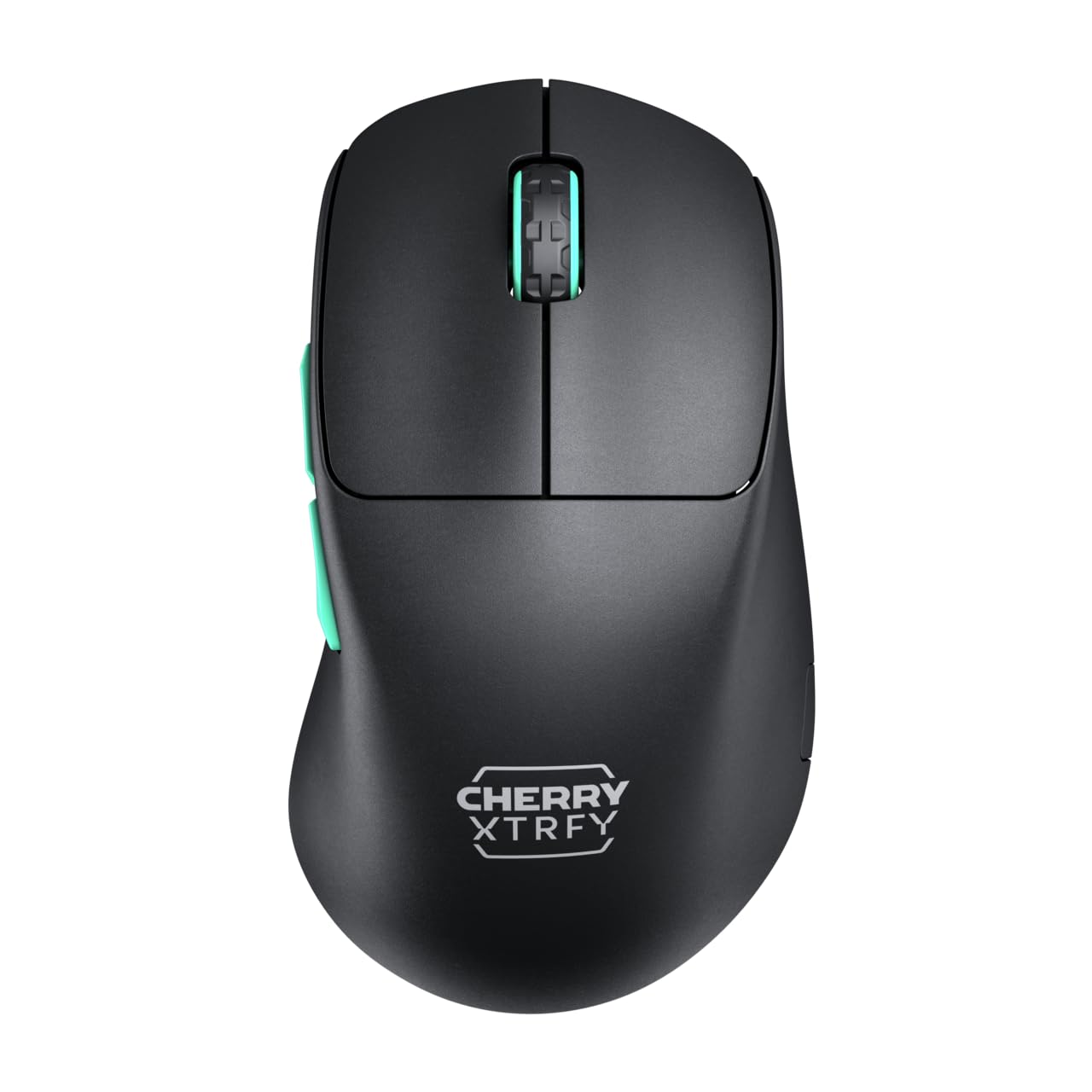
Image 1: CHERRY XTRFY M64 Wireless Gaming Mouse. This image shows the ergonomic design of the mouse, highlighting its black body and distinctive teal scroll wheel and side buttons.
2. Вміст упаковки
Перевірте наявність усіх елементів в упаковці:
- Бездротова ігрова миша CHERRY XTRFY M64
- USB-C Charging Cable (flexible CHERRY XTRFY EZcord)
- Бездротовий приймач USB-A
- USB-A to USB-C Adapter (for receiver extension)
- Посібник користувача (цей документ)

Image 2: Included accessories. This image displays the USB-C charging cable, the USB-A wireless receiver, and an adapter, which are essential for connecting and charging the mouse.
3. Налаштування
- Connect the Wireless Receiver: Insert the USB-A wireless receiver into an available USB port on your computer. For optimal signal strength and reduced latency, use the provided USB-A to USB-C adapter and charging cable to position the receiver closer to the mouse.
- Увімкнення миші: Locate the power switch on the underside of the mouse and slide it to the "ON" position. The mouse should automatically connect to the receiver.
- Початкова оплата: For first-time use, it is recommended to fully charge the mouse. Connect the USB-C end of the charging cable to the mouse and the USB-A end to your computer or a USB power adapter. The mouse can be used while charging.
4. Інструкція з експлуатації
4.1. Функції кнопок
- Ліва кнопка миші: Первинна дія.
- Клацніть правою кнопкою миші: Вторинна дія.
- Колесо прокрутки: Прокручування вгору/вниз, клацання середньою кнопкою миші.
- Бічні кнопки: Typically configured for forward/backward navigation in web browsers or custom functions in games.
4.2. Налаштування роздільної здатності
The M64 Wireless mouse allows for on-the-fly DPI (Dots Per Inch) adjustment without requiring software. The DPI button is located on the underside of the mouse. Press this button to cycle through preset DPI levels. An indicator light will typically change color to show the current DPI setting.

Image 3: Underside of the mouse. This view highlights the various switches and buttons on the bottom of the mouse, including the DPI adjustment button and polling rate switch.
4.3. Коригування частоти опитування
The M64 Pro Wireless supports up to an 8000 Hz polling rate, providing extremely fast response times. A switch on the underside of the mouse allows you to select between different polling rates (e.g., 1000 Hz, 8000 Hz) to suit your preference and system capabilities. Refer to the markings on the mouse for specific settings.
4.4. Акумулятор та заряджання
The mouse is equipped with a rechargeable Lithium Ion battery. A full charge can provide up to 90 hours of playtime in Standard Gaming Mode. When the battery is low, the indicator light on the mouse will signal this condition. Connect the mouse using the provided USB-C cable to charge. You can continue using the mouse while it is connected via cable.
5. Технічне обслуговування
- Прибирання: Використовуйте м’яку суху тканину для очищення поверхні миші. Для стійкого бруду злегкаamp можна використовувати тканину, переконавшись, що рідина не потрапить всередину миші. Уникайте агресивних хімікатів або абразивних матеріалів.
- Зберігання: Зберігайте мишу в прохолодному, сухому місці, подалі від прямих сонячних променів та екстремальних температур.
- Догляд за акумулятором: Щоб продовжити термін служби батареї, уникайте частого повного розрядження миші. Заряджайте її, коли з’являється індикатор низького заряду батареї.
6. Вирішення проблем
- Миша не реагує:
- Переконайтеся, що миша увімкнена.
- Check if the wireless receiver is securely plugged into a USB port.
- Verify the mouse battery has sufficient charge.
- Спробуйте підключити приймач до іншого USB-порту.
- Переконайтеся, що інші бездротові пристрої не створюють перешкод.
- Lag or Disconnects:
- Move the wireless receiver closer to the mouse, using the extension cable if necessary.
- Ensure there are no large metal objects or other strong wireless signals between the mouse and receiver.
- Reduce the polling rate if your system struggles to maintain 8000 Hz.
- Проблеми із зарядкою:
- Переконайтеся, що кабель USB-C правильно підключено як до миші, так і до джерела живлення.
- Спробуйте інший порт USB або адаптер живлення.
7. Технічні характеристики
| Модель | M64 Wireless |
| Технологія підключення | Wireless (2.4 GHz), USB (for charging/wired use) |
| датчик | pixart 3395 |
| Швидкість опитування | Up to 8000 Hz (Pro models) |
| вага | Approx. 55 grams (Pro Wireless) |
| Тип батареї | 1 літій-іонний акумулятор (у комплекті) |
| Термін служби батареї | Up to 90 hours (Standard Gaming Mode) |
| Розміри (упаковка) | 4.7 x 2.5 x 1.5 дюймів |
| Вага товару | 1.94 унції |
| Виробник | Cherry Xtrfy |
8. Гарантія та підтримка
CHERRY XTRFY products are covered by a manufacturer's warranty. For detailed warranty information, technical support, or service inquiries, please visit the official CHERRY XTRFY webсайт або зверніться безпосередньо до служби підтримки клієнтів.
Офіційний Webсайти: cherryxtrfy.com, cherry.de