
вступ
Дякуємо за покупкуasing the KTC H27S17 27-inch WQHD 180Hz Curved Gaming Monitor. This manual provides essential information for the safe and efficient use of your new monitor. Please read it thoroughly before use and retain it for future reference.
Продукт закінченийview відео
Відео: Офіційна відеопрезентація продуктуasing the key features and design of the KTC H27S17 27-inch Curved Gaming Monitor.
Вміст упаковки
Перевірте, чи всі перелічені нижче предмети входять до вашої упаковки:
- Кабель живлення
- Кабель DisplayPort
- Адаптер живлення
- Стенд для монітора
- База підставки
- Driver CD (or download link)
- Монтажні гвинти
- Instruction Manual (Japanese version)
- Короткий посібник
- Гарантійний талон
Інструкції з налаштування
1. Збірка підставки
Attach the stand base to the monitor stand using the provided screws. Then, securely attach the assembled stand to the back of the monitor.
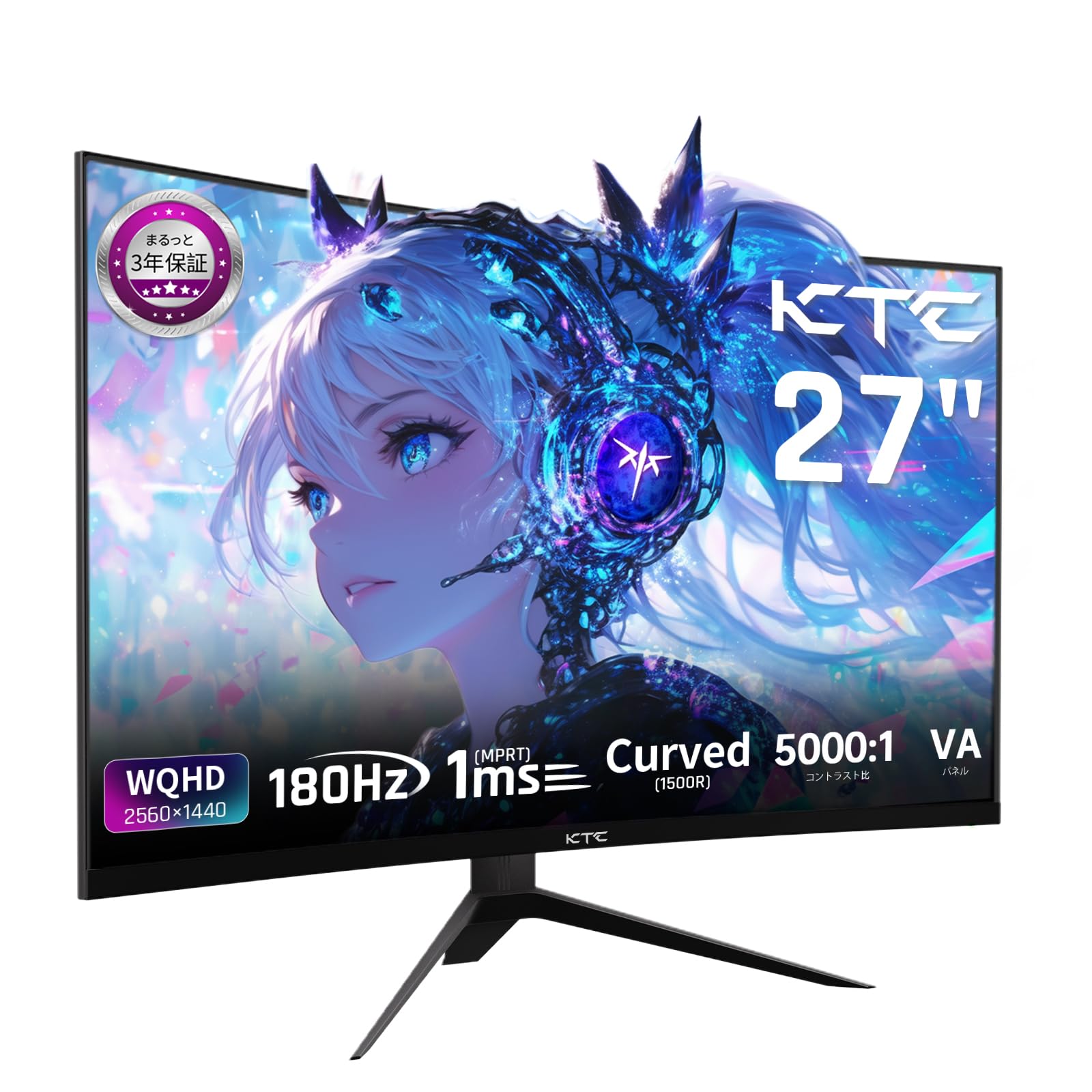
Image: The KTC H27S17 monitor fully assembled with its stand, viewред з фронту.
2. Підключення до джерела живлення
Підключіть адаптер живлення до вхідного порту постійного струму монітора, а потім підключіть кабель живлення до розетки.
3. Підключення до пристрою
Use the appropriate cable (DisplayPort or HDMI) to connect your computer or gaming console to the monitor. Ensure the cable is securely connected to both the monitor and your device.

Зображення: Задня частина view of the monitor showing the various input ports including DC, USB, HDMI, DisplayPort, and headphone jack.
4. Кріплення VESA (додатково)
The monitor supports VESA 100mm x 100mm mounting. If using a VESA mount, remove the stand and attach the monitor to your VESA-compatible arm or wall mount using appropriate screws.
Image: Diagram illustrating the VESA 100x100mm mounting pattern and tilt adjustment range on the back of the monitor.
Інструкція з експлуатації
Увімкнення/вимкнення живлення
Натисніть кнопку живлення, яка зазвичай розташована на задній або нижній панелі монітора, щоб увімкнути або вимкнути його. Індикатор живлення світиться, коли монітор увімкнено.
Екранне меню (OSD).
Use the joystick or buttons on the monitor to navigate the OSD menu. This menu allows you to adjust various display settings such as brightness, contrast, color temperature, input source, and gaming features.
Вибір джерела вхідного сигналу
If multiple devices are connected, use the OSD menu to select the desired input source (HDMI 1, HDMI 2, DisplayPort 1, DisplayPort 2).
Функції дисплея
Curved Display (1500R)
The 1500R curvature provides an immersive viewing experience, reducing eye strain during extended use by matching the natural curve of the human eye.

Image: A curved monitor displaying a vibrant image, highlighting the 1500R curvature for an immersive experience.
WQHD Resolution (2560x1440)
Experience detailed visuals with WQHD (2560x1440) resolution, offering approximately 1.7 times the pixel density of Full HD displays.

Image: A monitor displaying a high-resolution image, emphasizing the clarity of WQHD (2560x1440) compared to lower resolutions.
High Refresh Rate (180Hz) and Fast Response Time (1ms MPRT)
The 180Hz refresh rate and 1ms (MPRT) response time ensure smooth, blur-free visuals, crucial for fast-paced gaming and action scenes.

Image: A split screen comparison on the monitor, demonstrating the difference between 180Hz/1ms and 60Hz/5ms, highlighting reduced motion blur.
Vibrant Color Reproduction and HDR10
With sRGB 132%, DCI-P3 104%, Adobe RGB 112% color volume, and HDR10 support, the monitor delivers accurate and vivid colors with enhanced contrast between bright and dark areas.

Image: A monitor displaying a colorful scene, illustrating the wide color gamut and high contrast ratio (5000:1).
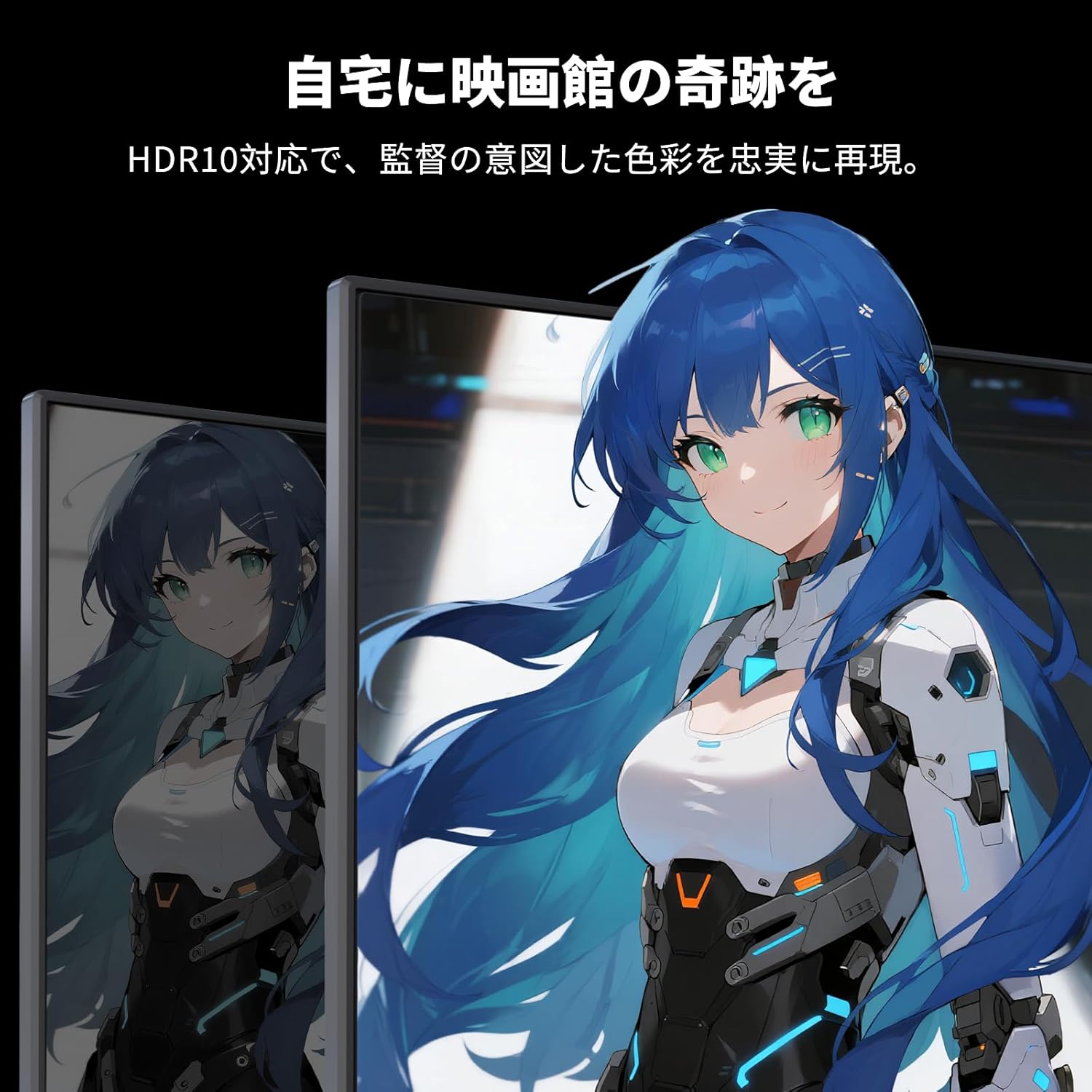
Image: A monitor showing a scene with HDR10 enabled, demonstrating improved dynamic range and detail in both bright and dark areas.
Технологія адаптивної синхронізації
Adaptive Sync (FreeSync and G-Sync compatible) eliminates screen tearing and stuttering, providing a fluid gaming experience.

Image: A split screen comparison on the monitor, showing the difference between Adaptive Sync OFF (screen tearing) and ON (smooth image).
Функції догляду за очима
The monitor includes Flicker-Free technology and a Low Blue Light mode to reduce eye strain during prolonged use.

Image: Illustrations demonstrating Flicker-Free technology and Low Blue Light mode, designed to reduce eye fatigue.
Підключення
The KTC H27S17 monitor offers multiple connectivity options:
- 2 х HDMI 2.0: Supports WQHD (2560x1440) at 144Hz.
- 2 x DisplayPort 1.4: Supports WQHD (2560x1440) at 180Hz.
- 1 порти USB 2.0: Тільки для оновлення прошивки.
- 1 x 3.5mm Headphone Jack: Для виведення звуку.
- 1 x DC Input: Для підключення живлення.
Зображення: Детальне view of the monitor's rear panel, highlighting the DC input, USB port, HDMI ports, DisplayPort inputs, and headphone jack.
Фізичні корективи
Регулювання нахилу
The monitor stand allows for tilt adjustment from -5 to 15 degrees, enabling you to find an optimal viewкут для комфорту.
Image: Diagram illustrating the tilt adjustment range of the monitor stand.
Сумісність VESA
The monitor is compatible with VESA 100mm x 100mm mounting standards, allowing for flexible installation with monitor arms or wall mounts.
Технічне обслуговування
Очищення екрану
Обережно протріть екран м’якою тканиною без ворсу. Для стійких плям злегка протрітьampПротріть тканину водою або розчином для чищення екрану. Уникайте використання агресивних хімікатів або абразивних матеріалів.
Cleaning the Monitor Body
Wipe the monitor body with a soft, dry cloth. Do not use liquid cleaners directly on the monitor.
Зберігання
Якщо монітор не використовується протягом тривалого часу, зберігайте його в прохолодному, сухому місці, подалі від прямих сонячних променів та екстремальних температур.
Усунення несправностей
Якщо у вас виникли проблеми з монітором, зверніться до наступних поширених рішень:
- Немає живлення: Ensure the power cable and adapter are securely connected and the power outlet is functional.
- Немає сигналу: Verify that the input cable (HDMI/DisplayPort) is correctly connected to both the monitor and the source device. Select the correct input source via the OSD menu.
- Мерехтіння/спотворене зображення: Check cable connections. Ensure your graphics card drivers are up to date. Try adjusting the refresh rate in your device's display settings.
- Мертві пікселі: While rare, a small number of dead pixels may be within manufacturing tolerances. Refer to the warranty policy for details.
- Audio Issues (Headphone Jack): Ensure headphones are fully plugged in. Check audio settings on your connected device.
For further assistance, please contact KTC customer support.
Технічні характеристики
| Особливість | Специфікація |
|---|---|
| Бренд | КТК |
| Модель | H27S17 |
| Розмір екрана | 27 дюймів |
| роздільна здатність | WQHD (2560 x 1440 pixels) |
| Співвідношення сторін | 16:9 |
| Кривизна | 1500R |
| Тип панелі | VA |
| Частота оновлення | 180 Гц |
| Час відгуку | 1 мс (MPRT) |
| Коефіцієнт контрастності | 5000:1 |
| Яскравість | 300 кд/м² |
| Колірна гамма | sRGB 132% / DCI-P3 104% / Adobe RGB 112% |
| Підтримка HDR | HDR10 |
| Адаптивна синхронізація | FreeSync, G-Sync Compatible |
| Підключення | 2x HDMI 2.0, 2x DisplayPort 1.4, 1x USB 2.0 (Upgrade only), 1x Headphone Jack |
| Гора VESA | 100 мм х 100 мм |
| Регулювання нахилу | -5-15 градусів |
| Функції догляду за очима | Flicker-Free, Low Blue Light |
Гарантія та підтримка
KTC provides a 3-year warranty and a 12-month exchange service for this product. For any questions or issues, please contact customer support.
- телефон: 050-3606-8990
- Електронна пошта: support@ktcplay.com

Image: Information regarding KTC's 3-year warranty and contact details for customer support.
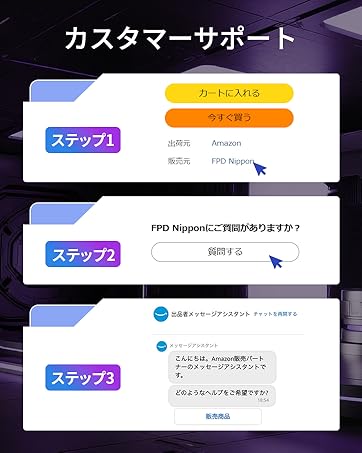
Image: Step-by-step guide on how to contact customer support via Amazon.


