
1. Вступ
This manual provides essential information for the safe and effective use of your Snapmaker 1064nm Infrared Laser Module. This module is designed for engraving various plastics and metals, expanding the capabilities of your Snapmaker 2.0, Artisan, or Ray series machine. Please read this manual thoroughly before installation and operation.
2. Інформація про безпеку
Operating laser equipment requires strict adherence to safety protocols to prevent injury. The 1064nm Infrared Laser Module incorporates a built-in tilt detection and protection mechanism that automatically halts operation if incorrect installation or tilting of the laser head is detected.
- Захист очей: Always wear appropriate laser safety goggles specifically designed for 1064nm infrared lasers during operation. These must be purchased separately.
- Додаток: Use a protective enclosure (must be purchased separately) to contain laser emissions and debris, ensuring a safe working environment.
- Вентиляція: Ensure adequate ventilation to remove fumes and particles generated during engraving.
- Безпека матеріалу: Only engrave materials specified as safe for infrared lasers. Certain materials can produce hazardous fumes or catch fire.
- Нагляд: Ніколи не залишайте лазерний модуль працюючим без нагляду.
малюнок 2.1: Laser module tilt detection. The left side shows correct installation (green check), while the right side shows incorrect installation (red X) triggering a safety halt. Laser safety goggles and an enclosure are shown as separate safety accessories.
3. Продукт закінчивсяview та зміст
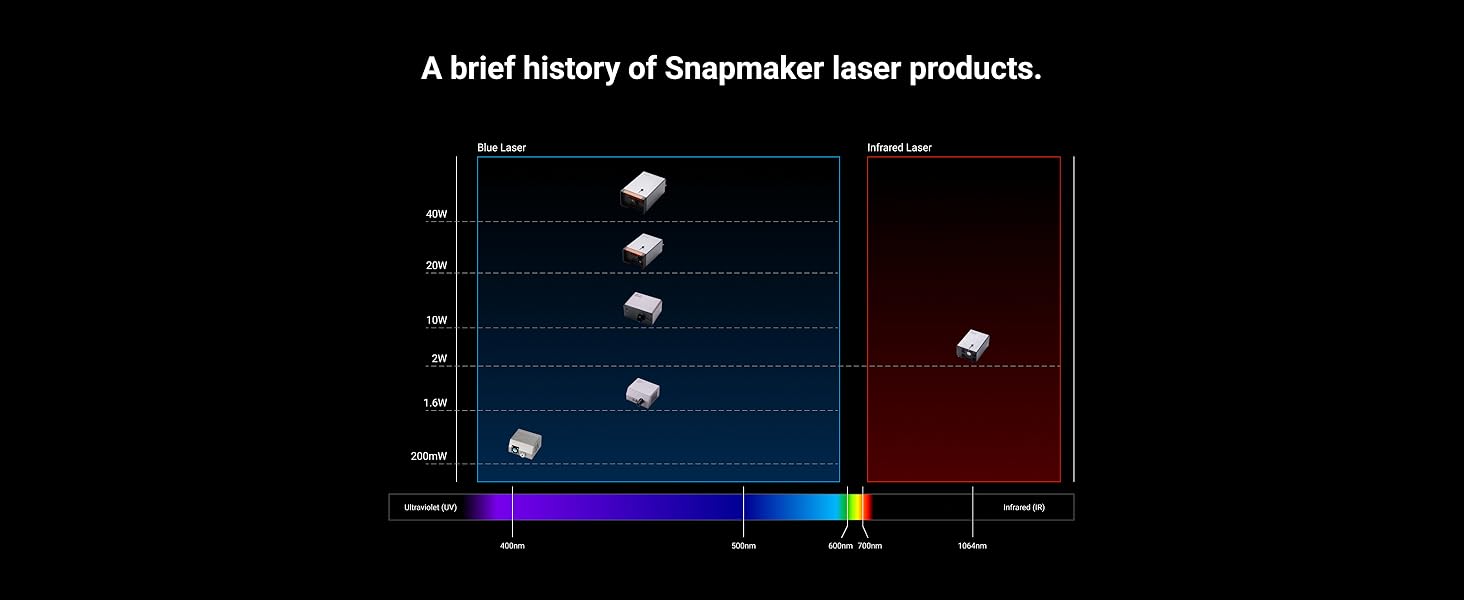
The Snapmaker 1064nm Infrared Laser Module is a precision tool for detailed engraving on a variety of materials. It features an easy-to-focus mechanism and AB position functionality for precise graphic placement.
3.1 Що в коробці
Після розпакування переконайтеся, що всі наступні компоненти присутні:
- Інфрачервоний лазерний модуль 1064 нм
- Калібрувальна карта
- Ватні палички
- Монтажні гвинти

малюнок 3.1: Unpacked contents of the Snapmaker 1064nm Infrared Laser Module.
4. Налаштування
To set up your 1064nm Infrared Laser Module, follow these general steps. Refer to your Snapmaker machine's main user manual for specific instructions on module installation.
- Вимкнення живлення: Ensure your Snapmaker machine is powered off and disconnected from the power source before beginning installation.
- Встановіть модуль: Carefully attach the 1064nm Infrared Laser Module to the tool head carriage of your Snapmaker machine using the provided mounting screws. Ensure it is securely fastened and correctly oriented.
- Підключіть кабелі: Connect the module's data and power cables to the designated ports on the tool head carriage.
- Увімкнення: Once the module is securely installed and connected, you may power on your Snapmaker machine.
- Розпізнавання програмного забезпечення: Your Snapmaker software (e.g., Luban) should automatically detect the new laser module. If not, restart the software or machine.
5. Інструкція з експлуатації
This section details the key operational aspects of the 1064nm Infrared Laser Module.
5.1 Engravable Materials
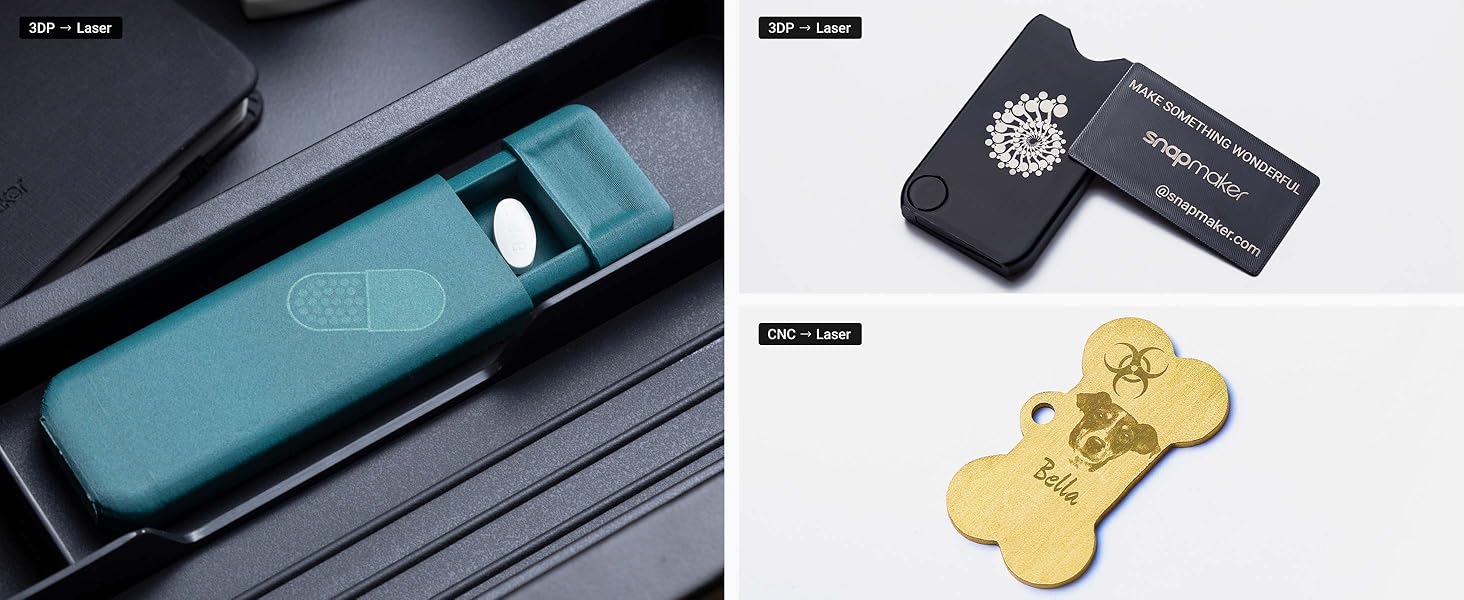
The 1064nm Infrared Laser Module is suitable for engraving a variety of plastics and metals. This includes:
- Метали: Painted Metal, SPTE (Steel Plate), Anodized Aluminum, Tinplate, Gold, Silver, Copper, Titanium, Stainless steel, Aluminum.
- Пластмаси: Opaque plastics (e.g., ABS, PLA, PETG 3D printing filament - dark opaque), Acrylic (white opaque & black opaque).
- інші: Leather, Silicone (dark opaque), PCB.

малюнок 5.1: Examples of materials and objects successfully engraved with the 1064nm Infrared Laser Module.
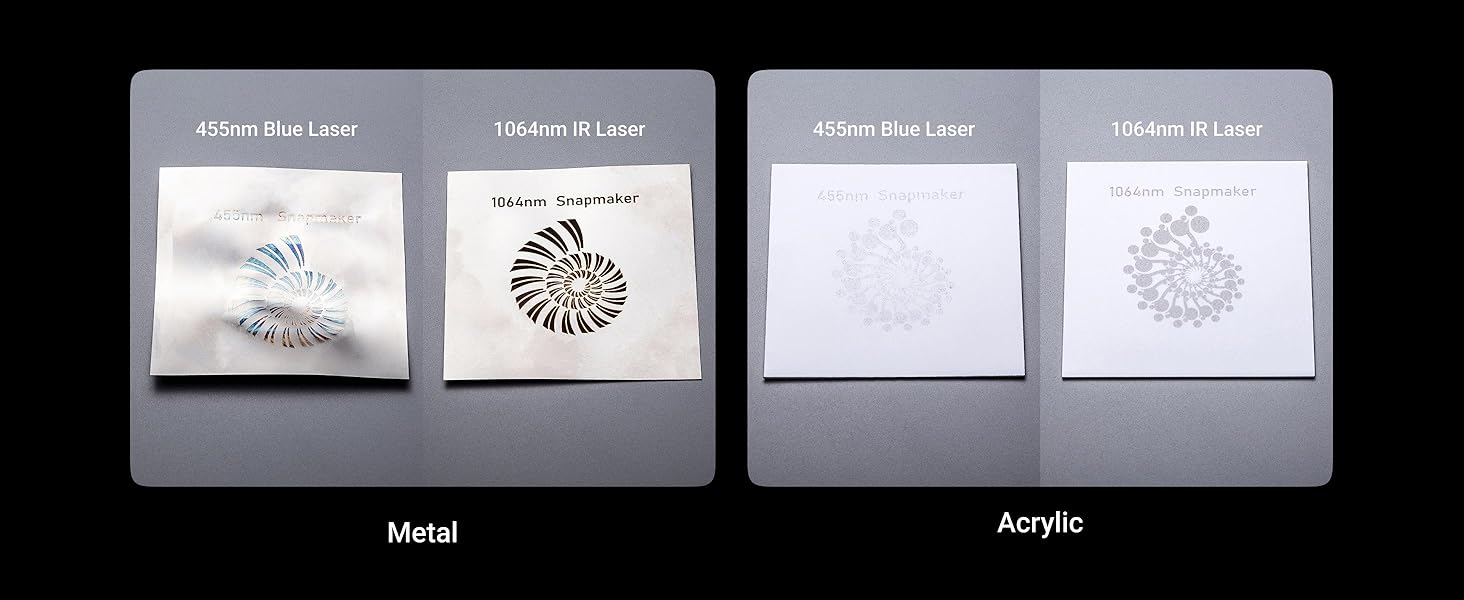
малюнок 5.2: Comparison of 455nm Blue Laser vs. 1064nm IR Laser engraving on metal and acrylic.
5.2 AB Position for Precise Engraving
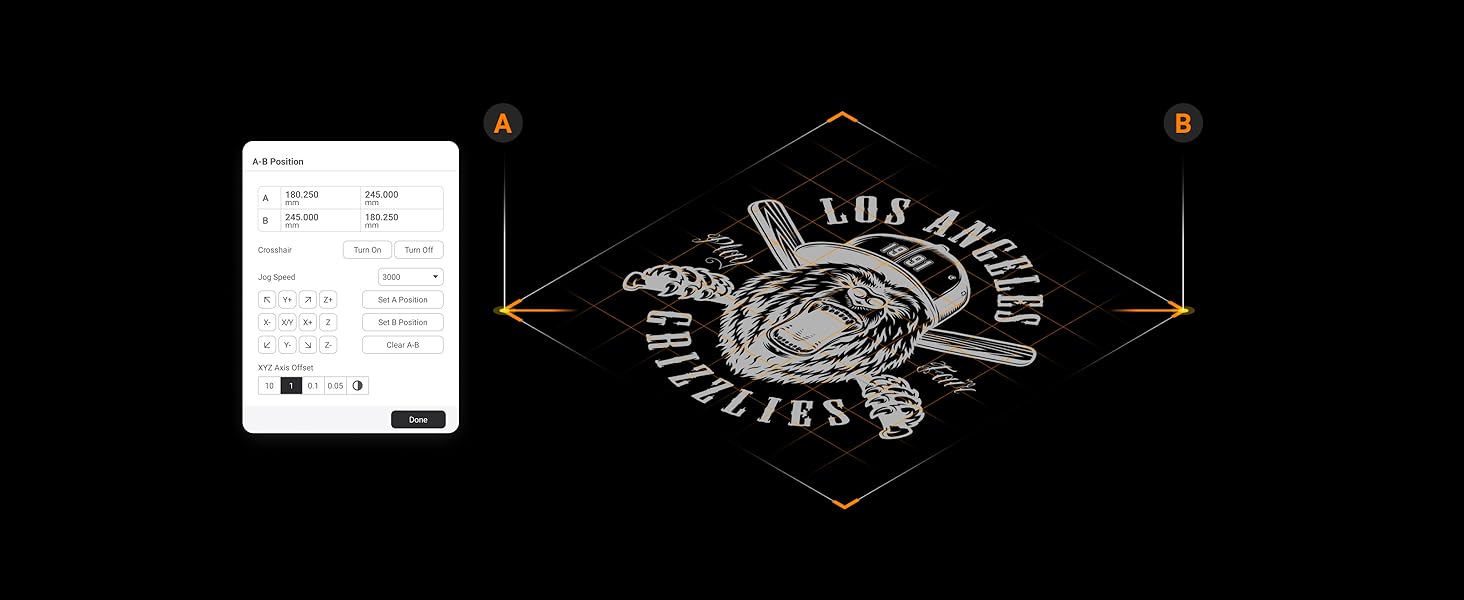
The AB Position feature in the Luban software streamlines your workflow by allowing you to define a rectangular engraving area using two points, A and B. This ensures precise graphic placement on your material.
- Select Points: In Luban, manually position the laser head to define point A, then set it. Repeat for point B.
- Define Area: The software will automatically define a rectangular engraving area based on these two points.
- попередньоview and Engrave: попередньоview the engraving path and proceed with the operation.
малюнок 5.3: Using the AB Position feature in Snapmaker Luban software.
5.3 Easy-to-Focus Mechanism
Achieving optimal focus is crucial for high-quality engraving. The module offers two focus methods:
- Auto-Focus (Material Touch Measuring): Position the execution head in Luban to locate the material. Use the focus lever on the module to touch the material surface. The module will automatically adjust to the correct focal distance.
- Manual Measuring: Adjust focus by manually measuring the material thickness and inputting the value into the software.

малюнок 5.4: The focus lever on the 1064nm Infrared Laser Module.
5.4 Supported Design Files
The Snapmaker software supports various design file formats for engraving:
- STL
- SVG
- JPEG
- PNG
- JPG
- БМП
- DXF
- SNAPLZR
6. Технічне обслуговування
Регулярне технічне обслуговування забезпечує довговічність та оптимальну продуктивність вашого лазерного модуля.
- Очищення лінз: Periodically inspect the laser lens for dust or debris. Use a soft, lint-free cloth and a small amount of isopropyl alcohol to gently clean the lens. Avoid abrasive materials.
- Зовнішній вигляд модуля: Keep the exterior of the module clean by wiping it with a dry or slightly damp тканина.
- Зберігання: When not in use, store the module in a clean, dry environment, away from direct sunlight and extreme temperatures.
7. Вирішення проблем
If you encounter issues with your 1064nm Infrared Laser Module, consider the following common solutions:
- Модуль не виявлено: Ensure the module is correctly installed and all cables are securely connected. Restart your Snapmaker machine and the Luban software.
- Погана якість гравіювання: Check the laser focus. Ensure the material is flat and properly secured. Verify that the correct material settings (power, speed) are selected in Luban. Clean the laser lens if necessary.
- Лазер не працює: Confirm that safety features (e.g., enclosure door, tilt sensor) are not triggered. Check software settings for laser power and ensure the job is properly initiated.
- Machine Errors: Refer to your Snapmaker machine's main user manual or the Snapmaker support website for specific error codes and solutions.
For further assistance, visit the official Snapmaker support webсайту або зв’яжіться зі службою підтримки клієнтів.
8. Технічні характеристики
| Особливість | Деталь |
|---|---|
| Довжина хвилі лазера | 1064 нм (інфрачервоний) |
| Гравірувальні матеріали | Various plastics and metals (Painted Metal, SPTE, Anodized Aluminum, Tinplate, Gold, Silver, Copper, Titanium, Stainless steel, Aluminum, Opaque Plastic, 3D Printing Filament (Dark Opaque), Acrylic (White Opaque & Black Opaque), Leather, Silicone (Dark Opaque), PCB) |
| Метод фокусу | Auto-focus through Manual Measuring or Material Touch Measuring (Using Focus Lever) |
| Функції безпеки | Module tilt detection and protection |
| Supported Design Files | STL, SVG, JPEG, PNG, JPG, BMP, DXF, SNAPLZR |
| Розміри упаковки | 7.28 x 6.06 x 4.61 дюймів |
| Вага товару | 2.14 фунта |
| Виробник | Snapmaker |
9. Сумісність
The Snapmaker 1064nm Infrared Laser Module is compatible with the following Snapmaker machines:
- Snapmaker 2.0 A350T
- Snapmaker 2.0 A350
- Snapmaker 2.0 A250T
- Snapmaker 2.0 A250
- Snapmaker 2.0 A150
- Snapmaker F350
- Snapmaker F250
- Snapmaker Ray
малюнок 9.1: The 1064nm Infrared Laser Module is compatible with Snapmaker 2.0, Artisan, and Ray series machines.
10. Гарантія та підтримка
For detailed warranty information and technical support, please refer to the official Snapmaker webсайт або зверніться безпосередньо до служби підтримки клієнтів. Зберігайте чек про покупку для гарантійних претензій.
- Інтернет-ресурси: Відвідайте Snapmaker Official Webсайт for FAQs, tutorials, and software updates.
- Обслуговування клієнтів: Contact Snapmaker support for assistance with product issues or inquiries.