1. Вступ
This manual provides essential information for the safe and efficient operation of your Generic Avarro V2-P55ES Pro E Series 55" 4K Ultra HD LED Commercial Display. Please read these instructions thoroughly before using the product and retain them for future reference. This display is designed for commercial applications, offering 4K Ultra HD resolution and 16/7 operation.
2. Інформація про безпеку
Дотримуйтесь наступних запобіжних заходів, щоб запобігти пошкодженню дисплея та забезпечити безпеку користувача:
- Do not expose the display to rain or moisture to avoid fire or electric shock.
- Забезпечте належну вентиляцію. Не блокуйте вентиляційні отвори.
- Використовуйте лише насадки/аксесуари, зазначені виробником.
- Від’єднуйте шнур живлення під час грози або якщо пристрій не використовується протягом тривалого часу.
- Звертайтеся до кваліфікованого сервісного персоналу.
- Не кладіть важкі предмети на шнур живлення.
- Keep the display away from direct sunlight, heat sources, and extreme temperatures.
3. Вміст упаковки
Перевірте наявність усіх елементів в упаковці:
- Avarro V2-P55ES Commercial Display
- Стенд для демонстрації
- Шнур живлення
- Пульт дистанційного керування з батарейками
- Короткий посібник
- Посібник користувача (цей документ)
4. Продукт закінчивсяview
The Avarro V2-P55ES is a 55-inch 4K Ultra HD LED commercial display designed for clear and vibrant visual presentations. It features a slim design and supports 16/7 operation for extended use.

малюнок 4.1: Фронт view of the Avarro V2-P55ES Commercial Display. This image shows the front of the Avarro V2-P55ES display, featuring its slim bezel and large screen.
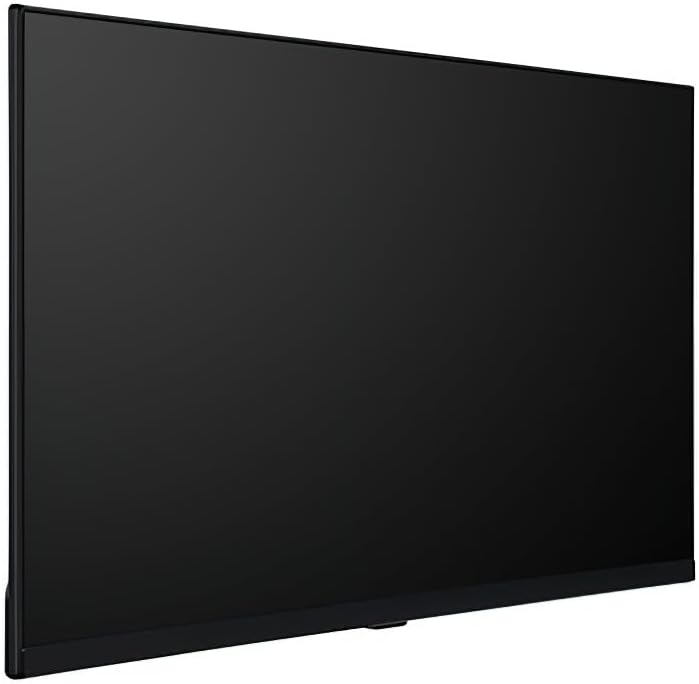
малюнок 4.2: Сторона проfile of the Avarro V2-P55ES Commercial Display. A side view highlighting the slim design of the Avarro V2-P55ES display.

малюнок 4.3: Задня view of the Avarro V2-P55ES Commercial Display showing input ports. This image displays the rear panel of the Avarro V2-P55ES, detailing the various input and output ports, including HDMI, DisplayPort, and USB.
5. Налаштування
5.1. Mounting or Stand Installation
The display can be mounted on a wall using a VESA-compatible mount (200 x 200 mm) or placed on its included stand. Follow the instructions provided with your chosen mounting solution or the display stand for secure installation. Ensure the display is placed on a stable, level surface if using the stand.
5.2. Підключення пристроїв
Connect your source devices (e.g., computer, media player) to the display using the appropriate cables. The display features:
- 2 входи HDMI
- 2 DisplayPorts
- 2 USB Ports (1x USB 3.0, 1x USB 2.0)
Insert the power cord into the display's power input and then into a grounded electrical outlet (100-240 VAC).
5.3. Початкове увімкнення
Press the power button on the display or the remote control to turn on the unit. The display will typically show the Avarro logo before displaying the input source.
6. Operating Your Display
6.1. Пульт дистанційного керування
Use the provided remote control to navigate the display's menus, adjust settings, and switch input sources. Familiarize yourself with the buttons for power, volume, input selection, and menu navigation.
6.2. Вибір джерела вхідного сигналу
To switch between connected devices, press the 'Input' or 'Source' button on the remote control. A menu will appear, allowing you to select HDMI1, HDMI2, DisplayPort1, DisplayPort2, or other available inputs.
6.3. Налаштування зображення та звуку
Access the display's main menu to adjust picture settings such as brightness, contrast, color, and sharpness. Sound settings, including volume and audio modes, can also be configured here. The display offers 350 Nits brightness for clear visuals.
6.4. Підключення до мережі
The display supports Wi-Fi and Bluetooth connectivity. Navigate to the network settings in the main menu to connect to a wireless network or pair Bluetooth devices. This enables features like content streaming or remote management.
6.5. Відтворення USB-носіїв
Insert a USB drive into one of the available USB ports (USB 3.0 or USB 2.0) to access media files. The display's media player can be used to browse and play compatible photos, videos, or audio files directly from the USB storage.

малюнок 6.1: The Avarro V2-P55ES display integrated into a professional meeting environment, showcasing its use for presentations and data visualization.

малюнок 6.2: The Avarro V2-P55ES display used in a retail setting, demonstrating its capability for digital signage and advertising.
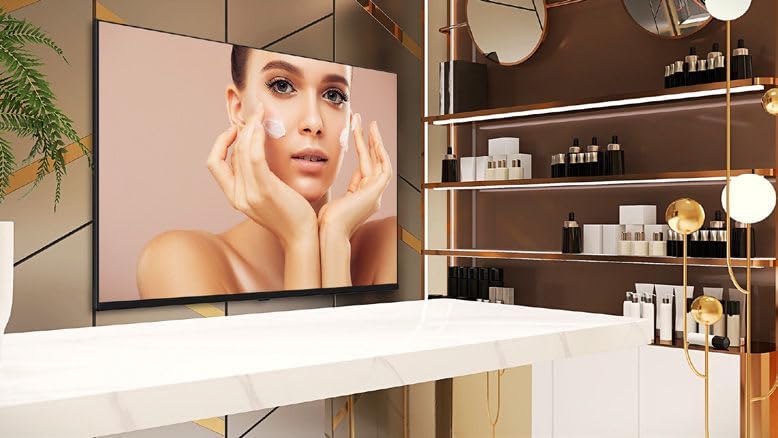
малюнок 6.3: The Avarro V2-P55ES display presenting high-quality visual content for a beauty product advertisement.

малюнок 6.4: Several Avarro V2-P55ES displays mounted in a sports bar, illustrating their use for entertainment and live event broadcasting.
7. Технічне обслуговування
7.1. Очищення дисплея
Щоб очистити екран, обережно протріть його м’якою тканиною без ворсу. Для видалення стійких плям, dampen the cloth slightly with water or a non-abrasive screen cleaner. Avoid using harsh chemicals or abrasive materials that could damage the screen surface. Ensure the display is powered off and unplugged before cleaning.
7.2. Зберігання
If storing the display for an extended period, ensure it is powered off, unplugged, and stored in a cool, dry place away from direct sunlight and extreme temperatures. Use the original packaging if available to protect it from dust and physical damage.
8. Вирішення проблем
Refer to the table below for solutions to common issues:
| проблема | Рішення |
|---|---|
| Немає живлення | Check if the power cord is securely connected to both the display and the power outlet. Ensure the power outlet is functional. |
| Немає зображення | Verify the input source is correctly selected. Check cable connections between the source device and the display. Ensure the source device is powered on. |
| Погана якість зображення | Adjust picture settings (brightness, contrast, sharpness) in the display menu. Ensure the source device is outputting a high-resolution signal. |
| Пульт не працює | Check and replace batteries. Ensure there are no obstructions between the remote and the display's IR sensor. |
| Ні звуку | Increase the volume. Check audio settings in the display menu. Ensure the source device's audio output is enabled. |
9. Технічні характеристики
| Особливість | Специфікація |
|---|---|
| Номер моделі | V2-P55ES |
| Розмір екрана | 55 дюймів (54.6 дюйма по діагоналі) |
| Роздільна здатність дисплея | 3840 x 2160 (4K UHD) |
| Співвідношення сторін | 16:9 |
| Яскравість | 350 Nits (candela_per_square_meter) |
| Години роботи | 16/7 |
| Технологія підсвічування | Тонкий DLED |
| Входи HDMI | 2 |
| DisplayPorts | 2 |
| USB порти | 2 (1x USB 3.0, 1x USB 2.0) |
| Bluetooth | так |
| ОЗУ | 2 ГБ DDR4 |
| Solid State Drive Capacity | 16 ГБ eMMC |
| Швидкість процесора | 1.5 ГГц |
| Стандарт кріплення VESA | 200 х 200 мм |
| Вхідний об'ємtage | 100-240 В змінного струму |
| Розміри продукту (ВxШxГ) | 28 x 48.5 x 2.6 дюймів |
| Вага товару | 29.2 фунта |
| Ширина рамки | 0.59" (bottom), 0.10" (right, left, top) |
| Опис поверхні екрана | Глянцевий |
10. Гарантія та підтримка клієнтів
This product comes with a standard manufacturer's warranty. Please refer to the warranty card included in your package for specific terms and conditions, including coverage duration and limitations. For technical assistance, troubleshooting beyond this manual, or warranty claims, please contact your retailer or the manufacturer's customer support. Keep your purchase receipt as proof of purchase.


