
MOKA SFX MK-LB01
MOKA SFX Professional 3D Kinetic Light LED Lifting Ball System User Manual
Model: MK-LB01 | Brand: MOKA SFX
1. Вступ
This manual provides essential information for the safe and effective operation of your MOKA SFX Professional 3D Kinetic Light LED Lifting Ball System. Please read this manual thoroughly before installation and use, and retain it for future reference. This system is designed to create dynamic visual effects for professional stage, nightclub, bar, and theater environments.
2. Інформація про безпеку
УВАГА: Недотримання цих інструкцій з безпеки може призвести до пожежі, ураження електричним струмом, травмування або пошкодження виробу чи майна.
- Завжди підключайте пристрій до заземленої розетки.
- Переконайтеся, що блок живлення обtage matches the unit's requirements (AC90-240V, 50-60Hz).
- Не піддавайте пристрій впливу дощу або вологи.
- Від’єднайте прилад від електромережі перед чищенням або обслуговуванням.
- Installation must be performed by qualified personnel and adhere to local electrical codes.
- Ensure secure mounting to truss, grid, or ceiling points using appropriate safety cables.
- Під час роботи тримайте безпечну відстань від рухомих частин.
- Не використовуйте пристрій, якщо шнур живлення пошкоджений.
- Уникайте прямого потрапляння світлодіодного джерела світла в очі.
3. Вміст упаковки
Переконайтеся, що всі предмети є в наявності та у належному стані після розпакування:
- 1 x 3D LED Light Lifting System (Kinetic Light)
- 1 x шнур живлення
- Accessories (including safety-rated suspension rope)
- 1 х посібник користувача

Image: Contents of the MOKA SFX Kinetic Light System package, including the main unit, power cord, accessories, and user manual.
4. Особливості продукту
- Dynamic Vertical Motion: 20cm luminous sphere with 0-3 meter vertical range for mesmerizing visual effects.
- Тиха робота: Engineered for smooth vertical motion with minimal operational noise, suitable for live performances.
- Керування DMX512: 6 independent DMX channels for precise control over RGB intensity, master dimming, strobe speed, and exact lift height.
- Повна інтеграція: Easily daisy-chain with other DMX devices via standard 3-pin DMX.
- Міцна конструкція: Features a durable heat-resistant housing and includes a safety-rated suspension rope.
- Високоякісні світлодіодні кульки: Equipped with 42PCS 0.5W RGB 3in1 LED beads for long lifespan and low power consumption.
- Кілька режимів керування: Supports DMX512, Sound-Activated, and Auto modes.

Image: Diagram illustrating the 20cm ball diameter and 0-3 meter lifting height capability of the kinetic light system.

Зображення: Крупний план view highlighting the high-quality LED beads (42PCS 0.5W RGB 3in1) and their estimated 50,000-hour lifespan.
5. Технічні характеристики
| Параметр | Значення |
|---|---|
| Номер моделі | MK-LB01 |
| Робочий випtage | AC90-240В, 50-60Гц |
| Потужність продукту | 150 Вт |
| Джерело світла Wattage | 120 Вт |
| Тип джерела світла | Light Emitting Diode (RGB LED) |
| Кількість джерел світла | 42 (0.5W RGB 3in1 beads) |
| Sphere Diameter | 20 см |
| Vertical Motion Range | 0-3 метри |
| Режим керування | DMX512, Sound-Activated, Auto |
| Канали DMX | 6 канали |
| Розміри продукту | 9.84 см (Д) x 7.48 см (Ш) x 6.1 см (В) (основний блок) |
| Вага нетто | 12.35 фунта (приблизно 5.6 кг) |
| матеріал | Iron (housing), Plastic (shade) |
| Тип монтажу | Floor Mount (can be adapted for truss/ceiling) |

Image: Visual representation of key product parameters and specifications.
6. Інструкції з налаштування
6.1 Монтаж
- Identify a suitable mounting location (truss, grid, or ceiling) that can safely support the weight of the unit and withstand dynamic motion.
- Securely attach the main lifting mechanism to the chosen mounting point using appropriate clamps or hardware (not included, unless specified in accessories).
- Attach the safety-rated suspension rope from the unit to a separate, independent support structure as a backup.
- Connect the 20cm RGB sphere to the lifting cable mechanism. Ensure it is securely fastened.
6.2 Електричне підключення
- Ensure the power switch on the unit is in the "OFF" position.
- Connect the provided power cord to the unit's power input.
- Plug the power cord into a grounded AC90-240V, 50-60Hz power outlet.
6.3 Підключення DMX (додатково)
- For DMX control, connect a standard 3-pin DMX cable from your DMX controller's output to the DMX IN port on the kinetic light unit.
- To daisy-chain multiple units, connect a DMX cable from the DMX OUT port of the first unit to the DMX IN port of the next unit, and so on.
- Ensure the last unit in the DMX chain has a DMX terminator connected to its DMX OUT port (if available and recommended by your DMX controller).
7. Інструкція з експлуатації
7.1 Увімкнення/вимкнення живлення
Flip the main power switch to the "ON" position to power on the unit. Flip to "OFF" to power down.
7.2 режими керування
The unit supports three primary control modes:
- Автоматичний режим: The unit will cycle through pre-programmed patterns and colors automatically.
- Режим керування звуком: The unit will react to ambient sound, changing patterns and motion based on audio input.
- DMX Console Mode: Provides full control over all parameters via an external DMX512 controller.
Select the desired mode using the control panel on the unit or via DMX if applicable.
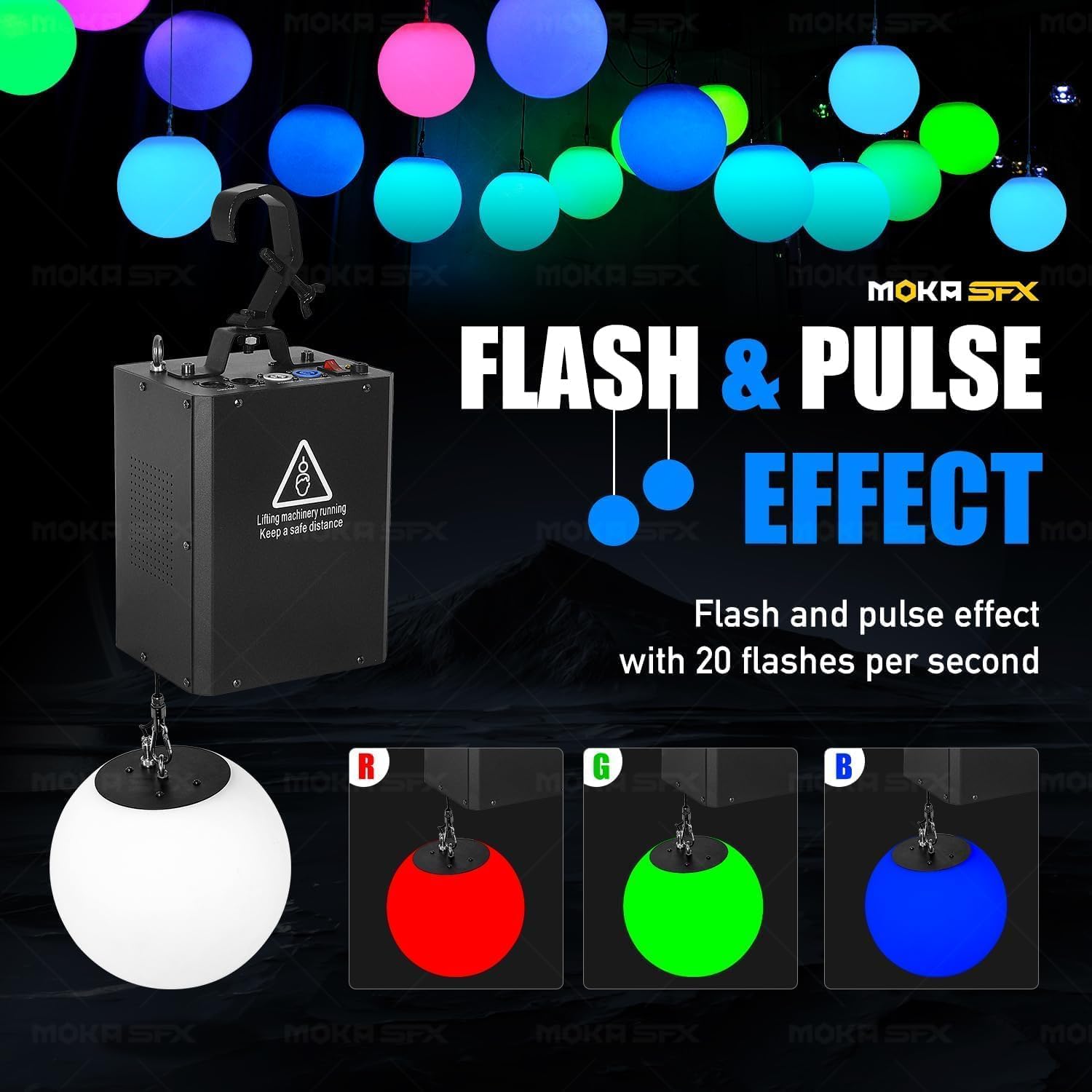
Image: Illustration of the available control modes: Auto, Sound Control, and DMX Console, with a DMX controller shown.
7.3 DMX Control (6 Channels)
When in DMX mode, the unit responds to 6 DMX channels:
- Channel 1: Red Intensity (0-255 for 0-100% Red)
- Channel 2: Green Intensity (0-255 for 0-100% Green)
- Channel 3: Blue Intensity (0-255 for 0-100% Blue)
- Channel 4: Master Dimming & Strobe Speed (Controls overall brightness and strobe effects from subtle pulse to rapid flash)
- Channel 5: Lift Height Control (0-255 for 0-3 meter vertical position)
- Channel 6: Special Effects/Macros (Triggers pre-programmed patterns or movements)
Refer to your DMX controller's manual for detailed programming instructions. Experiment with channel values to achieve desired lighting and motion effects.
Video: Demonstration of the MOKA SFX Kinetic Light LED Lifting Ball System in operation, showcasing various dynamic lighting and motion effects in a large venue setting.
8. Технічне обслуговування
Regular maintenance ensures optimal performance and extends the lifespan of your kinetic light system.
- Прибирання: Periodically clean the exterior of the unit and the LED sphere with a soft, dry cloth. Do not use abrasive cleaners or solvents. Ensure the unit is powered off and unplugged before cleaning.
- Огляд: Regularly inspect all cables (power, DMX, lifting cable) for any signs of wear, damage, or fraying. Check mounting hardware for tightness and security.
- Вентиляція: Ensure that the ventilation openings on the main unit are clear and not obstructed to prevent overheating.
- Зберігання: If storing the unit for an extended period, ensure it is clean, dry, and protected from extreme temperatures and humidity.
9. Вирішення проблем
| проблема | Можлива причина | Рішення |
|---|---|---|
| Пристрій не вмикається. | No power supply; power cord damaged; unit switch off. | Check power connection and outlet; inspect power cord; ensure power switch is ON. |
| Без DMX-керування. | Incorrect DMX cabling; wrong DMX address; unit not in DMX mode; faulty DMX controller. | Verify DMX cable connections; set correct DMX address on unit; ensure unit is in DMX mode; test with another DMX controller. |
| LED sphere not moving. | Lifting mechanism obstructed; DMX lift channel set to 0; motor fault. | Check for obstructions; adjust DMX lift channel; contact support if motor fault is suspected. |
| LEDs not lighting up or incorrect colors. | DMX RGB channels set to 0; unit not in correct mode; LED fault. | Adjust DMX RGB channels; switch to Auto or Sound mode to test LEDs; contact support if LED fault. |
| Надмірний шум під час роботи. | Loose components; motor issue; obstruction. | Inspect for loose parts; ensure no obstructions; contact support if motor issue. |
10. Гарантія та підтримка
MOKA SFX products are manufactured to high quality standards. For warranty information, please refer to the warranty card included with your product or visit the official MOKA SFX webсайт.
For technical support, service, or replacement parts, please contact MOKA SFX customer service directly. Provide your product model number (MK-LB01) and purchase date when contacting support.
MOKA SFX Store: Visit MOKA SFX Store on Amazon
Ask a question about this manual
Ask about setup, troubleshooting, compatibility, parts, safety, or missing instructions. Manuals+ will review the question and use this page’s manual context to help answer it.