вступ
This manual provides instructions for the Generic replacement remote control designed for various Bauhn Smart UHD LED HDTV Android TV models. This remote functions as an infrared (IR) replacement and does not require complex pairing. For optimal compatibility, ensure your original remote control visually matches the replacement remote shown in this manual.
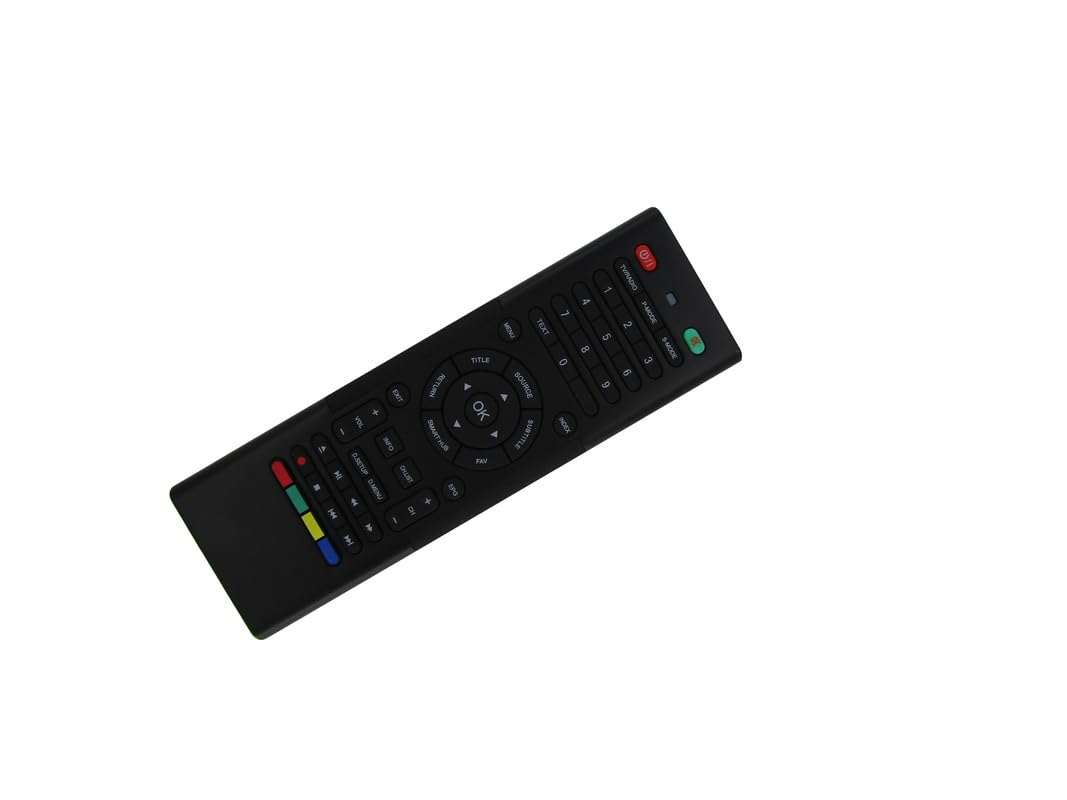
Image: The Generic replacement remote control, displaying both its primary button-side and the secondary QWERTY keyboard-side.
Налаштування
1. Встановлення батареї
- Знайдіть батарейний відсік на задній панелі пульта дистанційного керування.
- Відкрийте кришку акумулятора.
- Insert two (2) AAA batteries, ensuring the correct polarity (+/-) as indicated inside the compartment.
- Надійно закрийте кришку акумулятора.

Зображення: Задня частина view of the remote control with the battery cover detached, revealing the empty battery compartment for AAA batteries.
2. Початкове використання
This remote control is an infrared (IR) replacement and typically does not require any programming or pairing. Once batteries are installed, point the remote directly at your Bauhn TV and begin operation. Ensure there are no obstructions between the remote and the TV's IR receiver.
Інструкція з експлуатації
The remote features a dual-sided design: a standard TV remote layout on one side and a QWERTY keyboard on the other for easier text input.
Front Side: Standard TV Controls
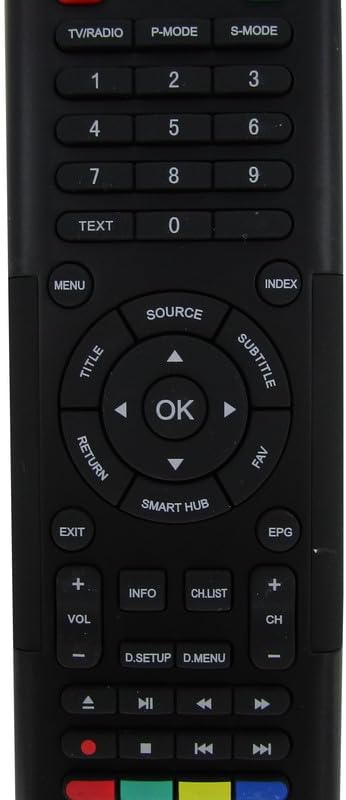
Зображення: Детальне view of the front face of the remote control, highlighting the power, channel, volume, navigation, and media control buttons.
- Кнопка живлення: Вмикає або вимикає телевізор.
- ТВ / РАДІО: Перемикання між режимами телебачення та радіо.
- P-MODE / S-MODE: Picture Mode and Sound Mode selection.
- Цифрові кнопки (0-9): Безпосередній вибір каналу.
- ТЕКСТ: Доступ до послуг телетексту.
- МЕНЮ: Відкриває головне меню телевізора.
- ДЖЕРЕЛО: Вибір джерел вхідного сигналу (HDMI, AV тощо).
- Navigation Pad (Up/Down/Left/Right) & OK: Навігація по меню та підтвердження вибору.
- TITLE / SUBTITLE: Accesses title or subtitle options.
- ПОВЕРНЕННЯ / ВИХІД: Повернення до попереднього екрана або вихід з меню.
- SMART HUB: Accesses the TV's smart features/apps.
- EPG: Електронний посібник з програм.
- ГУЧНІСТЬ +/-: Регулює гучність.
- CH +/-: Змінює канали.
- ІНФО: Відображає інформацію про програму.
- CH.LIST: Відображає список каналів.
- Кнопки керування медіа (відтворення, пауза, зупинка, перемотування назад, перемотування вперед): Керує відтворенням медіа.
- Кольорові кнопки (червона, зелена, жовта, синя): Functions vary depending on the TV menu or application.
Rear Side: QWERTY Keyboard
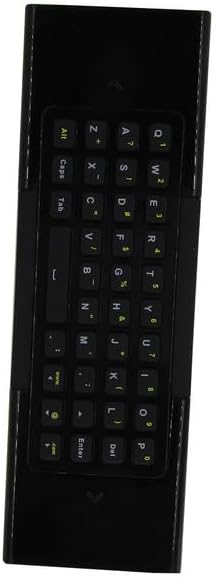
Зображення: Детальне view of the reverse side of the remote control, featuring a full QWERTY keyboard for text input.
The QWERTY keyboard on the back of the remote allows for convenient text entry in smart TV applications, web browsers, and search functions. Simply flip the remote to use the keyboard. The remote may automatically detect which side is facing up and activate the corresponding input mode.
Технічне обслуговування
Заміна батареї
Замініть батарейки, коли пульт дистанційного керування реагує повільно або перестає працювати. Завжди замінюйте обидві батарейки типу AAA одночасно на нові. Не використовуйте разом старі та нові батарейки, а також батарейки різних типів.
прибирання
Для очищення пульта дистанційного керування використовуйте м’яку суху тканину. Для стійкого бруду злегка протрітьampпромокніть тканину водою. Уникайте використання агресивних хімікатів, абразивних засобів для чищення або надмірної вологи, оскільки вони можуть пошкодити поверхню пульта дистанційного керування або внутрішні компоненти.
Усунення несправностей
- Пульт не відповідає:
- Перевірте, чи правильно вставлені батарейки з дотриманням полярності.
- Замініть старі батарейки новими батарейками типу AAA.
- Ensure there is a clear line of sight between the remote's IR emitter and the TV's IR receiver. Remove any obstructions.
- Verify that the remote is pointed directly at the TV.
- Деякі функції не працюють:
- This is a replacement remote. While designed for broad compatibility, it may not replicate every single function of your original remote, especially for highly specific or proprietary features.
- Ensure your TV model is among those listed as compatible. If your specific model is not listed, full functionality cannot be guaranteed.
- Дистанційне керування працює з перебоями:
- Це може свідчити про низький заряд батареї. Замініть батареї.
- Перевірте наявність сильних джерел світла (наприклад, прямих сонячних променів або яскравих люмінесцентних ламп), які можуть перешкоджати ІЧ-сигналу.
Технічні характеристики
| Бренд | загальний |
| Виробник | Легко спробуй |
| Сумісні пристрої | Television (Bauhn Smart UHD LED HDTV Android TV models) |
| Максимальна кількість підтримуваних пристроїв | 1 |
| Потрібні батареї | 2 батарейки ААА |
| Особливість | Ergonomic, Replacement, QWERTY Keyboard |
| Колір | чорний |
| ASIN | B0D7MFQJMX |


