
1. Вступ
Thank you for choosing the MECHEN H1-Pro Bluetooth MP3 Player with WiFi. This device is designed to provide a versatile and enjoyable audio and video experience. Featuring a 4-inch touchscreen and running on Android 9.0, it supports various applications and connectivity options. This manual provides essential information for setting up, operating, and maintaining your device.
2. Вміст упаковки
Перевірте, чи всі перелічені нижче предмети входять до вашої упаковки. Якщо будь-які предмети відсутні або пошкоджені, зверніться до служби підтримки клієнтів.
- MECHEN H1-Pro MP3 Player
- USB кабель
- Навушники
- Захисна плівка
- Захисний футляр
- Посібник користувача

Image: The MECHEN H1-Pro MP3 Player displayed with its accessories, including a USB cable, headphones, protective film, and a clear protective case.
3. Пристрій закінчивсяview
Familiarize yourself with the physical components and controls of your MECHEN H1-Pro MP3 Player.
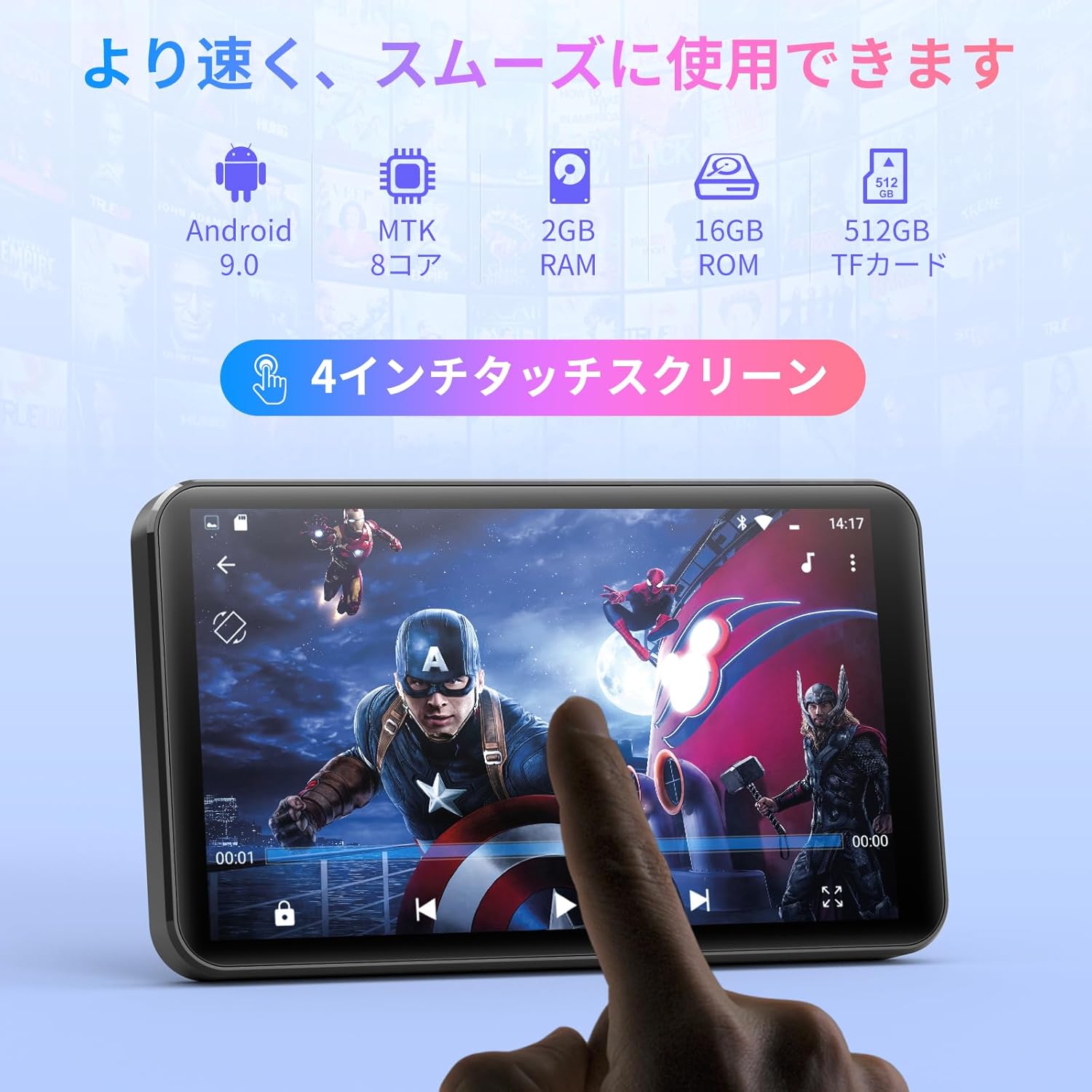
Зображення: спереду view of the MECHEN H1-Pro MP3 Player, showcasinйого 4-дюймовий сенсорний дисплей.

Зображення: Збоку view of the MECHEN H1-Pro MP3 Player, highlighting the power button and volume controls.

Зображення: Зверху та знизу views of the MECHEN H1-Pro MP3 Player, illustrating the USB-C charging port, headphone jack, and Micro SD card slot.
4. Налаштування
4.1 Початкове заряджання
Before first use, fully charge the device. Connect the provided USB cable to the player's USB-C port and the other end to a USB power adapter (not included) or a computer's USB port. The charging indicator will show the charging status.
4.2 Увімкнення/вимкнення живлення
- Щоб увімкнути: Натисніть і утримуйте кнопку живлення на бічній панелі пристрою, доки екран не засвітиться.
- Щоб вимкнути: Press and hold the Power button until a power-off menu appears on the screen. Select 'Power Off' to shut down the device.
4.3 Підключення до Wi-Fi
To access online features and download apps, connect your device to a Wi-Fi network.
- Перейти до Налаштування > Мережа та Інтернет > Wi-Fi.
- Увімкнути/вимкнути Wi-Fi On.
- Виберіть потрібну мережу Wi-Fi зі списку.
- Введіть пароль, якщо буде запропоновано, і натисніть Підключитися.

Image: The MECHEN H1-Pro MP3 Player screen showing Wi-Fi settings and available networks.
4.4 Вставлення карти Micro SD
The device supports Micro SD cards for expanded storage. Locate the Micro SD card slot on the side of the device. Gently insert the card with the gold contacts facing down until it clicks into place.
5. Інструкція з експлуатації
5.1 Basic Navigation (Touchscreen)
The MECHEN H1-Pro features a responsive 4-inch touchscreen. Use standard touch gestures:
- Торкніться: Щоб вибрати елемент або відкрити програму.
- Проведіть пальцем: Для прокручування списків або перемикання між екранами.
- Щіпка: To zoom in or out (in supported applications).
5.2 Відтворення музики
The device supports various audio formats including MP3, WAV, WMA, APE, OGG, and FLAC for high-fidelity music playback.
- Відкрийте музика додаток.
- Browse your music library by artist, album, song, or playlist.
- Tap on a song to begin playback.
- Використовуйте екранні елементи керування для відтворення/паузи, перемикання треків та регулювання гучності.

Image: The MECHEN H1-Pro MP3 Player screen showing a music playback interface with album art and controls.
5.3 Відтворення відео
Enjoy 720P/1080P full-format HD video playback without conversion. Supported formats include RM, RMVB, FLV, MP4, DAT, MKV, MPG, MOV, TS, etc.
- Відкрийте Відеоплеєр додаток.
- Виберіть відео file from your storage.
- Tap to play. Use on-screen controls for playback options.

Image: The MECHEN H1-Pro MP3 Player screen showing a video playing in full-screen mode.
5.4 Підключення Bluetooth
Connect to Bluetooth headphones, speakers, or other compatible devices.
- Перейти до Налаштування > Підключені пристрої > Bluetooth.
- Увімкнути Bluetooth On.
- Переконайтеся, що ваш Bluetooth-аксесуар перебуває в режимі сполучення.
- Виберіть аксесуар зі списку доступних пристроїв для сполучення.

Image: The MECHEN H1-Pro MP3 Player shown alongside a pair of wireless headphones, indicating Bluetooth connectivity.
5.5 Wi-Fi Connectivity & App Downloads
With Android 9.0 and Wi-Fi, you can download and install various applications from the Google Play Store.
- Ensure the device is connected to Wi-Fi (see Section 4.3).
- Відкрийте Play Store додаток.
- Увійдіть за допомогою свого облікового запису Google.
- шукати and download desired applications (e.g., Spotify, Amazon Music, Audible).

Image: The MECHEN H1-Pro MP3 Player screen showing a variety of installed applications, including music streaming services and web браузерів.
5.6 FM-радіо
Слухайте свої улюблені FM-радіостанції.
- Connect wired headphones to the 3.5mm audio jack; they act as the antenna.
- Відкрийте FM-радіо додаток.
- Use the on-screen controls to scan for stations or tune manually.
5.7 File управління
Використовуйте вбудований file менеджер для організації вашої files on internal storage and the Micro SD card.
- Відкрийте File Менеджер додаток.
- Navigate through folders to view, copy, move, or delete files.
6. Технічне обслуговування
6.1 Очищення
Wipe the device with a soft, dry, lint-free cloth. Do not use liquid cleaners or abrasive materials.
6.2 Зберігання
Зберігайте пристрій у прохолодному, сухому місці, подалі від прямих сонячних променів та екстремальних температур. Якщо ви зберігатимете пристрій протягом тривалого часу, переконайтеся, що акумулятор частково заряджений (близько 50%), щоб продовжити термін його служби.
6.3 Догляд за акумулятором
To maximize battery life, avoid fully discharging the battery frequently. Use the original charging cable for optimal performance.
7. Вирішення проблем
| проблема | Можливе рішення |
|---|---|
| Пристрій не включається. | Ensure the battery is charged. Connect to a charger for at least 30 minutes. If unresponsive, perform a hard reset by holding the power button for 10-15 seconds. |
| Неможливо підключитися до Wi-Fi. | Check if Wi-Fi is enabled. Verify the Wi-Fi password. Restart your router and the MP3 player. |
| Пристрій Bluetooth не сполучається. | Ensure Bluetooth is enabled on both devices and the accessory is in pairing mode. Move devices closer together. |
| Програми працюють повільно або зависають. | Close unnecessary background apps. Clear app cache (Settings > Apps > [App Name] > Storage > Clear Cache). Restart the device. Too many apps can lead to slowdowns. |
| Немає звуку з навушників. | Check headphone connection. Ensure volume is not muted or too low. Test with different headphones. |
8. Технічні характеристики
| Особливість | Деталь |
|---|---|
| Бренд | МЕЧЕН |
| Назва моделі | H1-Pro (EU-H11) |
| Операційна система | Android 9.0 |
| Процесор | 8-ядерний MTK |
| ОЗУ | 2 ГБ |
| Внутрішня пам'ять | 16 ГБ |
| Розширюване сховище | Micro SD (до 512 ГБ) |
| Розмір екрана | 4 дюймів |
| Технологія екрану | ЖК |
| Підключення | Bluetooth, USB, Wi-Fi |
| Особливості | FM Radio, Equalizer, Video Playback |
| Підтримувані аудіоформати | MP3, WAV, WMA, APE, OGG, FLAC |
| Підтримувані формати відео | RM, RMVB, FLV, MP4, DAT, MKV, MPG, MOV, TS, etc. |
| Ємність акумулятора | 2000 мАг |
| Термін служби батареї (музика) | До 50 годин |
| Термін служби батареї (відео) | До 8 годин |
| Розміри (Д x Ш x В) | 10.5 x 6.2 x 1.2 см (4.14 x 2.44 x 0.46 дюйма) |
| Вага товару | 97.5 грами (3.45 унції) |

Image: The MECHEN H1-Pro MP3 Player shown with its physical dimensions and weight specifications.
9. Гарантія та підтримка
For warranty information and technical support, please refer to the warranty card included in your package or visit the official MECHEN webсайт. Зберігайте чек про покупку як підтвердження покупки для гарантійних претензій.