
вступ
This manual provides detailed instructions for the installation, operation, and maintenance of your STUDIOFINIX TA2002 2-Channel Mini Bluetooth Amplifier. Please read this manual thoroughly before using the product to ensure proper function and to maximize your audio experience. This amplifier is designed to power passive speakers and offers versatile connectivity options including Bluetooth 5.1 and AUX input.
Особливості продукту
- Універсальна сумісність: Suitable for various passive speakers including wall-mounted, ceiling-mounted, marine, and bookshelf speakers.
- Bluetooth 5.1: Built-in Bluetooth 5.1 core for faster transmission speed, longer transmission distance, and stable performance.
- Легка установка: Compact and lightweight design for convenient installation on flat surfaces like walls, ceilings, or cabinets.
- Підключення TWS: Supports True Wireless Stereo (TWS) function to connect two amplifiers for synchronized music playback.
- Вхід AUX: Provides an auxiliary input for wired audio connections.

Image: The STUDIOFINIX TA2002 amplifier highlighting its Bluetooth 5.1, AUX input, 30W output, lightweight design, and TWS capabilities.
Що в коробці
- 2-канальний Bluetooth Amplifier Box (1)
- 12V3A Power Adapter (1)
- Посібник користувача (1)
- Викрутка (1)
- гвинти (2)
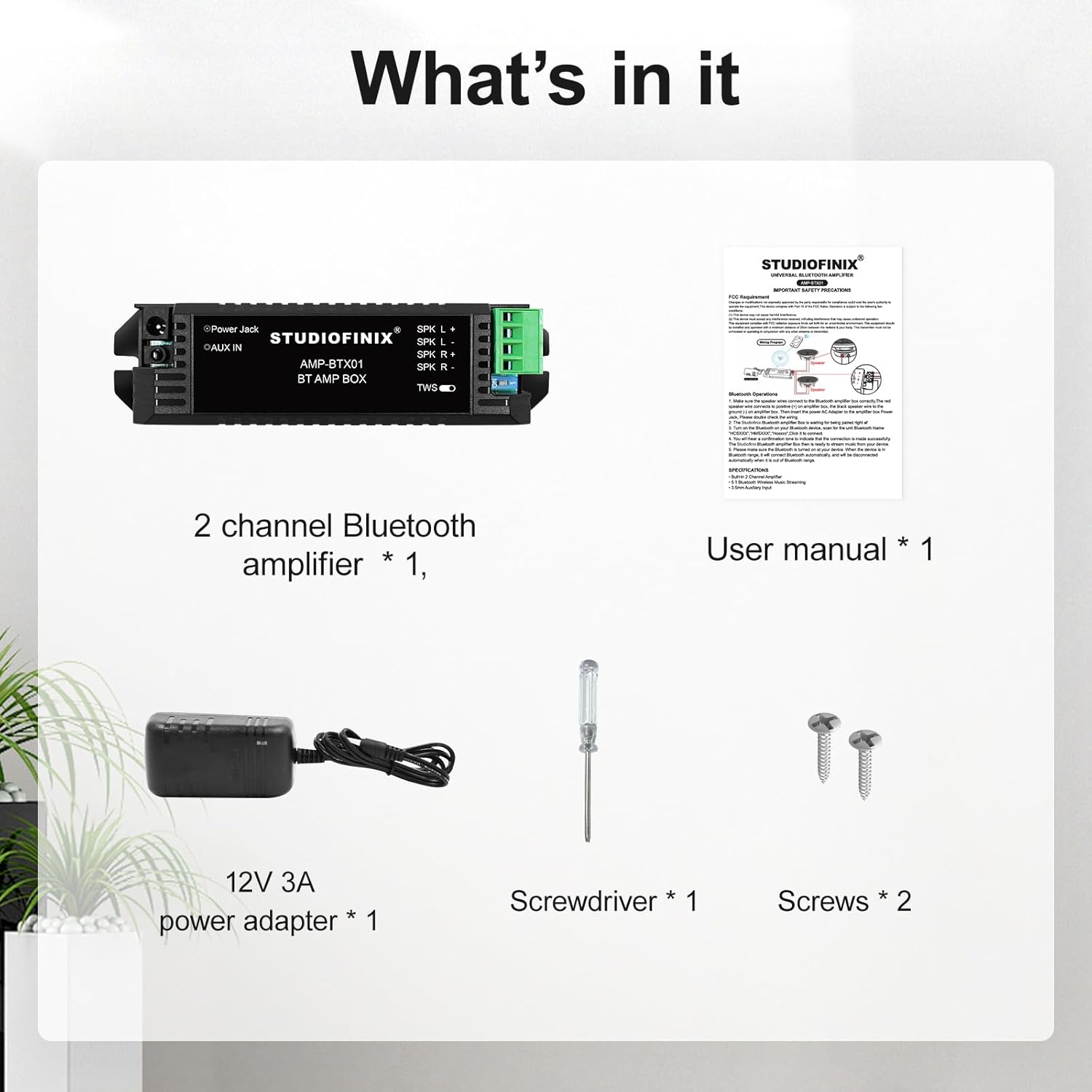
Image: The package contents including the amplifier, power adapter, user manual, screwdriver, and screws.
Продукт закінченийview
The STUDIOFINIX TA2002 is a compact amplifier designed for easy integration into various audio setups. Below is an overview його складових та розмірів.

Зображення: спереду view of the STUDIOFINIX TA2002 amplifier, showing the power jack, AUX IN, speaker terminals (SPK L+, SPK L-, SPK R+, SPK R-), and TWS switch.

Image: Diagram showing the dimensions of the amplifier: 5.20 inches (13.2 cm) length, 1.18 inches (3 cm) height, and 1.65 inches (4.2 cm) width.
Налаштування
1. Підключення динаміків
Підключіть пасивні колонки до amplifier's speaker terminals. Ensure correct polarity: connect the positive (+) terminal of the speaker to the SPK L+ or SPK R+ terminal of the amplifier, and the negative (-) terminal of the speaker to the SPK L- or SPK R- terminal. Use the provided screwdriver to secure the speaker wires.

Image: Diagram illustrating how to connect two passive speakers (Speaker A and Speaker B) to the amplifier's left and right speaker terminals.
2. Увімкнення
Connect the 12V3A power adapter to the "Power Jack" input on the amplifier, then plug the adapter into a power outlet. The amplifier will power on automatically.
3. Підключення Bluetooth
З amplifier powered on, ensure no AUX cable is connected. The amplifier will automatically enter Bluetooth pairing mode. On your audio device (smartphone, tablet, etc.), search for Bluetooth devices and select "STUDIOFINIX" to connect.

Image: The STUDIOFINIX TA2002 amplifier connected via Bluetooth 5.1 to a smartphone displaying a music player interface.
4. Підключення AUX
To use the AUX input, connect your audio source (e.g., MP3 player, laptop) to the "AUX IN" jack on the amplifier using a 3.5mm audio cable. When an AUX cable is connected, the amplifier will prioritize the wired connection over Bluetooth.
5. TWS (True Wireless Stereo) Connection
The TWS function allows you to connect two STUDIOFINIX TA2002 amplifiers for a true stereo experience.
- Переконайтеся в обох amplifiers are powered on and not connected to any Bluetooth device or AUX cable.
- Flip the TWS switch on both amplifiers to the 'ON' position.
- The amplifiers will automatically pair with each other. Once paired, one amplifier will act as the master and the other as the slave.
- Connect your audio device to the master amplifier via Bluetooth. Audio will now play in stereo through both connected ampліферів.

Зображення: Крупний план view of the TWS switch on the STUDIOFINIX TA2002 amplifier, indicating its function for True Wireless Stereo pairing.

Image: Diagram showing two amplifiers connected via TWS, with the TWS switch in the 'ON' position, enabling a versatile listening experience.
Операція
Once connected via Bluetooth or AUX, playback and volume control are managed directly from your connected audio device. The amplifier itself does not have physical volume controls.
Відео: Оверview of the 2-Channel Mini 5.1 Bluetooth Amplifier, demonstrating its compact size and connectivity options. This video is provided by Studiofinix Direct.
Технічне обслуговування
- Прибирання: Для очищення використовуйте м’яку суху тканину ampНе використовуйте рідкі засоби для чищення або аерозолі.
- Зберігання: Зберігайте ampЗберігайте виріб у прохолодному, сухому місці, подалі від прямих сонячних променів та екстремальних температур.
- Вентиляція: Забезпечити amplifier has adequate ventilation to prevent overheating. Do not block the ventilation slots.
Усунення несправностей
| проблема | Рішення |
|---|---|
| Немає живлення | Переконайтеся, що адаптер живлення надійно під’єднано до amplifier and a working power outlet. Check the power adapter for damage. |
| Немає звуку з динаміків |
|
| Bluetooth device cannot find ampлібератор |
|
| Проблеми з підключенням TWS |
|
Технічні характеристики
| Особливість | Деталь |
|---|---|
| Бренд | СТУДІОФІНІКС |
| Номер моделі | TA2002 |
| Максимальна вихідна потужність динаміка | 30 Вт |
| Кількість аудіоканалів | 5.1 (Note: Product title indicates 2-channel, but specifications list 5.1. For this manual, we focus on 2-channel operation as implied by the product description and images.) |
| Технологія підключення | Bluetooth, допоміжний |
| Версія Bluetooth | 5.1 |
| Діапазон Bluetooth | 10 метрів |
| Вхідний об'ємtage | 12 вольт (постійний струм) |
| Тип монтажу | Ceiling Mount (Versatile for flat surfaces) |
| Матеріал корпусу | пластик |
| Колір | чорний |
| Спосіб контролю | App (via connected device) |
| Особливе використання | Home entertainment systems, Wall/ceiling mounted speakers, Multi-room audio setups |
Гарантія та підтримка
The product comes with a Limited Warranty. For specific details regarding the warranty period and coverage, please refer to the warranty information included with your purchase or contact STUDIOFINIX customer support.
For technical support or inquiries, please visit the official STUDIOFINIX webсайту або зв’яжіться зі своїм відділом обслуговування клієнтів.