
1. Вступ
The SUPVAN LP5120M Label Maker is a versatile and efficient thermal transfer label printer designed for various organization needs in homes, offices, and garages. Featuring a QWERTY keyboard and dual power options, it produces durable, waterproof, UV, and heat-resistant labels, ensuring long-lasting organization.
2. Що в коробці
- SUPVAN LP5120M Label Maker Machine
- 1 x Label Tape
- Адаптер змінного струму

Figure 2.1: The SUPVAN LP5120M Label Maker, along with the included label tape and AC adapter.
3. Налаштування
3.1 Живлення пристрою
The LP5120M label maker can be powered using the included AC adapter or by 6 AA batteries (not included) for portable use.
- Використання адаптера змінного струму: Connect the AC adapter to the power port on the label maker and plug it into a standard electrical outlet.
- Використання батарей: Відкрийте батарейний відсік на задній панелі пристрою та вставте 6 батарейки типу АА, дотримуючись правильної полярності.

Figure 3.1: The label maker supports both AC adapter and AA battery power options for flexible use.
Figure 3.2: Illustration of the dual power mode, showing connections for the AC adapter and the battery compartment.
3.2 Встановлення етикеткової стрічки
Ensure the device is powered off before installing or replacing label tape. Open the tape compartment cover, insert the tape cassette firmly until it clicks into place, and close the cover. Ensure the tape is properly aligned with the print head.
4. Інструкція з експлуатації
4.1 Основи створення етикеток
The LP5120M features a QWERTY keyboard for easy text input. Simply type your desired text, use the navigation keys to adjust settings like font size or style, and press the 'Print' button to generate your label.

Figure 4.1: The QWERTY keyboard facilitates fast and accurate text entry for label creation.
4.2 Thermal Transfer Technology
This label maker utilizes thermal transfer technology, which provides superior durability compared to direct thermal printing. Labels produced are resistant to UV exposure, heat, and water, ensuring they remain legible and intact for up to 10 years.

Figure 4.2: Thermal transfer labels maintain clarity and adhesion for up to 10 years, outperforming direct thermal labels.
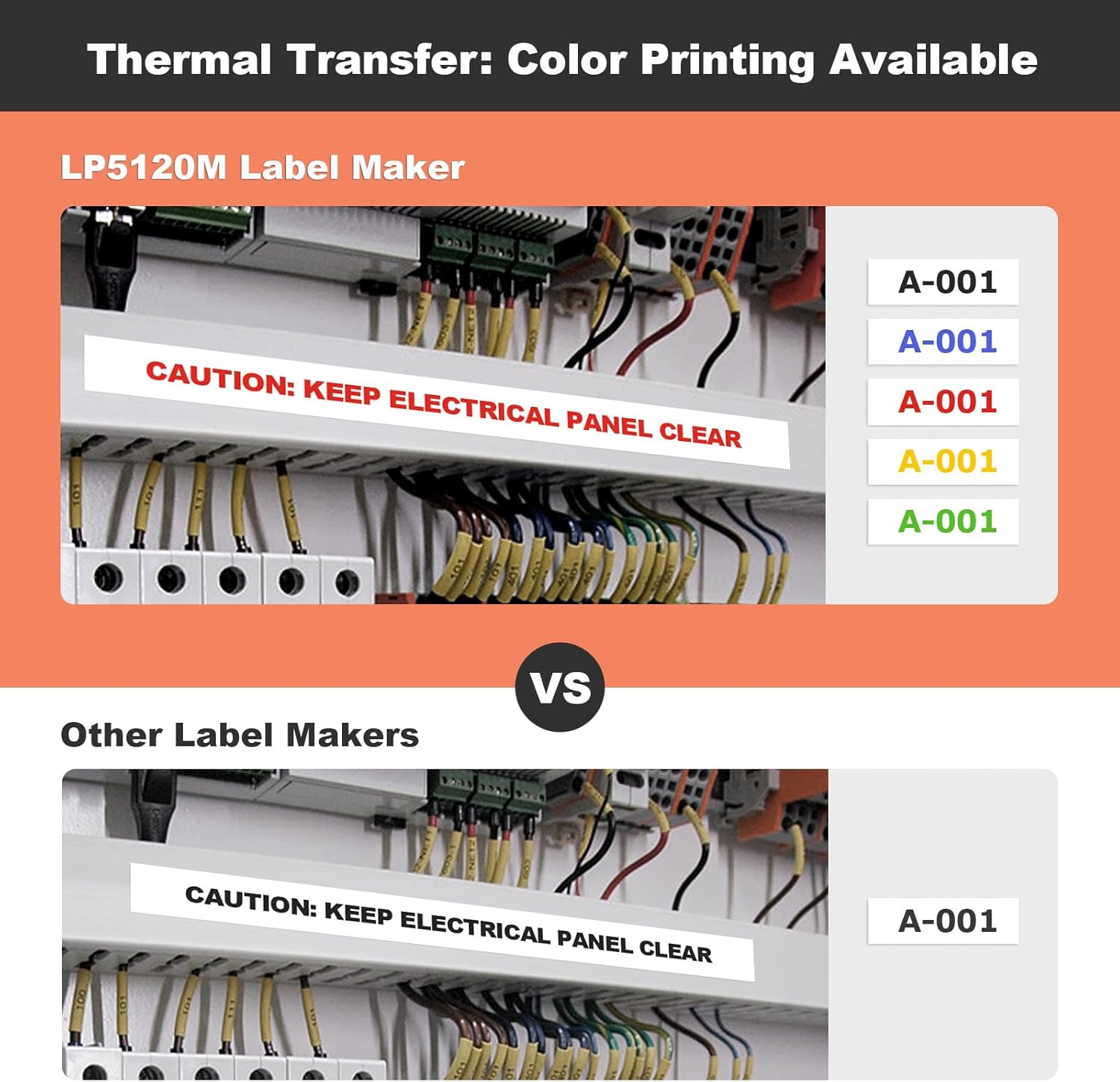
Figure 4.3: Labels are designed to withstand environmental factors, making them suitable for both indoor and outdoor applications.
Figure 4.4: The thermal transfer process prevents color fading, ensuring labels remain vibrant and readable for extended periods.
Figure 4.5: Laminated labels offer enhanced durability, being waterproof, UV resistant, scratch-proof, and leaving no residue upon removal.
4.3 Color Printing
The LP5120M supports color printing, allowing you to enhance label appearance or implement color-coded organization systems for improved efficiency.
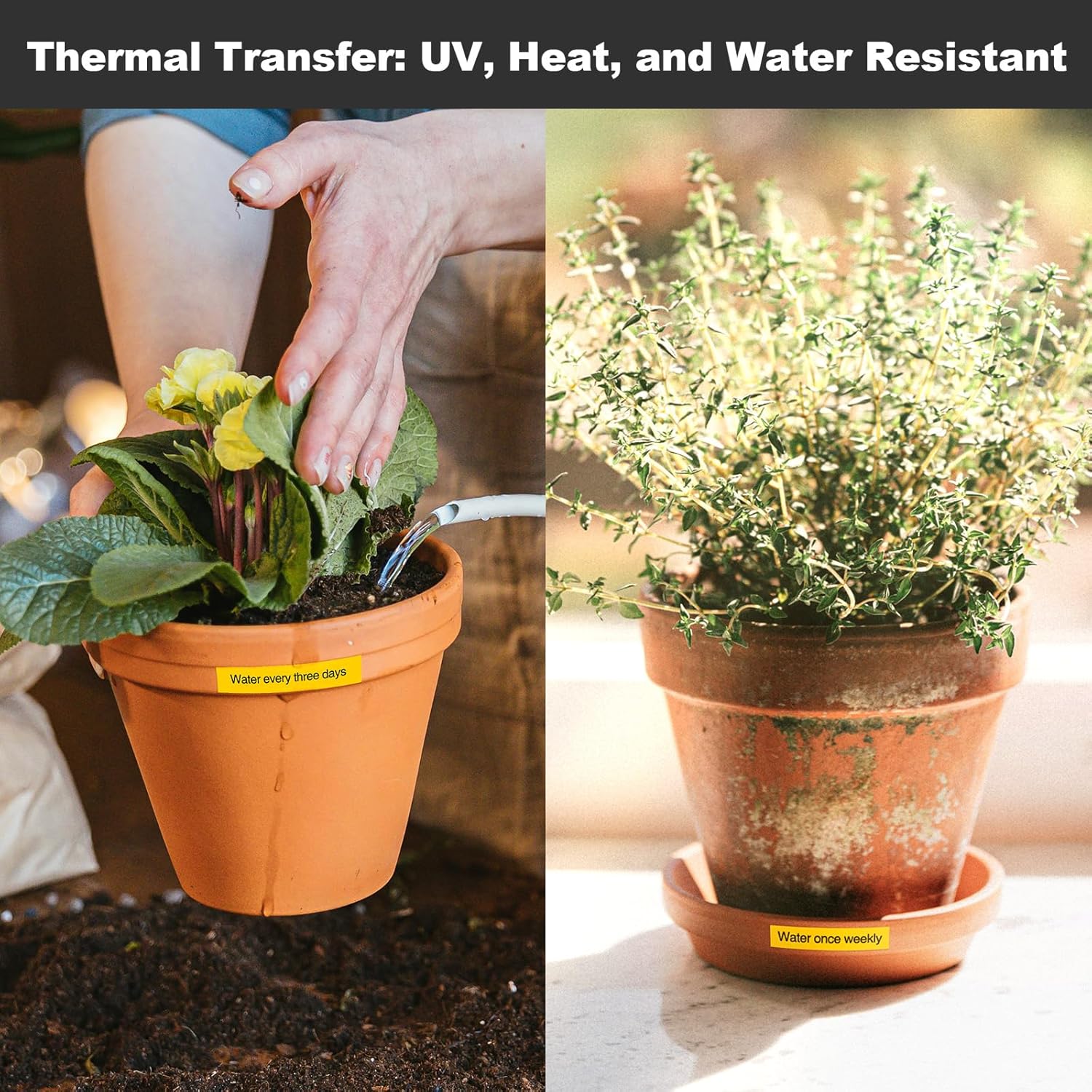
Figure 4.6: Utilize various tape colors to create visually distinct and organized labels.
4.4 Labeling Applications
The label maker is suitable for a wide range of applications, including:
- Home organization (storage boxes, spice jars, food containers)
- Garage organization (electrical panels, tools, wires)
- Office and school supplies (name tags, folders, documentation)

Figure 4.7: Organize small parts and tools efficiently with clear, readable labels.
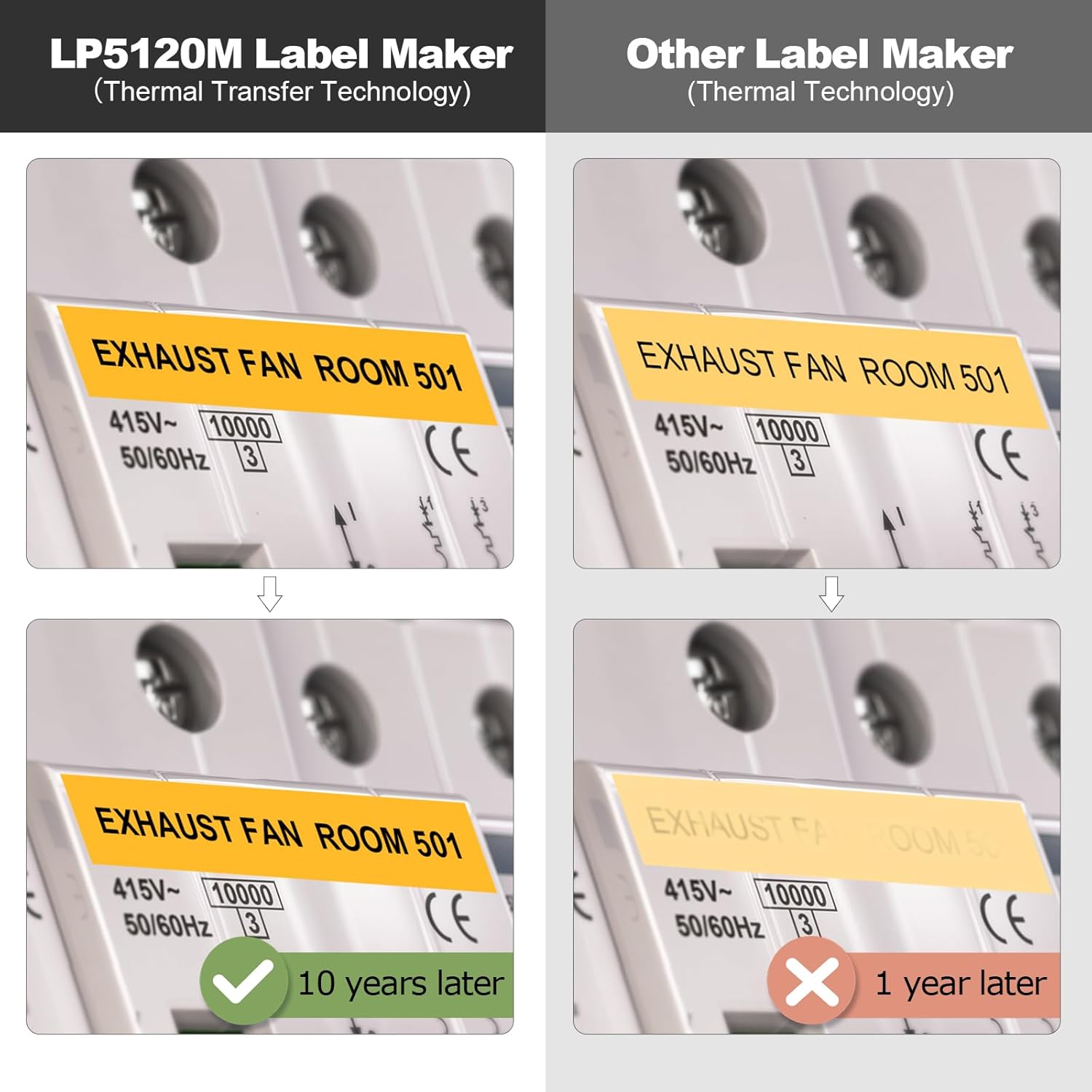
Figure 4.8: Apply labels to containers for easy identification of contents in any setting.

Figure 4.9: The label maker supports various label types (Cable Wrap, Cable Flag, Faceplate, Serialize), 8 barcode types (including UPC-A, EAN-8, EAN-13), and over 1300 symbols for comprehensive labeling needs.

Figure 4.10: Practical applications include cable flagging, asset tagging, food labeling, and toolbox organization.
4.5 Офіційне відео продукту
Video 4.1: This video demonstrates the SUPVAN LP5120M Label Maker in action, showcasing its ease of use for various labeling tasks, from organizing tools to kitchen items. It highlights the quick printing process and the application of labels in different environments.
5. Технічне обслуговування
To ensure optimal performance and longevity of your SUPVAN LP5120M Label Maker, follow these maintenance guidelines:
- Прибирання: Регулярно протирайте зовнішню частину пристрою м’якою сухою тканиною. Для друкуючої головки використовуйте ватний тампон, злегка промокнутийampочищений ізопропіловим спиртом. Перед очищенням переконайтеся, що пристрій вимкнено та від’єднано від мережі.
- Tape Compartment: Periodically check the tape compartment for any debris or tape fragments that could cause jamming. Remove any obstructions carefully.
- Зберігання: Зберігайте етикеточний пристрій у прохолодному, сухому місці, захищеному від прямих сонячних променів та екстремальних температур.
6. Вирішення проблем
If you encounter issues with your label maker, refer to the following common problems and solutions:
| проблема | Можлива причина | Рішення |
|---|---|---|
| Tape jamming or not feeding properly | Incorrect tape installation, tape fragments in compartment, worn tape cassette. | Ensure tape cassette is installed correctly and clicks into place. Open compartment and remove any visible debris. Try a new tape cassette. Ensure the back cover is closed correctly. |
| Poor print quality (faint, incomplete) | Dirty print head, low battery power, incorrect tape type. | Clean the print head as described in Maintenance. Replace batteries or use AC adapter. Ensure you are using genuine SUPVAN label tapes. |
| Пристрій не включається | Немає живлення, розряджені батареї, несправний адаптер змінного струму. | Check AC adapter connection and power outlet. Replace batteries with fresh ones. If using AC adapter, try another power source. |
| Cannot change case (upper/lower) for barcodes | Software limitation or specific barcode format requirement. | Some barcode types may have character set limitations. Refer to the on-screen menu for available options within barcode mode. If issue persists, try a different barcode type or simplify the text. |
| Random characters added to barcodes | Input error, software glitch, or specific barcode format interpretation. | Double-check the entered data for accuracy. Ensure the barcode type selected matches the data format. Reset the device if necessary (refer to manual for reset procedure). |
7. Технічні характеристики
| Особливість | Деталь |
|---|---|
| Номер моделі | LP5120M |
| Розміри продукту | 7.4" Г x 3.93" Ш x 2.16" В |
| Вага товару | 13.8 унції (0.86 фунта) |
| Тип контролера | Кнопка |
| Максимальний розмір носія | 0.47 inch x 13.12 ft |
| Друковані ЗМІ | етикетки |
| Тип дисплея | ЖК |
| Максимальна роздільна здатність друку | 203 Dots Per Inch (203 x 203) |
| Технологія друку | Термотрансфер |
| Технологія підключення | USB (for power/charging, not data transfer) |
| Джерело живлення | AC Adapter (Included), 6 AA Batteries (Not Included) |
| Особливості | AC Adapter Included, Portable, QWERTY Keyboard, Waterproof, Compatible with Different Label Size, Lightweight, High Clarity |
| Вихід на принтер | Колір |
8. Гарантія та підтримка
SUPVAN is committed to delivering excellent customer support and top-notch products. While specific warranty details are not provided in this manual, SUPVAN has over 18 years of experience in the printing industry and maintains over 20 service centers worldwide. For any product inquiries, technical assistance, or warranty claims, please contact SUPVAN customer service through the official webсайт або точка вашої покупки.
For more information and support, visit the official SUPVAN store: SUPVAN Store on Amazon