
1. Вступ
Дякуємо за покупкуasing the Zenwire D300S Mini Projector. This manual provides essential information for the safe and efficient operation of your device. Please read it thoroughly before use and retain it for future reference.
Техніка безпеки
- Не дивіться безпосередньо в об'єктив проектора, коли він увімкнений.amp увімкнено.
- Забезпечте належну вентиляцію, щоб запобігти перегріву. Не закривайте вентиляційні отвори.
- Використовуйте лише наданий адаптер живлення.
- Тримайте проектор подалі від води або інших рідин.
- Уникайте розміщення проектора на нестійких поверхнях.
- Не намагайтеся розбирати або ремонтувати проектор самостійно. Зверніться до кваліфікованого сервісного персоналу.
2. Вміст упаковки
Будь ласка, перевірте, чи всі предмети присутні у вашій упаковці:
- Zenwire D300S Mini Projector
- Пульт дистанційного керування
- Адаптер живлення
- AV-кабель
- Посібник користувача (цей документ)
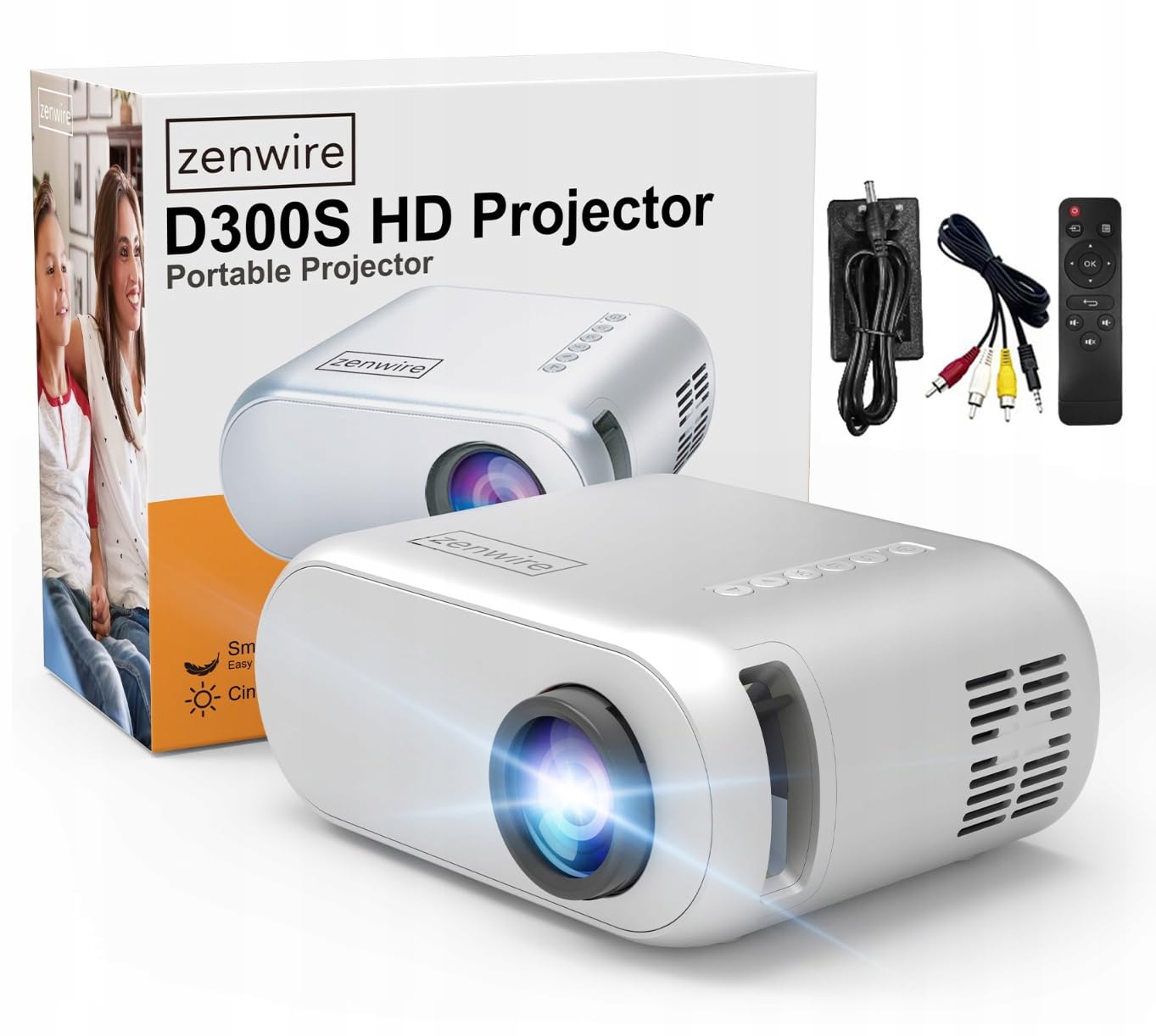
Image 2.1: Zenwire D300S Mini Projector and included accessories.
3. Продукт закінчивсяview
Projector Front and Top View
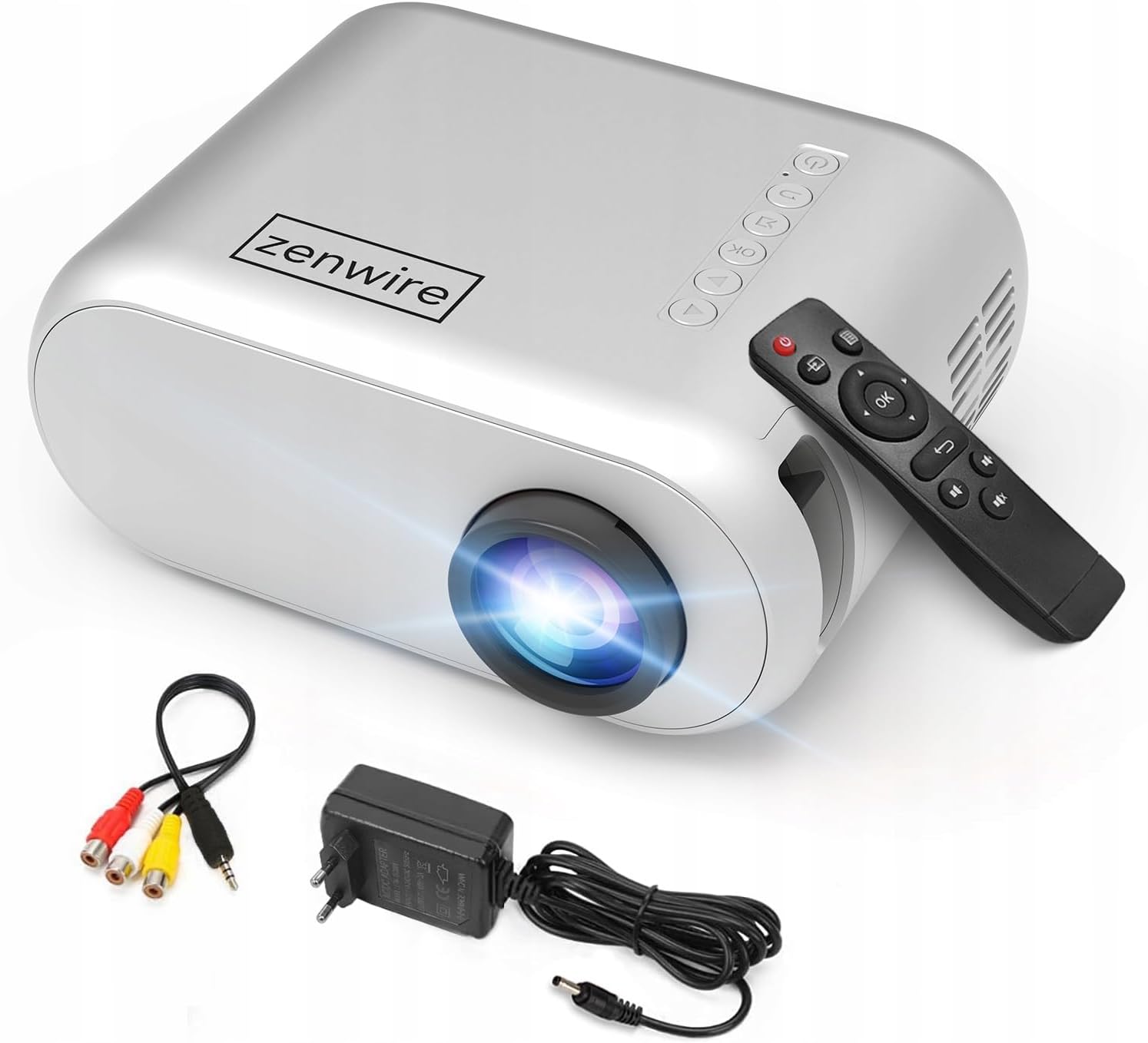
Зображення 3.1: Передня та верхня частини view of the projector, showing the lens and top control panel.
Rear Panel and Connectivity
The rear panel of the projector features various ports for connecting external devices:

Зображення 3.2: Ззаду view проектора, виділяючи порти входу/виходу.
- AV вхід: For connecting devices using the included AV cable.
- Вхід через HDMI: For connecting devices such as laptops, gaming consoles, or streaming sticks.
- Порт USB: Для підключення USB-флеш-накопичувачів для відтворення медіафайлів files безпосередньо.
- Вихід AUX: Для підключення зовнішніх динаміків або навушників.
- Вхідна потужність постійного струму: Для підключення адаптера живлення.
Верхня панель управління
The top of the projector features a control panel for basic operations:
- Кнопка живлення: Вмикає або вимикає проектор.
- Кнопки навігації (Вгору/Вниз/Вліво/Вправо): Використовується для навігації по меню.
- Кнопка ОК: Підтверджує вибір.
- Кнопка Назад: Повернення до попереднього меню або екрана.
- Кнопка джерела: Selects input source (HDMI, AV, USB).
4. Налаштування
4.1 Розміщення
Place the projector on a stable, flat surface. Ensure there is adequate space around the projector for ventilation. The projection distance affects the screen size. Refer to the image below for recommended distances and corresponding screen sizes.

Image 4.1: Recommended projection distances and screen sizes.
- For a 30-inch screen, place the projector approximately 0.9 meters away.
- For a 50-inch screen, place the projector approximately 1.5 meters away.
- For an 80-inch screen, place the projector approximately 2.4 meters away.
- For a 100-inch screen, place the projector approximately 3.0 meters away.
4.2 Підключення живлення
Підключіть адаптер живлення до порту входу постійного струму на проекторі, а потім підключіть адаптер до розетки.
4.3 Підключення пристроїв
The Zenwire D300S supports various input sources:
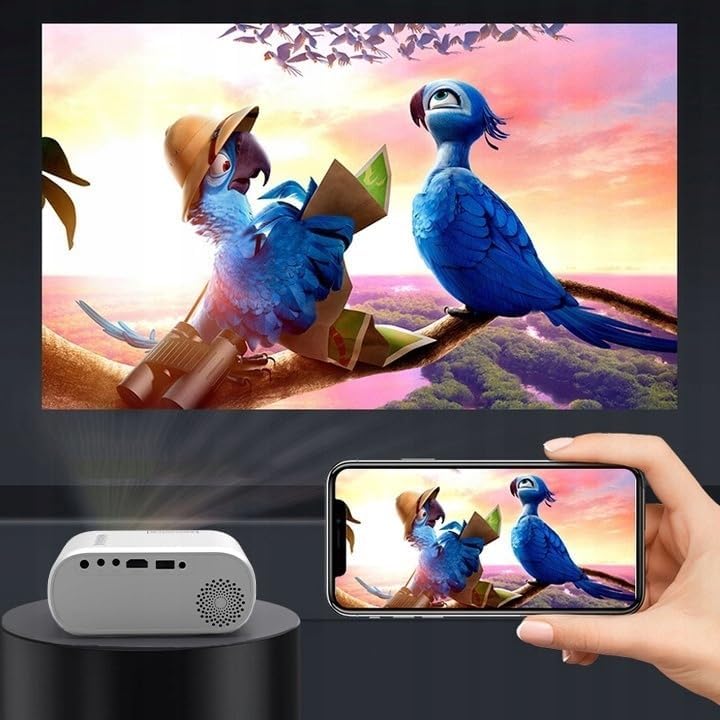
Зображення 4.2: Наприкладamples of devices that can be connected to the projector.
- HDMI: Connect your laptop, gaming console, or streaming device using an HDMI cable.
- USB: Вставте флеш-накопичувач USB у порт USB, щоб відтворити медіафайли files безпосередньо.
- AV: Використовуйте AV-кабель, що входить до комплекту, для підключення старіших пристроїв, таких як DVD-програвачі.
- Audio Out (AUX): Connect external speakers or headphones to the AUX port for enhanced audio.
4.4 Налаштування фокусу
Turn on the projector. Adjust the focus ring located near the lens until the projected image is clear and sharp.
5. Інструкція з експлуатації
5.1 Увімкнення/вимкнення живлення
Press the Power button on the projector or the remote control to turn the device on or off.
5.2 Вибір джерела
After powering on, use the 'Source' button on the projector or remote control to select the desired input source (HDMI, AV, USB).
5.3 Навігація по меню
Use the navigation buttons (Up/Down/Left/Right) on the projector or remote to browse through menus. Press 'OK' to confirm a selection and 'Back' to return.
5.4 Регулювання гучності
Регулюйте гучність за допомогою кнопок гучності на пульті дистанційного керування.
5.5 Connecting to a Phone/Laptop
To project content from a phone or laptop:
- Для ноутбуків: Connect via HDMI cable. Select HDMI as the input source on the projector.
- Для телефонів: Depending on your phone model, you may need an adapter (e.g., USB-C to HDMI, Lightning to HDMI) to connect via HDMI. Alternatively, some phones support wireless display technologies that can be used with a compatible streaming stick connected to the projector's HDMI port.

Image 5.1: Projecting content from a smartphone to the Zenwire D300S Mini Projector.
6. Технічне обслуговування
6.1 Очищення об'єктива
Використовуйте м’яку тканину без ворсу, спеціально призначену для оптичних лінз, щоб обережно протерти об’єктив проектора. Не використовуйте абразивні засоби для чищення та не докладайте надмірних зусиль.
6.2 Очищення корпусу проектора
Протріть зовнішню частину проектора м’якою сухою тканиною. Для стійких плям злегкаamp можна використовувати тканину, а потім суху тканину.
6.3 Вентиляція
Regularly check that the ventilation openings are free from dust and obstructions to ensure proper airflow and prevent overheating.
7. Вирішення проблем
Якщо у вас виникли проблеми з проектором, зверніться до наступних поширених проблем та способів їх вирішення:
| проблема | Можлива причина | Рішення |
|---|---|---|
| Зображення не проєктується | Power not connected, incorrect input source, device not sending signal. | Check power connection, select correct input source, ensure connected device is on and outputting video. |
| Зображення розмите | Фокус не налаштовано, проектор занадто близько/далеко. | Adjust the focus ring, reposition the projector according to recommended distances. |
| Ні звуку | Volume too low, external speakers not connected, audio format not supported. | Increase volume, connect external speakers via AUX, check audio settings on source device. |
| Пульт не працює | Batteries dead, obstruction between remote and projector. | Замініть батарейки, забезпечте прямий контакт з ІЧ-приймачем проектора. |
8. Технічні характеристики
- модель: Zenwire D300S
- Рідна роздільна здатність: 1280 x 720p HD
- Яскравість: 3000 люменів (100 люменів ANSI)
- Підключення: HDMI, USB, AUX, AV
- Співвідношення сторін: 16:9 / 4:3
- Відстань проекції: 0.9m - 3.0m (approx. 30-100 inches)
9. Гарантія та підтримка
The Zenwire D300S Mini Projector comes with a standard manufacturer's warranty. Please refer to the warranty card included in your package for specific terms and conditions. For technical support or service inquiries, please contact your retailer or the Zenwire customer service department.