
SNAKOL SK216
SNAKOL SK216 Pen Type Digital Multimeter Instruction Manual
Model: SK216 | Brand: SNAKOL
Your comprehensive guide to operating and maintaining your SNAKOL SK216 Pen Type Digital Multimeter.
1. Вступ
The SNAKOL SK216 is a versatile 2-in-1 pen-type digital multimeter designed for electrical equipment testing and maintenance. It features True RMS measurement capabilities for AC voltage, resistance, diodes, and continuity. Additionally, it includes functions such as Non-Contact Voltage (NCV) detection, live/null wire identification, and a clear LCD backlit screen for easy readings in various lighting conditions. Its compact and portable design makes it an essential tool for both professional electricians and home users.
2. Інформація про безпеку
Always observe safety precautions when using electrical testing equipment. Failure to do so may result in injury or damage to the device. Read all instructions carefully before use.
- Do not exceed the maximum input values specified for each measurement function.
- Перед проведенням будь-яких вимірювань переконайтеся, що вимірювальні дроти у справному стані та правильно підключені.
- Не використовуйте пристрій, якщо він виглядає пошкодженим або працює неправильно.
- Будьте гранично обережні під час роботи з електричними колами під напругою.
- Always disconnect power to the circuit before measuring resistance, continuity, or diodes.
- Тримайте руки та пальці за бар'єрами зонда під час вимірювань.
- Негайно замінюйте батарейки, коли з'являється індикатор низького заряду батарейок, щоб забезпечити точність показань.
3. Вміст упаковки
Перевірте наявність усіх предметів у вашій упаковці:
- 1 x SNAKOL SK216 Pen-type Multimeter
- 1 x Probe (removable multimeter lead)
- 1 x Посібник користувача (цей документ)
- 2 батарейки 1.5 В ААА
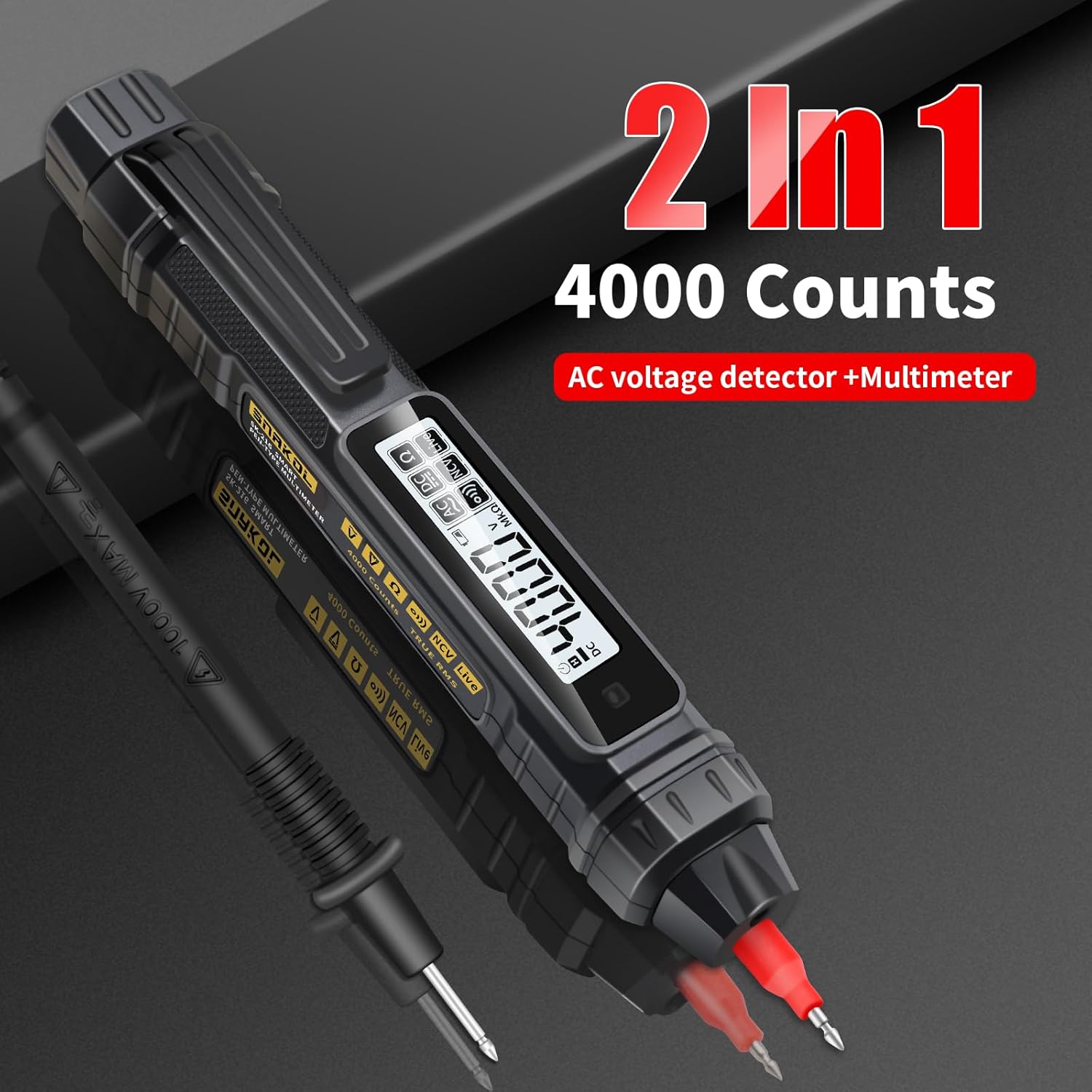
Image: Contents of the SNAKOL SK216 package, including the multimeter, probe, and batteries.
4. Налаштування
4.1 Встановлення батареї
The SNAKOL SK216 requires two 1.5V AAA batteries. These are included in the package.
- Знайдіть кришку відсіку для батарейок на задній панелі мультиметра.
- Зсуньте або відкріпіть кришку, щоб відкрити відсік.
- Вставте дві батарейки типу AAA, дотримуючись правильної полярності (+ та -).
- Надійно закрийте кришку батарейного відсіку.
Video: Demonstrates the battery installation process for the SNAKOL SK216 multimeter.

Image: Close-up of the SNAKOL SK216 multimeter with the battery compartment open, showing two AAA batteries inserted.
4.2 Підключення зонда
The included probe can be connected to the multimeter for various measurements.
- Identify the input jack on the top of the multimeter.
- Insert the plug end of the probe cable firmly into the input jack.
- The probe tip can be removed or attached as needed for different measurement scenarios.
Video: Demonstrates how to connect the removable multimeter leads and probes to the device.
5. Інструкція з експлуатації
The SNAKOL SK216 features automatic ranging and function switching for ease of use. Press the power button to turn the device on or off. The device will typically start in auto-ranging mode.
5.1 Function Switching and Auto-Range
The multimeter automatically detects the measurement type (AC/DC voltage, resistance, continuity) when powered on. You can cycle through different measurement modes by pressing the function button (often labeled 'FUNC' or similar, or indicated by a specific icon).
Video: Shows the function switching and auto-ranging capabilities of the multimeter.

Image: Illustrates the one-touch measurement capabilities for resistance, AC voltage, обtage, and continuity (on-off test).
5.2 DC Voltage Вимірювання
Для вимірювання об’єму постійного струмуtage:
- Ensure the multimeter is powered on and in DC voltage mode (often auto-detected).
- Connect the black probe to the negative terminal and the red probe to the positive terminal of the DC source.
- Прочитайте томtage значення, що відображається на РК-екрані.
Video: Shows the process of measuring DC voltage using the multimeter on a battery.
5.3 Перем. Струмtage Вимірювання
Для вимірювання об'єму змінного струмуtage:
- Ensure the multimeter is powered on and in AC voltage mode (often auto-detected).
- Carefully touch the probes to the live and neutral terminals of the AC source.
- Прочитайте томtage значення, що відображається на РК-екрані.
Video: Demonstrates measuring AC voltage on a circuit breaker.
5.4 Вимірювання опору
Щоб виміряти опір:
- Перед вимірюванням опору переконайтеся, що коло або компонент знеструмлені.
- Select resistance mode (Ω) or allow auto-detection.
- Connect the probes across the component to be measured.
- Зчитайте значення опору на дисплеї.
Video: Illustrates how to measure resistance on a circuit board component.
5.5 Тест безперервності
The continuity test checks for an unbroken path in a circuit. A buzzer will sound if resistance is below approximately 50Ω.
- Переконайтеся, що ланцюг знеструмлений.
- Select continuity mode (often indicated by a speaker icon) or allow auto-detection.
- Touch the probes to the two points you want to test for continuity.
- A beep indicates continuity.
Video: Demonstrates the continuity test with an audible beep.
5.6 Безконтактний Voltage (NCV) Виявлення
Функція NCV дозволяє виявляти об'єм змінного струмуtagе без прямого контакту, що підвищує безпеку.
- Select NCV mode (often indicated by a wave icon).
- Bring the tip of the multimeter close to the conductor or electrical outlet.
- An analog bar on the LCD screen, accompanied by beeps of varying rhythms, indicates the presence and strength of the electric field.

Image: Shows the multimeter performing NCV detection, with the screen displaying an analog bar and an indicator light.
Video: Demonstrates NCV AC Voltage Test in an electrical panel.
5.7 Live/Null Wire Identification (Firewire/Zero Line)
This function helps distinguish between live (fire) and neutral (zero) wires.
- Touch the multimeter's tip to the wire.
- For a live wire (firewire), the indicator light will illuminate, the screen will display "----", and a "beep beep beep" sound will be emitted.
- For a neutral wire (zero line), the indicator light will not illuminate, the screen will display "L iUE", and no sound will be emitted.
Image: Illustrates the multimeter detecting a live (firewire) and neutral (zero line) wire, showing distinct screen indicators and sounds.
Video: Demonstrates Zero Fire Wire Identification in an electrical panel.
5.8 Breakpoint Finder
The breakpoint finder function helps locate breaks in a cable.
- Apply the multimeter tip along the length of the cable.
- The device will indicate the presence of voltage up to the point of the break. The signal will cease or change significantly past the break.
Video: Shows the breakpoint finder function being used on a cable.
5.9 Функція утримання даних
Press the 'HOLD' button to freeze the current reading on the display. Press it again to release the hold function.
5.10 Ліхтарик
The built-in flashlight can be activated to illuminate dimly lit work areas. Refer to the device's buttons for flashlight activation (often a long press on a specific button or a dedicated button).
Video: Demonstrates the flashlight lighting feature of the multimeter.
6. Технічне обслуговування
6.1 Загальний догляд
- Тримайте пристрій чистим і сухим. Протирайте м’якою тканиноюamp тканиною, якщо необхідно. Не використовуйте абразивні засоби для чищення або розчинники.
- Store the multimeter in a cool, dry place away from direct sunlight and extreme temperatures.
- Не кидайте пристрій і не піддавайте його сильним ударам.
6.2 Заміна батареї
When the low-battery indicator appears on the display, replace the batteries immediately to ensure accurate measurements and proper device function. Follow the steps outlined in Section 4.1 Battery Installation.
7. Вирішення проблем
| проблема | Можлива причина | Рішення |
|---|---|---|
| Пристрій не включається. | Розряджені або неправильно встановлені батареї. | Перевірте полярність батарейок та за потреби замініть батарейки. |
| Неточні показання. | Low battery, incorrect mode selection, or damaged probes. | Replace batteries, ensure correct measurement mode, inspect and replace probes if damaged. |
| NCV function gives false positives/negatives. | Environmental interference or proximity to other electrical fields. | Test in a different location or use direct contact measurement for verification. |
| Continuity buzzer does not sound. | Open circuit or resistance too high. | Verify the circuit path; the resistance might be above the continuity threshold. |
8. Технічні характеристики
| Особливість | Деталь |
|---|---|
| Модель | SK216 |
| Виробник | SNAKOL |
| Вага товару | 109 г |
| Розміри продукту | 18.49 х 2.54 х 3.05 см |
| Акумулятори | Потрібна 2 батарея AAA (входить в комплект) |
| Точність вимірювання | +/-1.2% |
| Хв. Operating Voltage | 2 вольт |
| Функції | AC/DC Voltage, Resistance, Diode, Continuity, NCV, Null/Live Wire Detection, Auto-Ranging, Backlit Display, Flashlight |
| Максtage | 600 В |
9. Гарантія та підтримка
SNAKOL products are designed for reliability and performance. For warranty information or technical support, please refer to the contact details provided with your purchase or visit the official SNAKOL website. Customer services are always our top priority. If there are any concerns, please feel free to contact us for quick assistance.