
вступ
Thank you for choosing FosPower Kids Bluetooth 5.2 Headphones with LED Cat Ears. These headphones are designed with comfort, safety, and fun in mind, featuring a safe volume limit, versatile connectivity, and a long-lasting battery. This manual provides essential information for setup, operation, and maintenance to ensure optimal performance and enjoyment.
Що в коробці
- 1x Wireless Cat Ears Headphones
- 1x зарядний кабель USB-C
- Аудіокабель 1x 3.5mm
- 1x Посібник користувача
Особливості продукту
The FosPower Kids Bluetooth Headphones are engineered to provide a safe and enjoyable listening experience for children. Key features include:
- Комфорт і безпека: Padded ear cushions and an adjustable headband ensure a comfortable fit. A dual safe volume setting allows you to choose between 85dB or 94dB maximum volume to protect young ears.
- Стильний дизайн: Featuring vibrant LED cat ears and ear muffs that add a fun and playful touch.
- Універсальний підключення: Connect wirelessly via Bluetooth 5.2 for up to 100 hours of play time, or use the included 3.5mm audio cable for a wired connection.
- Вбудований мікрофон: Enables clear communication for online learning or calls.
- Складний дизайн: For easy storage and portability, making them ideal for school or travel.

Image: The headphones highlighting padded ear cushions, an adjustable headband, and a foldable design for comfort and durability.

Image: A visual representation of the headphones with vibrant LED cat ears and ear muffs, cushioned padding, dual volume limits, wireless/wired options, built-in microphone, and 100 hours of listening time.
Контроль надview

Image: A detailed diagram illustrating the location and function of all control buttons and ports on the headphones, including the ON/OFF power button, volume controls, track skip buttons, light mode button, built-in microphone, 3.5mm audio port, and USB-C charging port.
Familiarize yourself with the headphone controls for seamless operation:
- Перемикач ON/OFF: Located on the ear cup, slide to power on/off.
- Кнопка M: Long press to turn off the LED flashing light.
- Кнопка відтворення/паузи: Play or pause music, answer or reject calls.
- Збільшення гучності (+)/Наступна пісня: Коротке натискання для збільшення гучності, довге натискання для наступної пісні.
- Зменшення гучності (-)/Попередня пісня: Коротке натискання для зменшення гучності, довге натискання для попередньої пісні.
- Порт зарядки USB-C: Для зарядки навушників.
- Аудіопорт 3.5 мм: Для дротового підключення.
Налаштування
Bluetooth-парування
- Переконайтеся, що навушники повністю заряджені.
- Slide the ON/OFF switch to the 'ON' position. The headphones will automatically boot into Bluetooth Mode.
- The LED indicator light will rapidly alternate between blue and green colors, and a voice prompt will announce "Bluetooth Mode".
- On your smart device (phone, tablet, laptop), open the Bluetooth settings and search for available devices.
- Select "CT-7S" from the list. No password is required.
- Upon successful pairing, a voice prompt will announce "Connected", and the LED indicator light will stay blue.
Провідне з'єднання
If Bluetooth is not available or the battery is low, you can use the included 3.5mm audio cable:
- Підключіть один кінець аудіокабелю 3.5 мм до порту AUX на навушниках.
- Plug the other end into the audio jack of your device.
- The headphones will now function in wired mode.

Image: Two children wearing the headphones, demonstrating both wireless (Bluetooth) and wired (audio cable) connectivity options.
Інструкція з експлуатації
Volume Limit Adjustment
The headphones offer two safe volume limits (85dB or 94dB). To switch between them, refer to the detailed instructions in the included user manual or the product's online resources.

Image: A graphic illustrating the dual safe volume settings of 85dB and 94dB, emphasizing the hearing protection feature for children.
Управління світлодіодним світлом
To turn the LED flashing lights on or off, long press the 'M' button on the ear cup. The lights will cycle through various colors when active.
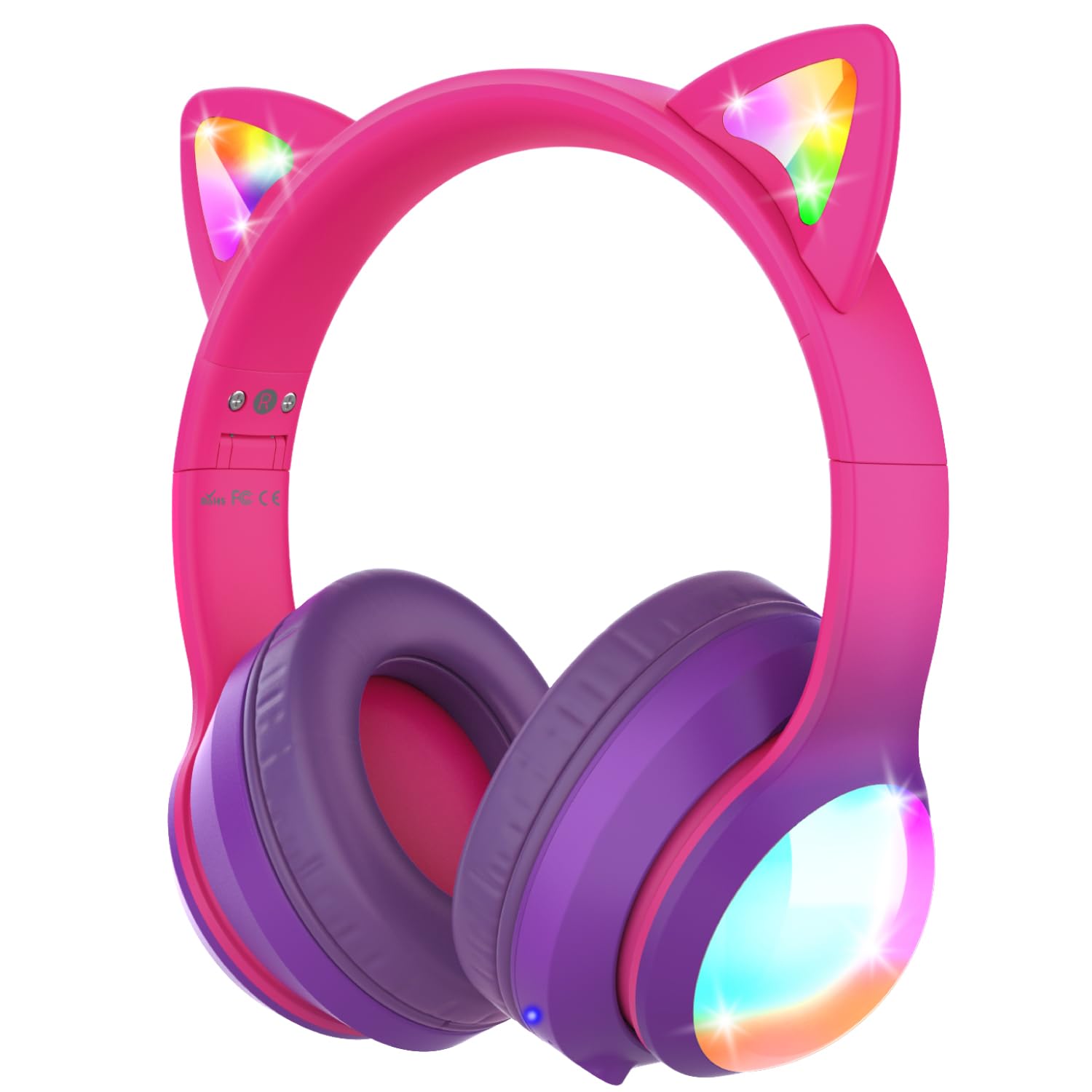
Зображення: Демонстрація навушниківasing their vibrant colored LED lights on the cat ears and earcups, making the listening experience fun and stylish.
Music and Call Management
Use the dedicated buttons on the ear cup to control music playback and manage calls as described in the 'Controls Overview' section.
Video: An official product video from FosPower demonstrating the features and usage of the Kids Bluetooth Headphones with LED Cat Ears.
Video: A seller-provided video highlighting the protective decibel limited volume, soft earcups, foldable design, and inline controls of the headphones.
Video: A short seller-provided video showcasing the light-up feature of the Kids Bluetooth Headphones.
Зарядка
To charge your headphones, connect the included USB-C charging cable to the USB-C port on the headphones and to a compatible USB power source. Charging time is approximately 2 hours. The LED indicator will show charging status (e.g., red for charging, blue for fully charged).
Технічне обслуговування
- Протирайте навушники м’якою сухою тканиною. Уникайте використання агресивних хімікатів або абразивних матеріалів.
- Коли навушники не використовуються, зберігайте їх у прохолодному сухому місці.
- Уникайте впливу на навушники екстремальних температур або прямих сонячних променів.
- Do not attempt to disassemble or repair the headphones yourself. This may void the warranty.
Усунення несправностей
No Power/Cannot Turn On
- Переконайтеся, що навушники повністю заряджені.
- Перевірте, чи вимикач УВІМК./ВИМК. знаходиться в положенні «УВІМК.».
Не вдається з’єднати пристрій через Bluetooth
- Ensure the headphones are in Bluetooth pairing mode (LED alternating blue/green).
- Make sure Bluetooth is enabled on your device and it's within range (up to 33 feet).
- Забудьте/видаліть навушники зі списку Bluetooth вашого пристрою та спробуйте знову підключитися.
- Спробуйте перезавантажити і навушники, і пристрій.
Немає звуку в дротовому режимі
- Ensure the 3.5mm audio cable is securely plugged into both the headphones and your device.
- Перевірте рівні гучності як на навушниках, так і на підключеному пристрої.
- Test with a different audio cable or device to rule out cable or device issues.
Світлодіодні лампи не працюють
- Переконайтеся, що навушники увімкнені.
- Press the 'M' button to cycle through or activate the LED light modes.
- Check battery level; low battery may affect LED functionality.
Технічні характеристики
| Назва моделі | FOSHP-2446PA |
| Версія Bluetooth | 5.2 |
| Діапазон Bluetooth | 33 футів |
| Термін служби батареї | 100 години |
| Час зарядки | 2 години |
| Контроль шуму | Пасивне шумопоглинання |
| Гніздо для навушників | 3.5 мм джек |
| матеріал | Leather, Polycarbonate (PC) |
| Вага товару | 11.7 унції |
Гарантія та підтримка
FosPower offers a Обмежена довічна гарантія for this product. For any support needs, please contact our experienced and dedicated USA-based customer service team. Refer to the included user manual for specific contact information or visit the official FosPower webсайт.