
вступ
Thank you for choosing the Hisense APC09QC Portable Air Conditioner. This manual provides essential information for the safe and efficient operation of your new appliance. Please read these instructions thoroughly before use and retain them for future reference. This portable air conditioner is designed to provide cooling for indoor spaces, featuring a compact design and convenient mobility.
Інформація про безпеку
Завжди дотримуйтесь основних запобіжних заходів під час використання електроприладів, щоб зменшити ризик пожежі, ураження електричним струмом та травмування.
- Переконайтеся, що джерело живлення відповідає об’ємуtagзазначено на етикетці з характеристиками пристрою.
- Не використовуйте пристрій з пошкодженим шнуром або вилкою.
- Не вставляйте пальці або інші предмети у вхідний або вихідний отвір для повітря.
- Тримайте пристрій подалі від легкозаймистих матеріалів та відкритого вогню.
- Завжди від’єднуйте пристрій від мережі перед чищенням або обслуговуванням.
- Do not use the unit in wet environments such as bathrooms or laundry rooms.
- Цей прилад не призначений для використання особами (включаючи дітей) з обмеженими фізичними, сенсорними чи розумовими здібностями, або з браком досвіду та знань, якщо вони не перебувають під наглядом або не отримали інструкції щодо використання приладу особою, відповідальною за їх безпеку.
Вміст упаковки
Carefully unpack your portable air conditioner and check that all items are present.
- Hisense APC09QC Portable Air Conditioner Unit
- Шланг витяжки повітря
- Window Sealing Kit (components may vary, refer to specific kit instructions)
- Пульт дистанційного керування (якщо є)
- Посібник користувача (цей документ)
Продукт закінченийview
Familiarize yourself with the main components of your Hisense APC09QC Portable Air Conditioner.
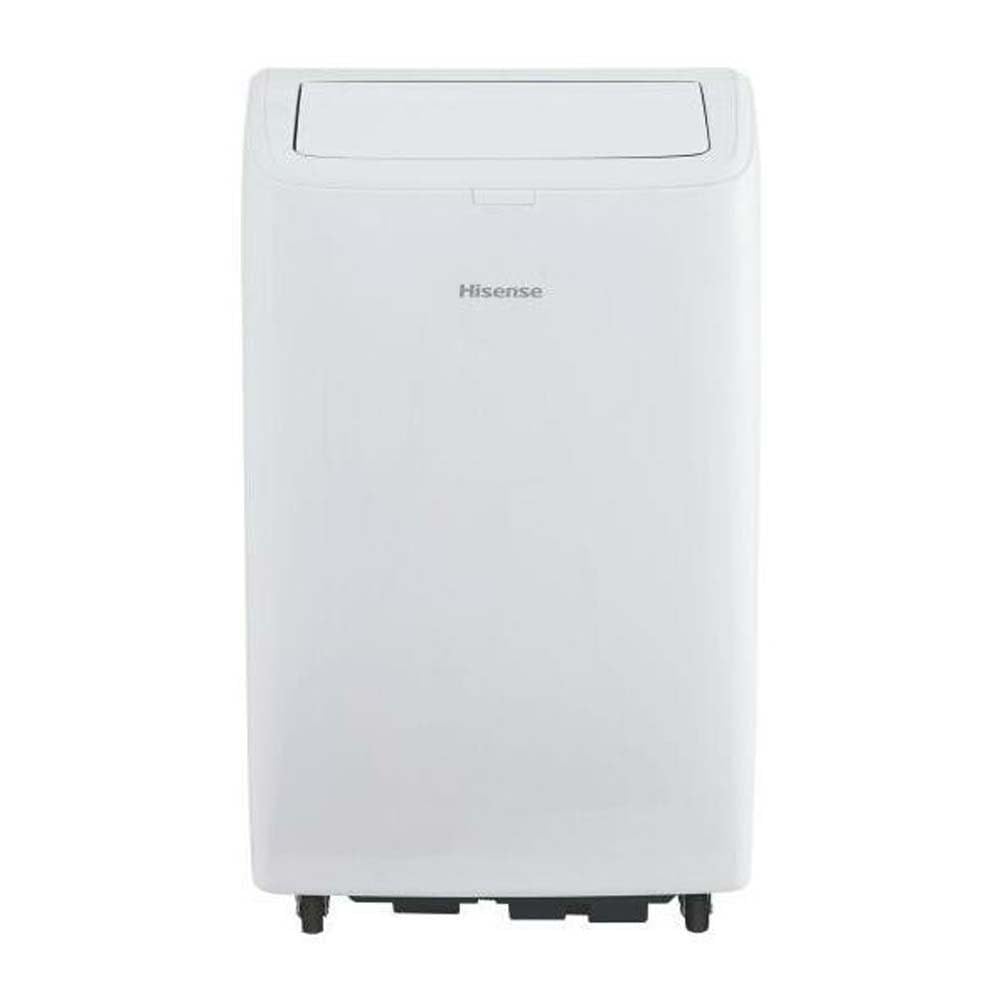
малюнок 1: Фронт view of the Hisense APC09QC Portable Air Conditioner. The unit is white with the Hisense logo on the front. The top air outlet flap is open, showing the internal louvers.

малюнок 2: сторона view of the Hisense APC09QC Portable Air Conditioner. This image highlights the integrated side handle for easy transport and the caster wheels at the base, facilitating movement.

малюнок 3: Топ view of the Hisense APC09QC Portable Air Conditioner. The air outlet flap is closed, showing the sleek top panel where the control interface is typically located.
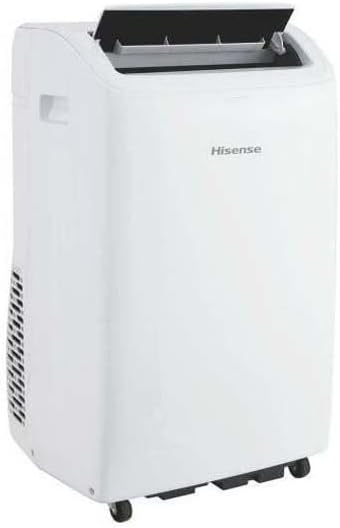
малюнок 4: Задня сторона view of the Hisense APC09QC Portable Air Conditioner. This angle shows the exhaust vent grille on the side, where the air exhaust hose connects.
Ключові характеристики:
- Панель керування: Located on the top of the unit for easy access to settings.
- Вихід повітря: Adjustable louvers to direct airflow.
- Колеса: For convenient movement between rooms.
- Бічні ручки: For lifting and carrying the unit.
- Повітряний фільтр: Removable for cleaning, located behind a grille (typically on the back or side).
- Вихід відпрацьованого повітря: Connection point for the exhaust hose to vent hot air outside.
- Зливний порт: For manual drainage of condensed water.
Налаштування
Правильне налаштування має вирішальне значення для оптимальної продуктивності та безпеки.
- Розміщення: Place the air conditioner on a flat, stable surface near a window. Ensure there is at least 20 cm (8 inches) of space around the unit for proper airflow. Do not block the air inlets or outlets.
- Встановлення випускного шланга:
- Attach one end of the air exhaust hose to the exhaust air outlet on the back of the unit. Twist or click into place securely.
- Extend the other end of the hose to the window.
- Install the window sealing kit according to its specific instructions. This typically involves fitting the adjustable window slider kit into the window opening and sealing any gaps to prevent hot air from re-entering the room.
- Connect the exhaust hose adapter to the window kit, ensuring a tight seal to expel hot air outdoors.
- Підключення живлення: Plug the power cord into a grounded electrical outlet. Ensure the outlet meets the electrical requirements of the unit (230 Volts).
- Initial Drainage Check: Before first use, ensure the drain plug is securely closed to prevent water leakage during operation.
Інструкція з експлуатації
Your Hisense APC09QC offers various modes and settings for personalized comfort.
Панель керування та пульт дистанційного керування:
The unit can be operated via the control panel on top of the unit or the included remote control. The functions are generally identical.
- Кнопка живлення: Вмикає або вимикає пристрій.
- Кнопка режиму: Cycles through available operating modes: Cool, Fan, Dehumidify.
- Кнопки збільшення/зменшення температури: Регулює потрібний температурний режим.
- Кнопка швидкості вентилятора: Вибір швидкості вентилятора (низька, середня, висока).
- Кнопка таймера: Встановлює таймер автоматичного ввімкнення або автоматичного вимкнення.
- Sleep/Silent Mode Button: Activates a quieter operation mode for nighttime use.
Режими роботи:
- Режим охолодження: Provides cooling. Set your desired temperature using the Up/Down buttons. The unit will cool until the room reaches the set temperature.
- Режим вентилятора: Circulates air without cooling. You can adjust the fan speed.
- Режим осушення: Removes moisture from the air. The fan speed is typically fixed in this mode.
WiFi Connectivity and App Control:
The Hisense APC09QC is WiFi enabled and can be controlled via a smartphone application, such as ConnectLife. Refer to the app's instructions for pairing and remote operation. This allows for control through Google Assistant and Alexa.
- Download the ConnectLife app from your device's app store.
- Follow the in-app instructions to create an account and add your Hisense APC09QC unit.
- Once connected, you can control modes, temperature, fan speed, and set schedules remotely.
Технічне обслуговування
Регулярне технічне обслуговування забезпечує ефективну роботу та продовжує термін служби вашого кондиціонера.
- Очищення повітряного фільтра:
- Повітряний фільтр слід чистити кожні два тижні або частіше, залежно від використання та якості повітря.
- Від’єднайте пристрій від мережі.
- Remove the filter from its housing (refer to the unit's diagram for exact location).
- Промийте фільтр теплою мильною водою. Ретельно промийте та дайте йому повністю висохнути перед повторним встановленням.
- Злив конденсату:
- During cooling and dehumidifying, water condenses inside the unit. The unit has an internal reservoir.
- When the reservoir is full, the unit may stop operating and display an indicator.
- Unplug the unit. Place a shallow pan or tray under the drain port.
- Remove the drain plug to allow water to flow out. Re-insert the plug once drainage is complete.
- Очищення зовнішньої частини:
- Протріть зовнішню поверхню м’якою, damp тканина. Не використовуйте агресивні хімікати або абразивні засоби для чищення.
- Переконайтеся, що вода не потрапляє на панель керування або інші електричні компоненти.
- Зберігання:
- Before long-term storage, drain all condensed water completely.
- Clean the air filter and ensure the unit is dry.
- Зберігайте пристрій у вертикальному положенні в прохолодному, сухому місці, подалі від прямих сонячних променів.
Усунення несправностей
Before contacting customer service, refer to the following common issues and solutions.
| проблема | Можлива причина | Рішення |
|---|---|---|
| Пристрій не включається. | Немає живлення, шнур живлення відключений від мережі, спрацював автоматичний вимикач, повний резервуар для води. | Перевірте підключення до живлення, скиньте автоматичний вимикач, злийте воду з резервуара. |
| Пристрій не охолоджується ефективно. | Dirty air filter, blocked air intake/outlet, exhaust hose not properly installed/sealed, room too large, windows/doors open. | Clean air filter, ensure clear airflow, properly install and seal exhaust hose, close windows/doors. |
| Витік води. | Drain plug loose or open, unit not level, internal reservoir full. | Ensure drain plug is secure, place unit on a level surface, drain water tank. |
| Пристрій шумить. | Unit not on a level surface, fan obstruction, normal operating sounds. | Ensure unit is level, check for obstructions, some noise is normal during operation. |
| Проблеми з підключенням до Wi-Fi. | Incorrect network password, unit too far from router, app issues. | Verify WiFi password, move unit closer to router, restart app/unit, consult app's troubleshooting guide. |
Технічні характеристики
Technical details for the Hisense APC09QC Portable Air Conditioner.
| Номер моделі | APC09QC |
| Розміри (Д x Ш x В) | 49 см x 31 см x 88 см (19.3 дюйма x 12.2 дюйма x 34.6 дюйма) |
| вага | 25.5 кг (56.2 фунта) |
| Потужність охолодження | 9000 BTU/h (2.6 kW / 2236 fg/h) |
| Клас енергоефективності | A |
| Сезонний коефіцієнт енергоефективності (SEER) | 37.4 |
| Рівень шуму | 63 децибели |
| Холодоагент | Р-290 |
| томtage | 230 вольт |
| Споживання енергії (охолодження) | 2.6 кВт |
| Відповідна площа підлоги | До 60 кв |
| Особливості | Silent Mode, WiFi Enabled (App Control) |
| Спосіб контролю | Control Panel, Remote Control, Application |
| Кількість рівнів потужності | 3 (швидкість вентилятора) |
| Minimum Window Opening Height | 70.8 см (27.9 дюйма) |
| Minimum Window Opening Width | 32 см (12.6 дюйма) |
Гарантія та підтримка
Your Hisense APC09QC Portable Air Conditioner comes with a manufacturer's warranty.
- Гарантійний термін: This product is covered by a two-year manufacturer's warranty from the date of purchase. This warranty covers defects in materials and workmanship under normal use.
- Гарантійні претензії: For warranty service, please retain your proof of purchase. Contact Hisense customer support or the retailer where the product was purchased. Do not attempt to repair the unit yourself, as this may void the warranty.
- Підтримка клієнтів: For technical assistance, troubleshooting beyond this manual, or to inquire about parts and service, please visit the official Hisense website or contact their customer service department. Contact information can typically be found on the Hisense webсайті або в матеріалах для реєстрації вашого продукту.