
вступ
This manual provides comprehensive instructions for the setup, operation, maintenance, and troubleshooting of your QRD Spark N5 Wireless Controller. Please read this manual carefully before using the product to ensure optimal performance and longevity.
Продукт закінченийview
The QRD Spark N5 Wireless Controller is designed for a versatile gaming experience across multiple platforms. It features advanced Hall Effect technology for precise control, customizable macro functions, and immersive vibration feedback.

малюнок 1: Фронт view of the QRD Spark N5 Wireless Controller, showcasing its ergonomic design and illuminated buttons.
Ключові характеристики:
- Hall Effect Joysticks & Analog Triggers: Provides drift-free and highly accurate control with less than 0.1mm accuracy.
- Багатофункціональна сенсорна панель: Supports touch control for PS4 and acts as a mouse on other compatible platforms.
- 6-Axis Gyroscope & Motion Sensor: Integrated for immersive gaming experiences and precise motion control.
- Подвійні вібраційні двигуни: Adjustable vibration levels (0%, 30%, 70%, 100%) for realistic feedback.
- Macro Back Paddles (N1 & N2): Customizable for assigning complex shortcuts and executing multiple actions.
- Турбофункція: Adjustable turbo speed with auto and manual modes for various buttons.
- 3.5mm Audio Port, Speaker & Mic: Enables audio output and communication during gameplay.
- Wired & Wireless Compatibility: Supports Bluetooth 5.3 for wireless connection and USB-C for wired connection (D-input default, X-input available).
Налаштування та підключення
Зарядка контролера:
Before first use, fully charge the controller using the provided USB-C cable. Connect the USB-C end to the controller and the USB-A end to a compatible power source (e.g., console, PC, USB wall adapter).
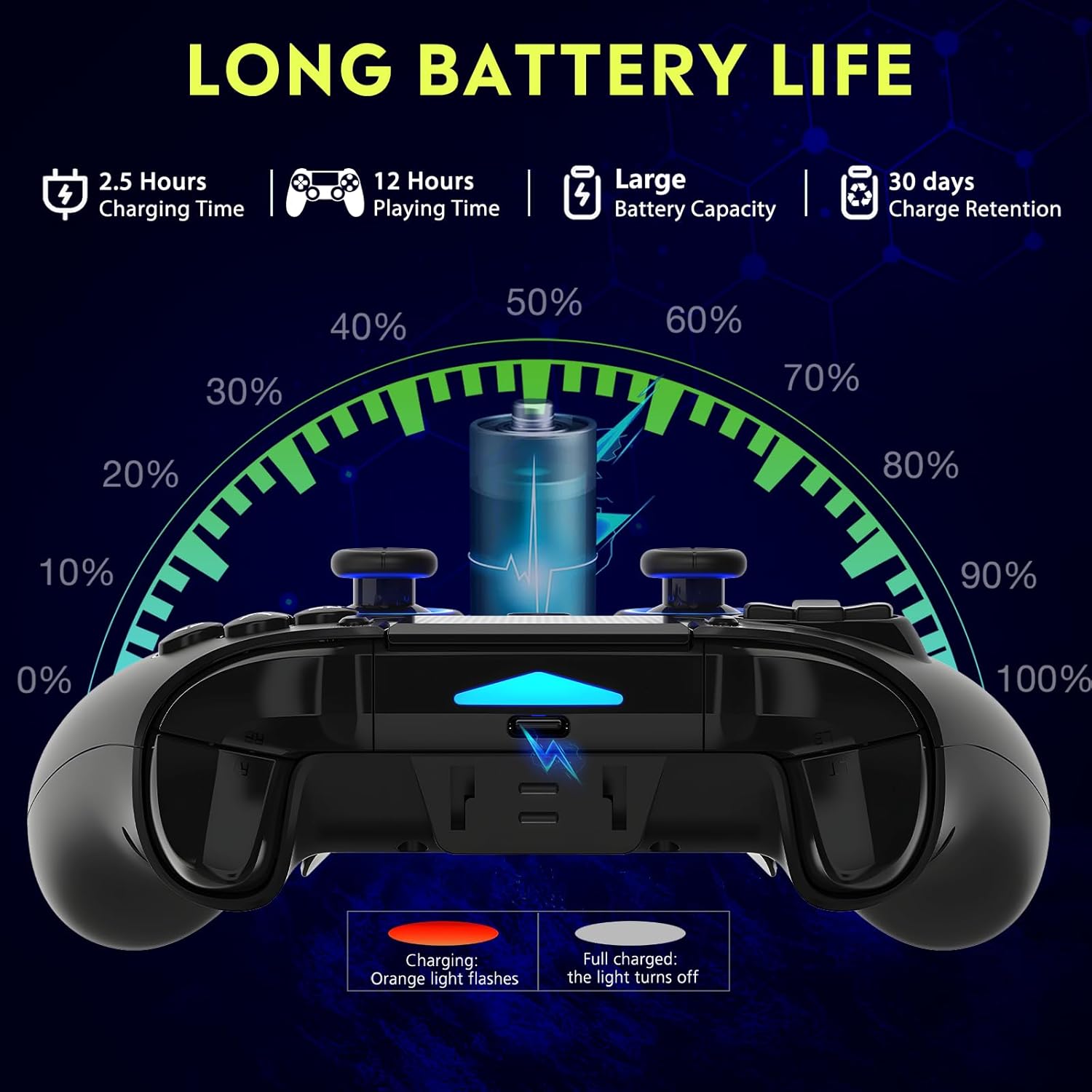
малюнок 2: Battery life illustration. The orange light flashes during charging and turns off when fully charged. A full charge takes approximately 2.5 hours and provides up to 12 hours of playing time.
Бездротове з'єднання (Bluetooth 5.3):
The controller supports wireless connection via Bluetooth 5.3 for PS4, PS3, PS2, Steam Deck, PC (Windows/macOS), iOS, and Android TV Box/phones. For PS5 compatibility, a separate QRD Wireless Converter is required.

малюнок 3: Сумісність закінченаview showing the controller connecting to Windows, PS4, Steam, Mobile, PS3.
- Переконайтеся, що контролер заряджений.
- Turn on the controller by pressing the "Q" (Home) button.
- On your device, navigate to Bluetooth settings.
- Select "Spark N5" or similar from the list of available devices to pair.
- Once paired, the indicator lights on the controller will stabilize.
Примітка: For PS5 games, an additional QRD Wireless Converter is necessary. This converter allows the Spark N5 controller to function with PS5 titles, expanding your gaming options.
Відео 1: This video demonstrates the QRD Spark N5 Wireless Controller's compatibility with various game devices, including setup and initial connection steps.
Дротове підключення (USB-C):
Connect the controller directly to your PC or console using the provided USB-C cable. The controller will operate in D-input mode by default. X-input mode is available for PC connections only.
Інструкція з експлуатації
Основні елементи керування:
The controller features standard gamepad buttons, joysticks, and triggers. Familiarize yourself with the layout for optimal gameplay.

малюнок 4: The multi-function touchpad on the controller, which can be used for navigation and specific game interactions.
Джойстики та тригери на ефекті Холла:
The Hall Effect technology ensures precise, drift-free input for both joysticks and triggers. This provides enhanced accuracy and responsiveness in games.

малюнок 5: Вибухнув view of the Hall Effect Joystick, illustrating its magnetic sensing mechanism for drift-free operation.

малюнок 6: Illustration of the Hall Sensing Analog Triggers, highlighting their sub-millimeter accuracy for precise control.
Macro Back Paddles (N1 & N2):
The N1 and N2 back paddles can be programmed to execute complex actions or button combinations with a single press. This feature is useful for competitive gaming or simplifying repetitive tasks.

малюнок 7: Задня view of the controller showing the N1 and N2 macro back paddles, which can be assigned to perform complex combos.
Refer to the controller's quick start guide or the official QRD website for detailed instructions on programming macro functions.
Турбофункція:
The Turbo function allows for rapid, continuous input of a button press. You can set three different turbo speeds for most buttons (excluding macro paddles) and choose between auto and manual turbo modes.
Consult the quick start guide for specific button combinations to activate and adjust turbo settings.
Регульована вібрація:
The dual vibration motors provide haptic feedback. You can adjust the intensity to your preference: 0% (off), 30%, 70% (default), or 100%.

малюнок 8: Visual representation of the dual vibration shock feature and its adjustable intensity levels.
Instructions for adjusting vibration intensity are typically found in the quick start guide or by holding specific button combinations.
6-Axis Gyroscope & Motion Sensor:
The integrated 6-axis gyroscope and motion sensor enable precise motion control in supported games, enhancing immersion and aiming accuracy.

малюнок 9: Depiction of the 6-axis gyroscope and motion control, showing how controller movements translate into in-game actions.
Особливості аудіо:
The controller includes a 3.5mm audio port for headphones, a built-in speaker, and a microphone. This allows for in-game audio, voice chat, and immersive sound effects.
Відео 2: This video demonstrates the smartphone connection and gaming experience with the QRD Spark N5 Wireless Controller, including audio functionality.
Технічне обслуговування
- Прибирання: Використовуйте м’яку суху тканину для очищення контролера. Для стійкого бруду злегкаamp Можна використовувати тканину, але переконайтеся, що волога не потрапляє в отвори або щілини.
- Зберігання: Зберігайте контролер у прохолодному, сухому місці, подалі від прямих сонячних променів та екстремальних температур.
- Догляд за акумулятором: Щоб продовжити термін служби батареї, уникайте частого повного розряджання контролера. Регулярно заряджайте його, навіть якщо він не використовується постійно.
- Уникайте впливу: Не кидайте та не піддавайте контролер сильним ударам, оскільки це може пошкодити внутрішні компоненти.
Усунення несправностей
| проблема | Можлива причина | Рішення |
|---|---|---|
| Контролер не вмикається. | Низький заряд батареї або її відсутність. | Charge the controller using the provided USB-C cable. |
| Не вдається підключитися бездротовим способом. | Bluetooth не ввімкнено на пристрої; контролер не в режимі сполучення; перешкоди. | Ensure Bluetooth is on. Press and hold the "Q" button to enter pairing mode. Move closer to the device. Restart both controller and device. |
| Затримка введення або не реагування кнопок. | Low battery; wireless interference; outdated firmware. | Charge the controller. Reduce wireless interference. Check QRD website for firmware updates. Try wired connection. |
| Joysticks or triggers drifting. | Calibration issue; rare hardware defect. | The Hall Effect technology minimizes drift. If persistent, try recalibrating (refer to quick start guide) or contact customer support. |
| Відсутність вібраційного зворотного зв'язку. | Vibration setting is off (0%); game does not support vibration. | Adjust vibration intensity to 30%, 70%, or 100%. Ensure the game supports vibration. |
Технічні характеристики
- модель: Spark N5
- Підключення: Bluetooth 5.3 (Wireless), USB-C (Wired)
- Сумісність: PS4, PS4 Slim, PS4 Pro, PS3, PS2, Steam Deck, PC (Windows, macOS), iOS, Android TV Box, Phone. (PS5 via separate converter)
- Джойстики/тригери: Ефект Холла
- Датчик руху: 6-осьовий гіроскоп
- Вібрація: Dual Motors, Adjustable (0%, 30%, 70%, 100%)
- Аудіо: 3.5mm Audio Port, Built-in Speaker, Microphone
- Особливості: Multi-function Touchpad, Macro Back Paddles (N1, N2), Turbo Function
- Батарея: 1 літій-полімерна батарея (у комплекті)
- Час зарядки: Приблизно 2.5 годин
- Час відтворення: До 12 годин
- Розміри: 6.38 x 4.06 x 2.56 дюймів
- вага: 13.7 унції
Гарантія та підтримка
QRD products are designed for durability and performance. For warranty information and technical support, please refer to the official QRD webсайт або зверніться безпосередньо до служби підтримки клієнтів.
- Офіційний Webсайт: QRD Store on Amazon
- Обслуговування клієнтів: Contact information may be available on the product packaging or the official webсайт.
Будь ласка, збережіть чек про покупку для будь-яких гарантійних претензій.