
1. Вступ
Thank you for choosing the EZICLEAN Windobot S3 Max Robot Window Cleaner. This manual provides essential information for the safe and efficient operation, maintenance, and troubleshooting of your device. Please read it thoroughly before first use and keep it for future reference.
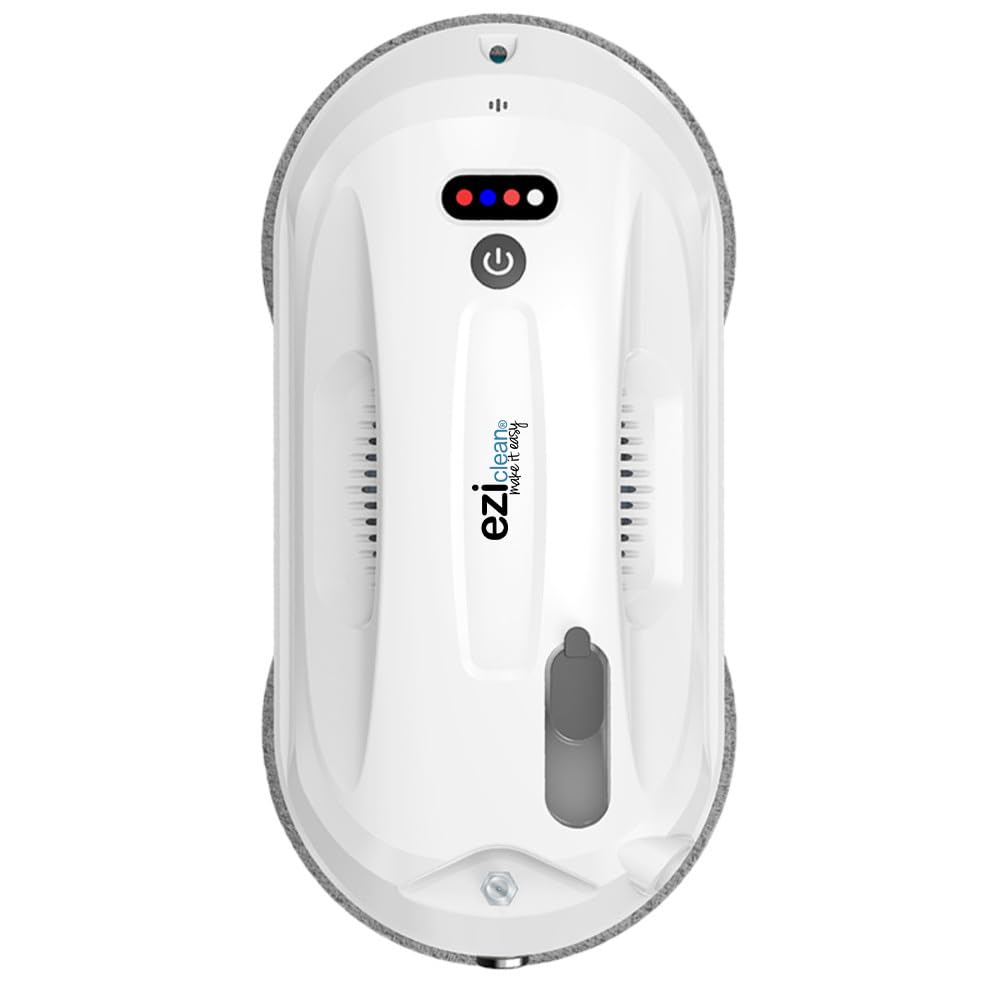
Figure 1: EZICLEAN Windobot S3 Max Robot Window Cleaner.
2. Техніка безпеки
To ensure safe operation and prevent damage to the device or injury, always adhere to the following safety guidelines:
- Ensure the safety rope is securely attached to the robot and a fixed object before operation, especially when cleaning exterior windows or at height.
- Не використовуйте робота на тріснутих, пошкоджених або нерівних скляних поверхнях.
- Keep the robot away from children and pets during operation.
- Use only the original power adapter and cleaning solution provided by EZICLEAN.
- Не використовуйте робота під час дощу або в умовах надзвичайної вологості.
- Ensure the cleaning pads are properly installed and clean before each use.
- Always supervise the robot during its first few cleaning cycles to ensure proper adhesion and movement.
- Avoid using the robot on windows that are excessively dirty, as this may lead to streaks or reduced performance. Pre-clean heavily soiled areas if necessary.

Малюнок 2: Впрamples of unsafe or incorrect window cleaning methods, emphasizing the need for proper safety precautions with the robot.
3. Вміст упаковки
Перевірте наявність усіх елементів в упаковці:
- EZICLEAN Windobot S3 Max Robot Window Cleaner
- Адаптер живлення та кабель
- Пульт дистанційного керування
- Пляшка з розчином для чищення
- Страхувальна мотузка
- Серветки для чищення з мікрофібри (кілька пар)
- Посібник користувача (цей документ)

Figure 3: Included accessories for the Windobot S3 Max.
4. Продукт закінчивсяview
The EZICLEAN Windobot S3 Max is an advanced robot window cleaner designed for efficient and thorough cleaning of various flat surfaces. Its key features include:
- Automatic Cleaning & Drying: The robot performs both washing and drying cycles automatically.
- Dual Automatic Spray: Equipped with a dual spray system for effective application of cleaning solution.
- Optimal Navigation Technology: Utilizes intelligent navigation (NAVIG+ technology) for comprehensive coverage and faster cleaning.
- Універсальна поверхнева сумісність: Suitable for glass, marble, and tile surfaces.
- Функції безпеки: Includes sensors, a carabiner for safety rope attachment, and a backup battery for power loss protection.
- Мікрофіброві серветки: Uses microfiber pads for streak-free cleaning.
- Touch Control & App Connectivity: Can be controlled via touch interface or connected to a smartphone for remote operation.

Figure 4: The Windobot S3 Max is designed for various flat surfaces.

Figure 5: The robot's intelligent navigation patterns for efficient cleaning.
5. Налаштування
Follow these steps to prepare your Windobot S3 Max for its first cleaning:
- Зарядіть батарею: Connect the robot to the power adapter and allow it to charge fully before first use. The internal battery provides backup power in case of a power outage, but the robot primarily operates while connected to power.
- Прикріпіть чистячі серветки: Securely attach clean microfiber pads to the bottom of the robot. Ensure they are flat and cover the cleaning surfaces.
- Заповнення бака для розчину: Open the solution tank cap and fill it with the provided EZICLEAN cleaning solution. Do not overfill.
- Підключення страхувального троса: For safety, especially on exterior windows or high surfaces, attach one end of the safety rope to the robot's designated attachment point and the other end to a sturdy, fixed object (e.g., a heavy piece of furniture, a window frame anchor).
- Підключіть живлення: Plug the power adapter into an electrical outlet and connect it to the robot. Ensure the cable is long enough to reach the entire cleaning area without tension.
6. Інструкція з експлуатації
Operating your Windobot S3 Max is straightforward:
- Розміщення: Place the robot on the surface to be cleaned, ensuring it is flat against the glass or other material. The robot will automatically adhere to the surface using its vacuum suction.
- Почати очищення:
- Using Touch Control: Press the power button on the robot to start the cleaning cycle.
- Використання пульта дистанційного керування: Use the remote control to select a cleaning mode (e.g., automatic, edge cleaning) and start the robot.
- Using Smartphone App: Download the EZICLEAN app, connect your robot, and control it directly from your smartphone. This allows for manual control and mode selection.
- Моніторинг: Monitor the robot during its operation, especially during the first few uses. The robot will navigate the surface, spraying solution and cleaning as it moves.
- Завершення: Once the cleaning cycle is complete, the robot will return to its starting position and emit an alert. Carefully remove the robot from the surface by holding it firmly and pressing the release button (if applicable) or turning off the power.
- Кілька пропусків: For heavily soiled windows, it is recommended to perform a dry cleaning pass first (without solution) to remove loose dirt, then a wet cleaning pass. For optimal results, you may need to change cleaning pads between passes.
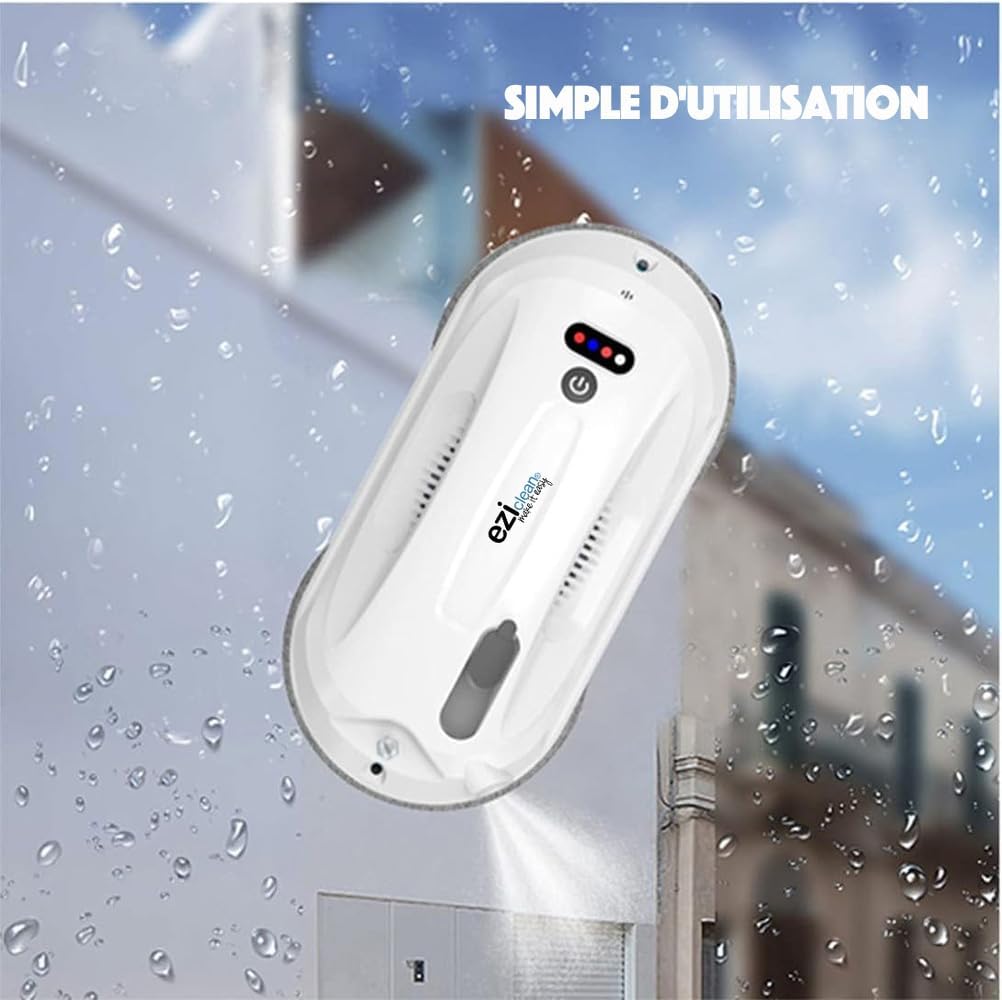
Figure 6: The robot in action, simplifying window cleaning.

Figure 7: Controlling the robot via smartphone app.
7. Технічне обслуговування
Regular maintenance ensures the longevity and optimal performance of your Windobot S3 Max:
- Чисті серветки для чищення: After each use, remove the microfiber pads and wash them. They can typically be machine washed with mild detergent. Ensure they are completely dry before reattaching.
- Clean Robot Body: Протріть зовнішню частину робота м’якою губкоюamp тканиною. Не використовуйте абразивні засоби для чищення та не занурюйте робота у воду.
- Check Suction Vents: Periodically inspect the suction vents for any dust or debris accumulation. Clean gently with a soft brush if necessary to maintain strong suction.
- Empty/Refill Solution Tank: If not using the robot for an extended period, empty any remaining cleaning solution. Refill with fresh solution before next use.
- Перевірте запобіжний трос: Регулярно перевіряйте страхувальний трос на наявність будь-яких ознак зносу або пошкоджень. За потреби замінюйте його.
- Технічне обслуговування фільтра: The robot uses a HEPA-type filter. Refer to the specific instructions for cleaning or replacing this filter to maintain air quality and device performance.

Figure 8: Microfiber pads are crucial for effective, streak-free cleaning. Keep them clean.
8. Вирішення проблем
If you encounter issues with your Windobot S3 Max, refer to the following common problems and solutions:
| проблема | Можлива причина | Рішення |
|---|---|---|
| Робот не прилипає до поверхні. | Insufficient suction; surface too dirty or wet; power issue. | Ensure power cable is securely connected. Check for obstructions in suction vents. Ensure surface is not excessively wet or dirty. |
| Робот залишає смуги. | Dirty cleaning pads; incorrect amount of cleaning solution; surface too dirty. | Replace or clean microfiber pads. Use the recommended amount of cleaning solution. Pre-clean very dirty windows. |
| Робот несподівано зупиняється. | Power disconnection; low battery (backup); sensor obstruction. | Check power connection. Ensure backup battery is charged. Clean sensors. |
| Не працює пульт дистанційного керування. | Dead batteries in remote; obstruction between remote and robot. | Replace remote control batteries. Ensure clear line of sight to the robot. |
9. Технічні характеристики
| Особливість | Деталь |
|---|---|
| Бренд | EZICLEAN |
| Назва моделі | S3MAX |
| Рекомендована поверхня | Glass, Marble, Tile |
| Особливість | Швидке очищення |
| Колір | Білий |
| Розміри продукту (Д x Ш x В) | 32.8 Д x 25 Ш x 10 В см |
| Включені компоненти | Розчин для очищення |
| Тип фільтра | HEPA |
| Вага товару | 2 кілограма |
| Джерело живлення | Battery Powered (operates connected to mains with battery backup) |
| Батарейки в комплекті | No (refers to user-replaceable batteries, internal battery is included) |
| Спосіб контролю | Touch, Remote, App |
| Назва типу продукту | Робот-мийник вікон |
| Виробник | eziclean |
| Рекомендоване використання | Миття вікон |
| Середовище використання | Indoor (and outdoor with proper safety) |
10. Гарантія та підтримка
EZICLEAN products are designed for durability and performance. For specific warranty details, please refer to the warranty card included with your product or visit the official EZICLEAN website. For technical support, troubleshooting assistance, or to inquire about replacement parts, please contact EZICLEAN customer service through their official channels.
Наявність запасних частин: 13 років (згідно зі специфікаціями продукту).
Більше інформації та контактні дані ви можете знайти на EZICLEAN Brand Store.