
1. Продукт закінчивсяview
The WOOPKER AK35 is a compact 2.0 channel stereo audio amplifier designed for home use. It features Bluetooth 5.0 connectivity, USB and SD card inputs, AUX input, and controls for bass, treble, and master volume. This amplifier delivers clear and powerful sound for various audio setups.
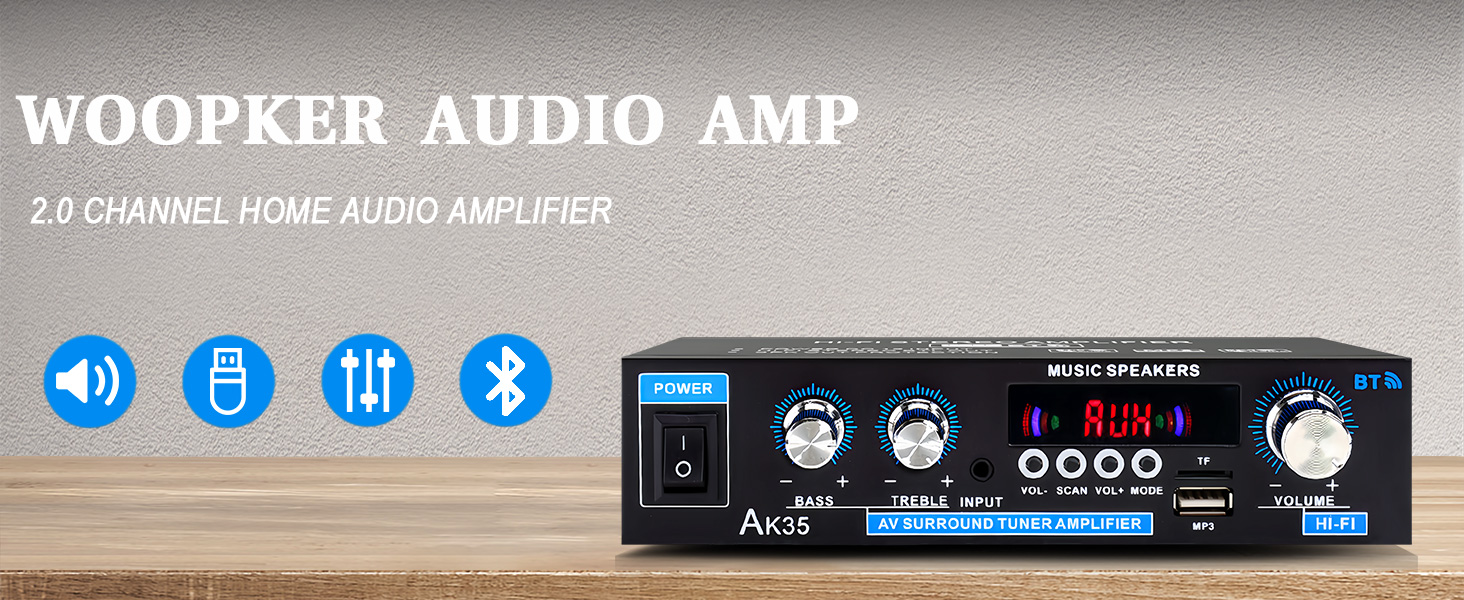
Зображення 1.1: спереду view of the AK35 Stereo Audio Ampліфірник.
2. Вміст упаковки
Перевірте наявність усіх елементів в упаковці:
- 1x AK35 Audio Ampлібератор
- 1x кабель живлення
- 1x Посібник користувача (цей документ)
- 1x пульт дистанційного керування
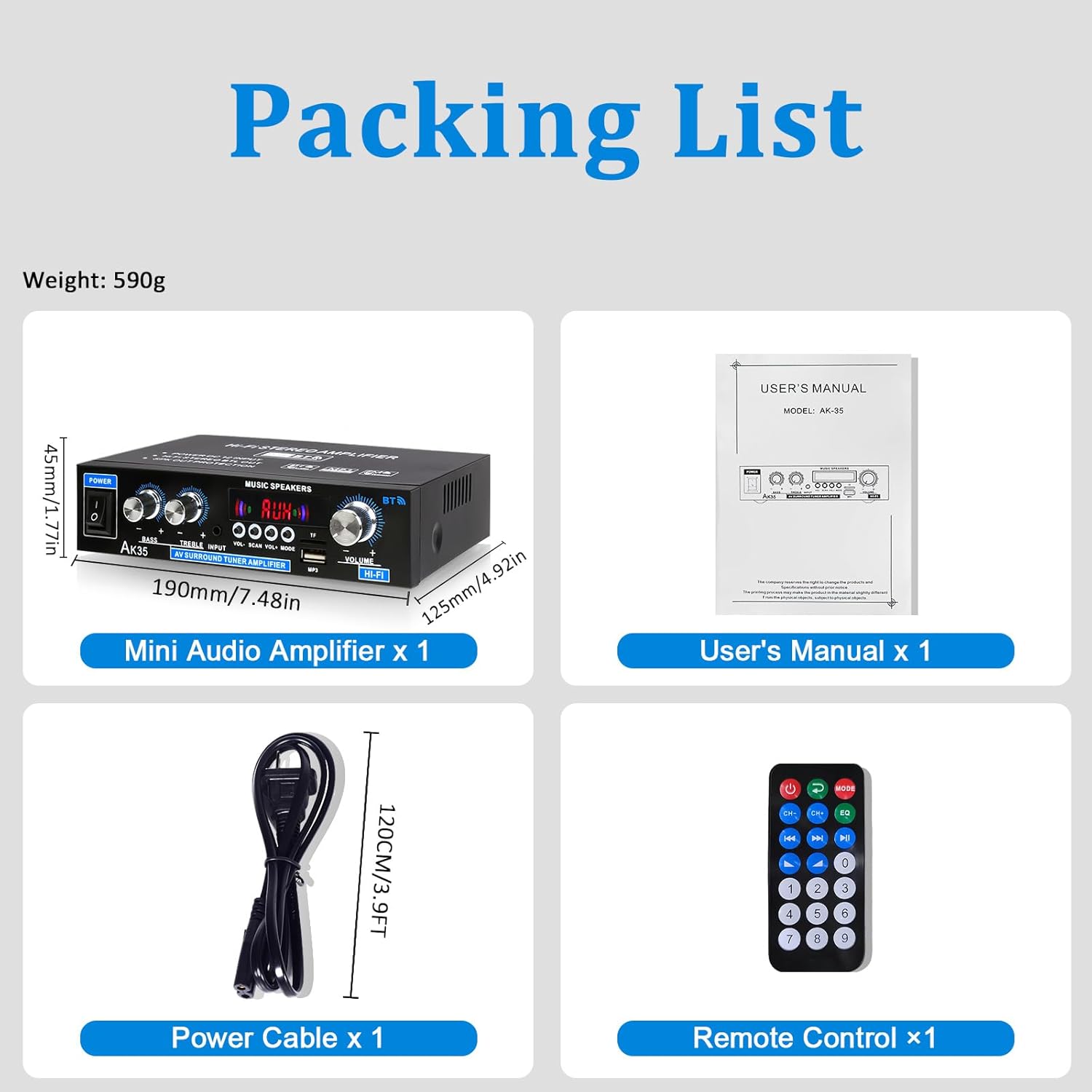
Image 2.1: Contents of the AK35 ampрятувальний пакет.
3. Інструкції з налаштування
3.1 Елементи керування передньої панелі
Familiarize yourself with the front panel controls and indicators:

Image 3.1: Front Panel Layout of the AK35 Ampліфірник.
- Вимикач живлення: Перевертає ampLifier ON/OFF.
- Бас ручка: Регулює низькочастотний аудіовихід.
- Регулятор високих частот: Регулює високочастотний аудіовихід.
- Аудіо вхід: Selects the audio source (AUX, USB, SD, Bluetooth, FM).
- Світлодіодний дисплей: Shows current mode, track information, or frequency.
- Основний том: Контролює загальну гучність виведення.
- Функціональні кнопки: Includes VOL-, SCAN, VOL+, MODE for navigation and control.
- TF/USB Port: For connecting USB flash drives or SD cards (via adapter).
3.2 Підключення задньої панелі
Understand the rear panel for proper connectivity:

Image 3.2: Rear Panel Layout of the AK35 Ampліфірник.
- Audio Input Jack (RCA): Connect external audio sources via RCA cables.
- Speaker Output Jack (L/R): Підключіть пасивні динаміки.
- DC 12V/5A Power Input: Для живлення постійного струму.
- AC 110-240V Power Input: Для живлення змінного струму.
- FM-радіо антена: Підключіть FM-антену, що входить до комплекту, для прийому радіо.
3.3 Підключення динаміка
Follow these steps to connect your speakers:

Image 3.3: Speaker Connection Diagram.
- Before connecting speakers, distinguish the positive (+) and negative (-) terminals. The positive terminal is usually red, and the negative terminal is black.
- Press the clasp on the back of the AK35 amplifier and insert bare speaker wires into the speaker clasp corresponding to the positive and negative terminals.
- Ensure proper polarity (+ to + and - to -) for both left and right channels.
- Avoid plugging and unplugging USB drives, SD cards, RCA audio cables, or speaker cables while the amplifier увімкнено.
3.4 Підключення живлення
Connect the power cable to the AC power input on the rear panel and then to a suitable power outlet.
Video 3.4: Demonstrates connecting speaker wires and powering on the AK35 ampліфірник.
4. Інструкція з експлуатації
4.1 Увімкнення/вимкнення живлення
Flip the Power Switch on the front panel to turn the ampувімкнення або вимкнення ліфіера.
4.2 Вибір режиму введення
Press the 'MODE' button on the front panel or remote control to cycle through available input sources: Bluetooth (BT), AUX, USB, SD, and FM Radio.
4.3 Створення пари Bluetooth
Щоб підключити пристрій Bluetooth:
- Перемкніть amplifier to Bluetooth mode (the LED display will show "BLUE").
- Увімкніть Bluetooth на своєму мобільному пристрої або комп’ютері.
- шукати "AK35" in the list of available devices and select it to pair.
- Після створення пари amplifier will confirm the connection, and you can stream audio wirelessly.

Image 4.3: Bluetooth 5.0 connectivity for wireless music streaming.
Video 4.3: Demonstrates Bluetooth pairing and music playback with the AK35 ampліфірник.
4.4 Відтворення з USB/SD-карти
Insert a USB flash drive or an SD card (with an adapter) into the TF/USB port. The amplifier автоматично перемикається в режим USB/SD та почне відтворювати аудіо files. Use the Function Buttons (VOL-, SCAN, VOL+) to control playback.
4.5 AUX Input Usage
Connect an external audio source (e.g., CD player, DVD player, computer) to the RCA Audio Input Jacks on the rear panel using an RCA cable. Switch the amplifier to AUX mode to play audio from the connected device.
4.6 FM-радіо
Ensure the FM antenna is connected to the rear panel. Switch the amplifier to FM mode. Use the 'SCAN' button to auto-scan and save available radio stations. Use VOL- and VOL+ to navigate through saved stations.
4.7 Регулювання гучності, низьких та високих частот
Adjust the Master Volume knob for overall sound level. Use the Bass and Treble knobs to fine-tune the low and high frequencies according to your preference.

Image 4.7: Remote control for easy adjustment of ampналаштування lifier.
5. Технічне обслуговування
5.1 Очищення
Витріть amplifier's exterior with a soft, dry cloth. Do not use liquid cleaners or solvents, as they may damage the finish or internal components.
5.2 Зберігання
Якщо виріб не використовується протягом тривалого часу, зберігайте його ampЗберігайте виріб у прохолодному, сухому місці, подалі від прямих сонячних променів та екстремальних температур.
6. Вирішення проблем
| проблема | Можлива причина | Рішення |
|---|---|---|
| Немає живлення | Кабель живлення не підключено; живлення вимкнено; розетка несправна. | Ensure power cable is securely connected. Turn the power switch ON. Test the power outlet with another device. |
| Немає звуку | Incorrect input mode; Speaker wires loose; Volume too low; Audio source issue. | Select the correct input mode. Check speaker wire connections. Increase master volume. Verify audio source is playing and connected correctly. |
| Bluetooth не підключається | Amplifier not in BT mode; Device not in pairing mode; Interference. | Перемикач amplifier to BT mode. Ensure your device's Bluetooth is on and searching. Move closer to the ampліфірник. |
| USB/SD-карта не відтворюється | Невірно file формат; Карта/диск вставлено неправильно; Пошкоджено files. | Забезпечити звук files are in supported formats (e.g., MP3). Reinsert the USB drive/SD card. Try a different USB drive/SD card. |
7. Технічні характеристики
- модель: AK35
- Максимальна вихідна потужність: 100W + 100W
- Номінальна потужність (RMS): 30W x 2
- Канали: 2.0
- Версія Bluetooth: 5.0
- входи: AUX (RCA), USB, SD Card, Bluetooth, FM Radio
- Елементи керування: Bass, Treble, Master Volume
- Споживана потужність: DC 12V/5A, AC 110-240V
- Вага товару: 1.28 фунта (приблизно 580 г)
- Розміри упаковки: 8.03 x 6.93 x 2.13 дюймів (приблизно 20.4 x 17.6 x 5.4 см)
8. Гарантія та підтримка
WOOPKER products are designed for reliability and performance. For warranty information or technical support, please refer to the contact details provided with your purchase or visit the official WOOPKER webсайт. Зберігайте чек про покупку для гарантійних претензій.