
вступ
Thank you for choosing the KOORUI 2.4G Silent Full Size Ergonomic Wireless Keyboard and Mouse Combo. This manual provides essential information for setting up, operating, maintaining, and troubleshooting your new wireless peripheral set. Please read this manual thoroughly before use to ensure optimal performance and longevity of your product.

Figure 0: KOORUI Wireless Keyboard and Mouse Combo
1. Налаштування
1.1 Вміст упаковки
- Бездротова клавіатура
- Бездротова миша
- 2-in-1 USB Receiver
- Посібник користувача
1.2 Встановлення батареї
- Locate the battery compartment on the underside of the keyboard. Insert one AAA battery (not included), ensuring correct polarity.
- Locate the battery compartment on the underside of the mouse. The 2-in-1 USB receiver is stored inside this compartment. Remove the receiver, then insert one AA battery (not included), ensuring correct polarity.
- Щільно закрийте обидва відсіки для батарейок.

Рисунок 1: Встановлення акумулятора та USB-приймача
1.3 Підключення до вашого пристрою
- Ensure both the keyboard and mouse are switched to the "ON" position using their respective power switches.
- Plug the 2-in-1 USB receiver into an available USB port on your computer (Laptop/PC/Gaming Console).
- Your operating system should automatically detect and install the necessary drivers. The keyboard and mouse are ready for use once the installation is complete.
Video 1: Demonstrating the setup and functionality of the KOORUI 104-key wireless keyboard and mouse combo.
2. Інструкція з експлуатації
2.1 Функції клавіатури
- Повнорозмірний макет: The keyboard features a full-size layout with 104 keys, including a numeric keypad, for comprehensive input.
- Безшумний друк: Soft and responsive keys provide a quiet typing experience, reducing noise in shared environments.
- Ергономічний дизайн: Designed for comfort, the keyboard includes an 8° tilt angle to reduce wrist strain during extended use.
- Multimedia & Shortcut Keys: Access 5 multimedia keys and 12 shortcut functions (primarily for Windows systems) for quick control over media, applications, and system functions.

Figure 2: Ergonomic Design with 8° Tilt
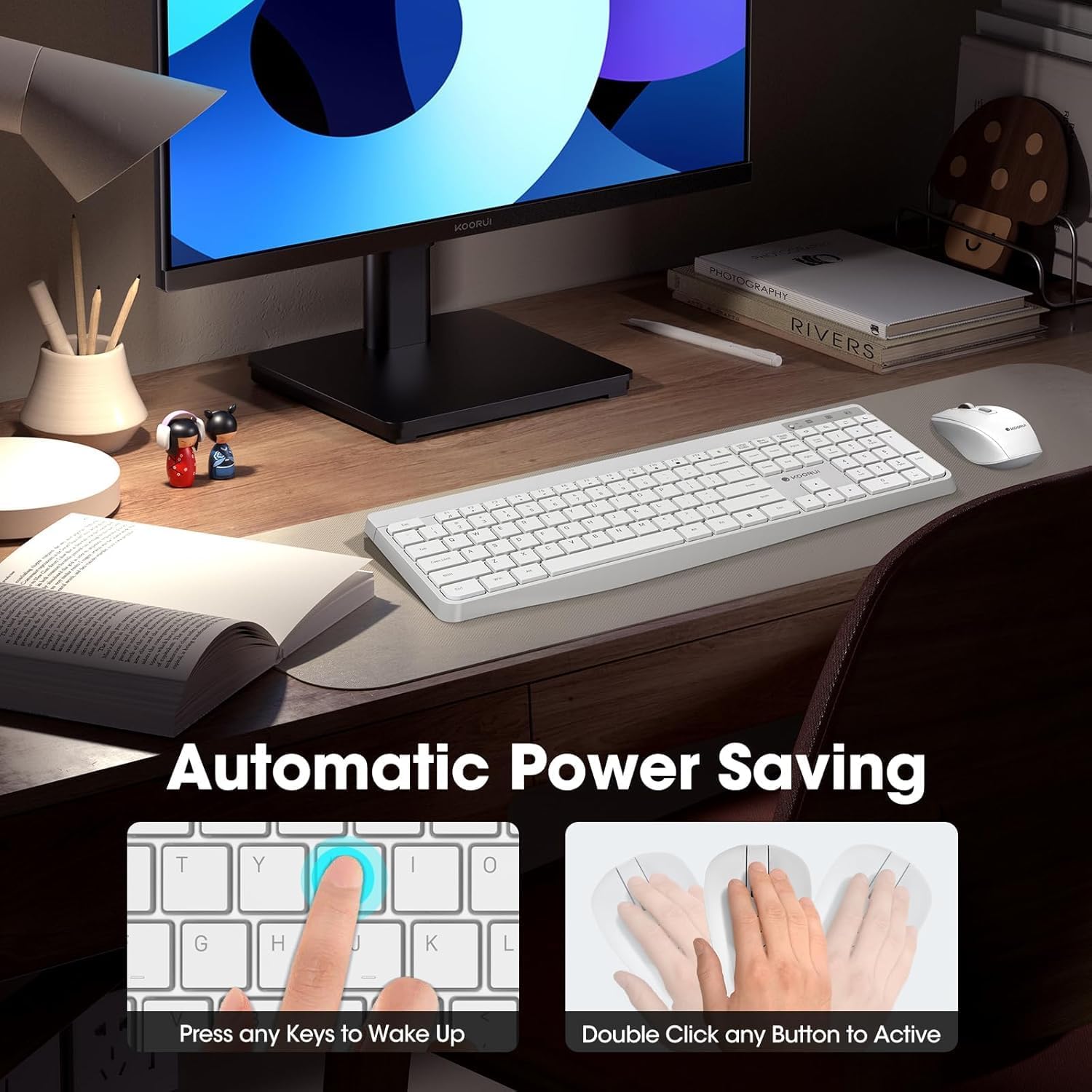
Figure 3: Multimedia and Shortcut Keys
2.2 Функції миші
- 3 регульованих рівнів DPI: Cycle through 800, 1200, and 1600 DPI settings to adjust cursor sensitivity for precise control.
- Тихі кліки: The mouse features ultra-quiet buttons, minimizing click noise.
- Ергономічний дизайн: Contoured shape fits comfortably in your hand for extended use.

Figure 4: Mouse DPI Settings
2.3 Сумісність
The KOORUI Wireless Keyboard and Mouse Combo is compatible with a wide range of operating systems, including Windows 7/8/10/11/Vista, macOS, and Linux. It can be used with laptops, personal computers, and gaming consoles.

Рисунок 5: Широка сумісність
3. Технічне обслуговування
3.1 Очищення
The keyboard features a waterproof design, offering protection against accidental spills. To clean, gently wipe the surfaces of the keyboard and mouse with a soft, damp cloth. Avoid using harsh chemicals or abrasive materials. Ensure the devices are completely dry before use.

Figure 6: Waterproof Keyboard Design
3.2 Battery Life and Power Saving
- The keyboard and mouse are equipped with an auto-sleep mode function to conserve battery life. They will enter sleep mode after a period of inactivity.
- To wake the devices, simply click any button on the mouse or press any key on the keyboard.
- Replace batteries when the low battery indicator light appears (Keyboard: 1 AAA, Mouse: 1 AA).
Figure 7: Battery Compartments and Power Indicators
4. Вирішення проблем
4.1 Проблеми з підключенням
- Немає відповіді:
- Ensure the keyboard and mouse power switches are in the "ON" position.
- Перевірте, чи батарейки правильно встановлені та чи мають достатній заряд. За потреби замініть їх.
- Перевірте, чи USB-приймач надійно підключено до робочого USB-порту вашого комп’ютера. Спробуйте інший USB-порт.
- Move the keyboard and mouse closer to the USB receiver to rule out range issues (maximum 10m/33ft).
- Затримка або переривчасте з'єднання:
- Зменште перешкоди, перемістивши інші бездротові пристрої подалі від приймача.
- Переконайтеся, що між пристроями та приймачем немає великих металевих предметів.
4.2 Keyboard Specific Issues
- Клавіші не реагують:
- Перевірте рівень заряду акумулятора.
- Переконайтеся, що клавіатура не перебуває в режимі сну (натисніть будь-яку клавішу, щоб розбудити її).
4.3 Mouse Specific Issues
- Cursor Not Moving:
- Перевірте рівень заряду акумулятора.
- Ensure the mouse is not in sleep mode (click any button to wake).
- Очистіть оптичний датчик на нижній стороні миші.
- Переконайтеся, що ви використовуєте мишу на відповідній поверхні.
5. Технічні характеристики
| Бренд | KOORUI |
| Модель | B0C4DVG5WV |
| Колір | Білий |
| Технологія підключення | Радіочастота 2.4 ГГц |
| Особливість | Ergonomic, Silent Keys, Waterproof Design, Auto Power Saving |
| Сумісні пристрої | Gaming Console, Laptop, Personal Computer |
| Виявлення руху (миша) | Optical (800/1200/1600 DPI) |
| Сумісність операційної системи | Windows 7/8/10/11/Vista, macOS, Linux |
| Розкладка клавіатури | QWERTY, Full Size (104 keys) |
| Джерело живлення | Battery Powered (Keyboard: 1 AAA, Mouse: 1 AA) |
| Дальність бездротового зв'язку | До 10 м (33 футів) |
| Вага товару | 0.7 кілограма |
| UPC | 738060953515 |
6. Інформація про гарантію
Цей продукт KOORUI постачається з 1 рік обмеженої гарантії from the date of purchase. This warranty covers manufacturing defects and workmanship under normal use. It does not cover damage caused by misuse, accident, unauthorized modification, or external causes.
Зберігайте підтвердження покупки для гарантійних претензій.
7. Підтримка клієнтів
For any questions, technical assistance, or warranty inquiries regarding your KOORUI Wireless Keyboard and Mouse Combo, please contact our customer support team. We are committed to providing 24-hour service to assist you.
Please refer to the product packaging or the official KOORUI webсайт для отримання найактуальнішої контактної інформації.