
1. Вступ
Дякуємо за покупкуasing the plplaaoo Cordless Table Lamp. This manual provides essential information for the safe and efficient operation of your new lampБудь ласка, уважно прочитайте його перед використанням та збережіть для подальшого використання.
2. Техніка безпеки
- Не піддавайте lamp до води або надмірної вологи.
- Уникайте розбирання або модифікації лamp, оскільки це може призвести до втрати гарантії та створити загрозу безпеці.
- Use only the provided USB Type-C cable for charging.
- Тримайте lamp away from heat sources and direct sunlight to prevent battery damage.
- Переконайтеся, що lamp розміщується на стійкій, рівній поверхні, щоб запобігти перекиданню.
- Цей лamp призначений лише для використання в приміщенні.
3. Вміст упаковки
Перевірте наявність усіх предметів у вашій упаковці:
- 1 x Cordless Table Lamp
- 1 x USB кабель зарядки типу C

4. Продукт закінчивсяview
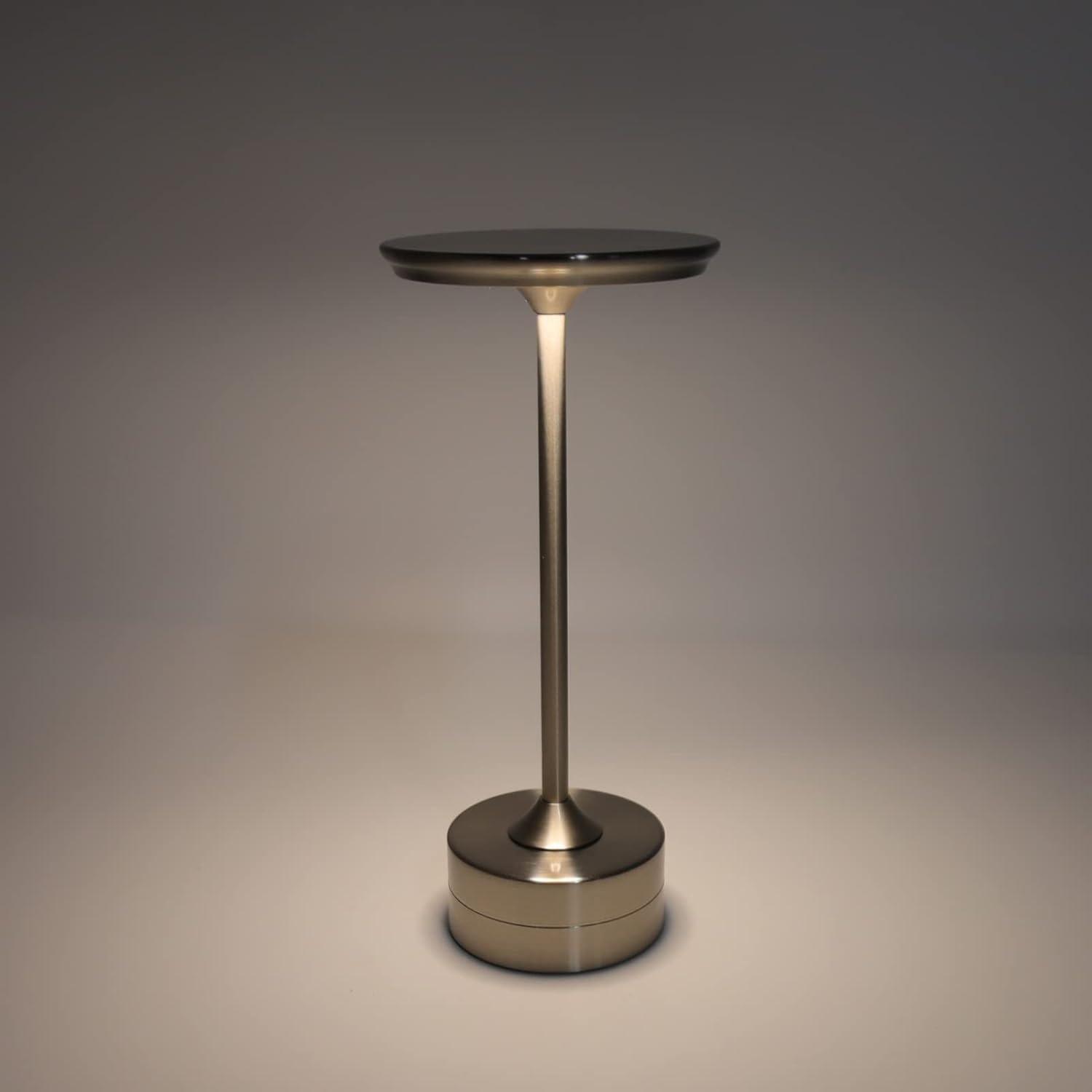
The plplaaoo Cordless Table Lamp features a sleek design with a durable iron, aluminum, and acrylic construction. It includes a built-in 2000mAh rechargeable lithium battery, offering 10-15 hours of working time on a full charge. The lamp provides three light sources: white light, warm light, and ordinary light, with adjustable brightness up to 150lm.


5. Налаштування
Початкова зарядка
Перед першим використанням повністю зарядіть lamp. Connect the provided USB Type-C cable to the charging port on the lamp's base and plug the other end into a compatible USB power adapter (not included).
- Locate the USB Type-C charging port on the base of the lamp.
- Insert the USB Type-C cable into the lampзарядний порт.
- Connect the USB-A end of the cable to a standard USB power adapter (e.g., phone charger, computer USB port).
- The charging indicator (if present) will show the charging status. Allow several hours for a full charge.
6. Інструкція з експлуатації
Увімкнення/вимкнення живлення та регулювання яскравості
Lamp features both a bottom switch and a top touch control for operation.
- Нижній перемикач: Flip the switch on the bottom of the lamp to the 'ON' position to enable the touch control function.
- Top Touch Control: Gently touch the top surface of the lamp to cycle through the three light modes: white light, warm light, and ordinary light. Continue touching to adjust brightness levels within each mode.
- Щоб вимкнути lamp, either cycle through all light modes until it turns off via touch control, or flip the bottom switch to the 'OFF' position.


7. Технічне обслуговування
- Прибирання: Протріть лamp м’якою сухою тканиною. Не використовуйте абразивні засоби для чищення або розчинники.
- Зберігання: Якщо виріб не використовується протягом тривалого часу, зберігайте йогоamp in a cool, dry place. Ensure the battery is partially charged before storage to prolong its lifespan.
- Догляд за акумулятором: To maintain battery health, avoid completely draining the battery frequently. Recharge the lamp коли світловий потік стає помітно тьмяним.
8. Вирішення проблем
| проблема | Можлива причина | Рішення |
|---|---|---|
| Lamp не включається. | Battery is depleted. Bottom switch is off. | Зарядіть лamp using the USB Type-C cable. Ensure the bottom switch is in the 'ON' position. |
| Світло тьмяне або мерехтить. | Низький заряд батареї. | Перезарядіть лamp. |
| Cannot change light mode/brightness. | Bottom switch is off. Touch control malfunction. | Ensure the bottom switch is 'ON'. Try restarting the lamp by turning the bottom switch off and on again. |
| Lamp не заряджається. | Faulty cable or adapter. Charging port issue. | Try a different USB Type-C cable and power adapter. Ensure the cable is fully inserted. |
9. Технічні характеристики
| Особливість | Деталь |
|---|---|
| Модель | B0D2LG61MQ |
| матеріал | Iron, Aluminum, Acrylic |
| Висота | прибл. 28.5 см / 11.2 дюйма |
| Діаметр | прибл. 13 см / 5.1 дюйма |
| вага | Approx. 0.66 kg / 23.4 oz |
| Вбудований акумулятор | Літій 2000 мАг |
| Джерело світла | White light, Warm light, Ordinary light (3 levels brightness) |
| Максимальна яскравість | 150лм |
| Спосіб зарядки | USB Type-C |
| КОНТРОЛЬ | Bottom switch, Top touch control |

10. Гарантія та підтримка
This product is covered by a standard manufacturer's warranty. For specific warranty details, please refer to the product packaging or contact the retailer where you purchased the item. For technical support or inquiries, please visit the official plplaaoo store or contact customer service.