
вступ
This manual provides detailed instructions for the Svetaecho Wireless Controller. This controller is designed for use with Nintendo Switch, Switch Lite, Switch OLED, Windows PC (wired connection), iOS, and Android devices. Please read this manual thoroughly before use to ensure proper operation and to maximize your gaming experience.
Примітка: This controller does not support Xbox games.
Особливості продукту
- Customizable Macro Buttons: Two back buttons (ML/MR) can be programmed to map 1-20 combined functions from A/B/X/Y/L/ZL/R/ZR/L3/R3/D-pad for enhanced gameplay. Double-click SR/SL to temporarily enable/disable macro functions.
- Adjustable Turbo Function: Supports both Auto and Manual Turbo modes with three adjustable speeds: 5 shots/s, 12 shots/s, and 20 shots/s.
- Подвійні вібраційні двигуни: Built-in motors provide 3-level vibration feedback (None, Weak, Strong) for Switch and Windows PC games. Adjust intensity by pressing and holding L, R, ZL, ZR simultaneously.
- 6-осьовий гіроскопічний датчик: High-sensitivity gyro sensors offer precise motion control for Nintendo Switch games.
- One-Key Wake-Up (Switch Only): After initial connection, press the HOME button to wake up and reconnect the Switch console.
- Батарея високої ємності: Integrated 1000mAh battery provides over 16 hours of playtime in LED lit mode. Fully charges in approximately 3 hours via USB Type-C.
- Автоматичний режим сну: The controller automatically shuts down after 20 minutes of inactivity in a connected state. Press the HOME button to wake and reconnect.
Вміст упаковки
- 1x Svetaecho Wireless Controller
- 1x кабель USB Type-C для зарядки
- 1x Посібник користувача (цей документ)
Макет контролера

зображення: Фронт view of the Svetaecho Wireless Controller, highlighting the main buttons, joysticks, D-pad, and the M1/M2 back buttons.
The controller features standard gaming buttons including A, B, X, Y, L, R, ZL, ZR, D-pad, Left and Right Analog Sticks, HOME button, SHARE button, TURBO button, and two programmable back buttons (M1/ML and M2/MR).

зображення: Задня view of the Svetaecho Wireless Controller, showing the SR, SL, and M buttons, along with the ML and MR programmable back buttons.
Налаштування та сполучення
1. Nintendo Switch Pairing
- У головному меню Switch виберіть «Контролери» > «Змінити хват/порядок».
- Press and hold the HOME button on the Svetaecho controller for 3-5 seconds until the LED indicators begin to flash rapidly.
- Після підключення відповідні світлодіоди програвача на контролері світитимуться постійно.
- To wake up the Switch console after the first connection, simply press the HOME button on the controller.
2. PC (Wired Connection)
- Connect the controller to your Windows PC using the provided USB Type-C cable.
- Контролер буде автоматично розпізнано як дротовий геймпад.
- Vibration function is supported on Windows PC.
3. iOS/Android Pairing (Wireless)

зображення: The Svetaecho Wireless Controller shown alongside various compatible devices including Nintendo Switch, PC, iOS, and Android phones/tablets.
- Ensure Bluetooth is enabled on your iOS or Android device.
- Press and hold the HOME button on the controller for 3-5 seconds until the LED indicators flash rapidly.
- On your device, search for Bluetooth devices and select the controller (e.g., 'Pro Controller' or similar).
- Після сполучення світлодіодні індикатори почнуть світитися постійно.
Інструкція з експлуатації
1. Custom Macro Buttons (ML/MR)
- Програмування: Press and hold the 'M' button, then press the ML or MR button you wish to program. The LED will flash. Now, press the sequence of buttons (up to 20) you want to assign. Press ML or MR again to save the macro.
- Using Macro: Simply press the programmed ML or MR button to execute the assigned sequence.
- Enable/Disable Macro: Double-click the SR or SL button to temporarily enable or disable the macro function.
2. Функція Турбо

зображення: The Svetaecho Wireless Controller illustrating the three adjustable Turbo speeds: 5 shots/s, 12 shots/s, and 20 shots/s.
- Ручний Турбо: Press and hold the TURBO button, then press the desired action button (A/B/X/Y/L/R/ZL/ZR) to enable Turbo for that button. Release TURBO. Now, holding the action button will trigger rapid presses.
- Auto Turbo: Press and hold the TURBO button, then double-press the desired action button. Release TURBO. The action button will now continuously trigger rapid presses without being held down.
- Налаштування турбошвидкості: With Turbo enabled for a button, press and hold the TURBO button, then move the Right Analog Stick Up or Down to cycle through the three speeds (5, 12, 20 shots/s).
- Очищення Турбо: To clear Turbo for a single button, press and hold TURBO, then press the action button twice. To clear all Turbo settings, press and hold the TURBO button for 5 seconds.
3. Vibration Adjustment (Switch/PC Only)

зображення: The Svetaecho Wireless Controller highlighting its 6-axis gyro sensor for precise motion control and dual motor vibration with adjustable intensity levels (None, Weak, Strong).
To cycle through vibration intensities (None, Weak, Strong), press and hold the L, R, ZL, and ZR buttons simultaneously.
4. Motion Control (Switch Only)
The built-in 6-axis gyro sensor provides motion control capabilities for compatible Nintendo Switch games. No special setup is required; the feature activates automatically when supported by the game.
5. Режими світлодіодного освітлення
The controller features multi-RGB lighting. Specific instructions for changing LED modes are typically found in the quick start guide or by pressing a dedicated button (often indicated by a lightbulb icon) on the controller. Refer to the quick start guide for detailed steps on adjusting LED patterns and colors.
Акумулятор і зарядка
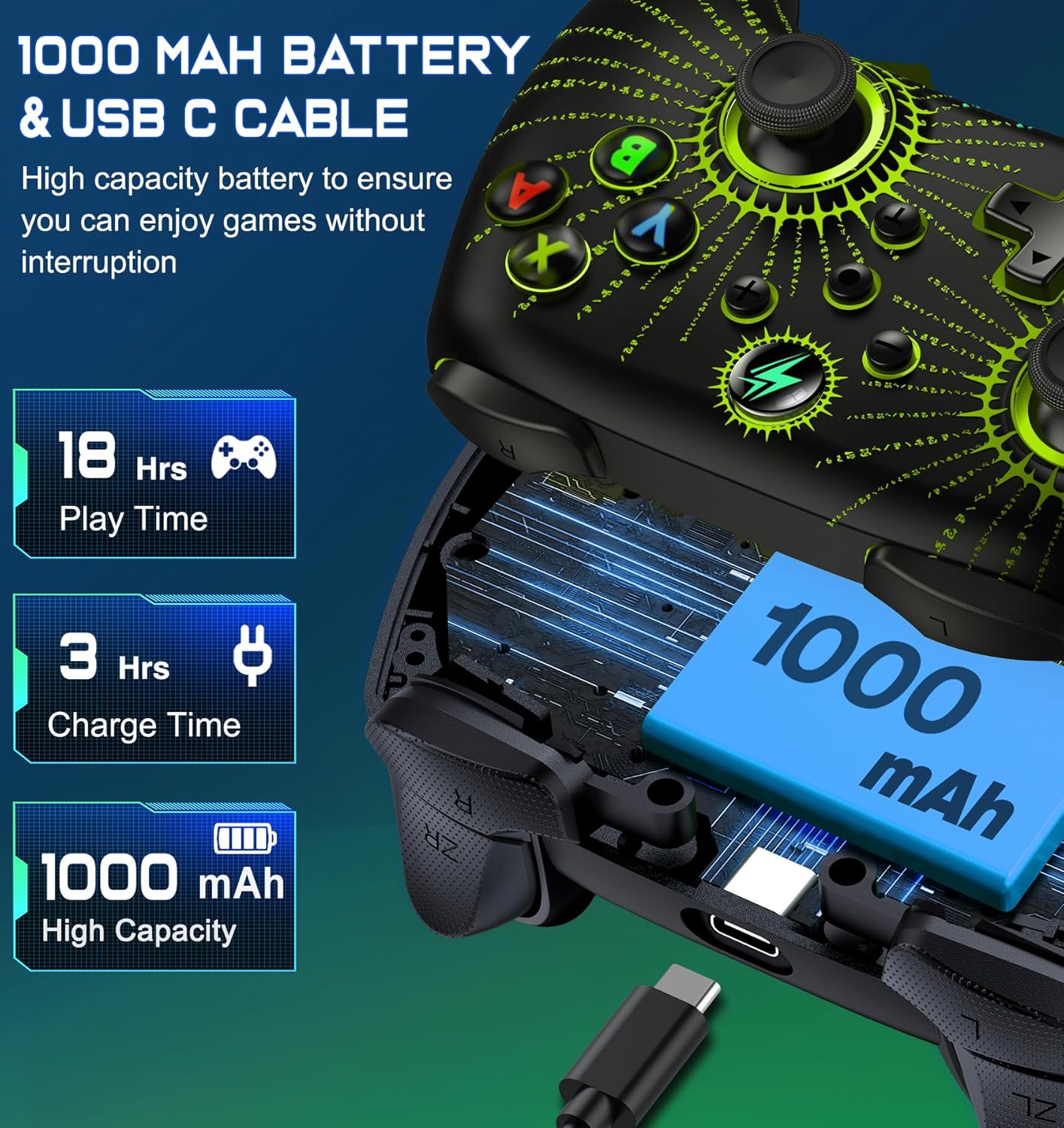
зображення: Вибухнув view of the Svetaecho Wireless Controller showing the internal 1000mAh battery and the USB Type-C charging port with cable.
- Контролер оснащений акумуляторною батареєю ємністю 1000 мАг.
- Connect the controller to a USB power source (e.g., Switch dock, PC, USB wall adapter) using the provided USB Type-C cable to charge.
- Час зарядки становить приблизно 3 години для повної зарядки.
- A full charge provides over 16 hours of playtime with LED lighting active.
- Світлодіодні індикатори показуватимуть стан заряджання та вимикатимуться або змінюватимуть колір після повного заряджання.
Технічне обслуговування
- Тримайте контролер сухим та подалі від екстремальних температур.
- Протирайте контролер м’якою сухою тканиною. Уникайте використання агресивних хімікатів або абразивних матеріалів.
- Не намагайтеся розбирати контролер, оскільки це може призвести до анулювання гарантії та пошкодження.
- Зберігайте контролер у безпечному місці, коли він не використовується, щоб запобігти випадковому пошкодженню.
Усунення несправностей
- Контролер не підключається: Ensure the controller is charged. Re-attempt the pairing process. For Switch, ensure 'Pro Controller Wired Communication' is enabled in system settings if using wired mode.
- Затримка вхідного сигналу або відключення: Ensure there are no strong wireless interferences nearby. Move closer to the console/device. Ensure the controller battery is not low.
- Кнопки не відповідають: Check if the macro function is temporarily disabled (double-click SR/SL). If the issue persists, try resetting the controller (a small reset button may be located on the back, often requiring a pin to press).
- Вібрація не працює: Ensure the vibration intensity is not set to 'None'. Check game settings for vibration support.
- Контролер не заряджається: Ensure the USB-C cable is securely connected to both the controller and the power source. Try a different USB port or cable.
Firmware Update for Switch 2

зображення: A step-by-step guide demonstrating how to update the controller's firmware for Switch 2 compatibility using the 'KeyLinker' mobile application.
Примітка: All functions are supported except "One Press Home key to Wake up the Switch 2 console" and "Open voice menu" after the update.
- Крок 1: шукати the "KeyLinker" app in your mobile app store, then download and install it.
- Крок 2: Turn on Bluetooth on your phone and pair the controller with your phone. (Refer to the pairing method in this manual).
- Крок 3: Open the "KeyLinker" app.
- Крок 4: In the app, search for the Bluetooth name "NC100" and tap to pair. (If the controller's Bluetooth name does not appear on the screen, press and hold the screen, then pull down to refresh several times.)
- Крок 5: Tap the three dots in the top right corner, then select "Update device".
- Крок 6: Enter the upgrade interface, tap "Update Now" at the bottom of the screen, and confirm. (If the update button doesn't appear, please wait a few minutes.)
- Крок 7: Wait for the update to complete. (If the upgrade fails, please try several more times.)
Технічні характеристики
| Виробник | Світаехо |
| Вага товару | 11.3 унції |
| Розміри упаковки | 6.38 x 4.72 x 2.64 дюймів |
| Ємність акумулятора | 1000 мАг |
| Час зарядки | прибл. 3 години |
| Playtime (LED Lit Mode) | Понад 16 XNUMX годин |
| Підключення | Бездротовий (Bluetooth), дротовий (USB Type-C) |
| Сумісність | Nintendo Switch/Lite/OLED, Windows PC, iOS, Android |
Гарантія та підтримка
For warranty information or technical support, please refer to the contact details provided with your purchase or visit the official Svetaecho webсайт. Зберігайте чек про покупку для гарантійних претензій.