
вступ
The M-VAVE SMK-25 MINI is a compact and portable 25-key USB MIDI keyboard controller designed for music production on Mac and PC. It features velocity-sensitive keys, assignable controls, pitch and modulation functions, and versatile connectivity options including USB and Bluetooth. This manual provides detailed instructions for setting up, operating, maintaining, and troubleshooting your device.

Image: The M-VAVE SMK-25 MINI MIDI Keyboard Controller, showcasing its compact design and 25 velocity-sensitive keys.
Налаштування
1. Увімкнення
The SMK-25 MINI features a built-in rechargeable battery. To power on the device, press and hold the power button located on the side or top panel until the indicator light illuminates.
2. USB-з'єднання
For a wired connection to your computer (Mac or PC), use the provided USB-C cable. Connect one end to the USB-C port on the SMK-25 MINI and the other end to an available USB port on your computer. The device is plug-and-play, requiring no additional drivers for basic functionality.

Image: Illustration of the plug-and-play USB connection process for the MIDI keyboard controller to a computer.
3. Підключення Bluetooth
Для бездротового підключення через Bluetooth:
- Ensure the SMK-25 MINI is powered on.
- Натисніть BT button on the controller to activate Bluetooth pairing mode. The Bluetooth indicator light will flash.
- On your computer or mobile device, navigate to Bluetooth settings and select "SMK-25 MINI" from the list of available devices.
- Після підключення індикатор Bluetooth почне світитися постійно.
4. Software Setup (DAW Compatibility)
The SMK-25 MINI is compatible with various Digital Audio Workstations (DAWs) such as Ableton Live, GarageBand, Logic Pro, Studio One, Cubase, Pro Tools, and Reason Studios. After connecting the controller, open your preferred DAW and ensure the SMK-25 MINI is recognized as a MIDI input device in the software's preferences or settings.

Image: The M-VAVE SMK-25 MINI shown with various DAW logos, indicating broad software compatibility.
Інструкція з експлуатації
1. Основні елементи керування
- Клавіші, чутливі до швидкості: The 25 keys respond to how hard you press them, allowing for dynamic expression in your playing.
- Pitch Bend Buttons: Використовуйте ПІДВИЩАТИ і ПИТЧ ВНИЗ buttons to momentarily raise or lower the pitch of notes.
- Modulation Button: The MOD button can be assigned to control various parameters within your DAW or instrument, such as vibrato or filter cutoff.
- Sustain Button: Натисніть SUS button to sustain notes, similar to a piano sustain pedal. An external sustain pedal can also be connected via the 3.5mm port.
- Зміщення октави: Використовуйте OC+ і OC- buttons to shift the keyboard's octave range up or down.
- Customization Knob: The rotary knob typically controls volume or can be assigned to other MIDI CC parameters for real-time control.

Зображення: Крупний план view of the M-VAVE SMK-25 MINI's control panel, highlighting the pitch, mod, sustain, arpeggiator, and octave shift buttons.
2. Розширені функції
- Арпеджіатор: Натисніть ARP button to activate the arpeggiator. You can then use the keys and other controls to adjust arpeggio patterns, tempo, gate length, and octave range. Refer to your DAW's manual for specific arpeggiator synchronization settings.
- Smart Chord & Scale Modes: The SC/CH button enables Smart Chord and Smart Scale modes. These modes assist in playing harmonically correct notes and chords within a selected scale, simplifying music creation.
Технічне обслуговування
To ensure the longevity and optimal performance of your M-VAVE SMK-25 MINI, follow these maintenance guidelines:
- Прибирання: Use a soft, dry cloth to clean the surface of the controller. Avoid abrasive cleaners, solvents, or waxes.
- Зберігання: Зберігайте пристрій у прохолодному, сухому місці, подалі від прямих сонячних променів, екстремальних температур та високої вологості.
- Обробка: Поводьтеся з контролером обережно. Уникайте його падіння та сильних ударів.
- Догляд за акумулятором: Для оптимального терміну служби акумулятора уникайте частого повного розряджання акумулятора. Регулярно заряджайте пристрій, особливо якщо він зберігатиметься протягом тривалого часу.
Усунення несправностей
| проблема | Можлива причина | Рішення |
|---|---|---|
| Пристрій не включається. | Низький заряд батареї або проблеми з живленням. | Charge the device using the USB-C cable. Ensure the power button is pressed correctly. |
| No sound or MIDI input in DAW. | Incorrect connection or software settings. | Verify USB or Bluetooth connection. Check your DAW's MIDI input settings to ensure the SMK-25 MINI is selected and enabled. |
| Збій підключення Bluetooth. | Pairing mode not active or interference. | Забезпечити BT button is pressed and flashing. Move closer to the host device. Try restarting both devices. |
| Keys are unresponsive or inconsistent. | Software issue or physical obstruction. | Restart your DAW and the controller. Ensure no debris is lodged under the keys. |
Технічні характеристики
| Особливість | Деталь |
|---|---|
| Модель | SMK-25 MINI |
| Кількість клавіш | 25, Velocity-Sensitive |
| Підключення | USB-C, Bluetooth |
| MIDI -порти | 3.5mm MIDI Out (TRS Type A compatible) |
| Вхід педалі сустейна | 3.5mm (shared with MIDI Out) |
| Елементи керування | Pitch Up/Down, Mod, Sustain, Arpeggiator, Smart Chord/Scale, Octave Up/Down, Customization Knob |
| Акумулятор | Built-in, 780 mAh Lithium |
| Час зарядки | Приблизно 5 годин |
| Час роботи | Приблизно 30 годин |
| Час очікування | Приблизно 40 годин |
| Сумісні пристрої | ПК, Mac, планшет, смартфон |
| Розміри | 15.12 x 5.63 x 2.64 дюймів (прибл.) |
| вага | 1.2 фунта (приблизно) |
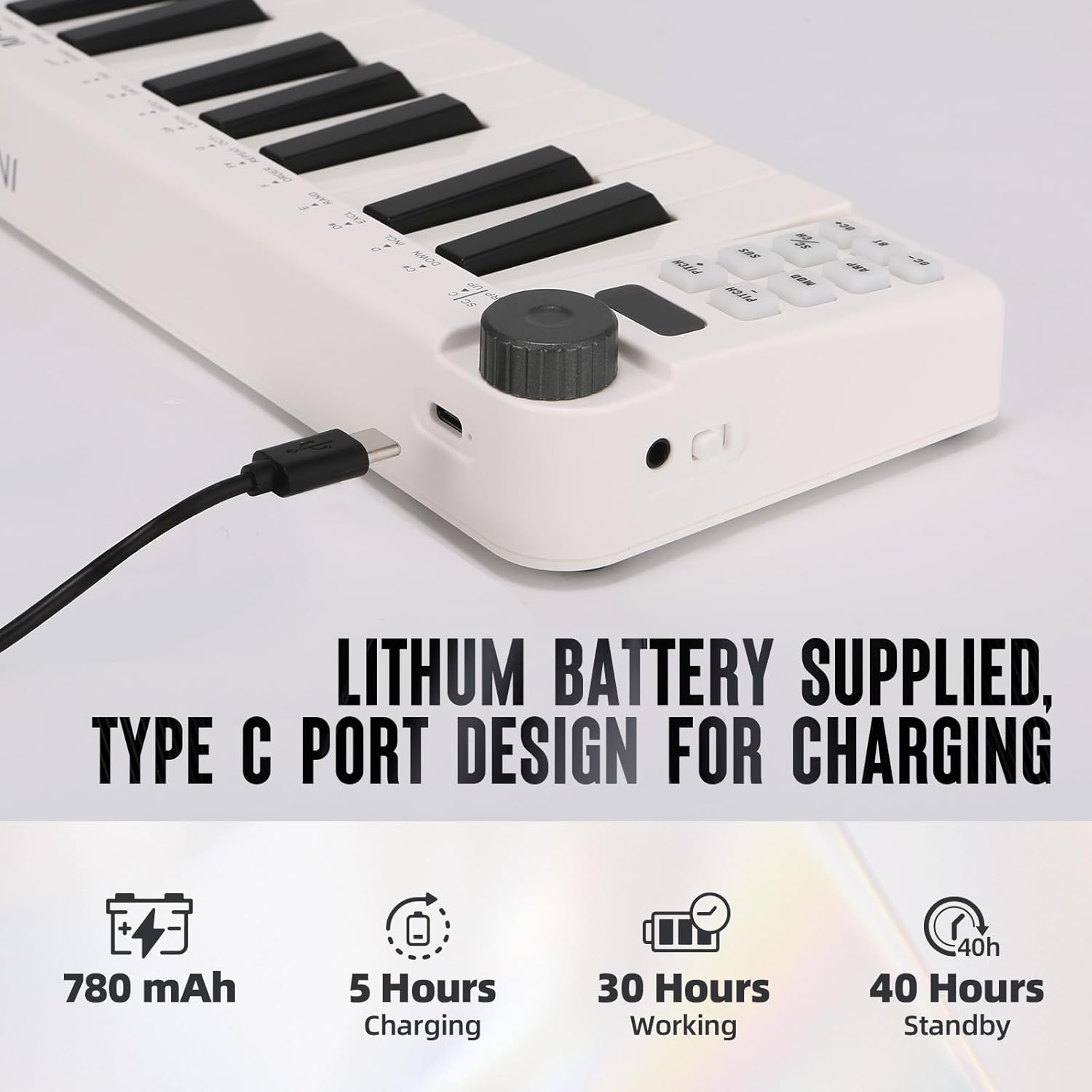
Image: Visual representation of the M-VAVE SMK-25 MINI's battery capacity, charging time, working time, and standby time.
Гарантія та підтримка
M-VAVE products are designed for reliability and performance. For warranty information, technical support, or service inquiries, please refer to the official M-VAVE webсайт або зверніться безпосередньо до служби підтримки клієнтів. Зберігайте чек про покупку як підтвердження покупки для гарантійних претензій.
M-VAVE aims to provide high-quality audio equipment and instruments. For assistance, their professional sales support team can address questions within 24 hours.
Відвідайте M-VAVE Store on Amazon для отримання додаткової інформації.