
ASMAX ASMAXF1DP01
ASMAX F1 Motorcycle Bluetooth Headset User Manual
Model: ASMAX F1
1. Вступ
The ASMAX F1 Motorcycle Bluetooth Headset is an advanced communication system designed for motorcyclists. It features Bluetooth 5.3 technology, supporting up to 10 riders with a communication range of up to 1.8km. The F1 offers dual intercom modes (Free and Group Mesh), voice control, superior sound quality with ENC noise reduction, and an IP67 waterproof rating. Its magnetic mounting system and fast-charging capabilities ensure convenience and reliability for all your rides.
2. Інформація про безпеку
- Завжди ставте на перше місце безпеку дорожнього руху. Не використовуйте пристрій таким чином, щоб це відволікало вас від їзди.
- Ensure the headset is securely mounted to your helmet before riding.
- Adjust volume levels to ensure you can still hear ambient traffic sounds.
- Не намагайтеся розбирати або модифікувати пристрій, оскільки це може призвести до анулювання гарантії та створення ризиків для безпеки.
- Тримайте пристрій подалі від екстремальних температур і прямих сонячних променів.
- Charge the device using only the provided cable and a compatible power source.
3. Вміст упаковки
Перевірте наявність усіх предметів у вашій упаковці:
- ASMAX F1 Bluetooth Headset Unit(s)
- Speaker and Microphone Kit(s)
- Magnetic Mounting Base(s)
- USB-кабель(і) для заряджання
- Посібник користувача
- Mounting Accessories (e.g., adhesive pads, clips)

Image: ASMAX F1 Headset and included accessories.
4. Продукт закінчивсяview
4.1 Компоненти
The ASMAX F1 unit features a sleek design with an illuminated cross-shaped indicator. It is designed for easy attachment to most motorcycle helmets.

Image: ASMAX F1 Bluetooth Headset units.
4.2 Елементи управління та індикатори
The ASMAX F1 is equipped with intuitive controls and indicators for ease of use while riding.
- Кнопка інтеркому: Initiates and manages intercom connections.
- Кнопки регулювання гучності +/-: Регулює гучність звуку.
- Функціональна кнопка: Multi-purpose button for various operations.
- Світлодіодний індикатор: Displays device status (e.g., power, pairing, charging).
- Голосове керування: Activates functions using voice commands (e.g., "Hi Max").

Image: ASMAX F1 controls and helmet compatibility.
5. Налаштування
5.1 Встановлення на шоломі
The ASMAX F1 features a magnetic mounting system for easy and secure attachment to your helmet.
- Choose a suitable location on the side of your helmet, typically on the left side, ensuring it does not obstruct your vision or helmet functionality.
- Clean the helmet surface thoroughly where the mounting base will be attached.
- Attach the magnetic mounting base to the helmet using the provided adhesive pad or clamp. Ensure it is firmly secured.
- Insert the speakers into the helmet's ear pockets. Ensure they are positioned directly over your ears for optimal sound.
- Route the microphone boom or wired microphone to a position near your mouth, ensuring clear voice pickup and minimal wind noise.
- Connect the speaker and microphone cables to the ASMAX F1 unit.
- Attach the ASMAX F1 unit to the magnetic mounting base. The strong magnet will secure it in place.
5.2 Початкове заряджання
Before first use, fully charge the ASMAX F1 unit. The 1250mAh battery supports fast charging.
- Connect the provided USB charging cable to the ASMAX F1 unit's charging port.
- Підключіть інший кінець кабелю до USB-адаптера живлення (не входить до комплекту) або USB-порту комп’ютера.
- The LED indicator will show charging status. Once fully charged, the indicator will change (refer to specific LED behavior in the full manual).
- Пристрій можна заряджати під час використання.
6. Інструкція з експлуатації
6.1 Увімкнення/вимкнення живлення
- Увімкнення: Press and hold the Function Button for approximately 3 seconds until the LED indicator lights up and you hear a voice prompt.
- Вимкнення живлення: Press and hold the Function Button for approximately 3 seconds until the LED indicator turns off and you hear a voice prompt.
6.2 Bluetooth Pairing with Mobile Device
The ASMAX F1 uses Bluetooth 5.3 for stable connections.
- With the ASMAX F1 powered off, press and hold the Function Button for approximately 5-7 seconds until the LED indicator flashes rapidly (usually blue/red alternating), indicating pairing mode.
- На мобільному телефоні увімкніть Bluetooth та почніть пошук нових пристроїв.
- Select "ASMAX F1" from the list of available devices.
- Once paired, the LED indicator will change (e.g., slow blue flashes) and you will hear a confirmation tone.

Image: Universal pairing capability of ASMAX F1.
6.3 Режими домофону
The ASMAX F1 supports various intercom modes for group communication.
- Безкоштовний режим: For spontaneous connections within range. Up to 10 riders can join instantly.
- Group Mode (MESH Communication): For private conversations with a team of up to 10 riders. Supports 1-on-1 chats within the group.
- CloudTalk Mode: (Requires app update) Supports cross-brand cloud intercom for up to 50 people, anywhere with a mobile network.

Image: ASMAX F1 10-Rider Mesh Group Intercom.
6.4 Голосове керування
Activate voice commands by saying "Hi Max" followed by your command. This allows for hands-free operation.
- "Hi Max, Music On"
- "Hi Max, Next Track"
- "Hi Max, Volume Up/Down"
- "Hi Max, Answer The Phone"
- "Hi Max, End Intercom"
- "Hi Max, Phone Pairing"
- "Hi Max, Group Mesh"
- "Hi Max, Free Mode"

Image: ASMAX F1 Voice Control feature.
6.5 Багатозадачність аудіо
The ASMAX F1 allows for simultaneous audio streams, such as listening to music while receiving navigation instructions or participating in an intercom conversation.

Image: ASMAX F1 Audio Multitasking.
7. Технічне обслуговування
- Прибирання: Протріть пристрій м'якою гумкою, damp тканина. Не використовуйте агресивні хімікати або абразивні засоби для чищення.
- Зберігання: Зберігайте пристрій у прохолодному сухому місці, коли він не використовується.
- Догляд за акумулятором: Для оптимального терміну служби акумулятора уникайте частого повного розряджання акумулятора. Регулярно заряджайте його.
- Водонепроникність: The ASMAX F1 is IP67 waterproof. While it can withstand rain and splashes, avoid prolonged submersion.

Image: ASMAX F1 IP67 Waterproof feature.
8. Вирішення проблем
| проблема | Можлива причина | Рішення |
|---|---|---|
| Пристрій не включається. | Низький заряд батареї. | Повністю зарядіть пристрій. |
| Не вдається з'єднати пристрій з телефоном. | Пристрій не в режимі сполучення; Bluetooth на телефоні вимкнено. | Ensure device is in pairing mode (flashing LED). Turn on phone's Bluetooth. Forget previous pairings on phone. |
| Проблеми з підключенням домофону. | Out of range; interference; incorrect mode. | Ensure units are within range. Check for obstacles. Verify correct intercom mode (Free/Group). |
| Погана якість звуку / Шум. | Microphone position; speaker placement; high speed. | Adjust microphone closer to mouth. Ensure speakers are aligned with ears. ENC noise reduction works best with visor closed at high speeds. |
| Голосові команди не реагують. | Microphone issue; noisy environment; incorrect command. | Ensure microphone is clear. Speak clearly. Try again in a quieter environment. Refer to voice command list. |
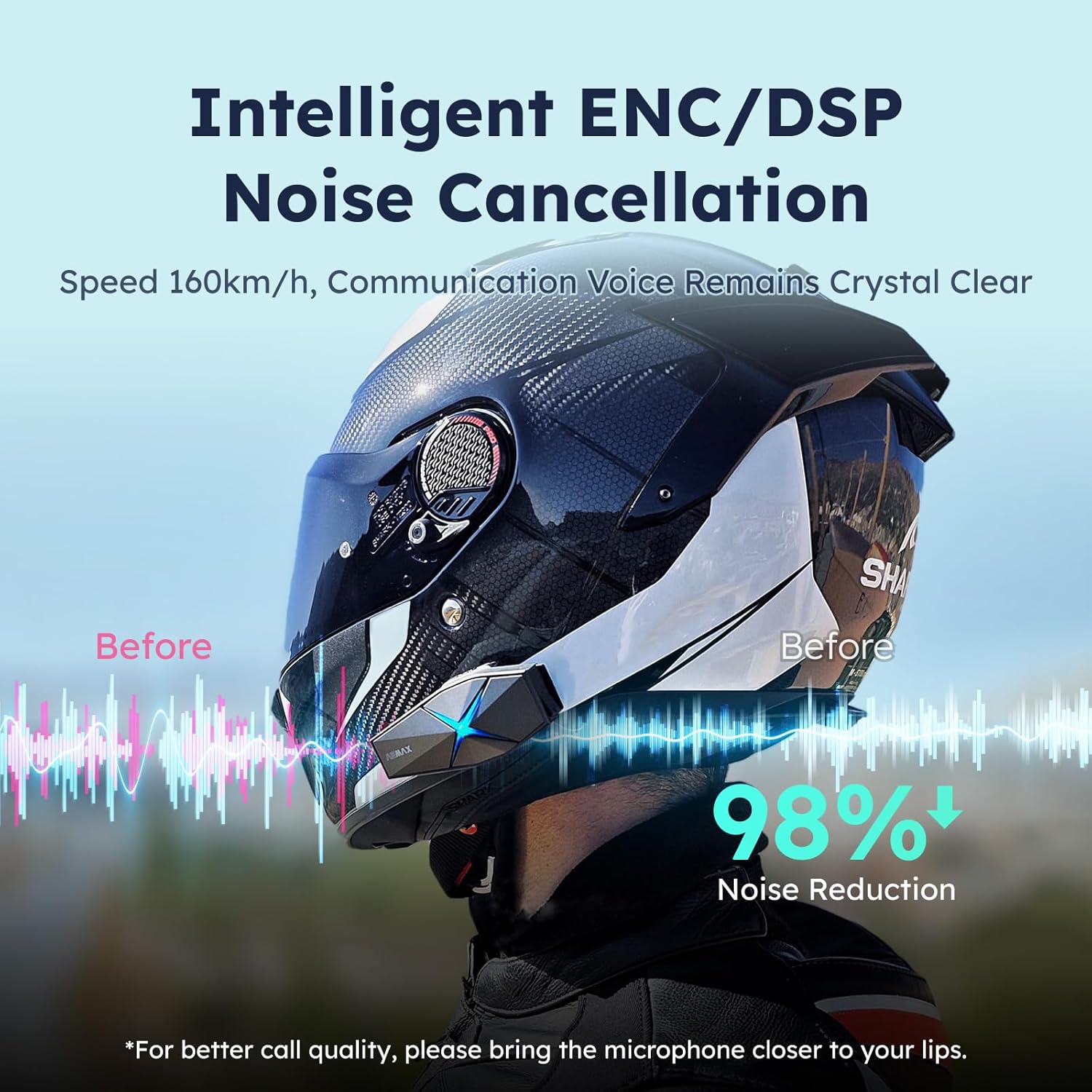
Image: ASMAX F1 Noise Cancellation technology.
9. Технічні характеристики
| Особливість | Деталь |
|---|---|
| Назва моделі | ASMAX F1 (F1 DP) |
| Версія Bluetooth | 5.3 |
| Домофонний діапазон | Up to 1.8 km (10 riders) |
| Ємність акумулятора | 1250 мАг |
| Зарядка | Fast Charging, USB |
| Рейтинг водонепроникності | IP67 |
| Контроль шуму | Active Noise Cancellation (ENC/DSP) |
| Голосове керування | "Hi Max" commands |
| Функції аудіо | Audio Multitasking, Superior Sound Quality |
| Розміри | Approx. 86mm x 36mm x 23.6mm (unit) |
| вага | Approx. 50g (unit) |
| Розташування вуха | Вухо |
| Імпеданс | 32 Ом |
| Чутливість | 105 дБ |
| АЧХ | 20 Гц (мінімум) |

Image: ASMAX F1 Dual-Chip Octa-Core technology.
10. Гарантія та підтримка
ASMAX products come with a standard manufacturer's warranty. For specific warranty terms and conditions, please refer to the warranty card included in your product packaging or visit the official ASMAX webсайт.
For technical support, troubleshooting assistance, or any inquiries regarding your ASMAX F1 headset, please contact ASMAX customer service through their official channels. Contact information can typically be found on the ASMAX webсайту або в упаковці продукту.
Regularly check the ASMAX website or app for firmware updates to ensure optimal performance and access to new features, such as CloudTalk Mode.
Ask a question about this manual
Ask about setup, troubleshooting, compatibility, parts, safety, or missing instructions. Manuals+ will review the question and use this page’s manual context to help answer it.