
1. Вступ
This manual provides detailed instructions for setting up, operating, and maintaining your BoyKeep 2K Wi-Fi Indoor Camera. Designed for indoor surveillance, this camera offers high-resolution video, two-way audio, motion detection, and versatile storage options, making it ideal for monitoring pets, babies, or general home security.

Figure 1: BoyKeep 2K Wi-Fi Indoor Camera (White model).
2. Вміст упаковки
- BoyKeep 2K Wi-Fi Indoor Camera (Model K30)
- Адаптер живлення
- USB кабель живлення
- Монтажні аксесуари
- Посібник користувача (цей документ)
3. Посібник із налаштування
3.1 Початкове ввімкнення
- Unpack the camera and all accessories.
- Connect the USB power cable to the camera's power port and the power adapter.
- Plug the power adapter into a standard electrical outlet. The camera will power on and initiate its self-test.
- Wait for the camera's indicator light to flash, indicating it is ready for connection.
3.2 Встановлення програми та створення облікового запису
- Download the "BoyKeep" app from your smartphone's app store (available for Android and iOS).
- Відкрийте програму та дотримуйтесь інструкцій на екрані, щоб створити новий обліковий запис або увійти, якщо він у вас вже є.
3.3 Підключення до Wi-Fi
- In the BoyKeep app, tap the "+" icon to add a new device.
- Виберіть модель вашої камери зі списку.
- Follow the app's instructions to connect the camera to your Wi-Fi network. The camera supports both 2.4 GHz and 5 GHz Wi-Fi bands.
- Ensure your smartphone is connected to the same Wi-Fi network you intend to connect the camera to.
- Scan the QR code displayed on your phone screen with the camera lens when prompted. Hold the phone approximately 15-20 cm (6-8 inches) from the camera.
- Once connected, the camera's indicator light will turn solid, and you will hear a confirmation sound.

Figure 2: Illustrates the camera's 355° horizontal pan and 95° vertical tilt capabilities, along with key features like motion tracking, two-way audio, 2K video, and night vision.
4. Інструкція з експлуатації
4.1 Живий View та керування панорамуванням/нахилом
- Open the BoyKeep app and select your camera from the device list to access the live view.
- Використовуйте елементи керування напрямком у додатку, щоб панорамувати камеру горизонтально (355°) та нахиляти її вертикально (95°) для регулювання viewкут.

Figure 3: The camera offers a wide 360-degree coverage, allowing comprehensive monitoring of your space.
4.2 Двосторонній аудіозв'язок
- З прямого ефіру view, торкніться значка мікрофона, щоб говорити через динамік камери.
- Торкніться значка динаміка, щоб прослухати звук з оточення камери.

Figure 4: The camera supports two-way audio, enabling communication with individuals near the camera.
4.3 Виявлення руху та сповіщення
- Enable motion detection in the app settings to receive real-time alerts on your smartphone when motion is detected.
- Adjust sensitivity levels and set specific monitoring zones to minimize false alarms.
- The camera can automatically track detected motion and record video clips.
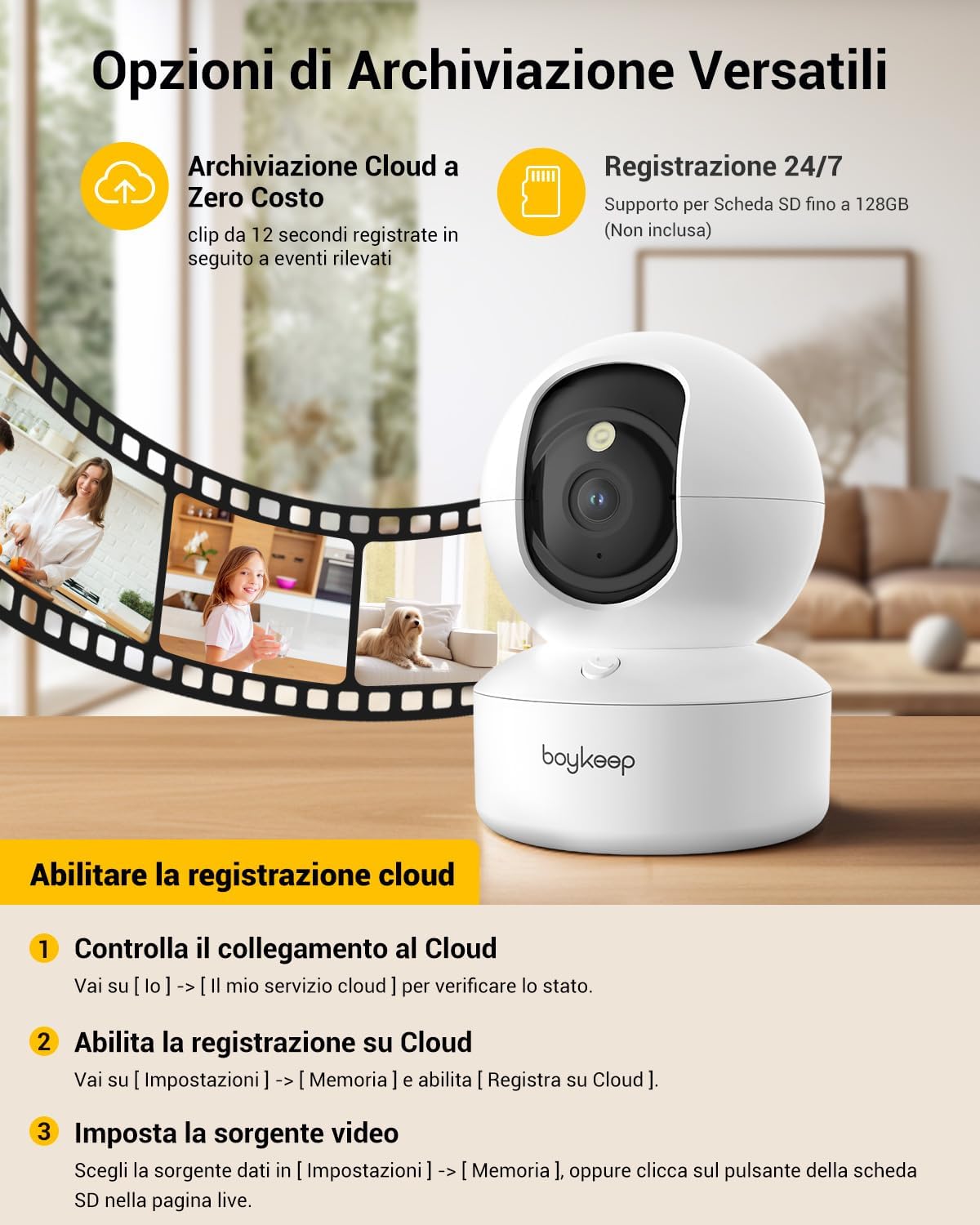
Figure 5: The camera features intelligent AI detection and tracking for people and pets, capturing key moments.
4.4 Нічне бачення
- The camera automatically switches to night vision mode in low-light conditions using its infrared LEDs.
- Це забезпечує чітке чорно-біле відеоtagдо 10 метрів у повній темряві.

Figure 6: The camera provides clear 24-hour crystal-clear vision, including effective night vision.
4.5 Варіанти запису та зберігання
- Хмарне сховище: The camera offers free cloud storage for 12-second event clips over the last 24 hours (requires activation in the app). This provides a secure backup.
- Зберігання карти Micro SD: Insert a Micro SD card (up to 128 GB, not included) into the camera's slot for continuous recording or event-triggered recording.

Малюнок 7: Закінченоview of versatile storage options, including free cloud storage for 12-second event clips and 24/7 recording support via Micro SD card (up to 128GB, not included).
4.6 Enabling Cloud Recording (App Instructions)
- Open the BoyKeep app and select your camera.
- Перейти до [Я] → [My Cloud Service] щоб перевірити статус.
- Перейдіть до [Налаштування] → [Пам'ять] і включити [Record to Cloud].
- Choose your video source from [Налаштування] → [Пам'ять], or click the SD card button on the live page.
Video 1: Demonstrates the process of enabling cloud recording within the BoyKeep app settings.
Video 2: Shows the BoyKeep indoor camera in action, highlighting its features and functionality.
5. Технічне обслуговування
- Прибирання: Обережно протріть об’єктив та корпус камери м’якою сухою тканиною. Не використовуйте рідкі засоби для чищення або абразивні матеріали.
- Оновлення програмного забезпечення: Regularly check the BoyKeep app for firmware updates to ensure optimal performance and security.
- Розміщення: Ensure the camera is placed on a stable surface or securely mounted to prevent accidental falls. Avoid placing it in direct sunlight or near heat sources.
6. Вирішення проблем
| Випуск | Можлива причина / рішення |
|---|---|
| Камера офлайн | Перевірте з’єднання Wi-Fi, переконайтеся, що камера увімкнена, перезавантажте камеру та маршрутизатор. |
| Неможливо підключитися до Wi-Fi | Ensure correct Wi-Fi password, camera is within router range, and you are connecting to a supported 2.4GHz or 5GHz network. Try resetting the camera. |
| Погана якість відео | Check network speed, ensure lens is clean, adjust camera placement for better lighting. |
| Сповіщення про рух не отримано | Verify motion detection is enabled in app settings, check notification settings on your phone, ensure app is running in the background. |
| Не працює двосторонній звук | Check microphone and speaker settings in the app, ensure volume is up on your phone and camera. |
7. Технічні характеристики
| Особливість | Деталь |
|---|---|
| Номер моделі | K30 |
| роздільна здатність | 2K (1296p) |
| Пан Кут | 355° |
| Кут нахилу | 95° |
| Підключення | Wi-Fi (2.4 ГГц та 5 ГГц) |
| Діапазон нічного бачення | До 10 метрів |
| Параметри зберігання | Хмарне сховище, карта Micro SD (до 128 ГБ) |
| Джерело живлення | Wired Electric (5V, 3W) |
| Розміри (ДxШxВ) | 8.38 х 8.38 х 16.26 см |
| вага | 310 г |
| Використання | закритий |
8. Гарантія та підтримка
BoyKeep provides a 24-month warranty for this product. For any issues, questions, or suggestions, please contact BoyKeep customer support. They aim to provide 100% satisfactory solutions within 3 working days.
You can typically find support contact information within the BoyKeep app or on the official BoyKeep webсайт.