
1. Вступ
The Axis Communications AXIS C1310-E Mk II Network Horn Speaker is designed for outdoor environments, providing clear audio for various applications. This standalone unit allows for remote warnings, emergency instructions, and general voice messages. It features built-in memory for pre-recorded messages and supports live speak functionality. Digital Signal Processing (DSP) ensures high-quality sound. The speaker integrates easily with network video, access control, analytics, and VoIP systems (supporting SIP) through open standards. Its flexible and scalable design makes it a cost-effective solution for system integration.
Ключові особливості:
- Універсальна акустична система
- Connects to standard network
- Simple installation with Power over Ethernet (PoE)
- Remote health testing capabilities
- Two input/outputs (GPIO)
2. Інформація про безпеку
Please read all safety instructions before installing or operating the AXIS C1310-E Mk II Network Horn Speaker. Keep this manual for future reference.
- Установка: Встановлення має виконуватися кваліфікованим персоналом відповідно до всіх місцевих норм та правил.
- Джерело живлення: Use only Power over Ethernet (PoE) compliant power sources. Do not connect to non-PoE power sources directly.
- Середовище: The speaker is designed for outdoor use and is waterproof. However, avoid submerging the device or exposing it to extreme conditions beyond its specified operating range.
- Кабелі: Ensure all cables are properly secured and protected from damage.
- Монтаж: Mount the speaker securely to a stable surface capable of supporting its weight.
3. Вміст упаковки
Перевірте наявність усіх елементів в упаковці:
- AXIS C1310-E Mk II Network Horn Speaker
- Посібник з встановлення / Документація
- Grommets (for cable entry)
- Mounting bracket and hardware (may vary by region/kit)
4. Налаштування
This section outlines the steps for installing and connecting your AXIS C1310-E Mk II Network Horn Speaker.
4.1 Встановлення динаміка
The AXIS C1310-E Mk II is designed for wall or pole mounting. Ensure the chosen mounting surface is robust enough to support the speaker's weight (approximately 4 pounds) and withstand environmental conditions.
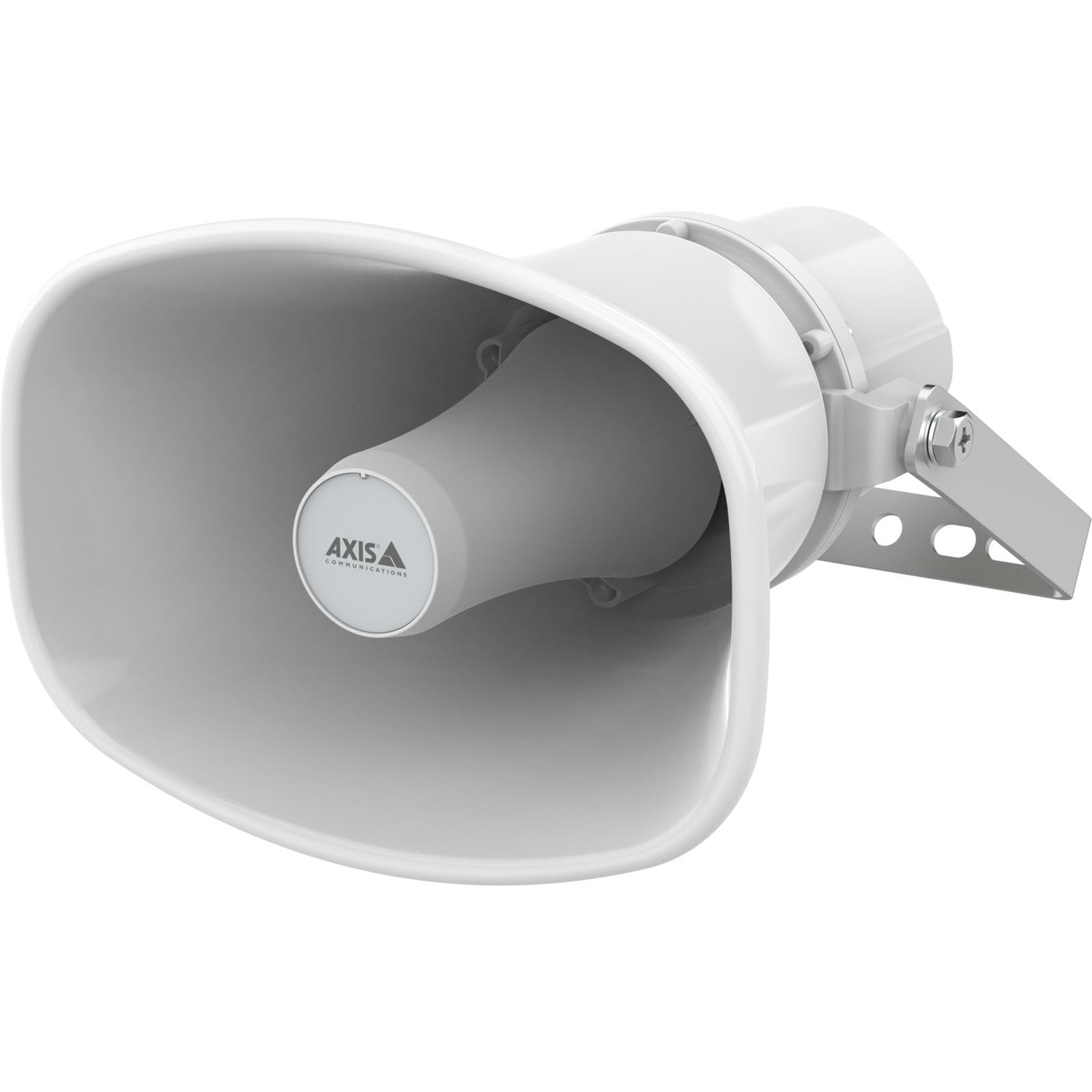
An image showing the Axis Communications AXIS C1310-E Mk II Network Horn Speaker, typically mounted on a wall or pole, highlighting its robust design.
- Select a suitable mounting location, considering optimal sound coverage and cable routing.
- Attach the mounting bracket (if separate) to the desired surface using appropriate screws and anchors.
- Secure the speaker to the mounting bracket according to the instructions provided with the bracket.
4.2 Живлення та підключення до мережі
The speaker connects to your network and receives power via a single Ethernet cable using Power over Ethernet (PoE).
- Route an Ethernet cable from a PoE-enabled network switch or PoE injector to the speaker's Ethernet port.
- Ensure the cable is properly sealed using the provided grommets to maintain the speaker's waterproof rating.
- Once connected, the speaker will power on and attempt to obtain an IP address from your network.
5. Керування динаміком
The AXIS C1310-E Mk II is managed and operated through a network interface or compatible software/app.
5.1 Початкова конфігурація
- Use Axis IP Utility or a similar network discovery tool to locate the speaker's IP address on your network.
- Access the speaker's web інтерфейсу, ввівши його IP-адресу в a web браузер.
- Follow the on-screen prompts to set up administrator credentials and configure basic network settings.
5.2 Керування звуком
- Live Speak: Utilize the integrated microphone and speaker for two-way communication or live announcements through the web interface or integrated VMS (Video Management System).
- Pre-recorded Messages: Upload and manage pre-recorded audio files for automated announcements or scheduled playback.
- Регулювання гучності: Adjust the speaker's output volume via the web interface or connected control system.
5.3 Integration with Other Systems
The speaker supports open standards for integration with network video, access control, analytics, and VoIP systems (SIP). Refer to the Axis Communications website for detailed integration guides and APIs.
6. Технічне обслуговування
Regular maintenance ensures optimal performance and longevity of your AXIS C1310-E Mk II Network Horn Speaker.
- Прибирання: Periodically clean the exterior of the speaker with a soft, damp тканина. Не використовуйте агресивні хімікати або абразивні засоби для чищення.
- Огляд: Regularly inspect the mounting hardware and cables for any signs of wear, corrosion, or damage. Tighten any loose connections.
- Оновлення прошивки: Перевірте Axis Communications webсайт для отримання доступних оновлень прошивки. Оновлення прошивки забезпечує доступ до найновіших функцій та патчів безпеки.
7. Вирішення проблем
У цьому розділі наведено рішення поширених проблем, з якими ви можете зіткнутися.
| проблема | Можлива причина | Рішення |
|---|---|---|
| Немає живлення/Динамік не вмикається | No PoE power; Faulty Ethernet cable; PoE switch issue | Verify PoE source is active; Check Ethernet cable for damage; Test with a different PoE port/injector. |
| Немає підключення до мережі | Incorrect network settings; Cable issue; Firewall blocking access | Check IP address configuration; Verify cable connection; Ensure network firewall allows communication. |
| Немає аудіовиходу | Volume too low; Muted; Audio source issue; Speaker fault | Increase volume; Unmute speaker; Verify audio source is active; Perform a factory reset if necessary. |
| Спотворений звук | Volume too high; Environmental interference; Speaker damage | Reduce volume; Check for sources of interference; Contact support if distortion persists. |
8. Технічні характеристики
Technical specifications for the AXIS C1310-E Mk II Network Horn Speaker.
| Особливість | Деталь |
|---|---|
| Назва моделі | C1310-E MK II |
| Тип монтажу | Настінне кріплення |
| матеріал | Метал, пластик |
| Тип динаміка | Відкритий |
| Особливість | Вбудований мікрофон |
| Розміри продукту | 12" Г x 7" Ш x 9" В |
| Вага товару | 4 фунта |
| Рівень водонепроникності | Водостійкий |
| Спосіб контролю | додаток |
| Розмір динаміка | 12 дюймів |
| Джерело живлення | Corded Electric (via PoE) |
| Максимальна вихідна потужність динаміка | 100 Вт |
| АЧХ | 20 Гц (мінімум) |
| Технологія підключення | Ethernet |
| Режим аудіовиходу | Мононуклеоз |
| Сумісні пристрої | Laptop, Smartphone, Tablet, Television (for control/integration) |
9. Гарантія та підтримка
Гарантія: The AXIS C1310-E Mk II Network Horn Speaker comes with a Limited Warranty. Please refer to the official Axis Communications website or your purchase documentation for specific terms and conditions regarding warranty coverage and duration.
Технічна підтримка: For technical assistance, troubleshooting beyond this manual, or warranty claims, please contact Axis Communications support directly. Visit the official Axis Communications website for contact information, support resources, and frequently asked questions.