
1. Вступ
The iKiKin V600 OBD2 Diagnostic Scanner is a versatile tool designed to assist in diagnosing vehicle issues. It provides comprehensive OBD2 functions, allowing users to read and clear fault codes, view live data, perform battery tests, and access various vehicle information. This manual will guide you through the proper use and maintenance of your device.
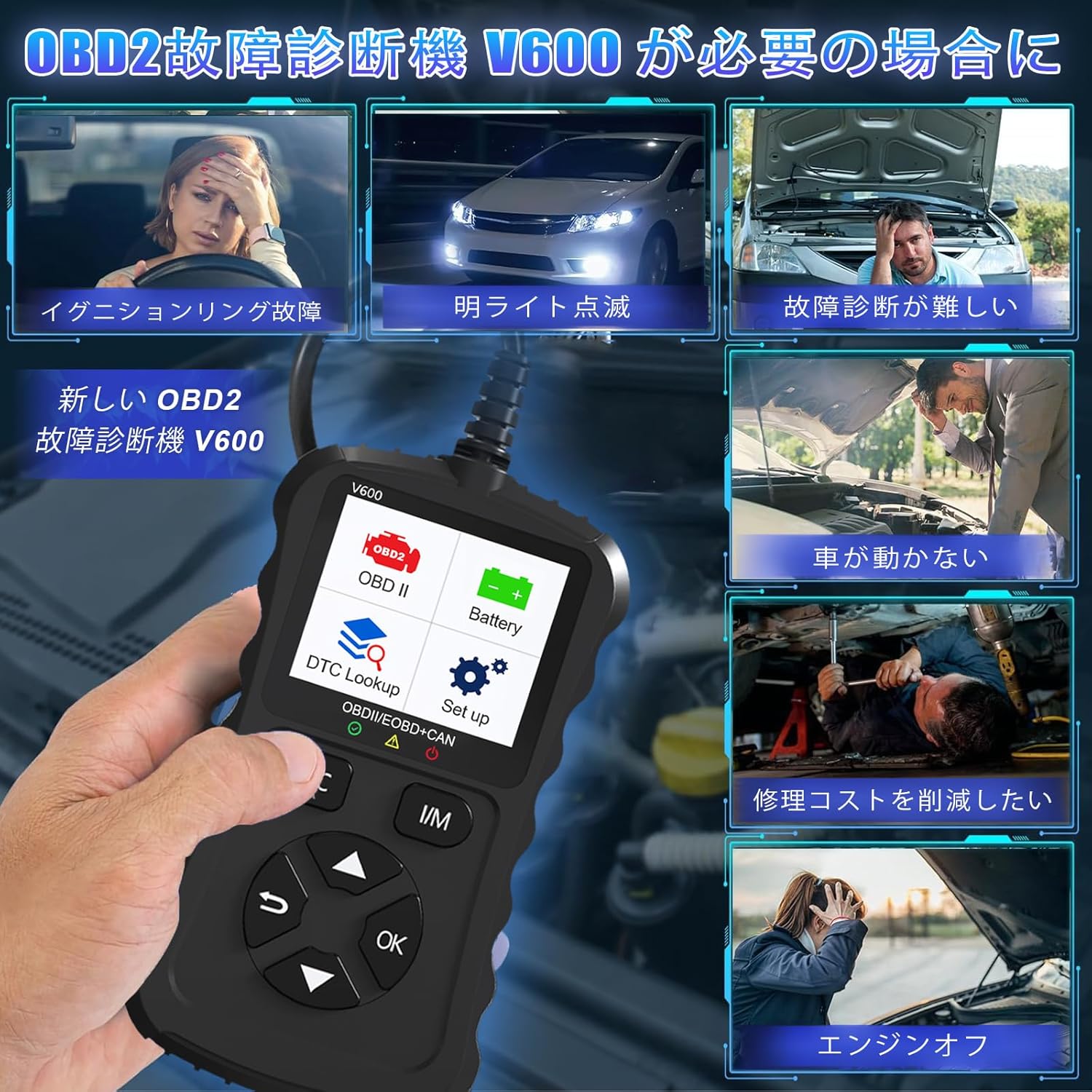
Figure 1.1: Common scenarios where the V600 diagnostic tool can be utilized.
2. Продукт закінчивсяview
The iKiKin V600 is a handheld diagnostic scanner featuring a clear TFT color screen and intuitive button controls. It is designed for ease of use and portability.
2.1 Основні характеристики
- Багатомовна підтримка: Supports 13 languages, including English and Japanese.
- Comprehensive OBD2 Functions: Reads and clears Diagnostic Trouble Codes (DTCs), displays live data stream, freeze frame data, I/M readiness status, O2 sensor test, EVAP system test, and vehicle information.
- Пошук DTC: Built-in database with over 35,000 DTC definitions for quick reference.
- Функція перевірки батареї: Обсяг батареї в реальному часіtage monitoring to assess battery health.
- Plug and Play: Просте підключення до порту OBD2 автомобіля.
- Портативний дизайн: Compact and portable for convenient use.

Малюнок 2.1: Спереду view of the iKiKin V600 OBD2 Diagnostic Scanner.
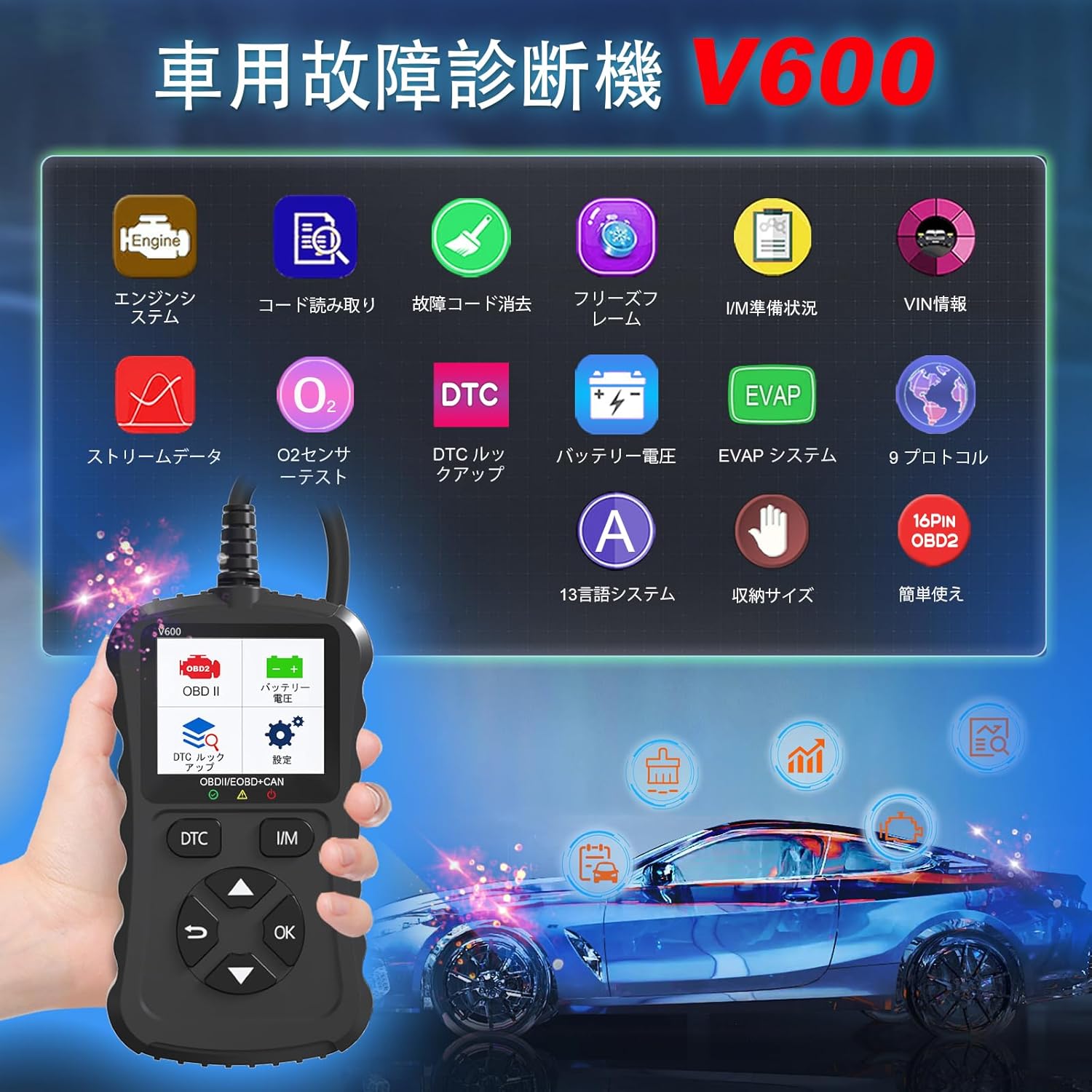
Figure 2.2: The V600 scanner displaying its main menu with various diagnostic options.
3. Налаштування
3.1 Підключення пристрою
- Ensure your vehicle's ignition is in the OFF position.
- Locate the 16-pin OBD2 diagnostic port in your vehicle. This port is typically found under the dashboard on the driver's side.
- Plug the V600 scanner's connector firmly into the vehicle's OBD2 port.
- Turn the vehicle's ignition to the ON position (do not start the engine). The scanner will power on automatically.

Figure 3.1: Connecting the V600 to the vehicle's OBD2 port.
3.2 Налаштування мови
The default language of the diagnostic tool is English. To change the language:
- У головному меню перейдіть до розділу «Налаштування».
- Виберіть «Мова».
- Choose your desired language (e.g., Japanese) from the list.
- The device may require an update after changing the language. Follow on-screen prompts or refer to the support section if you encounter issues.
4. Інструкція з експлуатації
4.1 Зчитування та видалення кодів несправностей
This function allows you to identify and clear Diagnostic Trouble Codes (DTCs) that trigger the Check Engine Light.
- Connect the scanner to your vehicle and turn the ignition ON.
- Select "Read Codes" from the main menu to display current, pending, and permanent DTCs.
- To clear codes, select "Erase Codes" from the menu. Confirm the action when prompted.
- Примітка: Clearing codes will turn off the Check Engine Light. However, if the underlying issue is not resolved, the light may reappear.
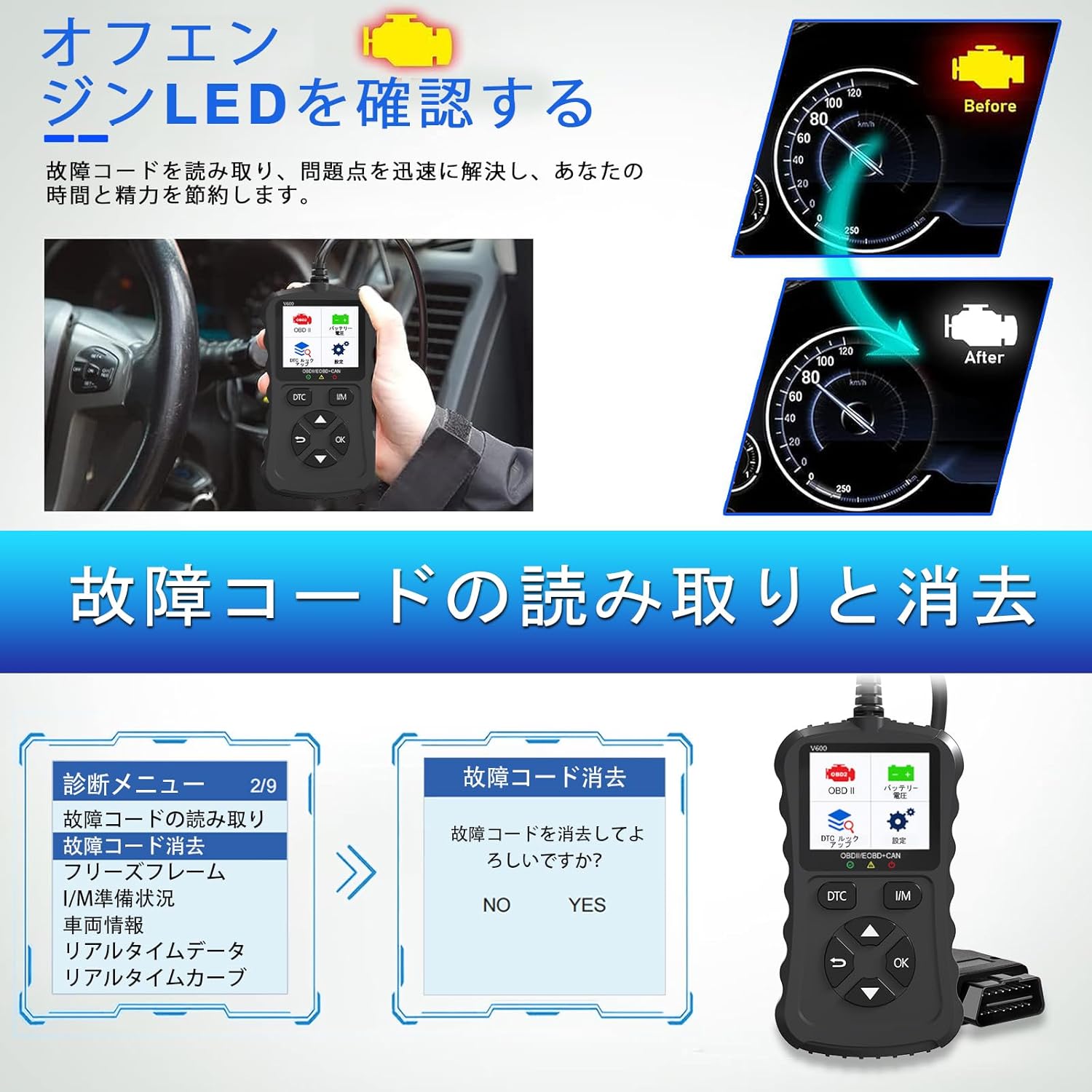
Figure 4.1: Clearing fault codes and turning off the engine warning light.
4.2 Потік даних у реальному часі
View real-time operational parameters from the vehicle's sensors and modules.
- Select "Live Data" from the menu.
- Виберіть параметри, які ви хочете контролювати.
- The data will be displayed numerically or graphically.
4.3 Дані стоп-кадру
When an emission-related fault occurs, the ECU stores a snapshot of operating conditions at that moment. This is called Freeze Frame Data.
- Select "Freeze Frame" from the menu to view this stored data.
4.4 Стан готовності до використання/використання
This function checks the operation of the emission system on OBD2 compliant vehicles. It indicates if the various emission-related systems are ready for inspection and maintenance testing.
- Select "I/M Readiness" to view the status of monitors.
- A dedicated I/M hotkey allows for a quick one-click check.
4.5 Випробування датчика O2
Retrieves O2 sensor monitoring test results for the most recently completed tests from the vehicle's on-board computer.
- Select "O2 Sensor Test" to view результати.
4.6 Перевірка системи EVAP
Initiates a leak test for the vehicle's Evaporative Emission System (EVAP).
- Select "EVAP System Test" to perform this diagnostic.
4.7 Обсяг акумулятораtage Тест
Контролює рівень заряду акумулятора автомобіляtage in real-time, providing insights into its health and estimated lifespan.
- Select "Battery Voltage" from the menu.
- На екрані відобразиться поточний об'ємtage.

Рисунок 4.2: Рівень заряду батареїtage test and DTC lookup display.
4.8 Пошук DTC
Access a built-in database of over 35,000 Diagnostic Trouble Code definitions.
- Select "DTC Lookup" from the menu.
- Введіть код DTC, щоб view its definition and potential causes.
4.9 Інформація про транспортний засіб
Retrieves the Vehicle Identification Number (VIN), Calibration ID, and Calibration Verification Number (CVN) of the vehicle.
- Select "Vehicle Info" to display this data.
5. Сумісність
The iKiKin V600 OBD2 Diagnostic Scanner is compatible with OBD2 protocol vehicles equipped with a 16-pin DLC (Data Link Connector).
- American Vehicles: Сумісний з автомобілями, випущеними з 1996 року.
- European Vehicles: Сумісний з автомобілями, випущеними з 2000 року.
- Japanese Domestic Vehicles: Compatible with OBD2 vehicles manufactured from 2008 onwards.
Важлива примітка: This device is not compatible with vehicles that do not have a 16-pin OBD2 connector or vehicles that are not OBD2 compliant (e.g., some hybrid vehicles may have specific diagnostic requirements outside standard OBD2 protocols). If the fault cause is outside the standard OBD2 definition range, the scanner may not be able to read the fault codes. In such cases, a full system diagnostic tool may be required.
6. Технічне обслуговування
To ensure the longevity and optimal performance of your iKiKin V600 OBD2 Diagnostic Scanner, follow these maintenance guidelines:
- Тримайте пристрій чистим та без пилу й вологи. Використовуйте м’яку суху тканину для очищення.
- Не кидайте пристрій і не піддавайте його сильним ударам.
- Зберігайте пристрій у прохолодному сухому місці, коли він не використовується.
- Не намагайтеся розбирати або ремонтувати пристрій самостійно. Це призведе до анулювання гарантії.
- Regularly check for software updates to ensure the latest vehicle compatibility and features.
7. Вирішення проблем
7.1 Пристрій не вмикається
- Ensure the scanner is correctly plugged into the vehicle's 16-pin OBD2 port.
- Verify that the vehicle's ignition is in the ON position.
- Check the vehicle's battery. If the battery is too low, the scanner may not receive sufficient power.
7.2 Cannot Read Fault Codes
- Confirm the vehicle is OBD2 compliant and has a 16-pin connector.
- Ensure a stable connection between the scanner and the vehicle.
- If the fault cause is outside the standard OBD2 definition range, the scanner may not be able to read the codes. In such cases, consult a professional or use a full system diagnostic tool.
7.3 Check Engine Light Reappears After Clearing Codes
- Clearing codes only resets the warning light. If the underlying mechanical or electrical issue is not resolved, the fault code will be detected again, and the light will illuminate.
- Address the root cause of the fault code by performing necessary repairs.
8. Технічні характеристики
| Особливість | Специфікація |
|---|---|
| Бренд | iKiKin |
| Назва моделі | V600 |
| Вага товару | 200 г |
| Розміри упаковки | 18.3 х 11.9 х 3.7 см |
| Джерело живлення | Battery Powered (via OBD2 port) |
| Тип обслуговування автомобіля | Universal Fit (OBD2 compliant vehicles) |
| Підтримувані протоколи | 9 OBD2 protocols |
| DTC Database | 10 000+ визначень |
| UPC | 724873544378 |
9. Гарантія та підтримка
The iKiKin V600 OBD2 Diagnostic Scanner comes with a half-year manufacturer's warranty.
For any questions regarding product operation, software updates, or language changes, please contact iKiKin customer support. Refer to the product packaging or the seller's webсайт для контактної інформації.