
1. Вступ
The Garosa PH-803W is a dual-measurement PH and ORP controller designed for continuous water quality monitoring. This device provides real-time readings of both pH and Oxidation-Reduction Potential (ORP) values, making it suitable for various applications such as aquariums, hydroponics, laboratories, and industrial water treatment. It features BNC socket electrodes for easy connection and two output power sockets for controlling external devices.
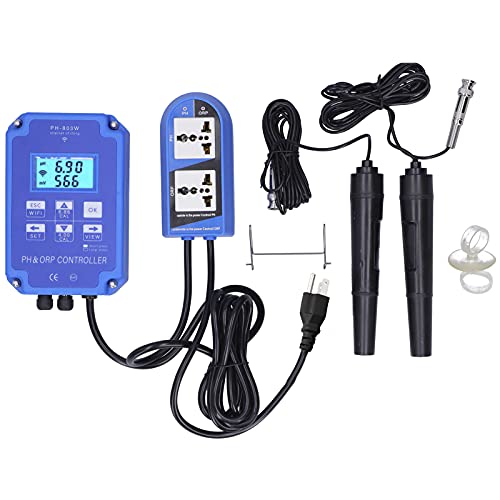
Малюнок 1: Закінченоview of the PH-803W PH ORP Controller, including the main unit, electrodes, and power outlet.
2. Особливості продукту
- Dual Measurement Display: Simultaneously measures and displays PH value (0.00 to 14.00) and ORP value (-1999 to 1999 mV).
- Моніторинг у режимі реального часу: Adopts a real-time measurement method for continuous data display.
- Легке управління: No need to press buttons to switch between PH and ORP measurement values.
- Інтегрований контроль: 2-in-1 PH and ORP controller with BNC socket electrodes and two output power sockets for external device control.
- Міцна конструкція: Made from high-quality ABS material for longevity.
- Живлення від мережі змінного струму: Designed for long-term, continuous water quality monitoring and control.
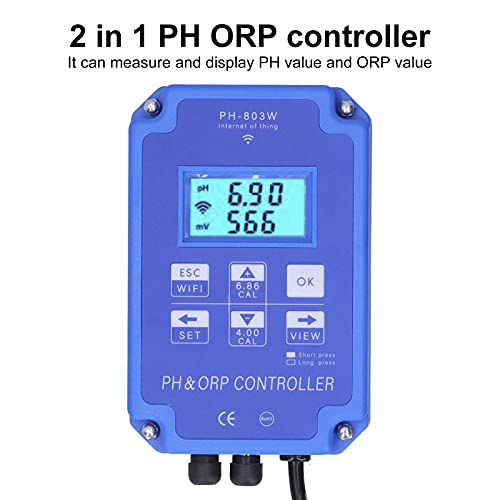
Figure 2: The controller's display shows both PH and ORP values simultaneously.
3. Вміст упаковки
Перевірте наявність усіх елементів в упаковці:
- 1 x ORP/PH Water Quality Detector (Main Unit)
- 1 x ORP Pole Test Pen (Electrode)
- 1 x PH Pole Test Pen (Electrode)
- 2 х присоски
- 1 х Гачок
- 1 х посібник користувача
4. Технічні характеристики
| Параметр | Значення |
|---|---|
| Модель | PH-803W |
| матеріал | ABS |
| Measuring Range (ORP) | -1999~1999 мВ |
| Measuring Range (PH) | 0.00~14.00PH |
| Accuracy (ORP) | ±5 мВ |
| Accuracy (PH) | 0.05PH |
| Resolution (ORP) | 1mV |
| Resolution (PH) | 0.01PH |
| Setting Control Range (ORP) | -1999~1999 мВ |
| Setting Control Range (PH) | 0.00~19.99PH |
| Температура робочого середовища | 0-50 ℃ |
| Вологість робочого середовища | <95% відносної вологості |
| Дисплей | 4-розрядний РК-дисплей |
| Джерело живлення | AC 110V (US Plug) |
| Розміри продукту | 35 х 23 х 7 см |
| Вага товару | 1.35 кг |
5. Інструкції з налаштування
- Підключення живлення: Plug the controller into a standard 110V AC power outlet. Turn on the device.
- Підключення електродів: Connect the PH electrode and the ORP electrode to their respective BNC sockets on the controller. Ensure connections are secure.
- Зніміть захисні кришки: Carefully remove the protective covers from both the PH and ORP electrodes. Увага: Avoid touching the glass bulb of the electrode with bare hands, as it is fragile and can be damaged by impact or contamination.
- Initial Electrode Cleaning: Before first use, or if the electrodes have been stored dry, rinse them with distilled water or alcohol. Gently wipe the plastic shell and shake off any small water droplets from the electrode tip to prevent interference with test results.
- WiFi Configuration (Optional): The device supports WiFi connectivity for real-time monitoring via a mobile application. Long press the 'ESC WIFI' button to enter WiFi network configuration mode. Follow the instructions in the mobile application to connect the device to your network. Примітка: The mobile application is compatible with Android devices only.
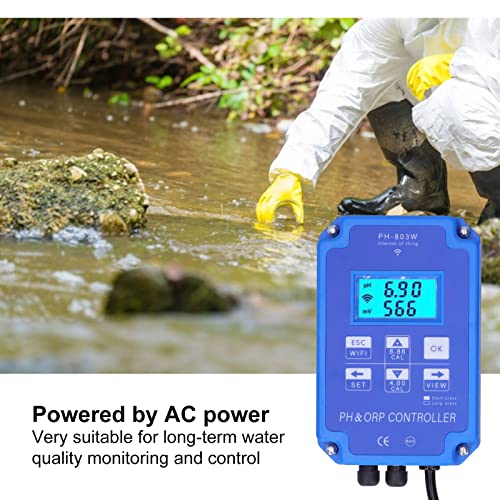
Figure 3: The controller is powered by an AC outlet for continuous operation.
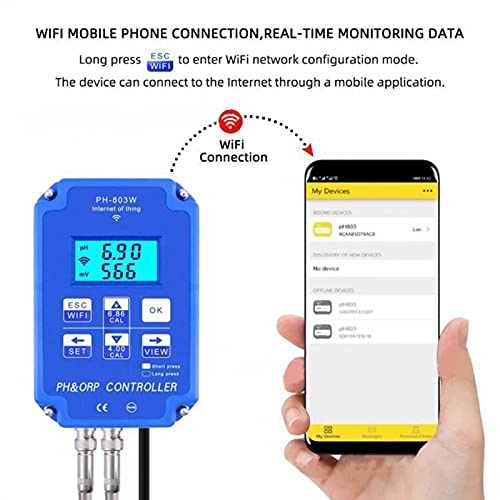
Figure 4: The controller can connect to a mobile application via WiFi for remote monitoring (Android only).
6. Інструкція з експлуатації
- занурення: Insert the electrodes into the solution to be measured, ensuring that the measuring electrodes are fully immersed.
- Вимірювання: Gently shake the electrodes to dislodge any small air bubbles that may be clinging to the electrode surface. Wait for the display numbers to stabilize before taking a reading. The PH and ORP values will be displayed simultaneously.
- Моніторинг у режимі реального часу: The device continuously displays the PH and ORP values. No button presses are required to switch between measurements.
- Mobile App Monitoring: If configured, use the dedicated mobile application on your Android device to view real-time data and water quality changes remotely.
- Контроль виходу: The two output power sockets can be used to connect and control external devices (e.g., solenoid valves, pumps) based on the measured PH and ORP values, according to your configured settings.
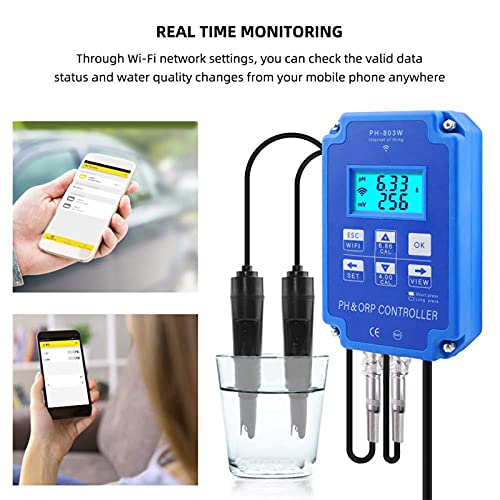
Figure 5: Real-time monitoring of water quality data is available on the device and via a mobile application.
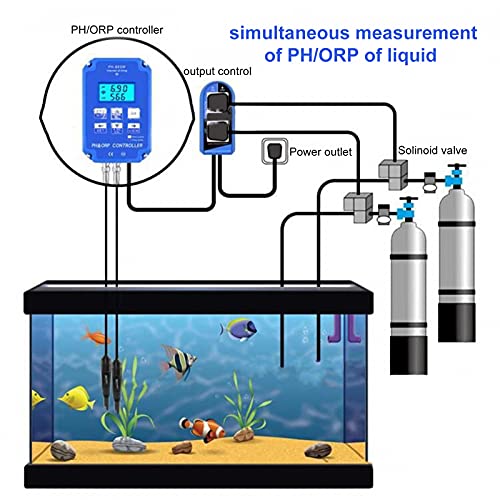
Малюнок 6: Впрample setup demonstrating simultaneous PH/ORP measurement and output control in an aquarium environment.
7. Технічне обслуговування
- Після використання: After each measurement, unplug the power supply. Clean the electrodes thoroughly with clean water (preferably distilled water) and replace their protective covers.
- Зберігання електродів: Store electrodes with their protective caps filled with a suitable storage solution (e.g., KCL solution) or distilled water to prevent drying out. Never store electrodes dry.
- Тривале використання: For continuous, long-term monitoring, ensure the instrument and electrodes are securely fixed in place to prevent accidental damage or displacement.
- Калібрування: Regular calibration of the PH and ORP electrodes is essential for maintaining accuracy. Refer to the calibration section (if available in a separate guide) or the device's on-screen prompts for calibration procedures.
8. Вирішення проблем
- Неточні показання: Ensure electrodes are clean and properly calibrated. Check for air bubbles on the electrode surface during measurement.
- Немає дисплея: Verify the power supply is connected and the device is turned on. Check for any loose connections.
- Нестабільні показання: Ensure the electrodes are fully immersed and the solution is not agitated excessively. Allow sufficient time for readings to stabilize.
- Проблеми з підключенням WiFi: Confirm your WiFi network is active and the password is correct. Ensure the device is within range of the WiFi router. Remember the mobile app is for Android devices only.
- Пошкодження електрода: If readings remain erratic or impossible to calibrate, the electrodes may be damaged or have reached the end of their lifespan and require replacement.
9. Інформація про гарантію
This product is covered by a standard manufacturer's warranty against defects in materials and workmanship. The warranty period typically begins from the date of purchase. Please retain your proof of purchase for warranty claims. For specific warranty terms and conditions, refer to the documentation provided with your purchase or contact customer support.
10. Підтримка клієнтів
For technical assistance, troubleshooting, or inquiries regarding your Garosa PH-803W PH ORP Controller, please contact Garosa customer support. Contact information can typically be found on the product packaging, the official Garosa webсайті або через вашого продавця.