вступ
Thank you for choosing the Digitek DWM-107 2-in-1 Wireless Microphone System. This manual provides essential information for the proper setup, operation, and maintenance of your device. Please read it thoroughly before use to ensure optimal performance and longevity of the product.
The Digitek DWM-107 is a versatile wireless microphone system designed for high-quality audio capture across various platforms, including smartphones, cameras, and computers. It features dual transmitters, a receiver, TFT card recording, 360-degree sound capture, and advanced noise cancellation.
Що в коробці
Carefully unpack your Digitek DWM-107 system and ensure all components are present:
- 2 x Microphone Transmitters (Tx)
- 1 x Receiver (Rx)
- 1 x Battery Compartment (Charging Box)
- 1 x TRRS to TRRS Audio Cable (for smartphones/tablets)
- 1 x TRRS to TRS Audio Cable (for cameras/laptops)
- 1 x USB-C зарядний кабель
- 1 кабель USB-C – USB-C
- 1 кабель USB-C на Lightning
- 1 x Вітрове скло
- 1 х посібник користувача

Image: All components included in the Digitek DWM-107 package.
Продукт закінченийview
Передавач (Tx)
- Мікрофон: Built-in omnidirectional microphone.
- Кнопка живлення: Press and hold to power on/off. Short press to mute/unmute.
- Кнопка шумозаглушення: Activates/deactivates noise reduction.
- TFT Card Slot: For direct audio recording.
- Порт зарядки: USB-C for charging.
- Індикатор стану: LED lights indicating power, pairing, and recording status.
Приймач (Rx)
- Вихідний порт: 3.5mm jack for connecting to recording devices.
- Monitoring Port: 3.5mm jack for real-time audio monitoring.
- Кнопка живлення: Натисніть і утримуйте, щоб увімкнути/вимкнути живлення.
- Порт зарядки: USB-C for charging.
- Екран дисплея: Shows battery levels, signal strength, and recording status.
Зарядний ящик
- Слоти для зарядки: For two transmitters and one receiver.
- Індикатор батареї: LED display showing the charging box's battery level.
- Порт USB-C: For charging the box itself.
Інструкції з налаштування
- Заряджання пристроїв: Before first use, fully charge the transmitters and receiver using the provided charging box and USB-C cable. The charging box itself should also be charged.
- Увімкнення: Press and hold the power button on both the transmitter(s) and the receiver until their screens or indicator lights turn on.
- Автоматичне сполучення: The transmitters and receiver are designed to pair automatically upon power-on. A successful connection will be indicated on the receiver's display. If pairing fails, power cycle both devices.
- Підключення до записуючого пристрою:
- For Smartphones/Tablets (Android/iOS): Use the TRRS to TRRS Audio Cable or the USB-C to Lightning/USB-C cable to connect the receiver's output port to your device's audio input.
- For Cameras/Laptops: Use the TRRS to TRS Audio Cable to connect the receiver's output port to your camera's microphone input or laptop's audio input.
- Підключіть передавач: Clip the transmitter to the speaker's clothing, ensuring the microphone is facing towards the mouth for optimal sound capture. Use the included windscreen to reduce wind noise if recording outdoors.

Image: Seamless plug-and-play connectivity with automatic pairing.
Інструкція з експлуатації
Запис аудіо
- Once connected, open your recording application on your smartphone, camera, or computer.
- Start recording. The audio from the transmitter(s) will be captured by your device.
- Monitor audio in real-time by plugging headphones into the receiver's monitoring port.

Image: Real-time audio monitoring for optimal sound adjustment.
TFT Card Recording
The DWM-107 transmitters support direct recording to a TFT (microSD) card, providing a backup or standalone recording option.
- Insert a formatted TFT card (up to 32GB, Class 10 recommended) into the TFT card slot on the transmitter.
- Press the dedicated record button on the transmitter to start/stop recording. The transmitter's display will indicate recording status.
- Щоб отримати доступ до записаного files, connect the transmitter to a computer via USB-C or insert the TFT card into a card reader.

Image: Transmitter with TFT card recording function.
шумозаглушення
Activate the built-in noise cancellation feature to reduce ambient background noise for clearer audio.
- Press the noise cancellation button on the transmitter to toggle the feature on or off.
- An indicator on the transmitter's display will confirm the status of noise cancellation.

Image: Noise cancellation technology for crystal-clear audio.
360-Degree Sound Capture
The omnidirectional microphone captures sound from all directions, ensuring comprehensive audio coverage.

Image: 360-degree sound capture for comprehensive audio recording.
Універсальні програми
The DWM-107 is suitable for various recording scenarios:
- Інтерviews
- Підручники
- Подкасти
- Vlogs and Travel Videos
- Пряма трансляція

Зображення: Прamples of versatile uses for the Digitek DWM-107 wireless microphone.
Акумулятор і зарядка
The DWM-107 system is designed for extended use with efficient charging.
- Термін служби батареї передавача/приймача: До 9 годин безперервного використання.
- Ємність зарядного пристрою: 850mAh, capable of recharging the units multiple times.
- Час зарядки: Approximately 1.2 to 1.5 hours for a full charge of the units within the charging box.
- Спосіб зарядки: Use the provided USB-C cable to charge the charging box. The units charge automatically when placed inside the powered charging box.

Image: Battery and charging specifications for the DWM-107 system.
Сумісність
The Digitek DWM-107 offers wide compatibility with various devices:
- Смартфони та планшети Android
- iOS Smartphones and Tablets (iPhone, iPad)
- DSLR камери
- Відеокамери
- PCs and Laptops
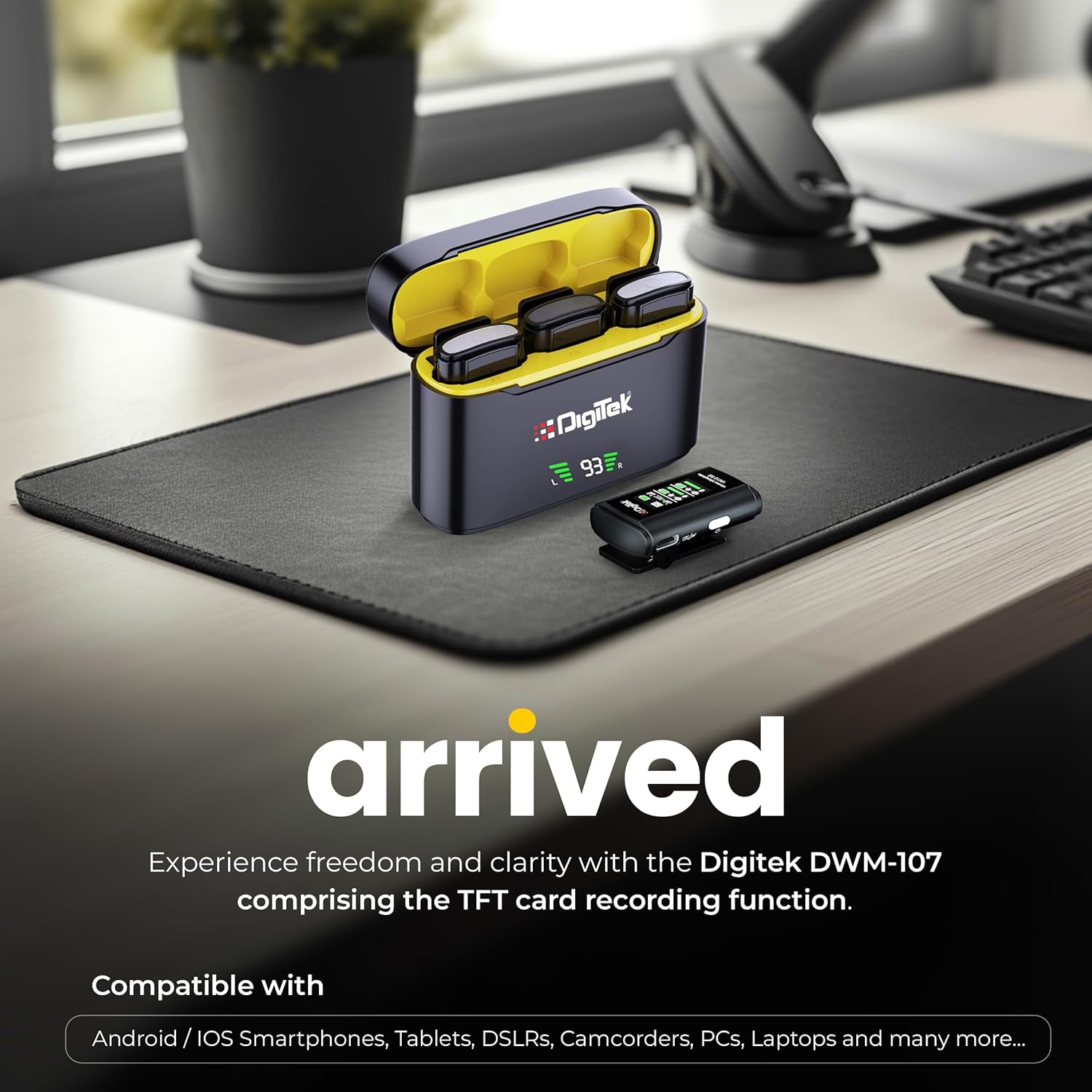
Image: Digitek DWM-107 compatibility with Android, iOS, DSLR, and PC devices.
Технічне обслуговування
- Прибирання: Використовуйте м’яку суху тканину для очищення пристроїв. Уникайте використання агресивних хімікатів або абразивних матеріалів.
- Зберігання: Зберігайте мікрофонну систему в прохолодному, сухому місці, подалі від прямих сонячних променів та екстремальних температур.
- Догляд за акумулятором: For long-term storage, ensure the batteries are partially charged (around 50%) to preserve battery health. Recharge periodically if stored for extended periods.
- Догляд за кабелем: Обережно поводьтеся з кабелями. Уникайте різких вигинів або надмірного натягування, щоб запобігти пошкодженню.
Усунення несправностей
| проблема | Можлива причина | Рішення |
|---|---|---|
| Немає аудіовиходу |
|
|
| Погана якість звуку / Спотворення |
|
|
| TFT card recording not working |
|
|
| Короткий час автономної роботи |
|
|
Технічні характеристики
| Особливість | Деталь |
|---|---|
| Номер моделі | DWM-107 |
| Технологія підключення | 2.4G Wireless (UHF) |
| Дальність бездротового зв'язку | До 60 метрів (відкрита зона) |
| АЧХ | 16 KHz (Full frequency audio quality) |
| Співвідношення сигнал-шум | 78 дБ |
| Полярний візерунок | Всеспрямований |
| Імпеданс | 32 Ом |
| Battery Life (Tx/Rx) | До 9 годин |
| Ємність зарядного пристрою | 850 мАг |
| Час зарядки | Приблизно 1.2 - 1.5 години |
| TFT Card Support | Yes (up to 32GB, Class 10 recommended) |
| шумозаглушення | Вбудований |
| Розміри (Д x Ш x В) | 15 х 8 х 6 см |
| Вага товару | 450 г |
| матеріал | пластик |
| Колір | чорний |
Гарантія та підтримка
For warranty information and customer support, please refer to the warranty card included in your product packaging or visit the official Digitek website. You may also contact the manufacturer directly:
- Виробник: IMS Mercantiles Pvt. ТОВ
- Адреса: 704, 7th floor, Ring Road Mall, Sec-3, Rohini, Delhi 110085
- Безкоштовна підтримка: 1800-123-544-444
Будь ласка, збережіть чек про покупку для будь-яких гарантійних претензій.