
1. Вступ
Thank you for choosing the Tribit XSound Go Portable Wireless Bluetooth Speaker. This manual provides essential information for setting up, operating, and maintaining your speaker to ensure optimal performance and longevity. Please read this manual thoroughly before use and retain it for future reference.

Image 1.1: Tribit XSound Go Portable Bluetooth Speaker (Red). This image shows the speaker from a slight angle, highlighting its compact, cylindrical design and the Tribit logo on the front grille.
2. Продукт закінчивсяview
2.1 Вміст упаковки
- Tribit XSound Go Bluetooth Speaker
- Зарядний кабель USB-C
- Посібник користувача
2.2 Компоненти та елементи керування динаміками
Familiarize yourself with the buttons and ports on your Tribit XSound Go speaker:
Зображення 2.1: Збоку view of the Tribit XSound Go speaker, illustrating the USB-C charging port and AUX input, typically located under a protective flap.
- Кнопка живлення: Натисніть і утримуйте, щоб увімкнути/вимкнути живлення.
- Зменшення гучності (-): Зменшити гучність.
- Кнопка відтворення/паузи: Відтворення або призупинення музики. Відповідь/завершення дзвінків.
- Збільшення гучності (+): Збільшити гучність.
- Кнопка Bluetooth: Натисніть, щоб увійти в режим сполучення.
- Порт зарядки USB-C: Для зарядки колонки.
- Вхід AUX: Для дротового аудіопідключення.
3. Налаштування
3.1 Заряджання динаміка
Before first use, fully charge your Tribit XSound Go speaker. Use the provided USB-C cable to connect the speaker to a 5V USB power adapter (not included) or a computer's USB port.
- Світлодіодний індикатор покаже стан зарядки.
- A full charge provides up to 24 hours of continuous playtime.
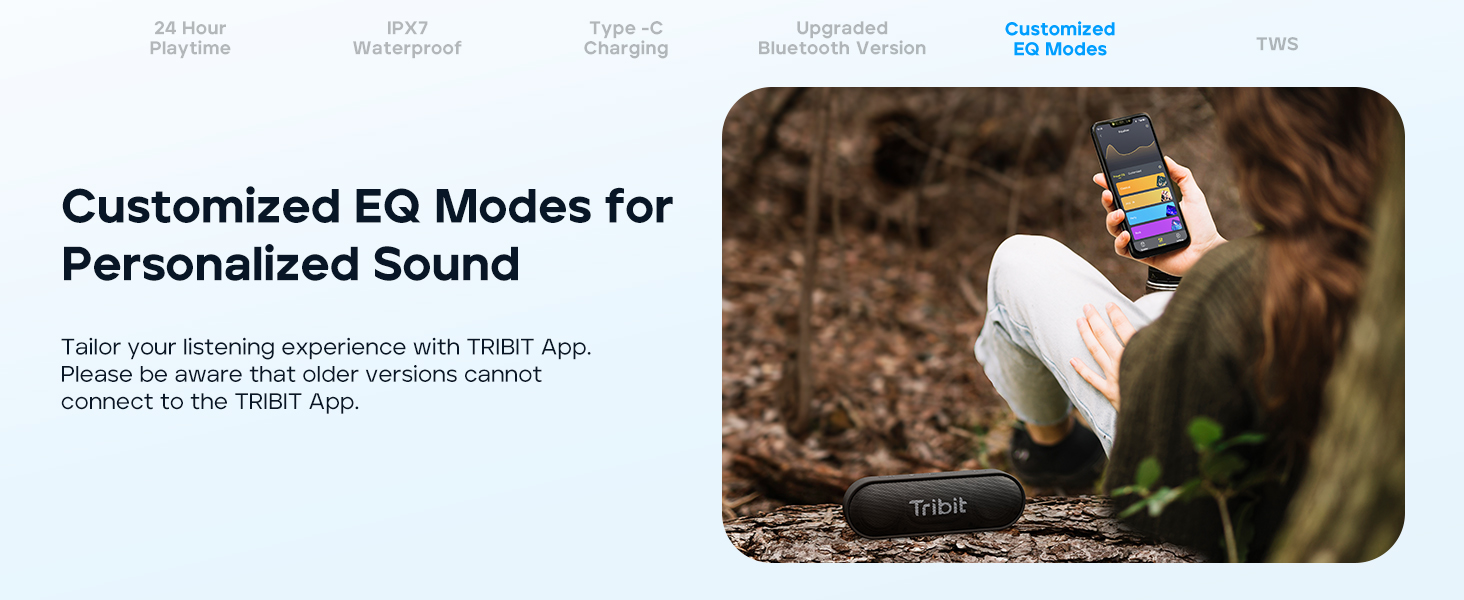
Image 3.1: Tribit XSound Go speaker connected to a USB-C charging cable. This image demonstrates the Type-C charging port in use.
3.2 Створення пари Bluetooth
Щоб підключити динамік до пристрою з підтримкою Bluetooth:
- Power on the speaker. The Bluetooth indicator will flash, indicating it's in pairing mode.
- На своєму пристрої (смартфоні, планшеті тощо) увімкніть Bluetooth та виконайте пошук доступних пристроїв.
- Select "Tribit XSound Go" from the list.
- Once connected, the Bluetooth indicator will turn solid blue, and you will hear an audible confirmation.
The speaker features Bluetooth 5.3 for stable connectivity up to 150 feet (45 meters).
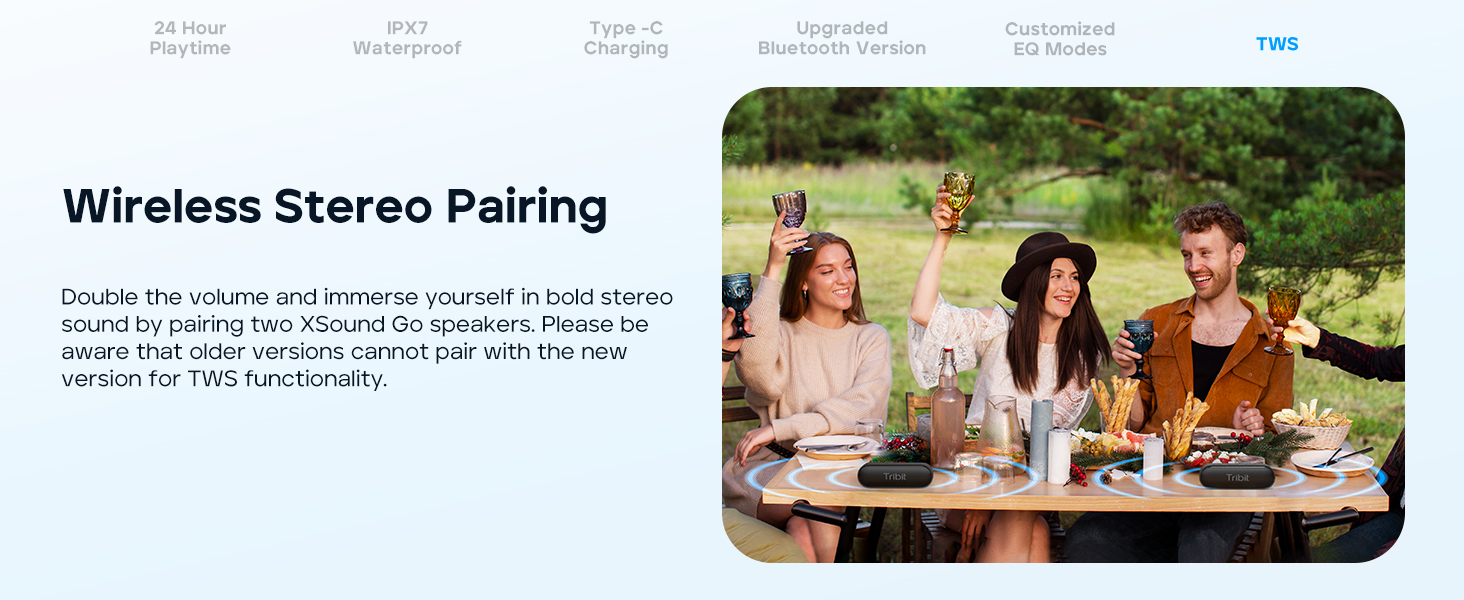
Image 3.2: Tribit XSound Go speaker on a wooden table, symbolizing its readiness for Bluetooth 5.3 connection.
3.3 Сполучення справжнього бездротового стерео (TWS)
You can pair two Tribit XSound Go speakers for a stereo sound experience. Примітка: Older versions of the XSound Go may not be compatible with newer versions for TWS pairing.
- Переконайтеся, що обидва динаміки увімкнені та не підключені до жодного іншого пристрою Bluetooth.
- On one speaker, press and hold the Bluetooth button for 3 seconds. It will enter TWS pairing mode.
- Повторіть дію на другому динаміку.
- The speakers will automatically connect to each other. Once connected, the main speaker's Bluetooth indicator will flash, and the secondary speaker's indicator will be solid.
- Connect your device to the main speaker via Bluetooth as described in Section 3.2.
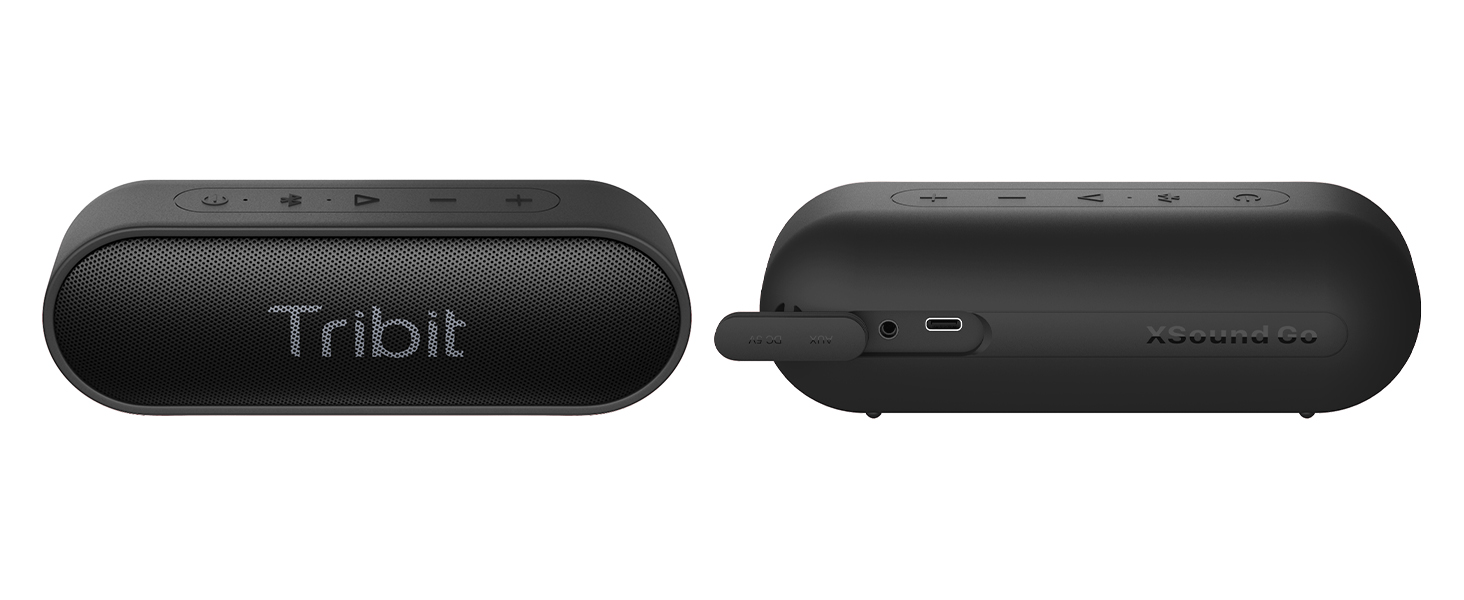
Image 3.3: Two Tribit XSound Go speakers placed on a table, demonstrating a True Wireless Stereo (TWS) setup for enhanced audio.
4. Інструкція з експлуатації
4.1 Основні функції
- Увімкнення/вимкнення живлення: Натисніть і утримуйте кнопку живлення.
- Регулювання гучності: Натисніть кнопки «+» або «-».
- Відтворення/пауза: Натисніть кнопку Відтворення/Пауза один раз.
- Наступний трек: Двічі натисніть кнопку відтворення/паузи.
- Попередній трек: Тричі натисніть кнопку відтворення/паузи.
- Відповісти/закінчити виклик: Натисніть кнопку відтворення/паузи один раз під час вхідного дзвінка.
- Відхилити виклик: Натисніть і утримуйте кнопку відтворення/паузи під час вхідного дзвінка.
- Activate Voice Assistant (Siri/Google Now): Press and hold the Play/Pause button when not on a call.
4.2 Customized EQ Modes
The Tribit XSound Go supports customized EQ modes for personalized sound. These can be accessed and adjusted via the Tribit App. Please ensure you have the latest version of the speaker for app compatibility.
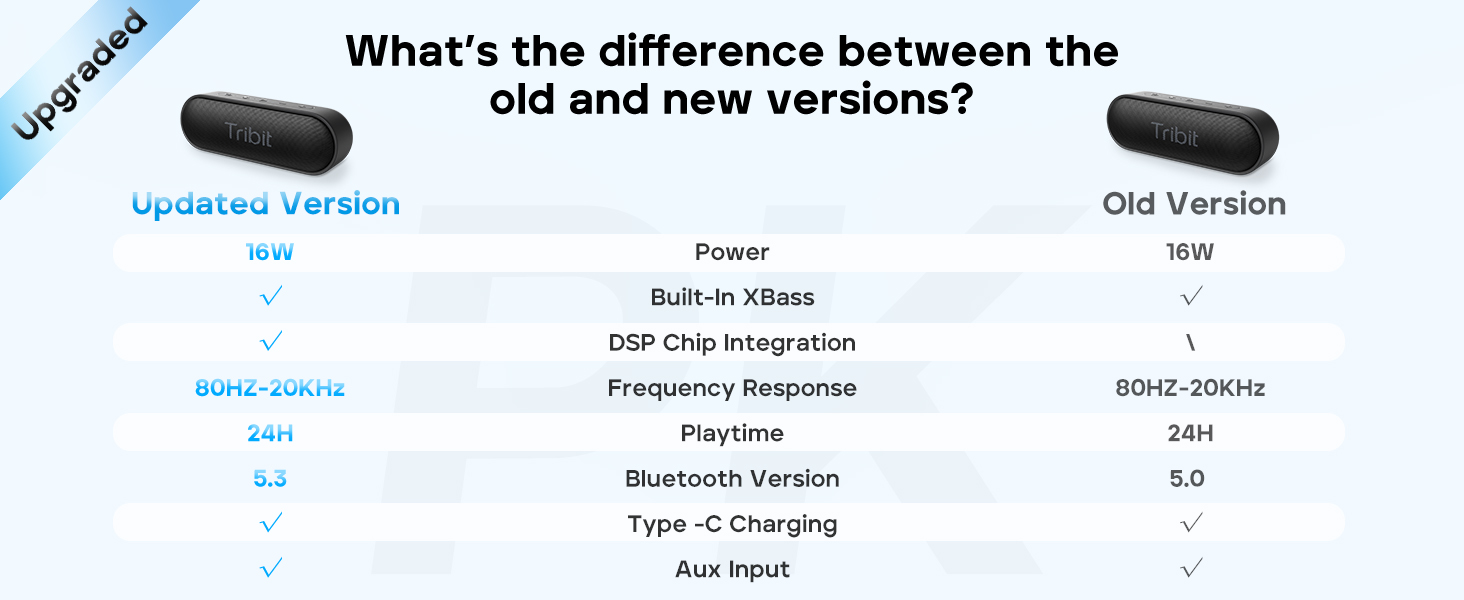
Image 4.1: A person interacting with a smartphone app to customize EQ settings for the Tribit XSound Go speaker.
5. Технічне обслуговування
5.1 Водостійкість (IPX7)
The Tribit XSound Go is IPX7 waterproof, meaning it can be submerged in water up to 1 meter for 30 minutes. To maintain its waterproof integrity:
- Ensure the rubber flap covering the charging port and AUX input is securely closed before exposure to water.
- Do not expose the speaker to saltwater or other chemicals. If exposed, rinse with fresh water and dry thoroughly.
- Avoid prolonged submersion or use in extreme water pressure.

Image 5.1: The Tribit XSound Go speaker partially submerged in water, showcasinйого водонепроникність за стандартом IPX7.
5.2 Очищення та зберігання
- Очистіть динамік м’якою, damp тканина. Не використовуйте абразивні засоби чи розчинники.
- Зберігайте динамік у прохолодному, сухому місці, подалі від прямих сонячних променів та екстремальних температур.
- Якщо ви зберігатимете пристрій протягом тривалого періоду, заряджайте акумулятор приблизно до 50% кожні кілька місяців, щоб продовжити термін його служби.
6. Вирішення проблем
Якщо у вас виникли проблеми з динаміком, зверніться до наступних поширених рішень:
| проблема | Рішення |
|---|---|
| Динамік не вмикається | Переконайтеся, що акумулятор заряджений. Підключіть до джерела живлення та спробуйте ще раз. |
| Не вдається підключити пристрій через Bluetooth | Ensure the speaker is in pairing mode (flashing blue LED). Turn off and on your device's Bluetooth. Forget "Tribit XSound Go" from your device's Bluetooth list and re-pair. Ensure no other devices are connected to the speaker. |
| Ні звуку, ні низької гучності | Increase volume on both the speaker and your connected device. Ensure the speaker is properly paired. Check if the AUX cable is securely connected if using wired mode. |
| Спотворення звуку | Reduce the volume on both the speaker and your device. Ensure the speaker is not too far from your device (within Bluetooth range). |
| Не вдається створити пару TWS | Ensure both speakers are disconnected from other devices. Follow TWS pairing steps carefully. Note that older and newer versions may not be TWS compatible. |
7. Технічні характеристики
Key technical specifications for the Tribit XSound Go speaker:
| Особливість | Деталь |
|---|---|
| Назва моделі | XSound Go |
| Номер моделі товару | BTS38 |
| Бренд | Трибіт |
| Технологія підключення | Bluetooth 5.3 |
| Технологія бездротового зв'язку | Bluetooth |
| Максимальна вихідна потужність динаміка | 16 Вт |
| Режим аудіовиходу | Стерео |
| Тип аудіо драйвера | Динамічний драйвер |
| Розмір звукового драйвера | 40 міліметрів |
| Діапазон Bluetooth | До 150 футів (45 метрів) |
| Джерело живлення | Живлення від батареї (2 літій-іонні батареї в комплекті) |
| Час відтворення | До 24 годин |
| Рівень водонепроникності | Водонепроникність IPX7 |
| Розміри продукту | 6.7"W x 2.2"D x 2.3"H (17cm x 5.6cm x 5.8cm) |
| Вага товару | 13.7 унцій (0.39 кілограма) |
| Спосіб контролю | Голос, кнопка |
| Особливості | Built-in XBass Technology, TWS Pairing, Built-in MIC, DSP Chip Integration |

Image 7.1: Visual representation of the Tribit XSound Go speaker's dimensions.
8. Гарантія та підтримка
8.1 Інформація про гарантію
The Tribit XSound Go speaker comes with a limited warranty. Please refer to the warranty card included in your package or visit the official Tribit webсайт для детальних умов.
8.2 Підтримка клієнтів
For any questions, technical assistance, or support inquiries, please contact Tribit customer service. You can find contact information and FAQs on the official Tribit webсайт або через їхню сторінку магазину Amazon: Tribit Official Store.
9. Інформація про безпеку
- Не розбирайте, не ремонтуйте та не змінюйте виріб.
- Не піддавайте виріб впливу вогню або високих температур.
- Тримайте виріб подалі від сильних магнітних полів.
- Використовуйте лише зазначений зарядний струмtagе і струм.
- Зберігати в недоступному для дітей місці.
- Утилізуйте виріб відповідально відповідно до місцевих правил.