
1. Вступ
Thank you for choosing the virtavo Indoor WiFi Security Camera. This manual provides essential information for setting up, operating, and maintaining your camera to ensure optimal performance and home security. Please read this manual thoroughly before using the product and keep it for future reference.
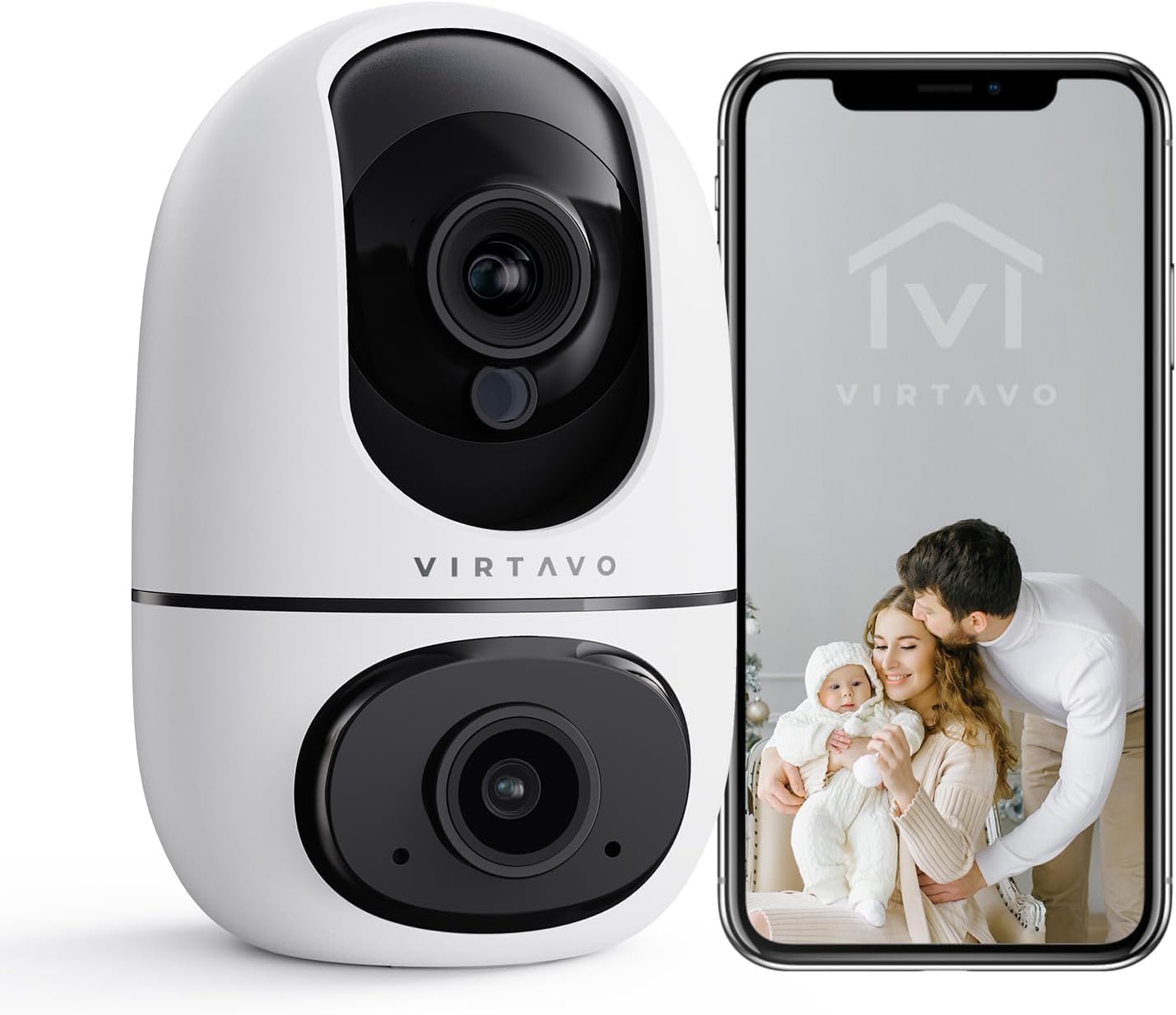
The virtavo Indoor WiFi Security Camera, shown alongside a smartphone displaying its live view, is designed for comprehensive indoor surveillance, offering peace of mind for your home, baby, or pets.
2. Вміст упаковки
Будь ласка, перевірте вміст упаковки після розпакування. Якщо будь-які елементи відсутні або пошкоджені, зверніться до служби підтримки клієнтів.
- virtavo Indoor WiFi Security Camera (Model XD1-V124)
- Адаптер живлення
- USB кабель живлення
- Монтажні аксесуари (шурупи, дюбелі)
- Посібник користувача (цей документ)
3. Продукт закінчивсяview
The virtavo Indoor WiFi Security Camera features a dual-lens design, providing enhanced monitoring capabilities. It supports 1080p resolution, pan and tilt functionality for 360-degree coverage, two-way audio, and advanced detection features.

This image highlights the key features of the virtavo camera, including its dual-lens design, 2.4GHz WiFi connectivity, 1080p resolution, extensive pan and tilt range, two-way audio, AI detection, motion tracking, night vision, and video storage capabilities.
Ключові характеристики:
- Дизайн з двома лінзами: For comprehensive monitoring.
- Роздільна здатність 1080p Full HD: Забезпечує чітке та детальне відео.
- Панорамування та нахил на 360°: Пропонує широкий viewing angle for complete room coverage.
- Двостороннє аудіо: Communicate with family or pets remotely.
- AI Detection & Motion Tracking: Intelligently identifies and follows movement.
- Нічне бачення: Clear visibility even in low light or complete darkness.
- Підключення Wi-Fi 2.4 ГГц: Stable wireless connection.
- Локальне та хмарне сховище: Options for video recording.
4. Налаштування
4.1 Увімкнення
- Підключіть кабель живлення USB до порту живлення камери.
- Підключіть адаптер живлення до стандартної електричної розетки.
- The camera will power on and initiate its self-check sequence. Wait for the indicator light to flash, indicating it's ready for connection.
4.2 Встановлення програми та створення облікового запису
- Download the official virtavo app from your smartphone's app store (iOS App Store or Google Play Store).
- Відкрийте програму та дотримуйтесь інструкцій на екрані, щоб створити новий обліковий запис або увійти, якщо він у вас вже є.
4.3 Підключення камери до Wi-Fi
- In the virtavo app, tap the "+" icon to add a new device.
- Select "Security Camera" or the specific model if prompted.
- Follow the in-app instructions to connect the camera to your 2.4GHz WiFi network. This typically involves scanning a QR code generated by the app with the camera's lens or entering your WiFi password.
- Once connected, the camera's indicator light will turn solid, and you will hear a confirmation sound.
4.4 Монтаж камери (додатково)
The camera can be placed on a flat surface (tabletop mounting) or mounted to a wall or ceiling using the provided accessories.
- Розміщення на столі: Simply place the camera on a stable, flat surface within range of your WiFi network and a power outlet.
- Монтаж на стіну/стелю:
- Choose a suitable location, ensuring a clear view та доступ до влади.
- Use the mounting template (if provided) or mark the screw holes on the desired surface.
- Drill pilot holes and insert wall plugs if mounting on drywall or masonry.
- Secure the mounting bracket (if applicable) with screws.
- Прикріпіть камеру до монтажного кронштейна, переконавшись, що вона надійно зафіксована.
5. Робота з камерою
5.1 Живий View та керування панорамуванням/нахилом
Open the virtavo app and select your camera to access the live view. Use the on-screen controls to pan (horizontal) and tilt (vertical) the camera lens to adjust the viewкут.

The virtavo camera supports dual-view monitoring, allowing you to see multiple camera feeds or different perspectives from the dual-lens on a single screen for an enhanced split-screen experience.
5.2 Двосторонній аудіозв'язок
Натисніть значок мікрофона в прямому ефірі view to speak through the camera's speaker. Tap the speaker icon to listen to audio from the camera's surroundings.
5.3 Виявлення руху та сповіщення
Enable motion detection in the app settings to receive instant alerts on your smartphone when movement is detected. You can adjust sensitivity levels and set specific activity zones to reduce false alarms.

This feature allows users to define specific activity zones within the camera's view, ensuring that alerts are only triggered by motion in designated areas, reducing unnecessary notifications.
5.4 Нічне бачення
The camera automatically switches to night vision mode in low-light conditions. It features powerful starlight color night vision for clear images even in complete darkness.

The image demonstrates the superior clarity of the virtavo camera's Starlight Color Night Vision, providing detailed and visible footage even in very low light or complete darkness, compared to a traditional camera.
5.5 Цифровий зум
Pinch to zoom on the live view to digitally magnify the image up to 8 times, allowing for closer inspection of details.

This visual illustrates the 8X digital zoom capability of the camera, allowing users to zoom in on specific areas of interest within the live feed for clearer and more detailed viewінж.
5.6 Спільний доступ для кількох користувачів
Share access to your camera's live feed and recordings with family members or trusted individuals through the app. Each user can have their own account and access permissions.

The multi-user sharing feature enables you to securely share your camera's feed with family members, allowing everyone to monitor the home together for enhanced safety and convenience.
5.7 Попередньо встановлені позиції
Save specific camera angles as preset positions for quick navigation. This allows you to instantly move the camera to a predefined view одним дотиком.

This image illustrates the "My Collections" feature, which allows users to save and quickly recall specific camera positions (presets) within the app, making it easy to monitor different areas of a room.
6. Технічне обслуговування
- Прибирання: Обережно протріть об’єктив та корпус камери м’якою сухою тканиною. Не використовуйте агресивні хімікати або абразивні засоби для чищення.
- Оновлення прошивки: Regularly check the virtavo app for available firmware updates. Keeping your camera's firmware up-to-date ensures optimal performance, security, and access to new features.
- Стабільність мережі: Ensure your WiFi network is stable and strong where the camera is located to prevent connectivity issues.
7. Вирішення проблем
| проблема | Можлива причина | Рішення |
|---|---|---|
| Камера офлайн/Не вдається підключитися до Wi-Fi | Weak WiFi signal, incorrect WiFi password, camera too far from router, 5GHz WiFi network. | Ensure camera is within 2.4GHz WiFi range. Verify WiFi password. Restart camera and router. Re-add camera in the app. |
| Немає сповіщень про виявлення руху | Motion detection disabled, sensitivity too low, activity zones not set correctly, app notifications off. | Enable motion detection in app. Adjust sensitivity. Configure activity zones. Check phone notification settings for the app. |
| Погана якість відео | Insufficient bandwidth, dirty lens, low light conditions. | Ensure stable internet connection. Clean the camera lens. Verify night vision is active in low light. |
| Не працює двосторонній звук | Microphone/speaker muted in app, app permissions not granted. | Check audio settings in the app. Grant microphone permissions to the app in your phone settings. |
8. Технічні характеристики
| Особливість | Деталь |
|---|---|
| Номер моделі | XD1-V124 |
| Роздільна здатність відео | 1080p Full HD |
| Підключення | 2.4 ГГц Wi-Fi |
| Діапазон повороту/нахилу | 350° Horizontal, 70° Vertical (approx.) |
| Аудіо | Двостороннє аудіо |
| Нічне бачення | Infrared, Starlight Color Night Vision |
| Особливості | AI Detection, Motion Tracking, Digital Zoom (8X), Multi-User Sharing, Preset Positions, Activity Zones |
| Джерело живлення | Electric Cable (10 Watts) |
| Розміри (Д x Ш x В) | 14.3 x 6.6 x 11.91 см (приблизно) |
| вага | 158.76 грами (приблизно) |
| матеріал | пластик |
| Використання в приміщенні/на вулиці | закритий |
| Сумісні пристрої | Smartphone, Tablet (Android) |
9. Гарантія та підтримка
9.1 Інформація про гарантію
The virtavo Indoor WiFi Security Camera comes with a standard manufacturer's warranty. Please refer to the product packaging or the official virtavo webна сайті для отримання інформації про конкретні гарантійні умови. Зберігайте чек про покупку як підтвердження покупки для гарантійних претензій.
9.2 Підтримка клієнтів
For technical assistance, troubleshooting, or warranty inquiries, please contact virtavo customer support through the following channels:
- Електронна пошта: Refer to the virtavo official website for support email address.
- Webсайт: Visit the official virtavo webсайт із поширеними запитаннями, статтями служби підтримки та контактними формами.
- Підтримка в додатку: Some issues can be resolved directly through the support section within the virtavo mobile application.
Please have your model number (XD1-V124) and purchase details ready when contacting support.