
вступ
This manual provides detailed instructions for setting up and operating your Majority Frameo Snap10 WiFi Digital Picture Frame. This 10.1-inch digital frame allows you to display photos and videos shared via the Frameo app, offering a convenient way to share memories with family and friends. It features a touchscreen, 32GB of internal storage, auto-rotate functionality, and a motion sensor for efficient use.

The Majority Frameo Snap10 Digital Picture Frame, showcasing a family photo on its 10.1-inch screen.
Що в коробці
Будь ласка, перевірте вміст упаковки, щоб переконатися, що всі елементи присутні:
- Majority Frameo Snap10 Digital Picture Frame
- Підніжка
- Адаптер живлення
- Пульт дистанційного керування
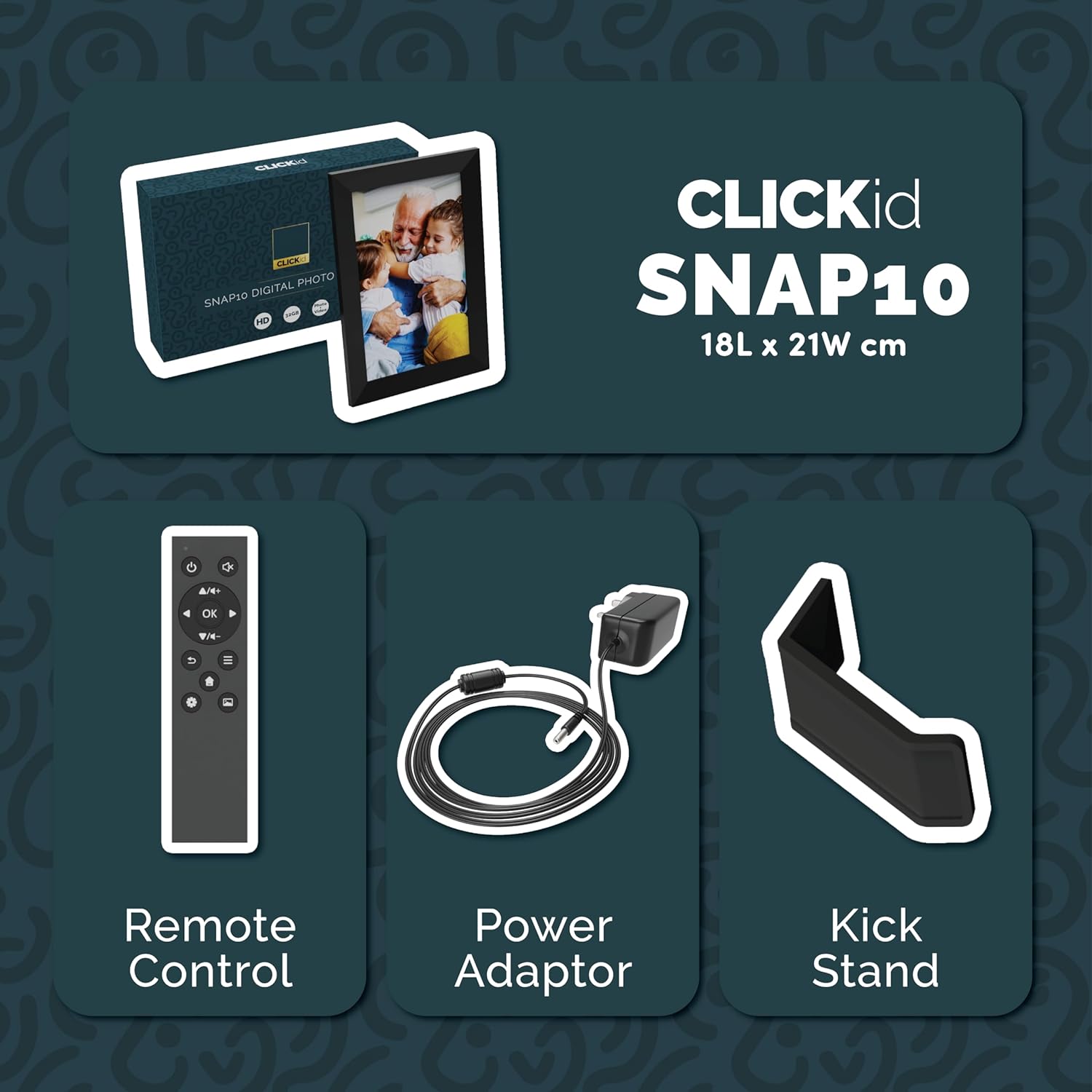
Included accessories: Remote Control, Power Adapter, and Kickstand.
Посібник із налаштування
- Розпакуйте рамку: Обережно вийміть цифрову фоторамку та всі аксесуари з упаковки.
- Attach the Kickstand: Insert the kickstand into the designated slot on the back of the frame. The frame supports both horizontal and vertical orientations.
- Підключіть живлення: Plug the power adapter into the DC port on the back of the frame, then connect it to a power outlet. The frame will automatically power on.
- Початкове налаштування: Follow the on-screen instructions to select your language, time zone, and connect to a Wi-Fi network.
- Install Frameo App: Download the "Frameo" app from your smartphone's app store (available for iOS and Android).
- Connect Frame to App: Open the Frameo app and create an account. On your digital frame, tap "Add Friend" to get a unique code. Enter this code into the Frameo app on your smartphone to link the devices.

The back of the frame features essential ports for power, USB, and Micro SD card.
Інструкція з експлуатації
Sending Photos and Videos
Once your frame is connected to the Frameo app, you can easily send photos and short videos from your smartphone.
- Відкрийте застосунок Frameo на своєму смартфоні.
- Виберіть фотографії або відео, які ви хочете надіслати.
- Choose the connected digital frame as the recipient.
- Add a caption if desired, then tap "Send."

The Frameo app simplifies photo and video uploads from your smartphone.
Використання сенсорного екрану
The 10.1-inch LCD touchscreen allows for intuitive navigation. Swipe left or right to browse photos, tap to view options, and pinch to zoom.
Функції дистанційного керування
The included remote control provides convenient access to various frame functions from a distance.
- Навігація: Use arrow keys to move through menus and photos.
- OK/Enter: Підтвердьте вибір.
- Назад: Повернення до попереднього екрана.
- Відтворення/пауза: Control slideshows or video playback.
- обсяг: Adjust audio for videos.

The included remote control for convenient operation.
Датчик руху
The integrated motion sensor can be enabled to automatically turn the display on when movement is detected and off when the area is vacant, conserving energy. This setting can be adjusted in the frame's system settings.
Функція автоматичного повороту
The frame automatically adjusts the photo orientation (portrait or landscape) based on how the frame is positioned. Ensure the auto-rotate feature is enabled in the settings for optimal display.

The auto-rotate feature adjusts display based on frame orientation.
Особливості Понадview
- 10.1-дюймовий РК-сенсорний екран: Provides a clear display and interactive control.
- 32 ГБ внутрішньої пам'яті: Ample space to store thousands of photos and videos.
- З'єднання Wi-Fi: Enables seamless photo and video sharing from anywhere via the Frameo app.
- Інтеграція програми Frameo: Manage your frame, send media, and invite friends/family to share their moments.
- Датчик руху: Automatically turns the screen on/off to save energy.
- Автоматичне обертання: Adjusts photo orientation automatically.
- Weather and Calendar Display: Integrated widgets provide current weather and calendar information.
- Слот для карти пам'яті: Supports Micro SD cards for additional storage or direct media import.
Технічне обслуговування
- Прибирання: Use a soft, dry cloth to clean the screen and frame. Avoid abrasive cleaners or sprays directly on the screen.
- Оновлення програмного забезпечення: The frame may receive automatic software updates via Wi-Fi. Ensure your frame is connected to the internet to receive the latest features and improvements.
- Управління сховищем: Періодично переview your stored photos and videos. You can delete unwanted media directly from the frame or through the Frameo app to free up space.
Усунення несправностей
- Рама не вмикається:
- Переконайтеся, що адаптер живлення надійно підключений як до рами, так і до справної розетки.
- Неможливо підключитися до Wi-Fi:
- Verify your Wi-Fi password. Ensure the frame is within range of your Wi-Fi router. Try restarting your router and the frame.
- Photos not appearing on the frame:
- Confirm that the frame is connected to Wi-Fi and linked to your Frameo app account. Check the Frameo app to ensure photos were successfully sent. Allow some time for photos to download, especially large batches.
- Frame is stuck on a white screen with a loading bar:
- This may indicate a software issue. Try performing a soft reset by disconnecting the power for 30 seconds and then reconnecting. If the issue persists, a factory reset might be necessary (refer to the frame's settings for this option, noting it will erase all data).
- Пульт дистанційного керування не працює:
- Check if the batteries in the remote control need replacement. Ensure there are no obstructions between the remote and the frame's IR receiver.
Технічні характеристики
| Бренд | більшість |
| Номер моделі | Snap10 |
| Колір | чорний |
| Розмір екрана | 10.1 дюймів |
| роздільна здатність | 800*1280 |
| Співвідношення сторін | 2.10:1 |
| Ємність пам'яті | 32 ГБ |
| Технологія підключення | Wi-Fi |
| Спосіб контролю | App, Touchscreen, Remote |
| Джерело живлення | Провідний електричний |
| Вага товару | 491 грамів |
| Розміри предмета (Д x Ш) | 7.08 дюйма завдовжки x 8.26 дюймів завширшки |
Гарантія та підтримка
The Majority Frameo Snap10 Digital Picture Frame comes with a 2-річна розширена гарантія. Registration is required to activate the extended warranty. Please refer to the product packaging or the manufacturer's website for details on how to register your product.
For technical support, troubleshooting assistance, or warranty claims, please contact Majority customer service through their official webсайт або контактну інформацію, надану в документації до вашого продукту.
Відео продукту
This video demonstrates the ease of sharing photos and videos with the Frameo app and viewing them on the digital picture frame, highlighting its use for connecting family members.