
1. Вступ
This manual provides essential information for setting up, operating, maintaining, and troubleshooting your Acer Aspire Lite AL15-41 laptop. Please read this guide thoroughly to ensure proper use and to maximize the lifespan of your device.
2. Налаштування
2.1 Розпакування та початковий огляд
Обережно вийміть усі компоненти з упаковки. Переконайтеся, що всі перелічені нижче елементи присутні та не пошкоджені.
- Acer Aspire Lite AL15-41 Laptop
- Шнур живлення
- Перехідник
- Посібник користувача (цей документ)

Малюнок 2.1: Спереду view of the Acer Aspire Lite AL15-41 laptop.
2.2 Підключення адаптера живлення
Connect the power adapter to the laptop's power input port and then plug the power cord into a wall outlet. The laptop can be used while charging.
2.3 Початкове увімкнення та налаштування Windows
Натисніть кнопку живлення, щоб увімкнути ноутбук. Дотримуйтесь інструкцій на екрані, щоб завершити процес налаштування Windows 11 Home. Це включає вибір регіону, мови, підключення до мережі Wi-Fi та створення облікового запису користувача.
3. Інструкція з експлуатації
3.1 Клавіатура та сенсорна панель
The laptop features a 100-/101-/104-key keyboard with an independent numeric keypad for efficient data entry. The touchpad supports multi-touch gestures for navigation.

Малюнок 3.1: Детально view клавіатури та сенсорної панелі.
3.2 Порти та підключення
The Acer Aspire Lite AL15-41 offers various ports for connecting external devices:
- 2 x USB 2.0 (тип A)
- 1 x USB 3.2 Gen 1 (Type A)
- 1 x USB 3.2 Gen 2 (Type C)
- 1 x HDMI port for video output
- Аудіороз'єм
For wireless connectivity, the laptop supports Wi-Fi 5 and Bluetooth 5.1.

Малюнок 3.2: Сторона view illustrating the available ports.
3.3 Функції дисплея
The laptop features a 15.6-inch Full HD (1920 x 1080) TN display with a 16:9 aspect ratio. The ultra-slim design enhances the viewнабутий досвід.

Рисунок 3.3: 15.6-дюймовий дисплей Full HD.
3.4 180-Degree Hinge Mechanism
The screen can be rotated 180 degrees, facilitating collaboration and flexible viewing angles. To activate this feature, press the Function + R key combination.

Figure 3.4: Laptop demonstrating the 180-degree hinge.
3.5 Керування батареєю
The laptop is equipped with a 3-cell Lithium Ion battery with 36 Watt Hours of energy content, providing up to 7 hours of battery life under normal usage conditions. For optimal battery health, avoid frequent full discharges and keep the laptop in a cool environment.
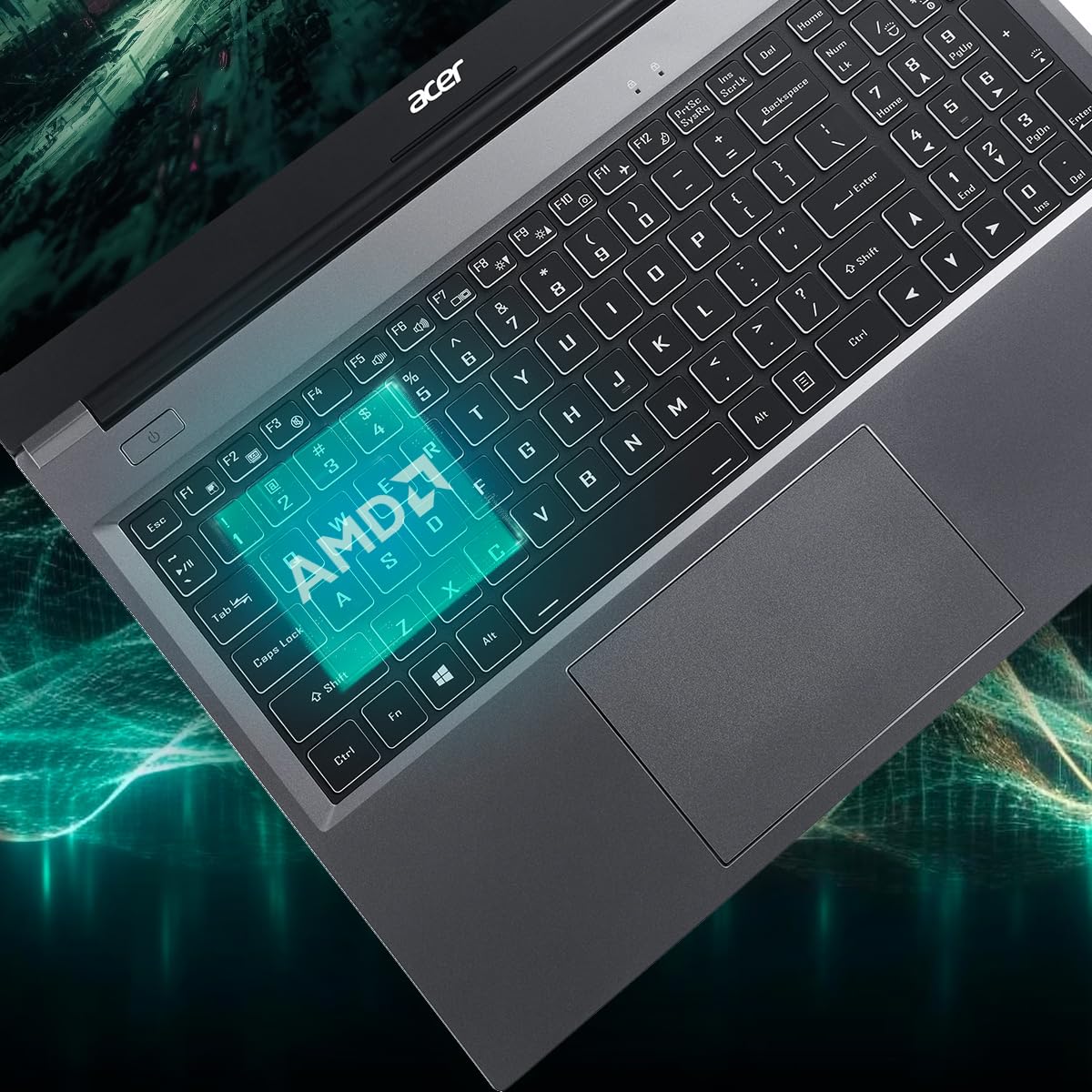
Figure 3.5: Laptop design emphasizing portability and battery life.
4. Технічне обслуговування
4.1 Очищення ноутбука
Злегка протріть м’якою тканиною без ворсу dampened with water or a specialized screen cleaner to clean the display. For the keyboard and chassis, use a soft brush or compressed air to remove dust. Avoid harsh chemicals or abrasive materials.
4.2 Оновлення програмного забезпечення
Regularly update your operating system (Windows 11 Home) and drivers to ensure optimal performance and security. Check the Acer support website for the latest driver updates for your AL15-41 model.
4.3 Оновлення сховища та оперативної пам'яті
The laptop's 8 GB DDR4 RAM is upgradable up to 32GB across two SODIMM sockets. The 512 GB PCIe Gen3 NVMe SSD storage is upgradable up to 1 TB. For upgrades, it is recommended to consult a qualified technician or refer to Acer's official service guidelines to avoid voiding your warranty.
5. Вирішення проблем
Якщо у вас виникли проблеми з ноутбуком, розгляньте такі основні кроки для усунення несправностей:
- Немає живлення: Переконайтеся, що адаптер живлення надійно підключений як до ноутбука, так і до справної розетки. Спробуйте іншу розетку.
- Проблеми з відображенням: If the screen is blank, try connecting an external monitor to determine if the issue is with the laptop's display or graphics output.
- Повільна продуктивність: Close unnecessary applications, check for malware, and ensure your operating system and drivers are up to date. Consider the recommended maintenance steps.
- Проблеми з підключенням: For Wi-Fi or Bluetooth issues, try restarting your laptop and your router/Bluetooth device. Check device manager for driver status.
For more complex issues, refer to the online support resources available on the official Acer website or contact Acer customer support.
6. Технічні характеристики
Detailed technical specifications for the Acer Aspire Lite AL15-41 laptop:
| Особливість | Специфікація |
|---|---|
| Бренд | Acer |
| Назва моделі | Aspire Lite |
| Номер моделі | AL15-41 |
| Процесор | AMD Ryzen 3 7330U Processor (2.3 GHz, up to 4.3 GHz) |
| Графіка | Інтегрована графіка AMD Radeon |
| ОЗУ | 8 GB DDR4 (Upgradable up to 32 GB) |
| Зберігання | 512 GB NVMe SSD (Upgradable up to 1 TB) |
| Дисплей | 15.6 Inches Full HD (1920 x 1080) TN LCD |
| Операційна система | Windows 11 Домашня |
| Колір | Сталевий сірий |
| вага | 1.6 кілограма |
| Dimensions (L x W x Thickness) | 23.9L x 36W x 2Th Centimeters |
| USB порти | 2 x USB 2.0 (Type A), 1 x USB 3.2 Gen 1 (Type A), 1 x USB 3.2 Gen 2 (Type C) |
| Порт HDMI | 1 |
| Бездротове підключення | Wi-Fi 5, Bluetooth 5.1 |
| Термін служби батареї | 7 Hours (36 Watt Hours Lithium Ion) |
| Клавіатура | Chiclet with numeric keypad |
| Сенсорна панель | Clickpad, Multi-touch |
| Webкулачок | Yes (Front) |
7. Гарантія та підтримка
7.1 Інформація про гарантію
Your Acer Aspire Lite AL15-41 laptop comes with a 1-Year Manufacturer Warranty. Please retain your proof of purchase for warranty claims. The warranty covers manufacturing defects under normal use conditions.
7.2 Manufacturer and Importer Contact
Виробник: Acer
Імпортер: ACER INDIA PRIVATE LIMITED
Embassy Heights, 6th Floor, No. 13, Magrath Road, Next to HOSMAT Hospital, Bangalore, INDIA – 560025
Пакувальник: ACER INDIA PRIVATE LIMITED
RS No.38/2, Sedarpet Village, Villanur Commune, Poducherry - 605111.
7.3 Підтримка клієнтів
Щоб отримати технічну допомогу, завантажити драйвери або отримати запит на обслуговування, відвідайте офіційну службу підтримки Acer. website or contact their customer service directly. You can find contact details and support resources on the Acer India webсайт.