
Longer Roller&Bracket
Longer 4-in-1 Laser Rotary Chuck Instruction Manual
Model: Roller&Bracket
вступ
This manual provides detailed instructions for the setup, operation, and maintenance of your Longer 4-in-1 Laser Rotary Chuck. This versatile attachment is designed to enable laser engraving on cylindrical, wine glasses, and irregular items, compatible with various laser engravers including Longer Ray5, Ray5mini, and B1 models.
Особливості продукту
- Multifunctional 4-in-1 Laser Rotary Chuck: Compatible with 98% of cylindrical objects, such as wine glasses, Yeti tumblers, baseball bats, rings, pens, balls, and mugs with handles. Includes three interchangeable modules: Single-Step Jaw, Double-Step Jaw, and Hexagonal Rod components.
- Широка сумісність: Works with Longer Ray5 Mini, Ray5, Laser B1, and most frame-style laser engravers. Supports popular engraving software like LaserGRBL and LightBurn.
- Plug and Play: Highly integrated all-in-one design requires no additional installation or complex setup.
- High Speed and Precision: Engineered for high-speed, high-precision engraving. Three modular components securely hold the workpiece. Features 360° free rotation and a maximum engraving speed of 360°/s. High-precision stepper motor provides 0.014° accurate control.
Що в коробці

Image: Components included in the Longer 4-in-1 Laser Rotary Chuck package.
- Rotary Shaft Main Body
- Підйомна рама
- Double-step Jaw (x3)
- Бульбашковий рівень
- M4*16 Cup Head Screw (x9)
- M4*30 Cup Head Screw (x6)
- Stud Component (x3)
- Single-step Jaw (x3)
- Soft Tape Measure
- Motor Extension Cable (x2)
Інструкції з налаштування
- Adjust Roller Support: Adjust the roller support to the proper angle for your workpiece.
- Connect to Engraver: Attach the roller holder to the Y-axis of your laser engraver. The white terminal wire is typically used for Longer engraving machines. If abnormalities occur with other brands, try using the black terminal wire. Contact support if issues persist.
- Software Configuration (LaserGRBL):
- Відкрийте LaserGRBL.
- Select the correct COM port and set the baud rate to 115200. Click "Connect".
- Go to "Grbl" -> "Grbl configuration" -> "Settings".
- Find the "$101 (Y-axis travel resolution)" parameter. Select its value and set it to 56.00. Click "Write" to save.
- Software Configuration (LightBurn):
- Open LightBurn.
- Go to "Laser Tools" -> "Rotary Setup".
- Enable "Rotary" and select "Roller" type.
- Set the roller diameter to 18.000mm.
- Set "mm per rotation" for Y Axis to 56.52.
- Measure the diameter of your object to be engraved using a caliper. Input this measured diameter into the "Object Diameter" field.
- Click "OK" to save settings.
Video: Installation and software setup guide for the Longer Rotary Roller with LaserGRBL and LightBurn.
Режими роботи
The 4-in-1 Laser Rotary Chuck offers various configurations to accommodate different object shapes:
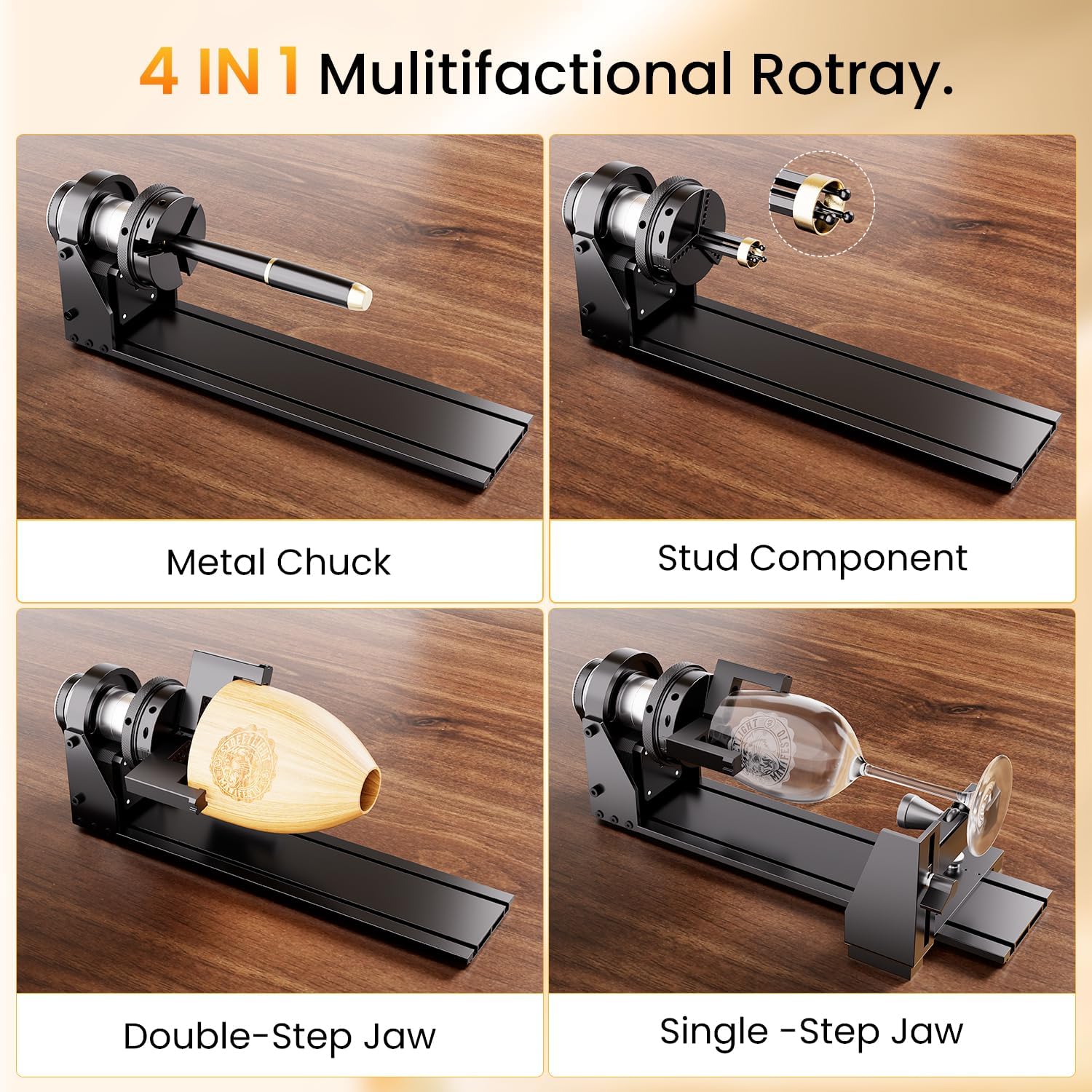
Image: Different configurations of the rotary chuck for various engraving tasks.
- Metal Chuck: Ideal for engraving pens and other small cylindrical items.
- Stud Component: Suitable for engraving small, irregular items with a diameter range of 14-82mm.
- Single-Step Jaw: Designed for objects like wine glasses, offering a diameter range of 3-118mm.
- Double-Step Jaw: Best for irregular items such as wooden bowls or mugs with handles, also with a diameter range of 3-118mm.
Ensure the correct jaw or component is selected and securely installed for the object you intend to engrave.
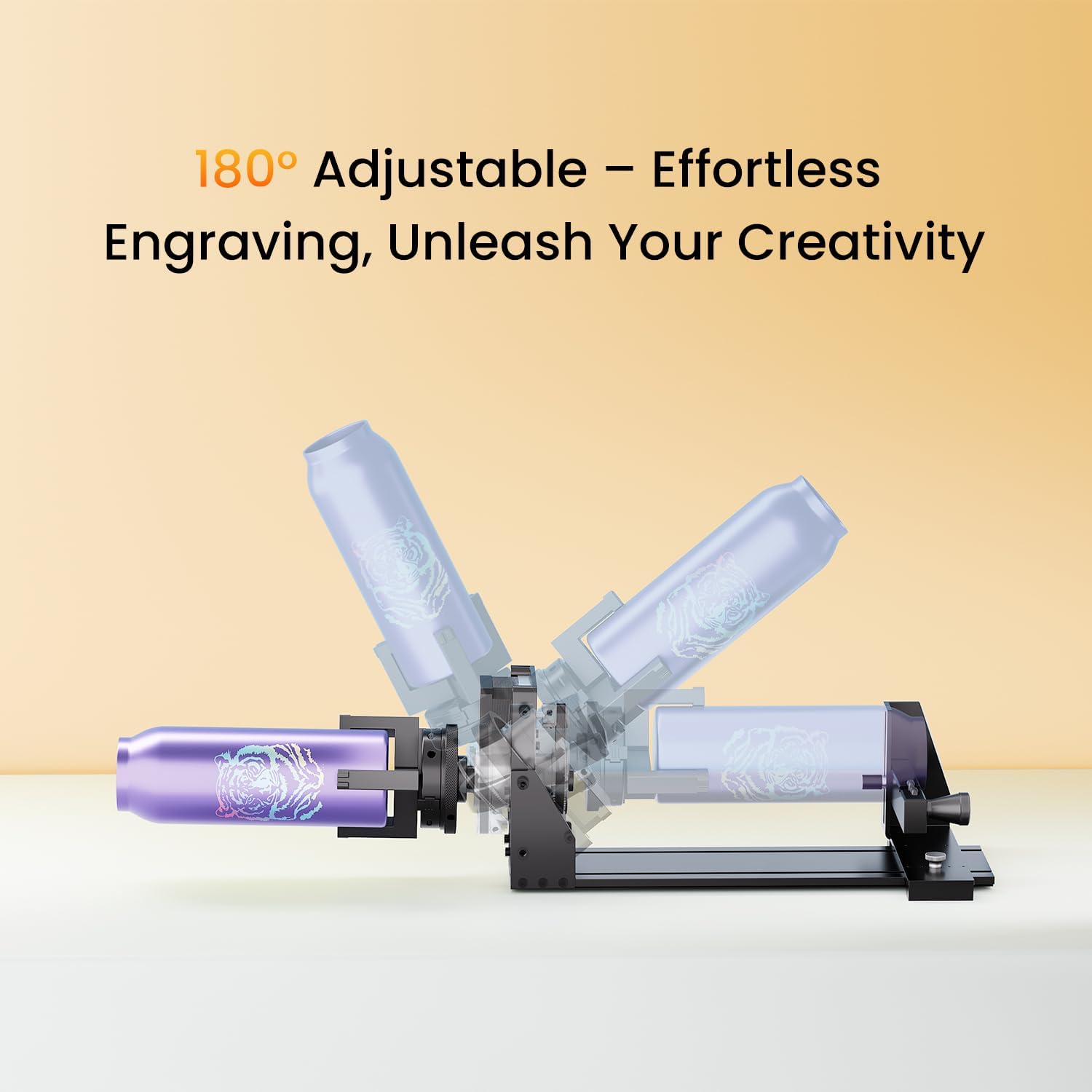
Image: Engraving diameter ranges for different chuck components.
Інструкції з експлуатації
After completing the setup and software configuration:
- Розмістити об'єкт: Securely place the object to be engraved onto the rotary chuck, ensuring it is centered and stable.
- Test Bezel: Move the laser engraver's bezel to test the engraving path and ensure it clears the object and rotary attachment. Adjust as necessary.
- Почати гравірування: Once satisfied with the setup and test, initiate the engraving process through your chosen software (LaserGRBL or LightBurn).

Image: Laser engraver operating with the rotary chuck on a cylindrical object.
The rotary chuck allows for 360° rotation, enabling seamless engraving around cylindrical objects. It also supports 180° adjustable rotation for flexible positioning.

Image: Demonstrating the 180° adjustable rotation feature for versatile engraving.
Технічне обслуговування
To ensure the longevity and optimal performance of your Longer 4-in-1 Laser Rotary Chuck, follow these maintenance guidelines:
- Regularly clean the rollers and chuck components to remove dust, debris, and engraving residue. Use a soft, dry cloth.
- Inspect the moving parts and connections periodically for any signs of wear or looseness. Tighten screws if necessary.
- Keep the device in a clean, dry environment away from excessive heat or moisture.
- Avoid applying excessive force to the chuck or rollers, which could cause misalignment or damage.
Усунення несправностей
If you encounter issues with your Longer 4-in-1 Laser Rotary Chuck, consider the following:
- Engraving Inaccuracy:
- Verify that the Y-axis travel resolution ($101) is correctly set to 56.00 in LaserGRBL or LightBurn.
- Ensure the object diameter is accurately measured and entered in LightBurn's Rotary Setup.
- Check that the object is securely mounted and not slipping on the rollers.
- Проблеми з підключенням:
- Confirm the USB cable is properly connected to both the engraver and the computer.
- Ensure the correct COM port and baud rate are selected in your engraving software.
- If using a non-Longer engraver and experiencing issues with the white terminal wire, try the black terminal wire.
- Roller Movement Problems:
- Check for any obstructions preventing smooth roller rotation.
- Ensure the roller support is adjusted correctly and not causing friction.
For further assistance, please refer to the "Support" section.
Технічні характеристики
| Особливість | Деталь |
|---|---|
| Розміри продукту | 13.58 x 4.13 x 9.84 дюймів |
| Номер моделі товару | Roller&Bracket |
| Вага товару | 3.61 фунта |
| Виробник | ДОВШЕ |
| Сумісність | Longer Ray5 Mini, Ray5, Laser B1, most frame-style laser engravers |
| Сумісність програмного забезпечення | Лазер GRBL, LightBurn |
| Rotation Accuracy | 0.014° accurate control |
| Максимальна швидкість гравіювання | 360°/с |
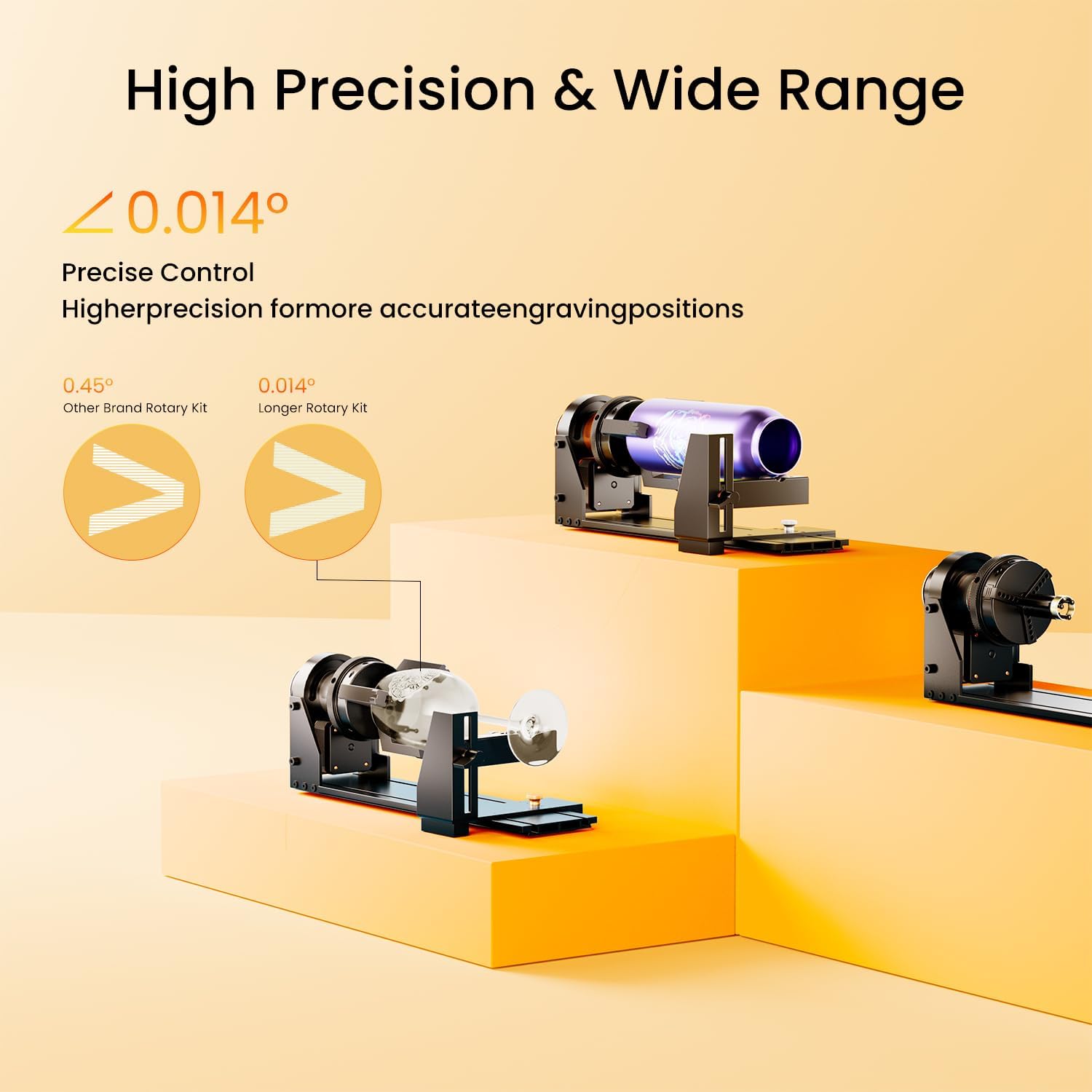
Image: Detailed product dimensions of the rotary chuck.
Гарантія та підтримка
Longer is committed to providing outstanding customer service and professional technical support. If you have any questions or require assistance, please contact us.
- Телефон технічної підтримки: +1 888-575-9099
- Support Hours (EST, UTC-5):
- Mon-Fri: 9:00am-6:00pm
- Sun-Thu: 8:30pm-7:00am
- Політика повернення: 30-денна політика повернення/заміни.

Image: Longer's customer service and technical support information.
Ask a question about this manual
Ask about setup, troubleshooting, compatibility, parts, safety, or missing instructions. Manuals+ will review the question and use this page’s manual context to help answer it.