
1. Продукт закінчивсяview
The ELECTROPRIME CAMSOY S20 is a compact 1080P WiFi action camera designed for security monitoring, pet monitoring, or as a baby monitor. It features two-way audio, IR night vision, and motion detection capabilities, making it a versatile solution for various surveillance needs. Its small size and 360-degree adjustable mount allow for flexible placement.
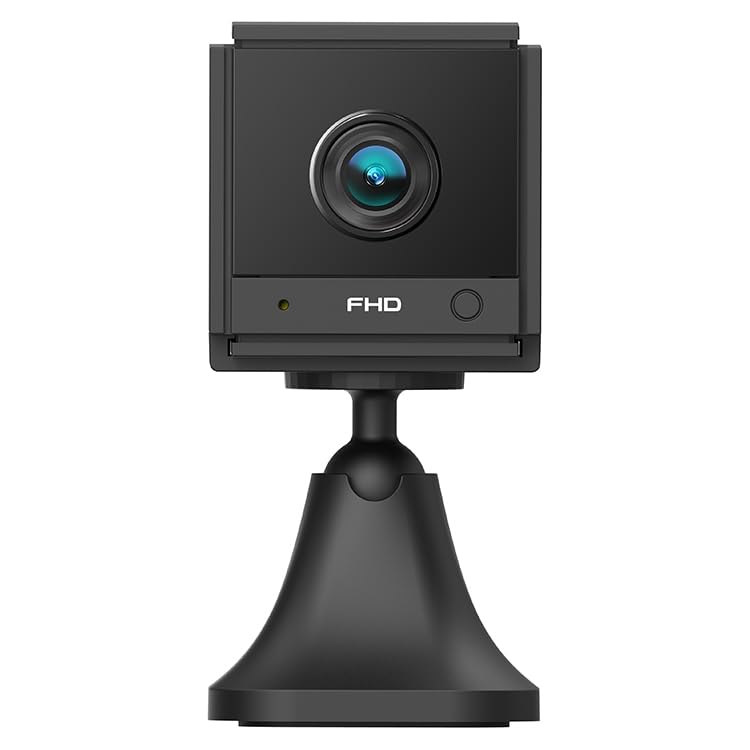
Зображення 1.1: Кутовий view of the ELECTROPRIME CAMSOY S20 1080P WiFi Action Camera, showing the lens and adjustable mount.
2. Вміст упаковки
Будь ласка, перевірте упаковку на наявність наступних предметів:
- ELECTROPRIME CAMSOY S20 Action Camera
- Регульований монтажний кронштейн
- USB-кабель для зарядки
- Посібник користувача (цей документ)
- Built-in 800mAh Li-ion Battery (pre-installed)
3. Особливості продукту
- Full 1080P HD Video: Знімає чітке та детальне відео footage.
- ІЧ-нічне бачення: Equipped with 6 infrared LEDs for clear vision up to 5-7 meters in low light or darkness.
- Двостороннє аудіо: Вбудований мікрофон і динамік для віддаленого зв'язку.
- Сигнал виявлення руху: Сповіщає вас про виявлений рух.
- З'єднання Wi-Fi: Supports 2.4G WiFi (IEEE802.11b/g/n) for remote viewі контроль.
- Компактний дизайн: Mini size allows for discreet placement.
- Регульоване кріплення: 360-degree free adjustable mount for flexible positioning.
- Локальна пам'ять: Supports Micro-SD Card up to 128GB (card not included).
- Вбудована батарея: 800mAh Li-ion battery provides backup power for 3-4 hours.
4. Посібник із налаштування
4.1 Заряджання камери
Before initial use, fully charge the camera. Connect the provided USB charging cable to the camera's Micro USB interface and plug the other end into a standard USB power adapter (not included) or a computer's USB port. The charging indicator light will show the charging status.
4.2 Installing a Micro-SD Card
The camera supports Micro-SD cards up to 128GB for local video storage. Locate the Micro-SD card slot on the camera. Gently insert the Micro-SD card with the gold contacts facing down until it clicks into place. To remove, push the card in again until it springs out.
4.3 Встановлення камери
Attach the camera to the adjustable mounting bracket. The bracket allows for 360-degree rotation, enabling you to position the camera at the desired angle. Secure the bracket to a wall, ceiling, or flat surface using appropriate fasteners (not included).
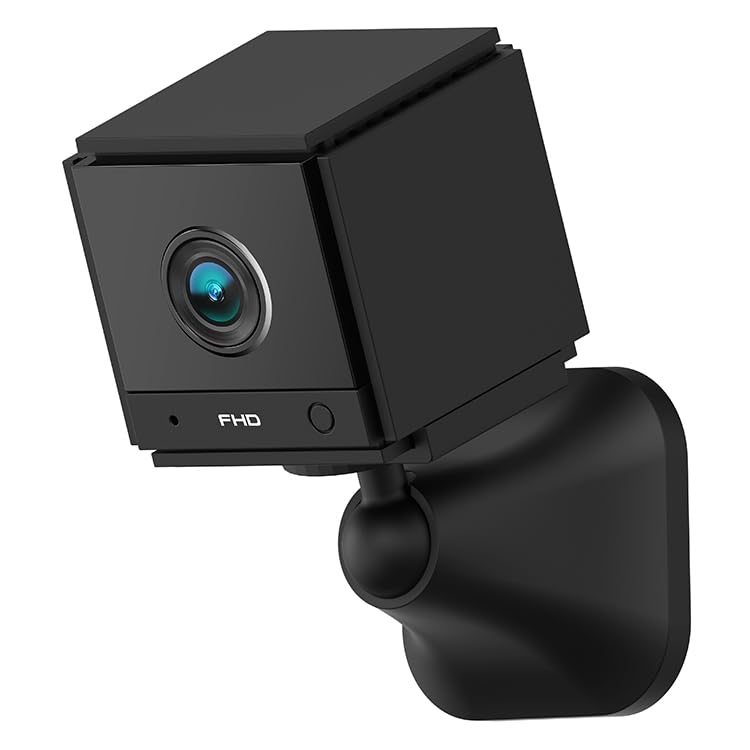
Зображення 4.1: спереду view of the ELECTROPRIME CAMSOY S20 camera, showing the lens and indicator lights.
4.4 Connecting to Wi-Fi and App Setup
- Завантажте додаток: шукати the recommended camera application on your smartphone's app store (e.g., "CAMSOY" or a similar security camera app, refer to packaging for specific app name).
- Увімкнення: Натисніть і утримуйте кнопку живлення на камері, доки не увімкнеться індикатор.
- Додати пристрій: Open the app, create an account if necessary, and select "Add Device" or a similar option.
- Виберіть тип камери: Follow the in-app instructions to select your camera model.
- Підключіться до Wi-Fi: The app will guide you through connecting the camera to your 2.4G Wi-Fi network. Ensure your Wi-Fi password is correct.
- Сполучення: The camera will pair with your smartphone. Once connected, you can view the live feed and access settings.
Note: The camera supports both AP Mode (direct connection to phone) and WiFi Mode (connection via router). Refer to the app for specific mode selection and setup.
5. Інструкція з експлуатації
5.1 Увімкнення/вимкнення живлення
- Увімкнення: Натисніть і утримуйте кнопку живлення приблизно 3 секунди, доки не засвітиться індикатор.
- Вимкнення живлення: Натисніть і утримуйте кнопку живлення приблизно 3 секунди, доки індикатор не згасне.
5.2 Живий View і Запис
Once connected to the app, open the app to access the live video feed. From the live view інтерфейс, ви можете:
- View відео в реальному часі.
- Manually start/stop video recording to the Micro-SD card or your phone.
- Робіть знімки.
- Доступ до записаного footage from the Micro-SD card.
5.3 Двосторонній аудіозв'язок
У прямому ефірі view interface of the app, locate the microphone icon. Tap and hold the icon to speak through the camera's speaker. Release to listen through the camera's microphone.
5.4 Нічне бачення
The camera automatically switches to IR night vision mode in low-light conditions. The 6 infrared LEDs provide clear black and white video up to 5-7 meters.
5.5 Виявлення руху та сигналізація
Enable motion detection in the camera settings within the app. You can set sensitivity levels and define detection zones. When motion is detected, the camera can:
- Надсилайте push-сповіщення на свій смартфон.
- Start recording video to the Micro-SD card.
- Trigger a siren alarm (if enabled in settings).
6. Технічне обслуговування
- Прибирання: Використовуйте м’яку суху тканину для очищення об’єктива та корпусу камери. Не використовуйте рідкі засоби для чищення або абразивні матеріали.
- Догляд за акумулятором: To prolong battery life, avoid extreme temperatures. If storing for extended periods, charge the battery to about 50% every few months.
- Оновлення прошивки: Check the camera app periodically for available firmware updates to ensure optimal performance and security.
- Зберігання: Зберігайте камеру в прохолодному, сухому місці, подалі від прямих сонячних променів та вологи, коли вона не використовується.
7. Вирішення проблем
7.1 Камера не вмикається
- Ensure the camera is fully charged. Connect it to a power source using the USB cable.
- Натисніть і утримуйте кнопку живлення принаймні 3 секунд.
7.2 Не вдається підключитися до Wi-Fi
- Verify that your Wi-Fi network is 2.4GHz. The camera does not support 5GHz Wi-Fi.
- Переконайтеся, що пароль Wi-Fi, введений у застосунку, правильний.
- Під час налаштування розмістіть камеру ближче до вашого Wi-Fi роутера.
- Перезавантажте роутер і камеру.
- Reset the camera to factory settings (refer to app or camera for reset button location).
7.3 Погана якість відео
- Перевірте силу сигналу Wi-Fi. Слабкий сигнал може вплинути на якість потокового передавання.
- Переконайтеся, що об'єктив камери чистий і не містить пилу чи плям.
- Відрегулюйте положення камери, щоб уникнути відблисків або сильного контрового освітлення.
7.4 Micro-SD Card Not Recording
- Ensure the Micro-SD card is inserted correctly and fully.
- Format the Micro-SD card through the camera app.
- Check if the Micro-SD card is full. Back up important footagе та відформатуйте карту.
- Verify the Micro-SD card is not damaged and is within the supported capacity (up to 128GB).
8. Технічні характеристики
| Номер моделі | NC0399B |
| роздільна здатність | 2MP / 1080P Full HD |
| View Кут | (H)110 degrees, (D)140 degrees |
| Нічне бачення | 6pcs 940nm SMT IR Led, Range 5~7 meters, Built-in IR-CUT |
| Відеокодек | H.264 / H.264 + |
| Мережа | 2.4G WiFi IEEE802.11b/g/n |
| Акумулятор | Built-in 800mAh Li-ion Battery, lasts 3-4 hours (power cut off) |
| Аудіо | Двосторонній аудіозв'язок (вбудований мікрофон і динамік) |
| Інтерфейс | Micro USB |
| Режими роботи | AP Mode, WiFi Mode, Motion Detection Alarm |
| Зберігання | Micro-SD Card Max. 128GB (Class 10 recommended) |
| Сумісні пристрої | Смартфон |
| Колір | чорний |
| Виробник | ELECTROGADGETSSTORE |
9. Гарантія та підтримка
For warranty information and technical support, please refer to the documentation provided at the time of purchase or contact the seller/manufacturer directly. The manufacturer of this product is ELECTROGADGETSSTORE.
Будь ласка, збережіть чек про покупку для будь-яких гарантійних претензій.