
FunFlix
Mini Outdoor Projector 852WH Instruction Manual
Бренд: FunFlix
Продукт закінченийview
This FunFlix 852WH Mini Outdoor Projector is designed for portable entertainment, supporting 1080P resolution and offering 9500 lumens brightness. Its compact design allows for easy setup and use in various environments, from home theaters to outdoor movie nights. It features multiple connectivity options including HDMI, USB, and AV, making it compatible with a wide range of devices.
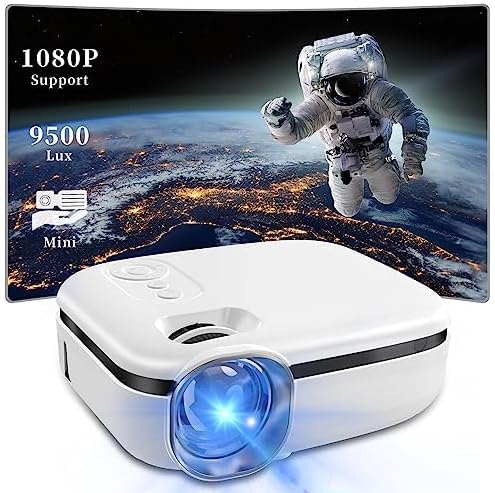
Image: The FunFlix Mini Outdoor Projector, showcasing its compact size and a vibrant projected image with 1080P support and 9500 Lux brightness.
Посібник із налаштування
1. Розпакування та розміщення
Carefully remove all components from the packaging. Place the projector on a stable, flat surface. Ensure there is adequate ventilation around the projector to prevent overheating.
2. Підключення живлення
- Підключіть адаптер живлення до вхідного порту живлення проектора.
- Підключіть адаптер живлення до стандартної електричної розетки.
3. Підключення пристроїв введення
The projector supports multiple input sources. Choose the appropriate cable for your device (HDMI, USB, or AV).

Image: The projector highlighting its versatile connectivity options, including AV, USB, and HDMI ports, for connecting various devices like laptops, gaming consoles, and smartphones.
- HDMI: Connect your laptop, game console, TV stick, or other HDMI-enabled device to the projector's HDMI port.
- USB: Вставте USB-накопичувач у USB-порт, щоб відтворити медіафайли files безпосередньо.
- AV: Використовуйте наданий AV-кабель для підключення старіших пристроїв, таких як DVD-програвачі.
4. Initial Power On and Focus Adjustment
- Натисніть кнопку живлення на проекторі або пульті дистанційного керування, щоб увімкнути його.
- Adjust the focus ring on the lens until the projected image appears clear and sharp.
5. Виправлення трапецеїдальних спотворень
If the projected image appears trapezoidal (wider at the top or bottom), use the keystone correction dial to adjust it to a rectangular shape.

Image: Illustration of the projector's ±15° vertical keystone correction feature, showing how to adjust the image shape using a dedicated dial for a perfectly rectangular display.
6. Налаштування розміру проекції
The projection size can be adjusted by moving the projector closer to or further from the screen/wall. The projector supports screen sizes from 35 to 270 inches.
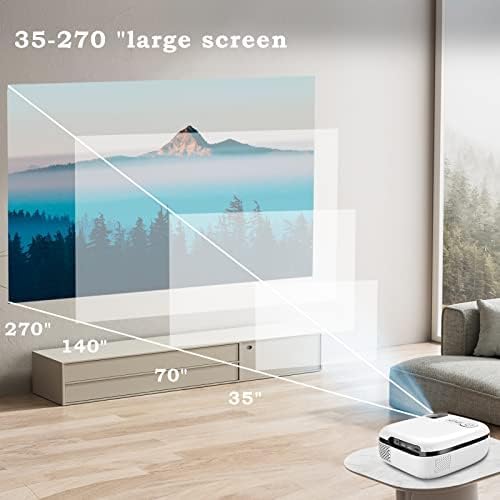
Image: A visual representation demonstrating the projector's capability to produce large screen sizes, ranging from 35 inches up to 270 inches, depending on the projection distance.
Інструкція з експлуатації
1. Увімкнення/вимкнення живлення
- Увімкнення: Натисніть кнопку живлення на проекторе або пульті дистанційного керування.
- Вимкнення живлення: Знову натисніть кнопку живлення. Підтвердіть вимкнення, якщо буде запропоновано.
2. Вибір джерела
Use the "Source" button on the projector or remote control to cycle through available input sources (HDMI, USB, AV).
3. Регулювання гучності
Adjust the volume using the volume buttons on the remote control. The projector features a built-in Hi-Fi speaker for audio output.

Image: The projector positioned in a living room setting, illustrating its integrated Hi-Fi speaker system providing immersive audio for a home cinema experience.
4. Навігація по меню
Use the arrow keys and OK button on the remote control to navigate through the projector's on-screen menu for advanced settings like picture mode, aspect ratio, and sound settings.
Технічне обслуговування
1. Очищення об'єктива
Обережно протріть об’єктив проектора м’якою тканиною без ворсу, спеціально призначеною для оптичних поверхонь. Не використовуйте абразивні засоби для чищення та не застосовуйте надмірних зусиль, оскільки це може подряпати об’єктив.
2. Запобігання утворенню пилу
The projector features an enclosed optical system designed to be super dustproof, minimizing dust accumulation on internal components. However, regularly clean the exterior of the projector with a soft, dry cloth to prevent dust from entering ventilation openings.
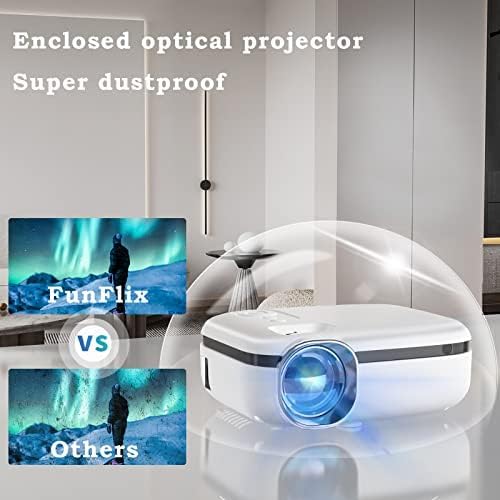
Image: The projector encased in a protective, transparent dome, visually representing its "Super dustproof" enclosed optical design, which helps maintain image clarity by preventing dust ingress.
3. Зберігання
When not in use for extended periods, store the projector in a cool, dry place, away from direct sunlight and extreme temperatures. Consider using the original packaging or a protective case.
Посібник з усунення несправностей
| проблема | Можлива причина | Рішення |
|---|---|---|
| Зображення не проєктується |
|
|
| Зображення розмите |
|
|
| Ні звуку |
|
|
| Проектор не вмикається |
|
|
Технічні характеристики продукту
| Особливість | Деталь |
|---|---|
| Бренд | FunFlix |
| Номер моделі | 852WH |
| Яскравість | 9500 люменів |
| Підтримувана роздільна здатність | 1080P HD |
| Форм-фактор | Портативний |
| Колір | Білий |
| Розміри продукту | 2.36 x 1.56 x 1.6 дюймів |
| Вага товару | 2.2 фунта |
| Сумісні пристрої | Laptop, Gaming Console, Smartphone, TV Stick |
| Підключення | HDMI, USB, AV |
Інформація про гарантію
This product comes with a standard manufacturer's warranty. Please refer to the warranty card included in your product packaging for specific terms, conditions, and duration. Retain your proof of purchase for warranty claims.
Підтримка клієнтів
For technical assistance, troubleshooting beyond this guide, or warranty inquiries, please contact FunFlix customer support. Contact details can typically be found on the product packaging, the official FunFlix website, or the purchase platform.
Ask a question about this manual
Ask about setup, troubleshooting, compatibility, parts, safety, or missing instructions. Manuals+ will review the question and use this page’s manual context to help answer it.