
Codnida LC323
Codnida 2K Security Light Bulb Camera LC323 User Manual
Model: LC323 | Brand: Codnida
1. Вступ
This manual provides detailed instructions for the installation, operation, and maintenance of your Codnida 2K Security Light Bulb Camera (Model LC323). Please read this manual thoroughly before using the product to ensure proper function and safety.
The Codnida LC323 is a versatile security camera designed for both outdoor and indoor use, featuring 2K resolution, PTZ capabilities, 24/7 recording, sound and light alarms, human motion detection, and color night vision. It is designed to fit into standard E27 light bulb sockets for easy installation.
2. Вміст упаковки
Перевірте наявність усіх компонентів в упаковці:
- Codnida 2K Security Light Bulb Camera (LC323)
- Посібник користувача
- Mounting Accessories (if applicable, e.g., E27 adapter if not integrated)
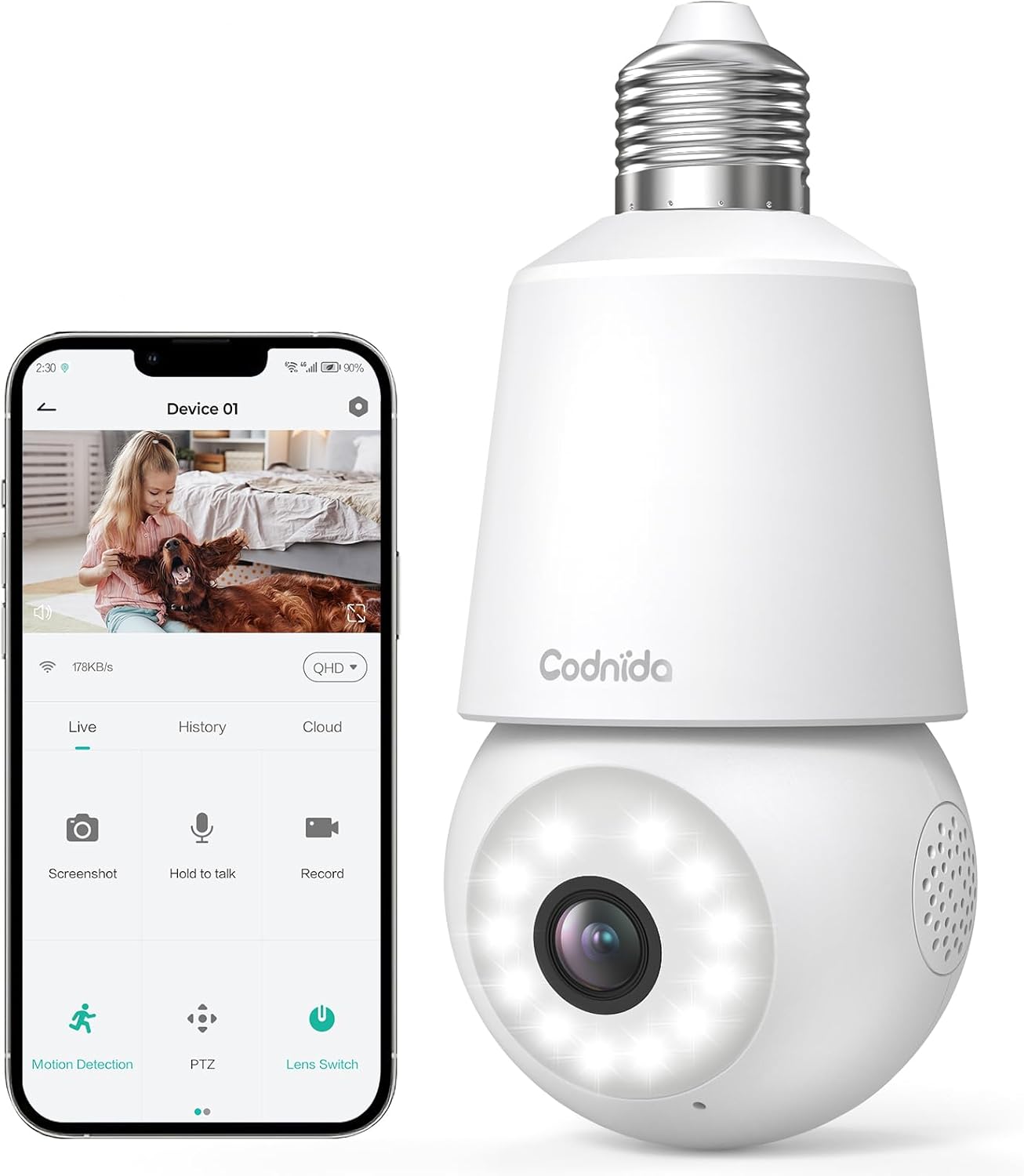
Image: The Codnida LC323 light bulb camera shown alongside a smartphone displaying its live view та інтерфейс керування.
3. Технічні характеристики
| Особливість | Деталь |
|---|---|
| Номер моделі | LC323 |
| роздільна здатність | 2K (3 МП) |
| Підключення | Wi-Fi (лише 2.4 ГГц) |
| Джерело живлення | Corded Electric (E27 Socket) |
| Діапазон нічного бачення | 10 метрів |
| Обертання PTZ | Панорамування 355°, нахил 50° |
| Параметри зберігання | Micro SD Card (16-128GB, not included), Cloud Storage |
| Двостороннє аудіо | Підтримується |
| Виявлення руху | Human Motion Detection, Auto Tracking |
| Характеристики сигналізації | Звук і світловий сигнал |
| Використання в приміщенні/на вулиці | Outdoor, Indoor (IP66 waterproof and dustproof) |
| Сумісність програм | CloudEdge App (Tablet, Smartphone) |
Note: The camera requires a 2.4GHz Wi-Fi connection. 5GHz Wi-Fi is not supported.
4. Інформація про безпеку
- Перед встановленням або зняттям камери переконайтеся, що живлення вимкнено.
- Install the camera in a standard E27 light bulb socket.
- Не піддавайте камеру впливу екстремальних температур або вологості, що перевищують її робочий діапазон.
- Avoid direct exposure to water jets or prolonged submersion, despite its IP66 rating.
- Зберігати в недоступному для дітей місці.
- Only use the camera with compatible power sources (240 Volts, 5 watts).
5. Посібник із налаштування
5.1 Встановлення програми
- Download the "CloudEdge" app from your smartphone's app store (Google Play Store for Android or Apple App Store for iOS).
- Зареєструйте новий обліковий запис або увійдіть, якщо у вас вже є обліковий запис.
5.2 Встановлення камери
Камера розроблена для легкого встановлення у стандартний патрон лампочки E27.
- Ensure the power to the E27 socket is turned off at the main switch.
- Carefully screw the Codnida LC323 camera into the E27 socket until it is securely fastened.
- Turn on the power to the E27 socket. The camera will power on and initiate its startup sequence.

Image: A hand demonstrates screwing the Codnida light bulb camera into an outdoor E27 light fixture, illustrating the simple installation process.
5.3 Підключення до Wi-Fi
Follow the in-app instructions to connect your camera to your home Wi-Fi network. Remember, only 2.4GHz Wi-Fi is supported.
- Open the CloudEdge app and tap "Add Device" or the "+" icon.
- Select the appropriate device type (e.g., "Smart Camera" or "Light Bulb Camera").
- Follow the prompts to enter your 2.4GHz Wi-Fi network name (SSID) and password.
- The app will generate a QR code. Position your phone screen in front of the camera lens (approx. 15-20 cm away) until you hear a confirmation sound from the camera.
- Once connected, the camera's status indicator light will change, and you can name your device in the app.
6. Інструкція з експлуатації
6.1 Живий View та керування PTZ
Access the live video feed and control the camera's pan and tilt functions directly from the CloudEdge app.
- Open the CloudEdge app and select your camera from the device list.
- Наживо view will appear. Use the on-screen joystick or directional arrows to pan (355°) and tilt (50°) the camera lens.

Image: A smartphone screen displays the live view from the Codnida camera with on-screen controls for pan and tilt (PTZ) functionality.
6.2 Двосторонній аудіозв'язок
The camera supports two-way audio communication, allowing you to speak and listen through the camera.
- У прямому ефірі view, tap the microphone icon to speak. Hold the button while speaking.
- Переконайтеся, що гучність телефону налаштована на максимум, щоб чути звук із камери.
Image: An illustration showing the two-way audio feature, with a person outside the house hearing "OK!" from the camera and a person inside speaking "Please put it at the door." through the app.
6.3 Виявлення руху та автоматичне відстеження
The camera can detect human motion and automatically track the subject within its field of view.
- Navigate to the camera settings in the CloudEdge app.
- Enable "Motion Detection" and "Human Detection" for optimized alerts.
- Activate "Auto Tracking" to have the camera follow detected movement.
- You can define specific detection zones to focus monitoring on critical areas.
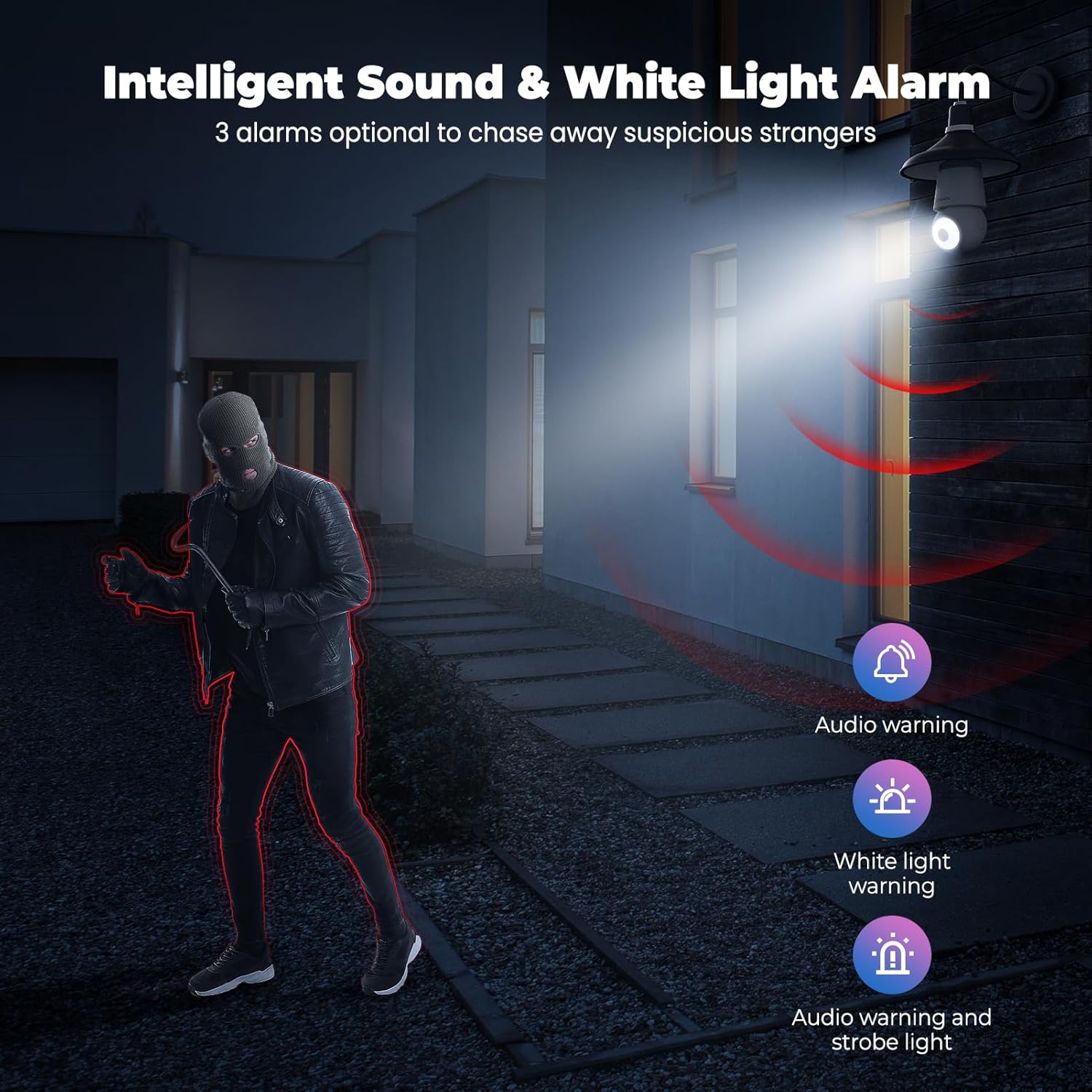
Image: An indoor scene demonstrating motion detection and auto-tracking, with dashed lines indicating the camera's pan and tilt range and boxes highlighting moving cats being tracked.

Image: An outdoor scene illustrating Human AI Intelligent Analytics, showing the camera's ability to detect and differentiate between a person, animal, car, and package.
6.4 Нічне бачення
The camera provides clear surveillance even in low-light conditions with its color night vision capability.
- Камера автоматично перемикається в режим нічного бачення, коли навколишнього освітлення недостатньо.
- Color night vision provides more detail than traditional black and white infrared night vision.

Image: A side-by-side comparison showing the superior detail and color provided by the camera's color night vision feature compared to standard black and white night vision in a low-light outdoor setting.
6.5 Sound and Light Alarm
Configure the camera to trigger an audible alarm and/or flashing white light upon detection of suspicious activity.
- In the app settings, enable the sound and light alarm features.
- Choose from audio warning, white light warning, or a combination of both.
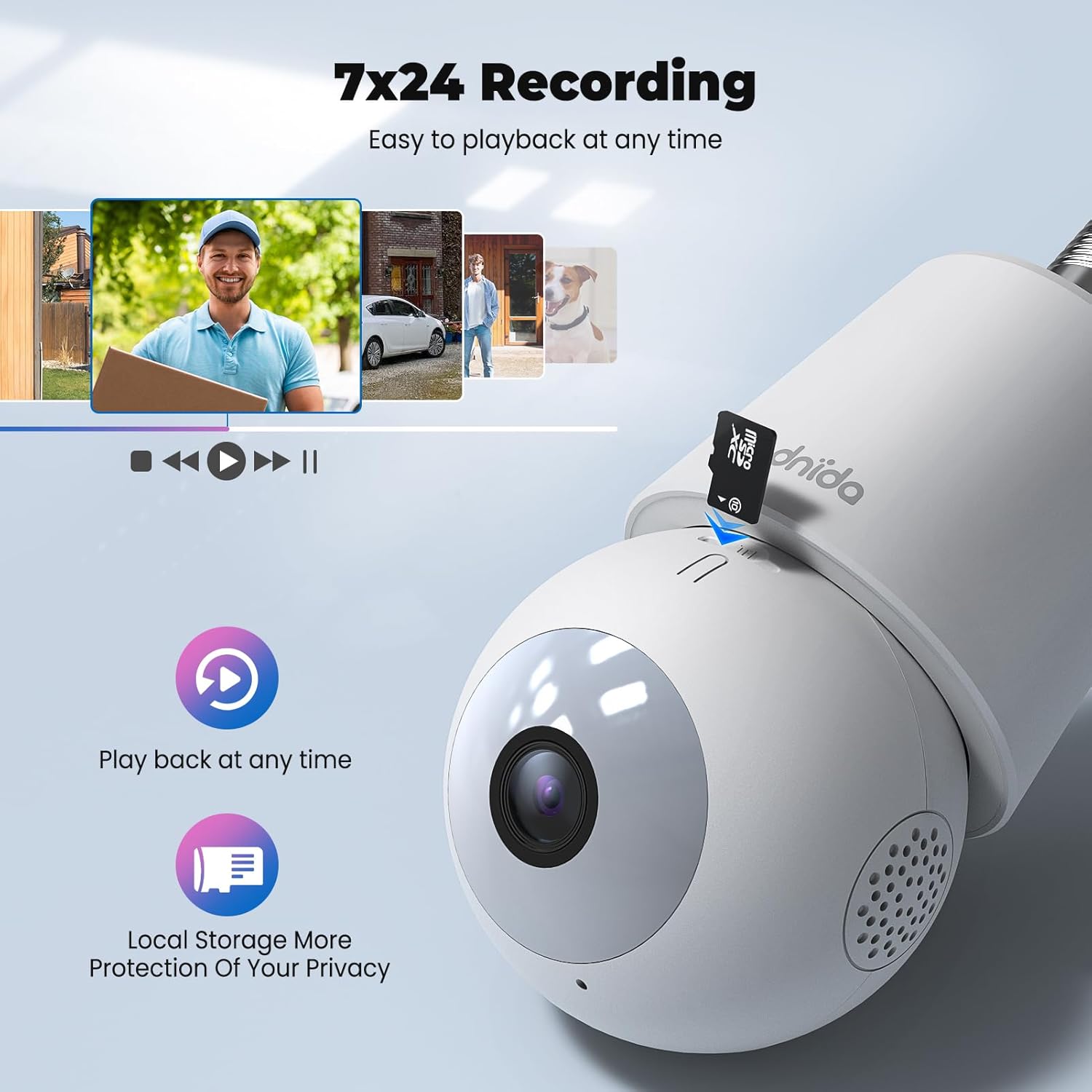
Image: An illustration depicting the intelligent sound and white light alarm feature, showing a bright light and red sound waves emanating from the camera towards a masked figure, with options for audio warning, white light warning, and audio warning with strobe light.
6.6 Запис і зберігання
The camera supports 24/7 recording and offers both local and cloud storage options.
- Micro SD Card: Insert a Micro SD card (16GB to 128GB, not included) into the designated slot for local storage. Ensure the card is formatted correctly via the app.
- Хмарне сховище: Cloud storage options may be available through the CloudEdge app (subscription may be required).
- Доступ до записаного footage via the "History" or "Playback" section in the app.

Зображення: Крупний план view of the Codnida camera showing the Micro SD card slot, with icons indicating playback functionality and local storage benefits.

Image: A detailed diagram highlighting the key components of the Codnida camera, including the E27 base, TF card slot, reset button, loudspeaker, working indicator light, lens, and microphone.
6.7 Спільний доступ до пристрою
Share access to your camera with family members or trusted individuals through the CloudEdge app.
- In the app, navigate to the device settings and find the "Share Device" option.
- You can share by scanning a QR code or by entering the recipient's registered CloudEdge account.

Image: An illustration demonstrating the device sharing feature within the CloudEdge app, showing options to share via QR code or by entering another user's registered account.
7. Технічне обслуговування
- Прибирання: Обережно протріть об’єктив та корпус камери м’якою сухою тканиною. Не використовуйте агресивні хімікати або абразивні засоби для чищення.
- Оновлення прошивки: Regularly check the CloudEdge app for firmware updates to ensure optimal performance and security.
- Управління SD-карткою: Періодично переview і керувати записаними footage on your Micro SD card to prevent it from becoming full.
8. Вирішення проблем
| проблема | Можливе рішення |
|---|---|
| Камера не може підключитися до Wi-Fi. |
|
| Погана якість відео. |
|
| Датчик руху не працює або занадто багато хибних тривог. |
|
| Cannot hear audio or two-way audio not functioning. |
|
9. Гарантія та підтримка
For warranty information and technical support, please refer to the official Codnida webсайт або зверніться безпосередньо до служби підтримки клієнтів. Зберігайте чек про покупку як підтвердження покупки для гарантійних претензій.
Виробник: Кодніда
Контакти: Refer to Codnida's official support channels for assistance.
Інтернет-ресурси: Відвідайте Codnida Store on Amazon для отримання оновлень продукту та додаткової інформації.
Ask a question about this manual
Ask about setup, troubleshooting, compatibility, parts, safety, or missing instructions. Manuals+ will review the question and use this page’s manual context to help answer it.