
1. Вступ
This manual provides detailed instructions for the installation, operation, and maintenance of your EZoneTronics RM-26VW93-2G32 9-inch Android 11 Car Stereo. This universal car radio is designed for various VW models including Passat, Golf MK5, Golf MK6, Jetta, T5, EOS, POLO, Touran, Seat, and Sharan. It features an Android 11 operating system, integrated CarPlay and Android Auto, Bluetooth 5.0, FM/RDS radio, and GPS navigation. Please read this manual thoroughly before using the product to ensure proper function and safety.
2. Інформація про безпеку
- Завжди використовуйте пристрій відповідально та відповідно до місцевих правил дорожнього руху. Неуважність водія може призвести до аварій.
- Do not attempt to install or repair the unit yourself if you are not qualified. Improper installation can cause damage to the vehicle's electrical system or the unit itself.
- Переконайтеся, що вся проводка правильно підключена та ізольована, щоб запобігти короткому замиканню.
- Тримайте пристрій подалі від води та надмірної вологи.
- Уникайте впливу на пристрій екстремальних температур.
3. Вміст упаковки
Перевірте, чи всі перелічені нижче предмети входять до вашої упаковки:
- 1 x EZoneTronics Android Car Stereo Unit
- 1 x GPS антена
- 1 x VW Wiring Harness
- 1 x CANBUS Box
- 1 x Radio Antenna Adapter
- 1 x USB адаптер
- 1 x Посібник користувача (цей документ)
4. Продукт закінчивсяview
The EZoneTronics RM-26VW93-2G32 is a 9-inch universal car stereo designed to enhance your driving experience with advanced features and seamless integration. Key features include:
- Система Android 11: Provides a fast, stable, and user-friendly operating environment.
- 9-inch TFT Capacitive Touchscreen: High-definition display with 1280 x 720 pixels for clear visuals.
- Integrated CarPlay & Android Auto: Connect your smartphone via USB for navigation, music, calls, and messages.
- Bluetooth 5.0: For hands-free calling, phonebook access, and audio streaming (A2DP).
- GPS-навігація: Built-in receiver compatible with various navigation apps like Waze, Navfree, and Google Maps.
- FM/RDS-радіо: Automatic memory and preset scanning for your favorite stations.
- Підтримка керування на кермі: Retains original vehicle steering wheel control functionality via CANBUS.
- Мультимедійний плеєр: Supports various audio and video formats.
- Вхід для задньої камери: Supports CVBS/AHD cameras for parking assistance.
- 32 ГБ флеш-пам'яті: Ample storage for music, map data, and videos.
- 4 x 45W Output Power: Delivers clear and powerful audio.
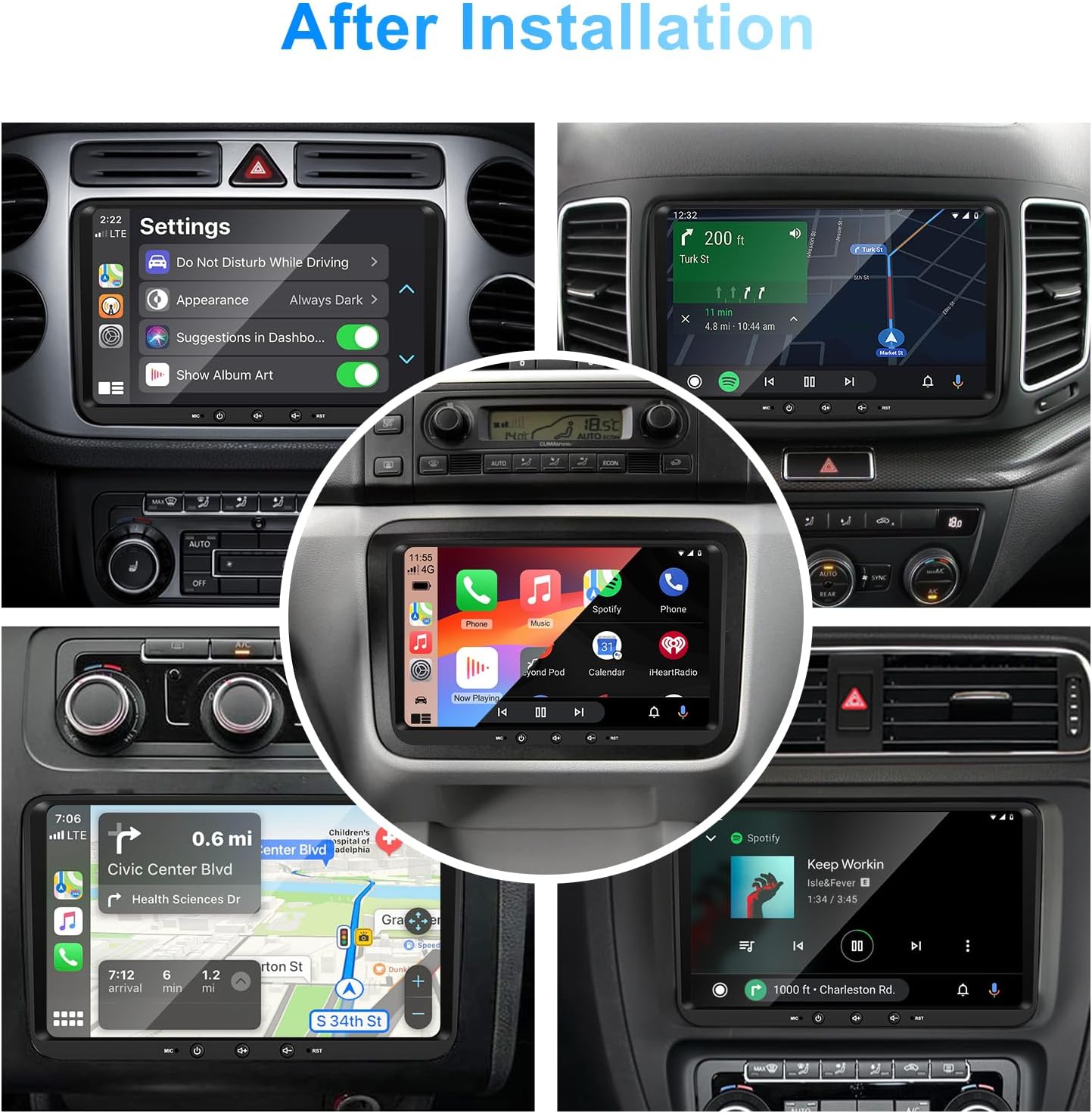
Зображення 1: спереду view of the EZoneTronics 9-inch Android 11 Car Stereo unit, showcasing its large touchscreen display and sleek design.
5. Налаштування та встановлення
Рекомендується професійне встановлення. Перед початком встановлення переконайтеся, що живлення автомобіля відключено.
5.1 Схема підключення
Refer to the following diagram for proper wiring connections. Each connector is labeled for clarity.

Image 2: Detailed wiring diagram illustrating connections for the power harness, CANBUS box, USB extension, backup camera video input, radio antenna adapter, and GPS antenna.
5.2 Етапи встановлення (загальні)
- Видалити оригінальний блок: Carefully remove your vehicle's existing car stereo unit and trim panels.
- Підключіть кабель живлення: Connect the provided VW wiring harness to the vehicle's wiring and then to the car stereo unit. Ensure all connections are secure.
- Connect CANBUS Box: Integrate the CANBUS box as shown in the wiring diagram. This enables steering wheel controls and other vehicle data integration.
- Підключення GPS-антени: Встановіть GPS-антену в місці з чітким view of the sky (e.g., dashboard or windshield corner) and connect it to the unit.
- Підключення радіоантени: Use the provided radio antenna adapter to connect the vehicle's radio antenna to the unit.
- Connect USB Adapters: Connect the USB extension harnesses for external USB devices.
- Додаткові підключення: Connect any optional accessories such as a backup camera (CVBS/AHD), external amplifier (RCA output), or additional video inputs/outputs.
- Тест функціональності: Before fully reassembling the dashboard, temporarily connect the unit and test all functions (power, audio, radio, GPS, Bluetooth, steering wheel controls, camera).
- Безпечний підрозділ: Once all functions are verified, secure the car stereo unit in the dashboard and reassemble all trim panels.
6. Інструкція з експлуатації
This section details the primary functions and operations of your EZoneTronics car stereo.
6.1 Основна операція
- Увімкнення/вимкнення живлення: Press and hold the power button (usually on the front panel) to turn the unit on or off. A short press typically mutes/unmutes audio.
- Регулювання гучності: Використовуйте фізичну ручку гучності або екранні елементи керування, щоб налаштувати рівень звуку.
- Інтерфейс сенсорного екрану: Переміщуйтесь по меню та програмах, торкаючись, проводячи пальцями та розводячи їх на 9-дюймовому ємнісному сенсорному екрані.
Система 6.2 Android 11
The unit runs on Android 11, providing a familiar smartphone-like experience. You can download and install various applications from the Google Play Store.

Image 3: Screenshot of the Android 11 system interface, showing various applications and media options available on the car stereo.
6.3 CarPlay та Android Auto
Connect your iPhone or Android smartphone via USB to access CarPlay or Android Auto. This allows for safe and convenient use of phone features while driving.
- Підключення: Connect your smartphone to one of the unit's USB ports using a certified USB cable.
- активація: The unit should automatically detect and prompt you to launch CarPlay or Android Auto. Follow on-screen instructions.
- особливості: Access navigation, make calls, send/receive messages, and play music using voice commands (Siri or Google Assistant) or the touchscreen.

Image 4: Display showing the CarPlay interface with Siri voice commands and the Android Auto interface with Google Assistant commands, demonstrating smartphone integration.
6.4 GPS-навігація
The unit includes a built-in GPS receiver and supports various navigation applications.
- Pre-installed Maps: Sygic Maps are typically pre-installed. For offline use, download regional map data as needed.
- Онлайн-навігація: Connect to Wi-Fi or use a mobile hotspot to access real-time traffic information and online map services like Google Maps.
- External GPS Antenna: Ensure the external GPS antenna is properly connected and positioned for optimal signal reception.

Image 5: The car stereo displaying an online navigation map, showing a route and real-time traffic conditions within a vehicle dashboard.
6.5 Bluetooth 5.0
Connect your smartphone via Bluetooth for hands-free communication and audio streaming.
- Сполучення: Enable Bluetooth on your smartphone and search for the car stereo (e.g., "EZoneTronics"). Select the device and confirm the pairing code.
- Дзвінки в режимі Hands-Free: Make and receive calls directly from the car stereo. Access your phonebook and recent call history.
- Потокове аудіо (A2DP): Play music from your smartphone through the car stereo's speakers.

Image 6: The car stereo displaying music playback via Bluetooth 5.0, with a smartphone shown next to it also playing music, illustrating the wireless audio connection.
6.6 FM/RDS радіо
Отримуйте доступ до місцевих радіостанцій за допомогою вбудованого FM/RDS-тюнера.
- Налаштування: Use the on-screen controls to manually tune to frequencies or perform an automatic scan for available stations.
- Пресети: Зберігайте улюблені станції на попередньо встановлених кнопках для швидкого доступу.
- RDS (система радіопередачі даних): Displays station information such as song title, artist, or program type where available.
6.7 Кермове керування
The unit supports your vehicle's original steering wheel controls through the CANBUS box, allowing you to manage audio and other functions without taking your hands off the wheel.
- Функціональність: Control volume, change tracks, answer calls, and switch modes directly from your steering wheel.
- Конфігурація: In some cases, steering wheel controls may require initial configuration in the unit's settings menu.

Image 7: Illustration showing a steering wheel with control buttons and corresponding icons on the car stereo display, indicating seamless integration of steering wheel controls.
6.8 Audio Settings (32-Band EQ)
Customize your audio experience with the built-in 32-band equalizer and other sound controls.
- Еквалайзер: Adjust frequency bands to fine-tune the sound output to your preference.
- Попередньо встановлені режими еквалайзера: Select from various preset equalizer modes (e.g., Pop, Rock, Jazz, Classic).
- Фейдер / баланс: Adjust the audio distribution between front/rear and left/right speakers.
- Гучність: Enhance bass and treble at low volume levels.

Image 8: Screenshot of the car stereo's 32-band equalizer interface, showing adjustable frequency sliders and preset sound modes, along with a visual representation of sound distribution in a car cabin.
6.9 After Installation Overview
Once installed, the unit provides a comprehensive interface for various functions, including system settings, navigation, media playback, and vehicle information.
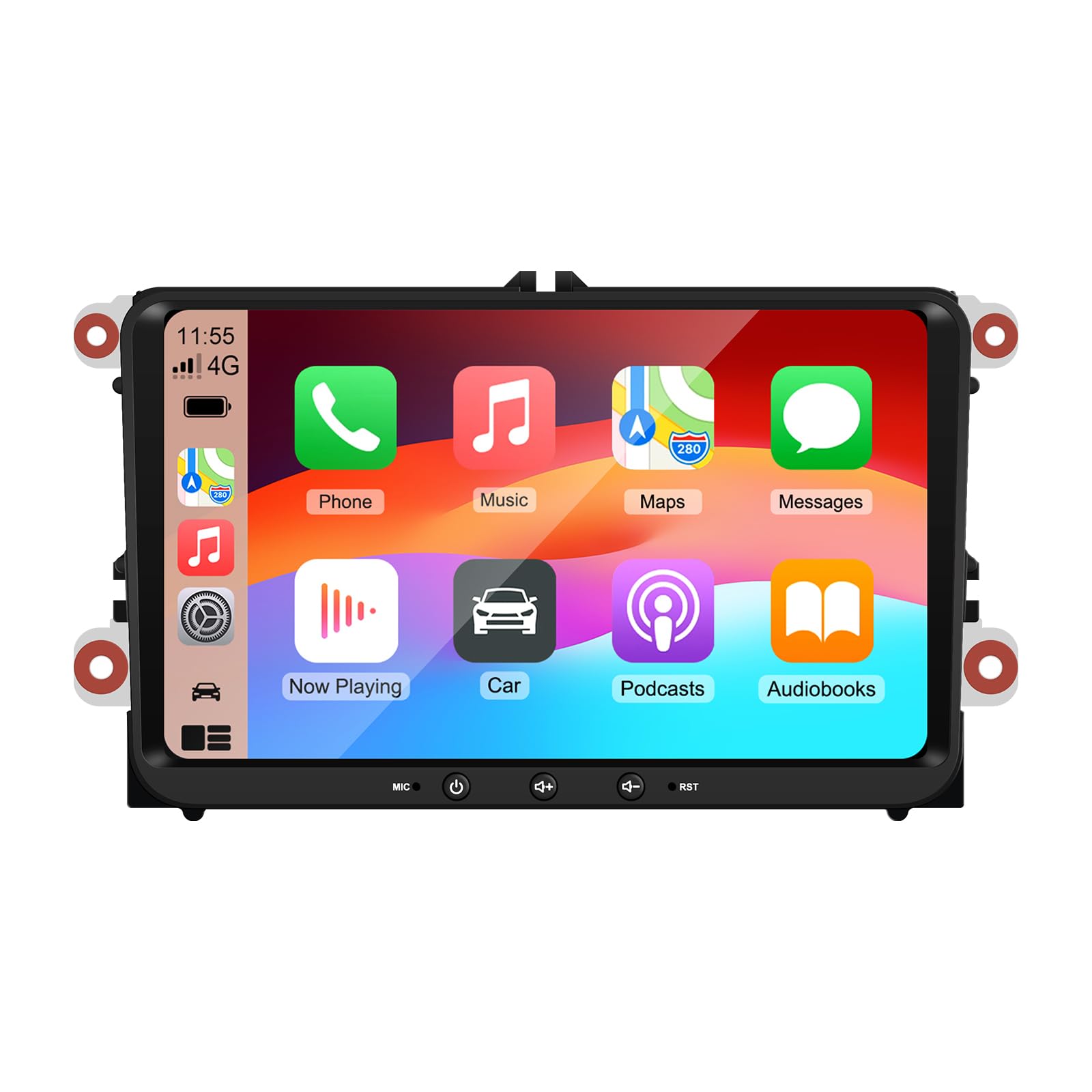
Image 9: A collage of various screen displays from the car stereo after installation, showing settings, navigation, CarPlay, Spotify, and vehicle information screens.
7. Технічне обслуговування
- Очищення екрану: Використовуйте м’яку тканину без ворсу, щоб обережно протерти сенсорний екран. Для стійких плям злегкаampПротріть тканину водою або засобом для чищення екранів. Уникайте агресивних хімікатів.
- Оновлення програмного забезпечення: Periodically check for software updates through the unit's settings menu or the manufacturer's webсайт, щоб забезпечити оптимальну продуктивність і доступ до нових функцій.
- Скидання системи: Якщо з пристроєм виникають постійні проблеми, у налаштуваннях доступна опція скидання до заводських налаштувань. Зверніть увагу, що це призведе до видалення всіх даних та налаштувань користувача.
8. Вирішення проблем
If you encounter problems with your EZoneTronics car stereo, refer to the following common issues and solutions:
| проблема | Можлива причина | Рішення |
|---|---|---|
| Пристрій не вмикається. | Неправильна проводка; перегорілий запобіжник; проблеми з живленням автомобіля. | Check power connections and fuses. Consult a professional installer. |
| Ні звуку. | Volume muted; Speaker wiring incorrect; Ampпитання lifier. | Check volume and mute settings. Verify speaker connections. |
| Сигнал GPS втрачено або неточний. | GPS-антена неправильно розміщена або відключена. | Переконайтеся, що GPS-антена має чіткий сигнал view неба та надійно підключений. |
| Не вдається з'єднати Bluetooth. | Bluetooth не ввімкнено на телефоні/пристрої; Неправильний процес сполучення. | Ensure Bluetooth is active on both devices. Restart pairing process. |
| Не працює керування на кермі. | CANBUS box not connected; Incorrect configuration. | Verify CANBUS box connection. Check steering wheel control settings in the unit. |
9. Технічні характеристики
Technical specifications for the EZoneTronics RM-26VW93-2G32 car stereo:
| Особливість | Специфікація |
|---|---|
| Номер моделі | RM-26VW93-2G32 |
| Операційна система | Android 11 |
| Розмір екрана | 9 дюймів |
| Роздільна здатність дисплея | 1280 x 720 пікселів |
| Процесор | Quad Core 1.5G |
| ОЗУ | 2G DDR4 |
| Внутрішня пам'ять | 32 ГБ флеш-пам'яті |
| Версія Bluetooth | 5.0 |
| Вихідна потужність | 4 x 45W (180 Watts total) |
| Кількість каналів | 2 |
| GPS-приймач | Built-in, with external antenna |
| Wi-Fi | Вбудований |
| USB-вхід | 2 x USB на задній панелі |
| Вхід з камери | CVBS/AHD compatible |
| Виробник | Rhythm Electronics Limited |
10. Гарантія та підтримка
10.1 Інформація про гарантію
The EZoneTronics RM-26VW93-2G32 car stereo comes with a Гарантія 1 рік з дати покупки. Ця гарантія поширюється на виробничі дефекти та несправності за умов нормального використання. Вона не поширюється на пошкодження, спричинені неправильним встановленням, неправильним використанням, нещасними випадками або несанкціонованими модифікаціями.
10.2 Підтримка клієнтів
For technical assistance, warranty claims, or any questions regarding your product, please contact our customer support team:
- Електронна пошта: support@ezonetronics.com
When contacting support, please provide your product model number (RM-26VW93-2G32) and a detailed description of the issue.


