
1. Вступ
Thank you for choosing the OSCAL PowerMax 3600 Portable Power Station and PM200 Solar Panel. This manual provides essential information for the safe and efficient operation, setup, and maintenance of your device. Please read this manual thoroughly before use and retain it for future reference.
Техніка безпеки
- Не розбирайте, не ремонтуйте та не модифікуйте пристрій.
- Тримайте пристрій подалі від вогню, води та екстремальних температур.
- Забезпечте належну вентиляцію під час використання та заряджання.
- Уникайте падіння або сильних ударів пристрою.
- Зберігати в недоступному для дітей та домашніх тварин місці.
2. Продукт закінчивсяview
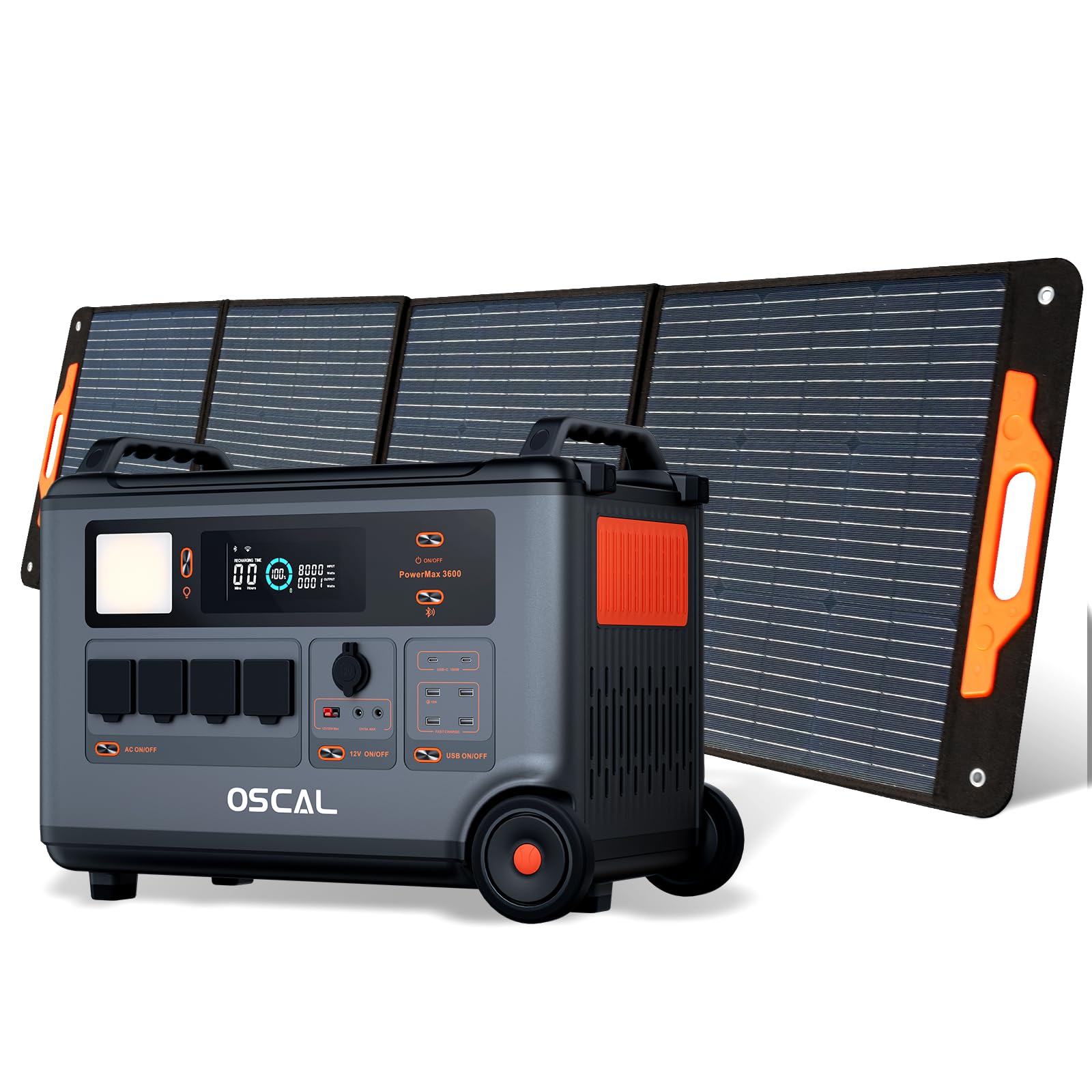
The OSCAL PowerMax 3600 is a high-capacity portable power station designed for various applications, from outdoor adventures to emergency home backup. It features a robust LiFePO4 battery and multiple output ports.
Ключові характеристики:
- Висока місткість: 3600 Wh base capacity, expandable up to 57,600 Wh with additional batteries.
- Потужний вихід: 6000 W peak output, capable of powering most household appliances.
- LiFePO4 акумулятор: Safe, stable, and durable with over 3500 charge cycles (to 80% capacity).
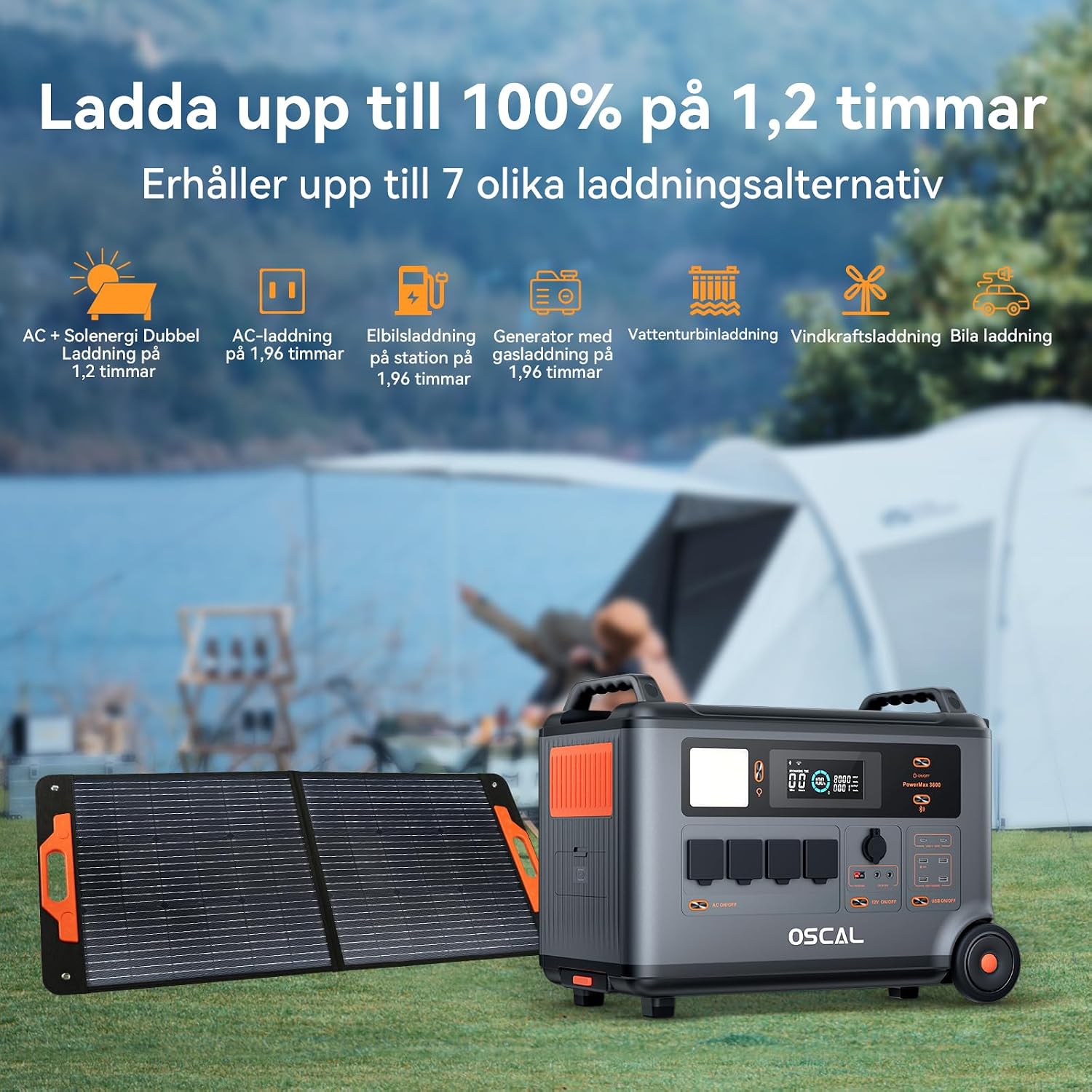
- Швидка зарядка: Fully charged in 1.2 hours with dual AC and solar input.
- Джерело безперебійного живлення (UPS): Automatic switchover in 5-8 ms during power outagес.
- Інтелектуальне управління: Monitor and control via the OSCAL smartphone application (Wi-Fi/Bluetooth).
- Міцний дизайн: Splash-proof, dust-proof, 0.8M vertical drop protection, UV-resistant, and UL94V-0 fire rating.

3. Налаштування
3.1 Розпакування та початковий огляд
Carefully remove all components from the packaging. Verify that all items listed in the 'What you will get' section are present and undamaged. If any items are missing or damaged, contact customer support immediately.
3.2 Початкове заряджання
Before first use, fully charge the PowerMax 3600. Connect the AC charging cable to the unit's AC input port and then to a standard wall outlet. The display will indicate the charging status. A full charge typically takes 1.2 hours with combined AC and solar input, or 1.96 hours with AC only.
3.3 Connecting the PM200 Solar Panel
To charge using solar power, unfold the PM200 solar panel and position it in direct sunlight. Connect the MC4 to Anderson cable (or other compatible cable) from the solar panel to the PowerMax 3600's solar input port. The unit will automatically detect the solar input and begin charging.

4. Інструкція з експлуатації
4.1 Увімкнення/вимкнення
Натисніть і утримуйте головну кнопку живлення протягом кількох секунд, щоб увімкнути або вимкнути пристрій. Дисплей підсвічується після активації.
4.2 Використання виходів змінного струму
Press the AC power button to activate the AC outlets. Plug your devices into the available AC ports. The PowerMax 3600 provides a pure sine wave output, suitable for sensitive electronics. The unit has 4 AC outlets.
4.3 Using DC Outputs (USB-A, USB-C, 12V)
Press the DC power button to activate the DC outputs. Connect your USB-powered devices to the 4 USB-A ports or 2 USB-C ports (100W each). The 12V car port and other DC outputs are also available for compatible devices.

4.4 Розуміння дисплея
The integrated display shows real-time information including battery level, input/output wattage, remaining run time, and active ports. Refer to the on-screen icons for specific indicators.
4.5 Функція джерела безперебійного живлення (ДБЖ)
When connected to an AC wall outlet and powering devices, the PowerMax 3600 acts as a UPS. In the event of a power outage, it automatically switches to battery power within 5 to 8 milliseconds, ensuring continuous operation for connected devices like computers or medical equipment (e.g., CPAP machines).

4.6 Smart Remote Control (OSCAL App)
Download the OSCAL application from your smartphone's app store. Pair the PowerMax 3600 via Wi-Fi or Bluetooth to monitor battery status, control outputs, and perform firmware updates remotely.

5. Методи зарядки
The PowerMax 3600 supports multiple charging methods to ensure you always have power.
- Розетка змінного струму: Connect the included AC charging cable to a standard wall outlet.
- Сонячна зарядка: Use the PM200 solar panel or other compatible solar panels via the MC4 input.
- Зарядка автомобіля: Charge from your vehicle's 12V cigarette lighter port using the included car charging cable.
- Станція зарядки електромобілів: The unit can be charged at an electric vehicle charging station (up to 2200W input).
- Генератор: Connect to a gasoline generator for charging (up to 2200W input).
- Свинцево-кислотний акумулятор: Supports charging from lead-acid batteries for emergency situations.


6. Технічне обслуговування
6.1 Догляд за акумулятором
The PowerMax 3600 uses LiFePO4 batteries, known for their longevity. To maximize battery lifespan:
- Уникайте частого повного розряджання акумулятора.
- Зберігайте пристрій із рівнем заряду від 50% до 80%, якщо він не використовується протягом тривалого часу.
- Під час зберігання заряджайте пристрій кожні 3-6 місяців, щоб запобігти глибокому розряду.

6.2 Очищення
Use a dry, soft cloth to clean the exterior of the unit. Do not use abrasive cleaners or solvents. Ensure all ports are free from dust and debris.
6.3 Зберігання
Store the PowerMax 3600 in a cool, dry place, away from direct sunlight and extreme temperatures. Ensure the unit is turned off during storage.
7. Вирішення проблем
Якщо у вас виникли проблеми з PowerMax 3600, зверніться до наступних поширених проблем та рішень:
| проблема | Можлива причина | Рішення |
|---|---|---|
| Пристрій не вмикається | Акумулятор повністю розряджений; кнопка живлення натиснута недостатньо довго. | Зарядіть пристрій від мережі змінного струму; натисніть і утримуйте кнопку живлення протягом 3-5 секунд. |
| Немає виходу з портів змінного/постійного струму | AC/DC output not activated; Device draws too much power; Overload protection triggered. | Press the respective AC/DC button; Check device wattage; Restart the unit and reduce load. |
| Сонячна зарядка не працює | Insufficient sunlight; Incorrect panel connection; Damaged solar panel/cable. | Ensure direct sunlight; Verify cable connections; Test with another solar panel/cable if possible. |
| Проблеми з підключенням програми | Bluetooth/Wi-Fi off; Unit too far from phone; App not updated. | Ensure Bluetooth/Wi-Fi is on; Move phone closer to unit; Update the OSCAL app. |
If the problem persists, please contact OSCAL customer support.
8. Технічні характеристики
| Особливість | Деталь |
|---|---|
| Бренд | OSCAL |
| Номер моделі | BP3600-PM3600 (PowerMax 3600) |
| Тип батареї | LiFePO4 |
| Ємність | 3600 Wh (expandable up to 57,600 Wh) |
| Вихідна потужність змінного струму | 3600 W (Rated), 6000 W (Peak) |
| Загальна кількість розеток змінного струму | 4 |
| Виходи USB-A | 4 |
| Виходи USB-C | 2 (100 W each) |
| Вхідний об'ємtage | 12 Volts (DC input for car/solar) |
| Частота | 60 Гц |
| Charging Time (AC + Solar) | 1.2 години (до 100%) |
| Charging Time (AC only) | 1.96 години (до 100%) |
| Час перемикання ДБЖ | 5-8 мс |
| Тривалість життя | 3500+ циклів (до 80% ємності) |
| Розміри (Д x Ш x В) | 48 см х 44 см х 35 см |
| вага | 44.45 кілограма |
| матеріал | ABS |
| Особливості | Extra-long battery life, Energy efficient, BMS protection (over-voltagе, під обtage, over-current, over-charge, low/high temperature, short-circuit) |
9. Гарантія та підтримка
9.1 Інформація про гарантію
OSCAL PowerMax 3600 постачається з 5-річна гарантія виробникаЦя гарантія поширюється на дефекти матеріалів та виготовлення за умов нормального використання. Будь ласка, збережіть чек про покупку для пред'явлення претензій за гарантією.
9.2 Включені компоненти
Пакет включає:
- PowerMax 3600 Portable Charging Station
- PM200 Portable Solar Panel
- Зарядний кабель змінного струму
- Кабель для зарядки автомобіля
- Solar Charging Cable (MC4 to Anderson, MC4 to 7909, 6530, XT60, 5521)
- Посібник користувача
- Гарантійний талон
9.3 Підтримка клієнтів
For technical assistance, warranty claims, or any questions regarding your OSCAL PowerMax 3600, please refer to the contact information provided on your warranty card or visit the official OSCAL website. 24-hour after-sales support is available.