
вступ
Thank you for choosing the Xmenha Mini Invisible Bluetooth Earbuds Y9. These earbuds are designed for discreet, comfortable listening, featuring a compact size and ergonomic fit suitable for small ears. This manual provides essential information for setting up, operating, maintaining, and troubleshooting your earbuds to ensure optimal performance and longevity.
Вміст упаковки
- Xmenha Mini Invisible Bluetooth Earbuds (1 pair)
- Зарядний футляр
- USB-кабель для зарядки
- Посібник користувача
- Силіконові вушні насадки (різні розміри)
Продукт закінченийview
The Xmenha Y9 earbuds are engineered for a low-profile fit and high-quality audio. Below are visual representations of the product and its key features.

Image: The Xmenha Y9 mini earbud is shown held by a finger, highlighting its exceptionally small and discreet design next to its charging case.

Зображення: Крупний план view of a woman's ear demonstrates how the Xmenha Y9 earbud sits almost entirely within the ear canal, making it nearly invisible.

Image: A visual guide illustrating the simple one-step Bluetooth pairing process between the Xmenha Y9 earbuds and a smartphone.
Video: Official product video demonstrating the features and compact design of the Xmenha Y9 Mini Bluetooth Earbuds.
Налаштування
1. Заряджання навушників та кейса
Before first use, fully charge the earbuds and charging case. The charging case provides additional power for on-the-go use.
- Помістіть навушники в зарядний футляр. Переконайтеся, що вони правильно встановлені, щоб розпочати заряджання.
- Підключіть USB-кабель для заряджання до порту заряджання на корпусі та джерела живлення (наприклад, USB-порту комп’ютера, адаптера живлення).
- Індикатори на чохлі показуватимуть стан заряджання. Зверніться до специфічних світлових режимів чохла, щоб дізнатися про повне заряджання.
- A single charge provides approximately 4 hours of playback time. The fully charged case can extend total listening time to about 30 hours.

Image: This graphic illustrates the battery performance, showing 4-5 hours of playback on a single earbud charge and up to 30 hours total with the charging case.
2. Підключення Bluetooth
Навушники оснащені автоматичним сполученням для зручності.
- Перше створення пари: Відкрийте зарядний футляр. Навушники автоматично увімкнуться та перейдуть у режим сполучення.
- На своєму пристрої (смартфоні, планшеті тощо) увімкніть Bluetooth та виконайте пошук доступних пристроїв.
- Select "Y9" from the list of available devices to connect. Once connected, you will hear a confirmation tone.
- Подальше сполучення: After the initial connection, the earbuds will automatically connect to the last paired device when removed from the charging case.
Інструкція з експлуатації
1. Носіння навушників
For optimal sound quality and comfort, ensure the earbuds are properly seated in your ear canal.
- Визначте лівий (L) та правий (R) навушники.
- Обережно вставте кожен навушник у відповідний слуховий прохід.
- Rotate the earbud slightly until it feels secure and comfortable. The ergonomic design is intended to fit snugly and discreetly.
- Experiment with different silicone eartip sizes to find the best fit for noise isolation and comfort.

Зображення: Побічний професіоналfile view showing the Xmenha Y9 earbud worn discreetly, demonstrating its low-profile дизайн.

Image: A man and woman are shown wearing the Xmenha Y9 invisible Bluetooth earbuds, highlighting their comfortable and discreet fit for various ear sizes.
2. Торкніться Елементи керування
The Xmenha Y9 earbuds feature intuitive touch controls on each earbud for managing audio playback and calls.
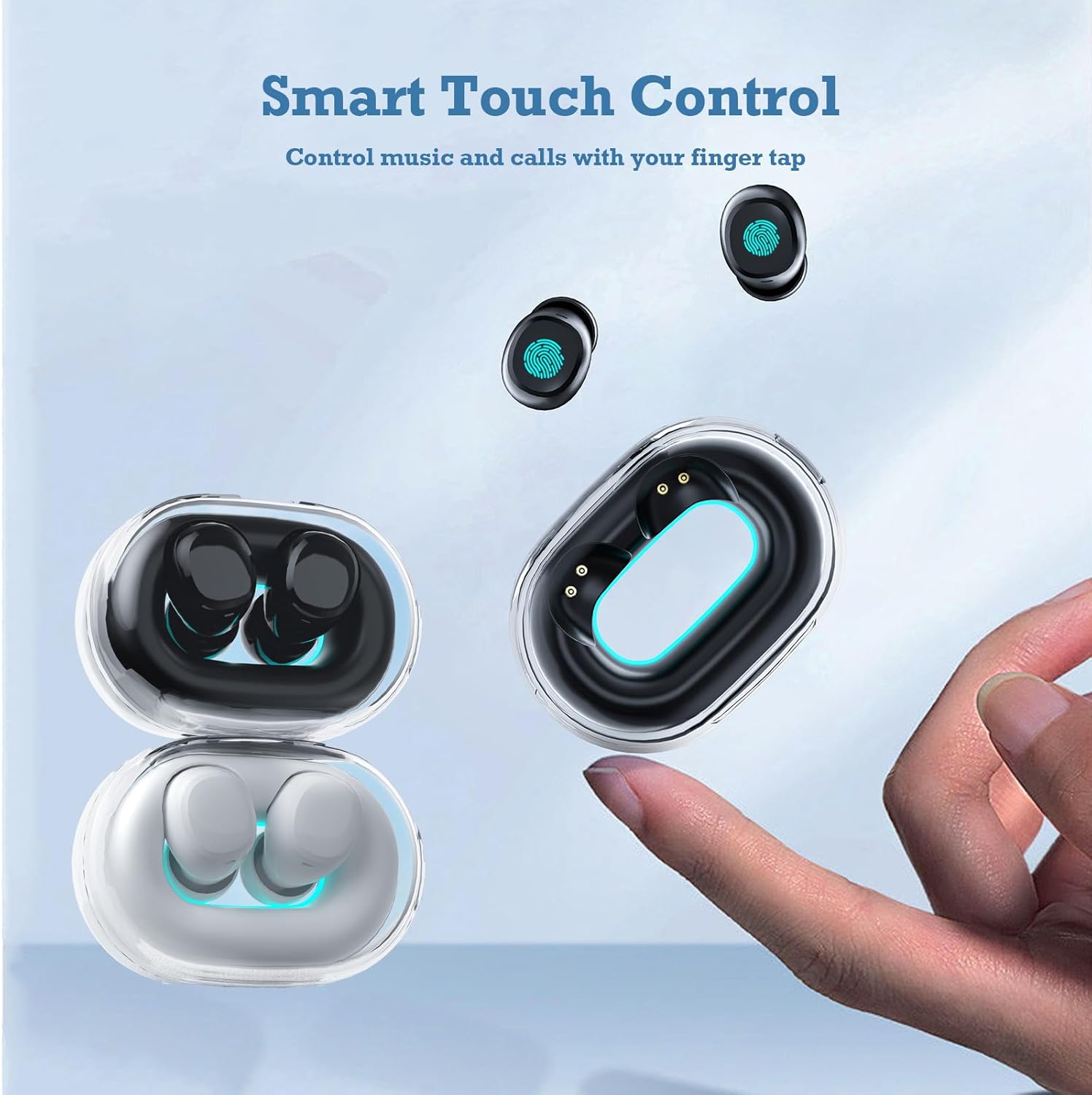
Image: A hand interacts with an Xmenha Y9 earbud, illustrating the smart touch control functionality for managing media and calls.
| Дія | функція |
|---|---|
| Одне натискання (ліворуч/праворуч) | Відтворення/пауза музики, відповідь/завершення дзвінка |
| Подвійне натискання (праворуч) | Наступний трек |
| Подвійне торкання (ліворуч) | Попередній трек |
| Потрійне натискання (ліворуч/праворуч) | Активуйте голосовий помічник |
| Тривале натискання (2 секунд) | Відхилити виклик |
Технічне обслуговування
1. прибирання
Регулярне прибирання допомагає підтримувати якість звуку та гігієну.
- Використовуйте м’яку, суху тканину без ворсу, щоб протерти навушники та зарядний футляр.
- Для стійкого бруду злегкаampПротріть тканину водою або м’яким неабразивним засобом для чищення. Уникайте потрапляння рідини в отвори.
- Remove silicone eartips and clean them separately with water and mild soap, then dry thoroughly before reattaching.
- Do not use harsh chemicals, alcohol, or abrasive materials.
2. Зберігання
Proper storage extends the lifespan of your earbuds.
- Завжди зберігайте навушники в зарядному футлярі, коли вони не використовуються, щоб захистити їх та підтримувати зарядженими.
- Store the case and earbuds in a cool, dry place, away from direct sunlight, extreme temperatures, and humidity.
Усунення несправностей
If you encounter issues with your Xmenha Y9 earbuds, try the following solutions:
- Навушники не сполучаються: Ensure both earbuds are charged. Place them back in the case, close it, then open it again to re-enter pairing mode. Delete "Y9" from your device's Bluetooth list and try pairing again.
- Немає звуку з одного навушника: Ensure both earbuds are charged. Try resetting the earbuds (refer to the full product manual if available for specific reset instructions). Re-pair with your device.
- Проблеми із зарядкою: Check the charging cable and power source. Ensure the earbuds are correctly seated in the charging case. Clean the charging contacts on both the earbuds and the case.
- Погана якість звуку: Ensure the earbuds are properly inserted and the correct size eartips are used for a good seal. Clean any debris from the earbud nozzles. Move closer to your connected device to avoid interference.
- Випадання навушників: Try different sizes of silicone eartips to find a more secure fit. Ensure they are inserted correctly as described in the "Wearing the Earbuds" section.
Технічні характеристики
| Особливість | Деталь |
|---|---|
| Бренд | Xmenha |
| Номер моделі | Xmenha-GWC-Y9-Black |
| Назва моделі | AK57 |
| Колір | Темно-чорний |
| Розташування вуха | Вухо |
| Форм-фактор | Вухо |
| Контроль шуму | Звукоізоляція |
| Технологія підключення | Бездротовий (Bluetooth) |
| Версія Bluetooth | 5.0 |
| Діапазон Bluetooth | 10 метрів |
| Тип управління | Контроль шуму |
| Спосіб контролю | Remote (Touch) |
| Тип аудіо драйвера | Динамічний драйвер |
| Діапазон частот | 20 Гц - 20 000 Гц |
| Матеріал корпусу | пластик |
| Рівень водонепроникності | Водостійкий |
| Battery Average Life (Single Charge) | 4 години |
| Загальний час роботи від батареї (із зарядним футляром) | До 30 годин |
| Вага (навушники) | Approximately 0.71 ounces (total for both) |
| Розміри (навушник) | Приблизно 0.3 x 0.2 x 0.5 дюйма |
Гарантія та підтримка
For detailed warranty information, please refer to the documentation included with your purchase or contact the retailer. If you require further assistance or have questions not covered in this manual, please reach out to Xmenha customer support through their official channels or the platform where you purchased the product.