1. Вступ
Welcome to the T800 Ultra Smartwatch user manual. This guide provides comprehensive instructions for setting up, operating, and maintaining your new smartwatch. The T800 Ultra seamlessly blends advanced technology with a timeless design, offering a sophisticated and functional experience. It features a larger, brighter display, deep water resistance, video control assistant, fast wireless charging, Bluetooth connectivity, and NFC capabilities.
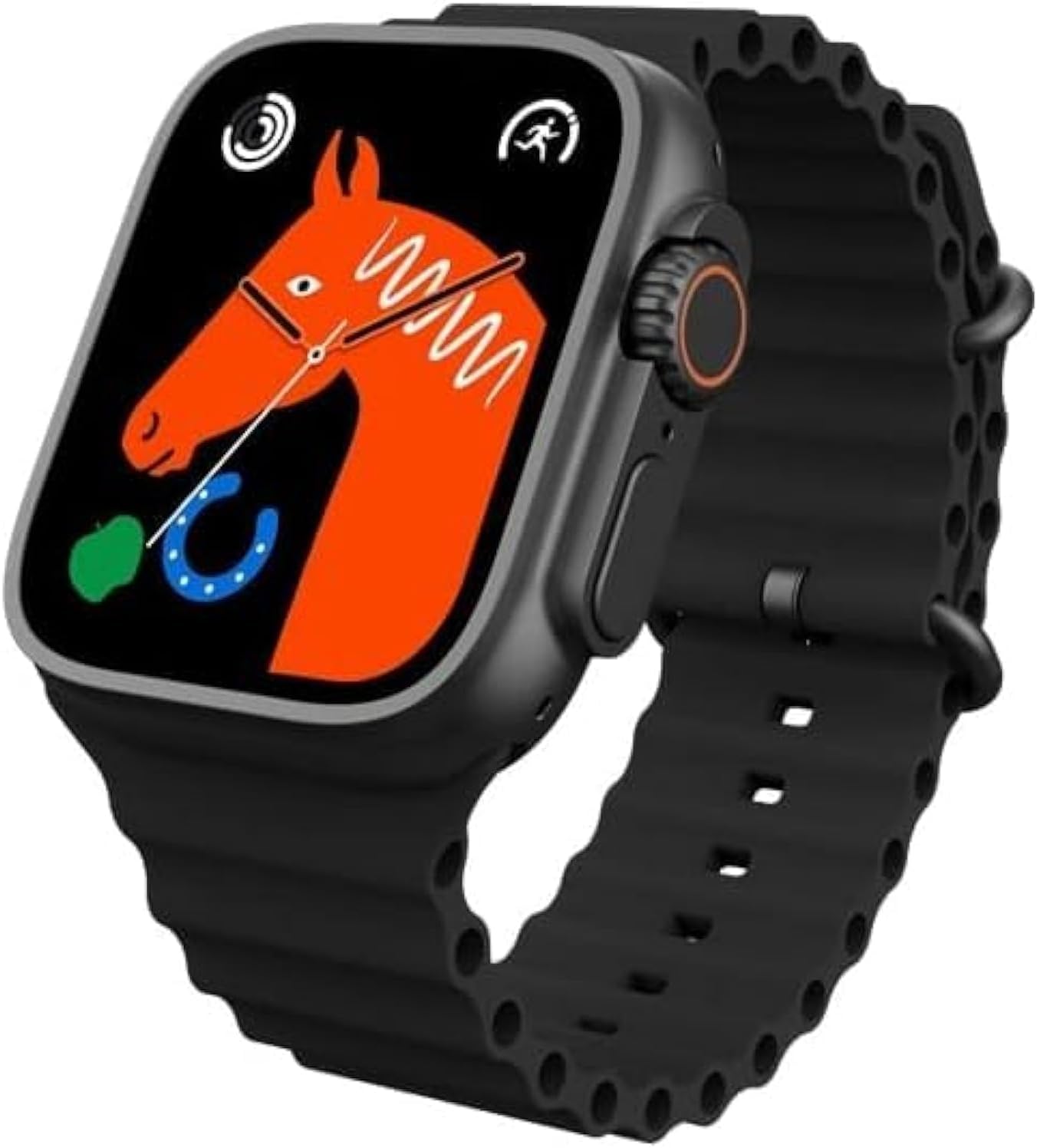
Figure 1: T800 Ultra Smartwatch, front view with display.
2. Інформація про безпеку
- Не піддавайте пристрій впливу екстремальних температур або прямих сонячних променів протягом тривалого часу.
- Уникайте падіння або сильних ударів пристрою.
- Тримайте пристрій подалі від сильних магнітних полів.
- Використовуйте лише наданий зарядний кабель та адаптер, щоб запобігти пошкодженню.
- While water-resistant, avoid prolonged submersion or use in hot water (e.g., hot showers, saunas).
- Не намагайтеся самостійно розібрати або відремонтувати пристрій. Зверніться по допомогу до служби підтримки клієнтів.
3. Продукт закінчивсяview
The T800 Ultra Smartwatch features a sleek design with a responsive touch screen and physical buttons for easy navigation. Key components include:
- Дисплей: Large, bright, and customizable digital screen.
- Crown/Button: For navigation and selection.
- Бічна кнопка: For quick access to functions.
- Датчик серцевого ритму: Розташований на задній панелі для контролю здоров'я.
- Контакти для зарядки: For wireless charging.
4. Налаштування
4.1. Зарядка пристрою
Before first use, fully charge your T800 Ultra Smartwatch. The device supports fast wireless charging.
- Place the smartwatch on the wireless charging pad.
- Ensure the charging contacts on the watch align with the charging area on the pad.
- Дисплей годинника показуватиме стан заряджання. Повне заряджання зазвичай триває приблизно 2 години.
4.2. Увімкнення/вимкнення живлення
- Щоб увімкнути: Натисніть і утримуйте бічну кнопку, доки екран не засвітиться.
- Щоб вимкнути: Натисніть і утримуйте бічну кнопку, потім виберіть на екрані «Вимкнути».
4.3. Сполучення зі смартфоном
To unlock the full potential of your T800 Ultra, pair it with your smartphone via Bluetooth.
- Download the companion app (check the watch manual or packaging for app name, typically found via QR code on the watch or in the box) from your smartphone's app store.
- Увімкніть Bluetooth на своєму смартфоні.
- Open the companion app and follow the on-screen instructions to add your device.
- On your T800 Ultra, navigate to the Bluetooth settings and ensure it is discoverable.
- Select your T800 Ultra from the list of available devices in the app to complete pairing.
5. Інструкція з експлуатації
5.1. Навігація інтерфейсом
The T800 Ultra features an intuitive touch interface and physical buttons for seamless interaction.
- Проведіть вгору/вниз: Прокручуйте меню та сповіщення.
- Проведіть вліво/вправо: Доступ до різних віджетів або швидких налаштувань.
- Торкніться: Виберіть елемент або відкрийте програму.
- Натисніть на корону: Повернення на головний екран або доступ до списку програм.
- Натисніть бічну кнопку: Typically for power options or a customizable shortcut.
5.2. Налаштування циферблатів годинника
Personalize your T800 Ultra with a variety of dynamic watch faces to match your style and mood.
- From the home screen, press and hold the watch face.
- Проведіть пальцем ліворуч або праворуч, щоб переглянути доступні циферблати годинника.
- Tap on a watch face to select it. Some watch faces may offer further customization options (e.g., complications, colors) which can be adjusted by tapping the 'Edit' icon.

Малюнок 2: Впрamples of customizable watch faces on the T800 Ultra.
5.3. Виклики через Bluetooth
With Bluetooth calling, you can manage calls directly from your wrist.
- Ensure your watch is paired with your smartphone.
- When an incoming call arrives, you can answer or reject it directly on the watch screen.
- You can also dial numbers or access your phone's contact list from the watch to initiate calls.

Figure 3: Bluetooth calling interface on the T800 Ultra.
5.4. Відстеження здоров'я та фізичної форми
The T800 Ultra is equipped with advanced sensors to monitor your health and fitness metrics.
- Монітор серцевого ритму: The watch continuously monitors your heart rate. Access the Heart Rate app on the watch to view дані в режимі реального часу та історичні тенденції.
- Відстеження кроків: The built-in pedometer tracks your daily steps, distance, and calories burned.
- Моніторинг сну: Wear the watch to bed to track your sleep patterns, including deep sleep, light sleep, and wakefulness. View детальний аналіз у супутньому додатку.
- Мультиспортивний режим: Select from various sports modes (e.g., running, cycling, basketball) to track specific workouts with detailed metrics.
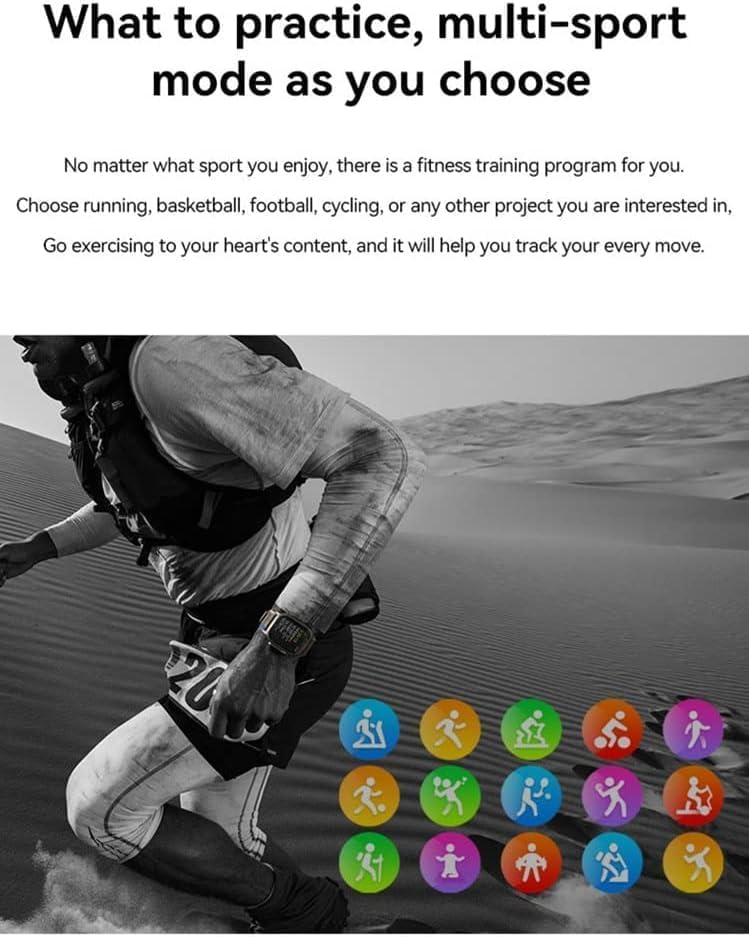
Figure 4: Heart rate and sleep tracking features.
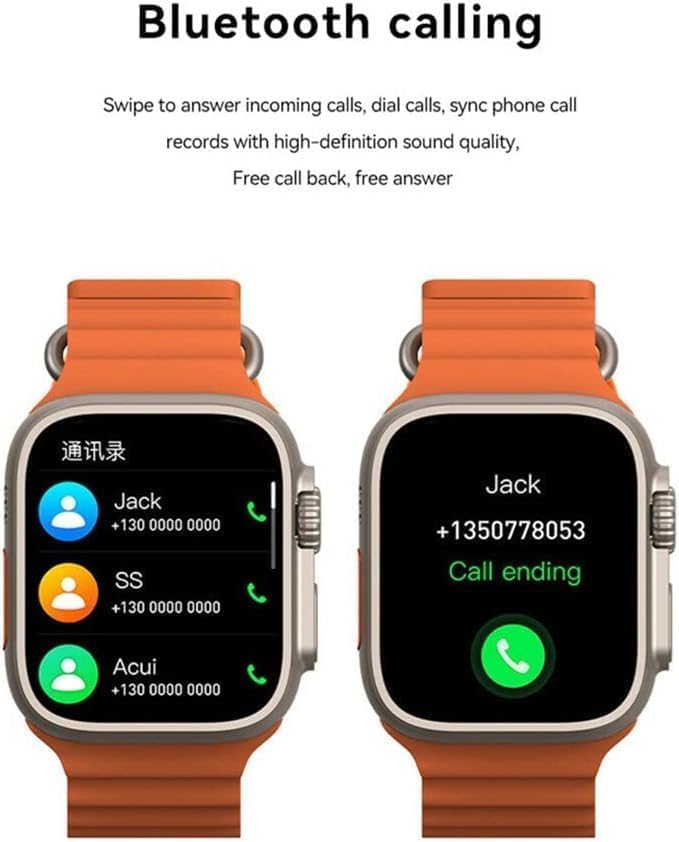
Figure 5: Multi-sport mode selection.
5.5. Функціональність NFC
The T800 Ultra supports NFC for convenient access control and other compatible functions.
- The NFC feature allows for simulation of company/community access cards.
- To use, simply lift your wrist with the watch near a compatible NFC reader.
- Refer to the companion app for setup and management of NFC functions.
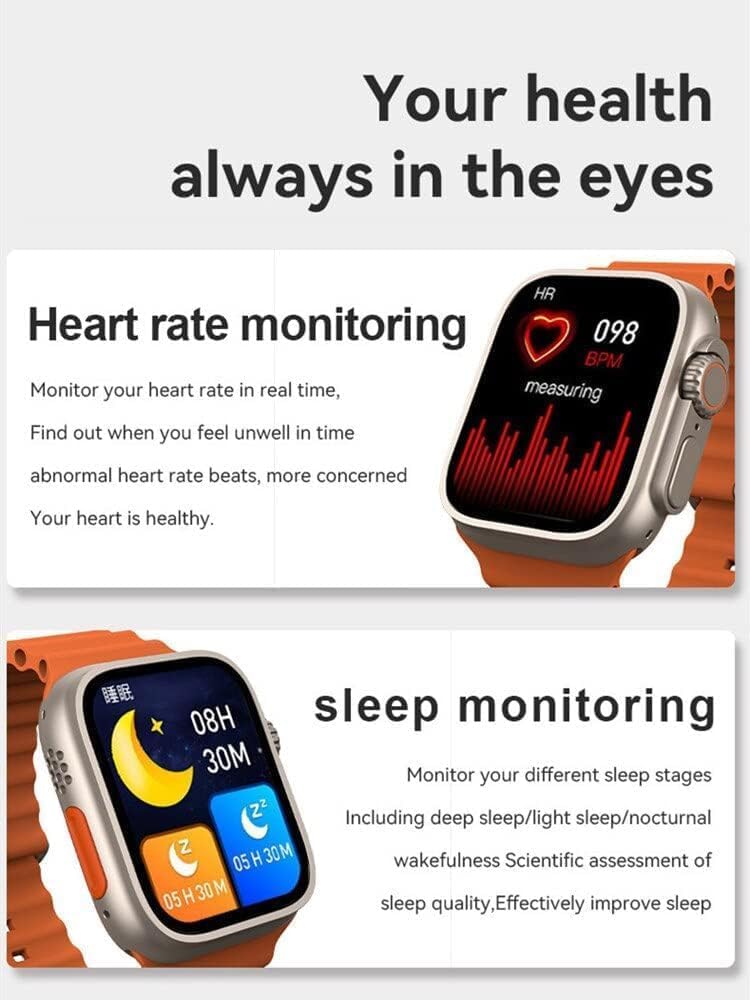
Figure 6: NFC functionality for access control.
6. Технічне обслуговування
- Прибирання: Регулярно протирайте годинник і ремінець м’якою губкоюamp тканина. Уникайте використання агресивних хімікатів або абразивних матеріалів.
- Водонепроникність: The T800 Ultra is water-resistant. However, it is not suitable for diving or high-pressure water activities. Dry the watch thoroughly after exposure to water.
- Зберігання: Якщо годинник не використовується протягом тривалого часу, зберігайте його в прохолодному сухому місці.
7. Вирішення проблем
| проблема | Можлива причина / рішення |
|---|---|
| Годинник не вмикається. | Battery might be depleted. Charge the watch for at least 30 minutes. If still unresponsive, perform a hard reset (refer to specific device instructions or contact support). |
| Не вдається з'єднати пристрій зі смартфоном. | Ensure Bluetooth is enabled on both devices. Make sure the watch is in pairing mode. Restart both the watch and smartphone. Check the companion app for specific pairing steps. |
| Короткий час автономної роботи. | High screen brightness, frequent notifications, continuous heart rate monitoring, or GPS usage can drain the battery faster. Adjust settings to optimize battery life. Ensure the watch is fully charged. |
| Screen is scratched or damaged. | While the watch features a scratch-resistant sapphire crystal bezel, extreme impacts can still cause damage. This is typically not covered under standard warranty. |
| Watch is unresponsive or frozen. | Try restarting the watch by pressing and holding the side button. If that doesn't work, perform a forced restart (consult the companion app or manufacturer's webсайт для отримання конкретних інструкцій). |
8. Технічні характеристики
| Особливість | Деталь |
|---|---|
| Назва моделі | T800 Ультра |
| Бренд | загальний |
| Операційна система | Android |
| Технологія підключення | Bluetooth |
| Стандарт бездротового зв'язку | Bluetooth |
| Особливості | Activity Tracker, GPS, NFC |
| Склад батареї | Літій-іонний |
| Форма предмета | Круглий |
| Розміри виробу (ДхШхВ) | 22.2 х 8 х 4.2 см |
| Вага товару | 150 грами |
| Потрібні батареї | 1 Unknown (Included) |
9. Гарантія та підтримка
This product comes with a standard manufacturer's warranty. Please refer to the warranty card included in your product packaging for specific terms and conditions.
For technical support, troubleshooting assistance, or warranty claims, please contact the retailer or manufacturer directly. Contact details can usually be found on the product packaging or the manufacturer's official webсайт.
For further assistance, you may also visit the product's Amazon page: Сторінка товару Amazon