
вступ
Thank you for choosing the TECKNET Wireless Rechargeable Silent Mouse. This manual provides detailed instructions to help you get the most out of your new device. Please read it carefully before use and keep it for future reference.
Вміст упаковки
- TECKNET Wireless Rechargeable Silent Mouse
- USB-приймач
- Зарядний кабель USB-C
- Посібник користувача (цей документ)
Продукт закінченийview
Familiarize yourself with the mouse components:
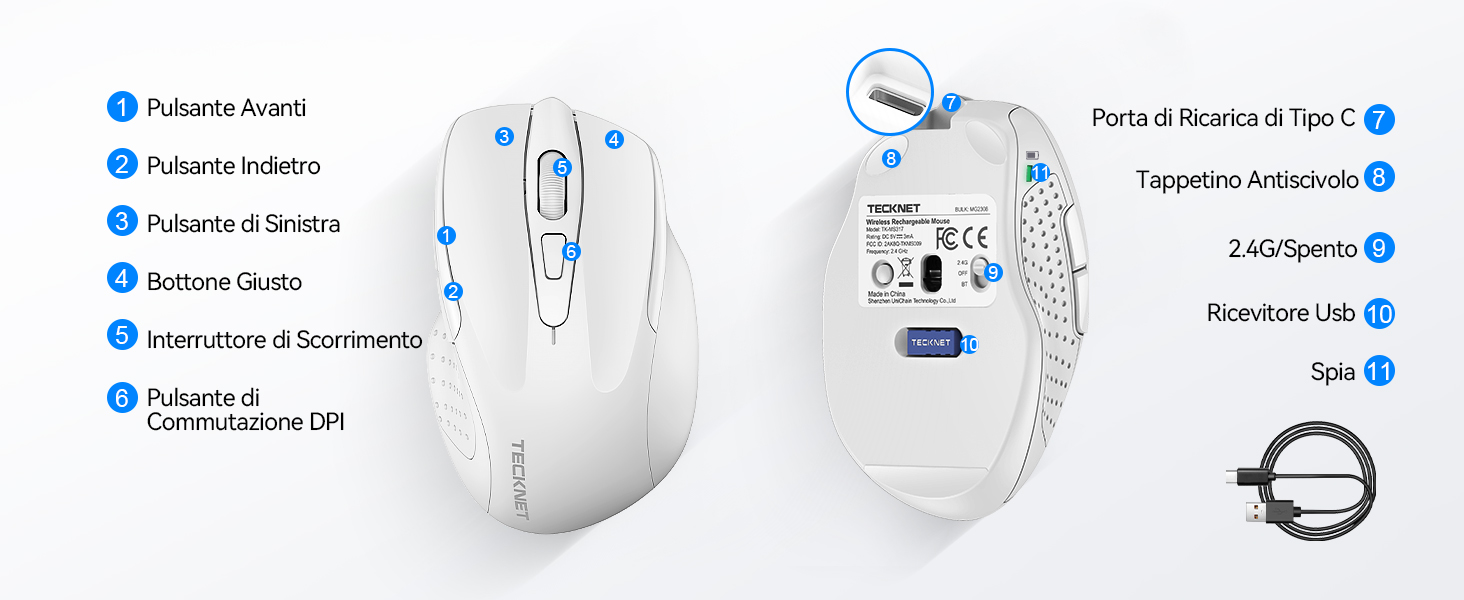
Figure 1: Mouse Components Diagram
- Кнопка "Вперед".
- Кнопка "Назад".
- Ліва кнопка
- Права кнопка
- Колесо прокрутки
- Кнопка перемикача DPI
- Порт для зарядки типу C
- Антиковзаюча накладка
- 2.4G/Off Switch
- Зберігання USB-приймача
- Світловий індикатор
Інструкції з налаштування
1. Заряджання миші
Before first use, it is recommended to fully charge the mouse. Connect the provided USB-C charging cable to the mouse's Type-C charging port and the other end to a USB power source (e.g., computer USB port, USB wall adapter).

The mouse features a 700mAh built-in battery, providing extended usage on a single charge. The indicator light will show charging status.
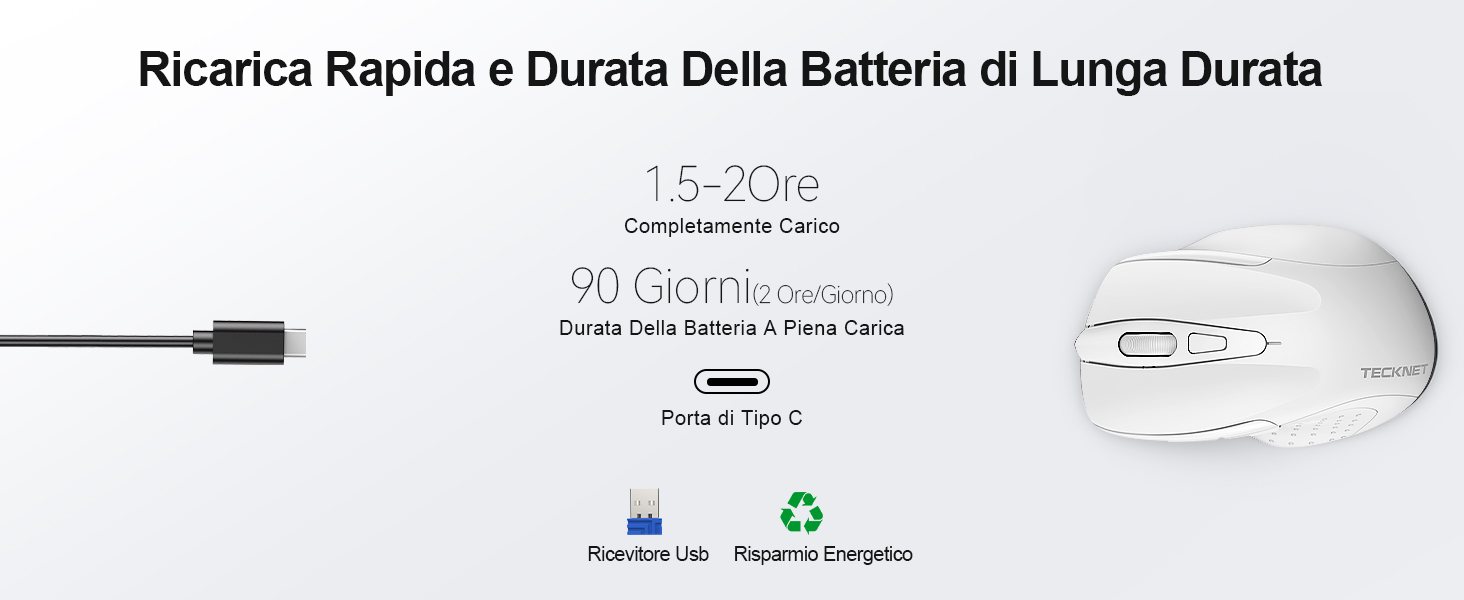
A full charge takes approximately 1.5-2 hours and can last up to 90 days (based on 2 hours/day usage).
2. Підключення USB-приймача
The mouse uses a 2.4GHz wireless connection for reliable data transmission.
- Знайдіть USB-приймач, що знаходиться у відсіку на нижній стороні миші.
- Plug the USB receiver into an available USB port on your computer (PC, laptop, Chromebook, etc.).
- Turn on the mouse using the 2.4G/Off switch located on the underside.
- Your computer should automatically detect and install the necessary drivers. The mouse is plug-and-play, requiring no additional software.

The effective working distance is up to 15 meters.

Ensure the mouse is switched on after plugging in the receiver.
Інструкція з експлуатації
Налаштування DPI
The mouse features 6 adjustable DPI levels (800/1200/1600/2400/3200/4800) to suit various tasks, from precise targeting to fast gaming movements. Press the DPI switch button (Component 6 in Figure 1) to cycle through the DPI settings.

Adjust DPI for optimal cursor speed and precision.
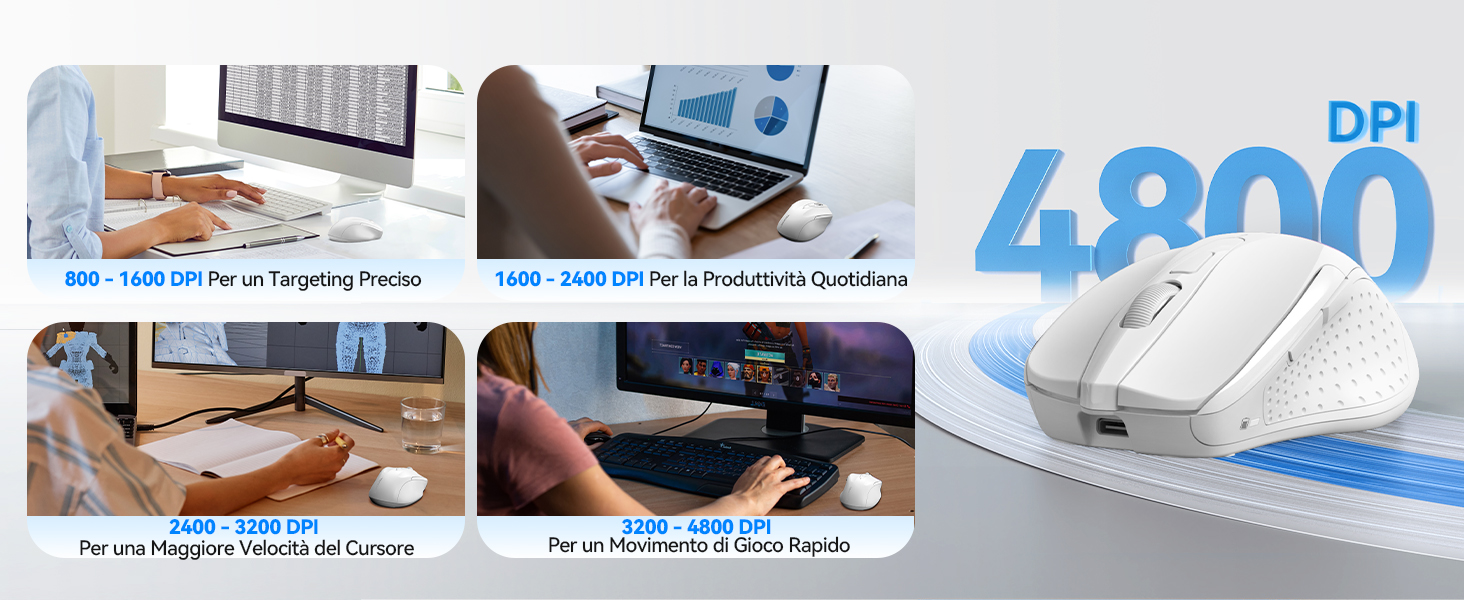
DPI settings for different usage scenarios.
Функція безшумного клацання
The mouse is designed for silent operation, reducing click noise by up to 90%. This allows for a quiet working environment without disturbing others.

Enjoy a quiet working experience.
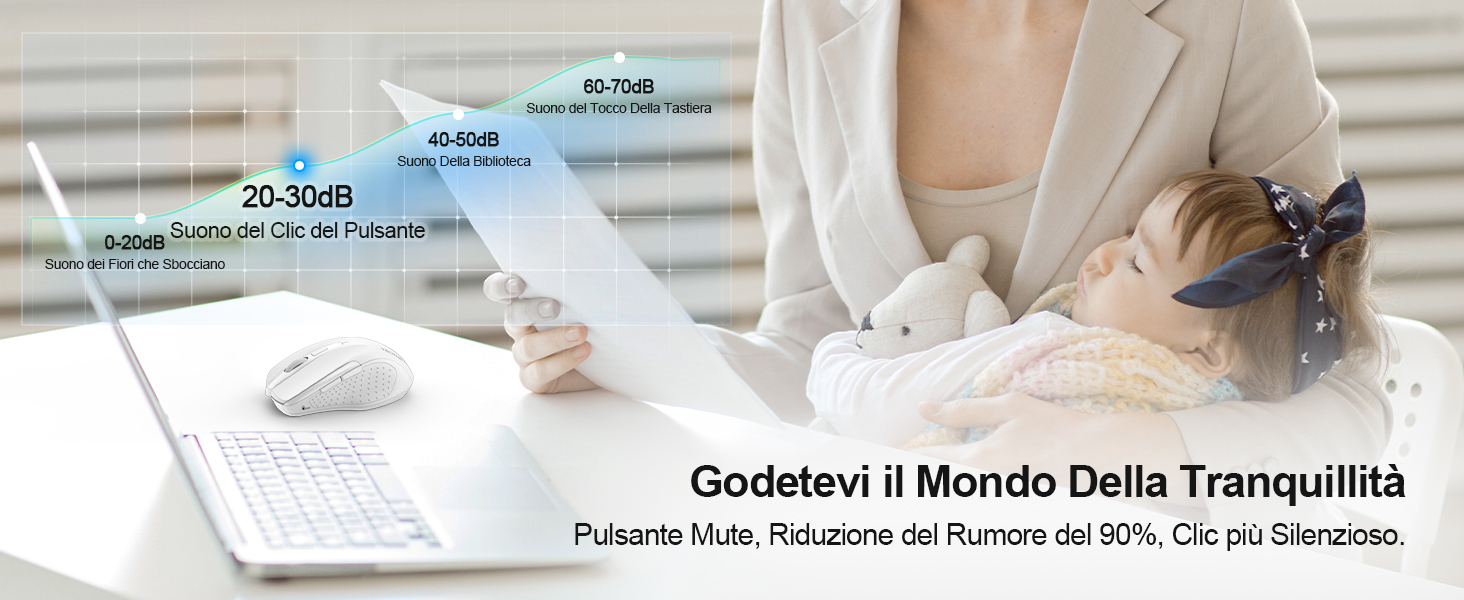
Sound level comparison demonstrating reduced click noise.
Ергономічний дизайн
The mouse is ergonomically designed to fit the natural curvature of your hand, reducing muscle pressure by up to 30% and ensuring comfortable use for extended periods. Soft natural rubber grips on the sides provide a secure and comfortable hold.

Ergonomic shape for comfortable use.
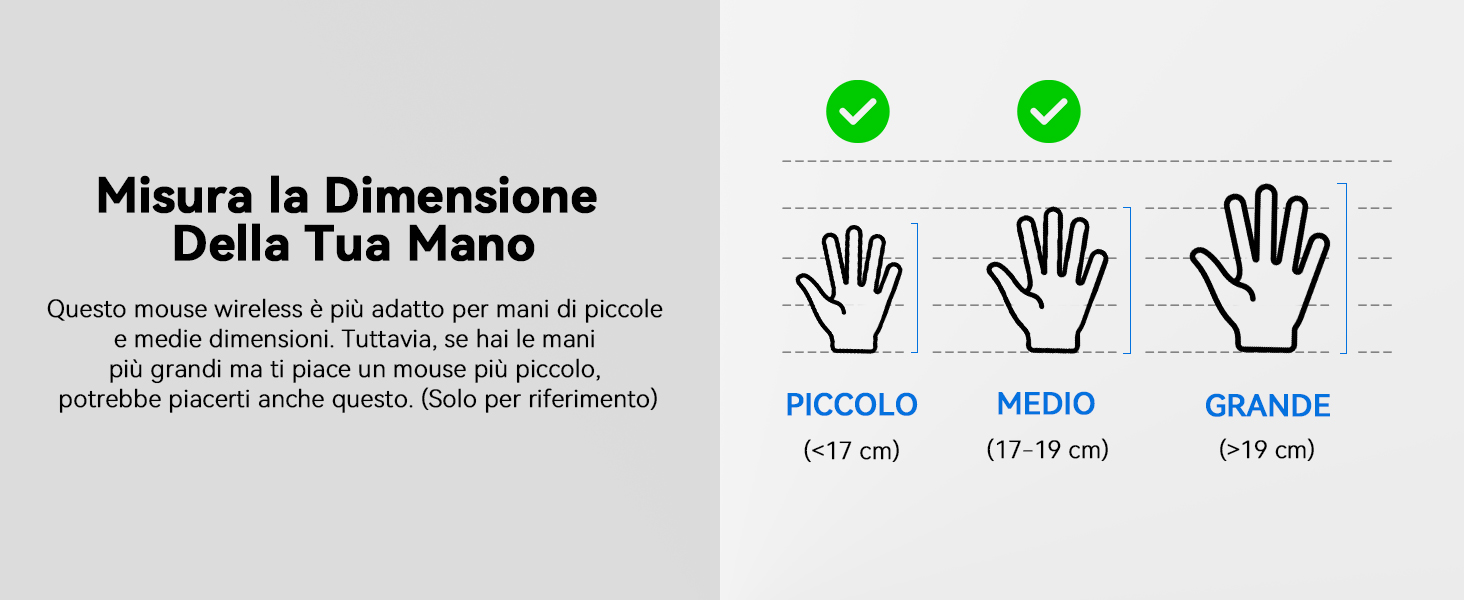
This mouse is suitable for small to medium hand sizes. Refer to the guide for reference.
Функції енергозбереження
The mouse includes intelligent power-saving features:
- Автоматичний режим сну: If inactive for 10 seconds, the mouse enters standby mode. After 10 minutes of inactivity, it enters deep sleep mode to conserve battery.
- Функція пробудження: Натисніть будь-яку кнопку, щоб вивести мишу з режиму сну.
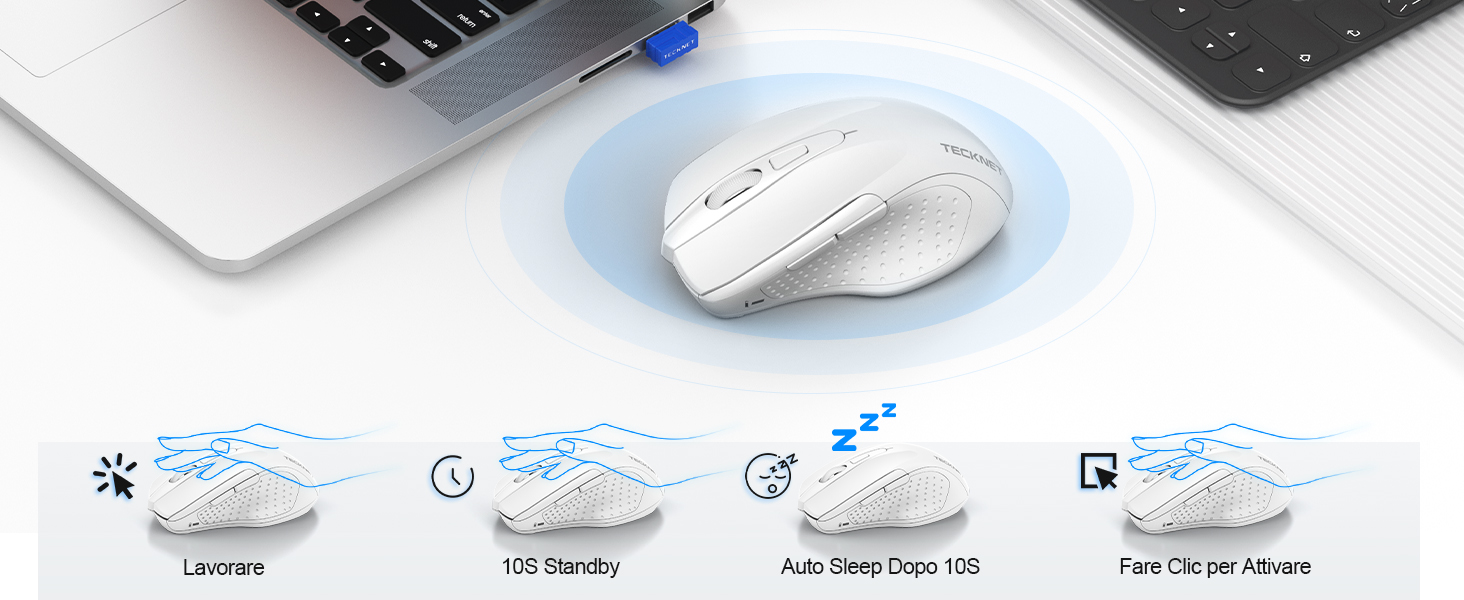
Power saving modes for extended battery life.
Технічне обслуговування
- Прибирання: Використовуйте м’яку суху тканину для очищення миші. Для стійкого бруду злегкаamp можна використовувати тканину, переконавшись, що волога не потрапить всередину пристрою.
- Зарядка: Recharge the mouse when the indicator light signals low battery. Avoid completely draining the battery frequently to prolong its lifespan.
- Зберігання: When not in use for extended periods, turn off the mouse and store the USB receiver in its designated compartment.
Усунення несправностей
| проблема | Можлива причина | Рішення |
|---|---|---|
| Миша не відповідає | Low battery; USB receiver not connected; Mouse switched off; Driver issue. | Charge the mouse; Ensure USB receiver is securely plugged in; Turn on the mouse; Try a different USB port; Restart computer. |
| Періодичне з'єднання або затримка | Interference from other wireless devices; Distance from receiver; Obstructions. | Move closer to the receiver; Remove obstructions; Avoid using near other 2.4GHz devices; Try a different USB port. |
| Рух курсора нерівномірний або неточний | Брудний оптичний датчик; Невідповідна поверхня; Неправильне налаштування роздільної здатності (DPI). | Clean the optical sensor; Use a mouse pad or a smooth, non-reflective surface; Adjust DPI settings. |
| Mouse does not charge | Faulty charging cable; Faulty USB port; Mouse issue. | Try a different USB-C cable; Try a different USB power source; Contact customer support if the issue persists. |
Технічні характеристики
| Бренд | ТЕКНЕТ |
| Номер моделі | ТК-МС009 |
| Колір | Білий |
| Технологія підключення | Бездротовий зв'язок 2.4 ГГц (USB-приймач) |
| Особливості | Rechargeable, Long Battery Life, Silent Click, Ergonomic Design |
| Технологія виявлення руху | Оптичний |
| Кількість кнопок | 6 |
| Орієнтація руки | Правша |
| Сумісні пристрої | Laptop, PC, Chromebook, Computer |
| Операційні системи | Windows 11/10/8.1/8/7/Vista/XP, Linux, Mac OS (side buttons not available on Mac OS) |
| Середній термін служби батареї | 1050 Hours (approx. 1-2 months on 2-hour charge) |
| Максимальна чутливість | 4800 DPI |
| Дальність бездротового зв'язку | 15 метрів |
| Розміри (Д x Ш) | 10.6Д x 6.8Ш см |
| матеріал | пластик |
Гарантія та підтримка
TECKNET пропонує Гарантія 36 місяців for registered users. If you encounter any issues during the use of your mouse, please contact our professional customer service team as soon as possible. We are committed to assisting you in resolving any problems.
Для отримання підтримки відвідайте офіційний сайт TECKNET webсайт або зверніться до контактної інформації, наданої на упаковці вашого продукту.
Інтернет-ресурси: