
1. Вступ
Thank you for choosing the Micool BT-X Bluetooth V5.3 Clip-On Wireless Headphones. This manual provides essential information for setting up, operating, and maintaining your headphones to ensure optimal performance and longevity. Please read this manual thoroughly before first use and retain it for future reference.
2. Вміст упаковки
- Micool BT-X Wireless Headphones (Left and Right)
- Зарядний футляр
- Зарядний кабель USB-C
- Посібник користувача
3. Продукт закінчивсяview
The Micool BT-X headphones are designed for comfort and high-quality audio, featuring an open-ear design with earhooks. They incorporate Bluetooth 5.3 technology for stable connections and 28mm speakers for clear stereo sound and powerful bass. Four integrated microphones enhance call clarity by reducing ambient noise.

Image: Micool BT-X Headphones and Charging Case

Image: Internal structure highlighting the 28mm neodymium magnetic horn for enhanced sound quality.

Image: User demonstrating clear call functionality with Micool BT-X headphones, featuring 4 microphones for noise cancellation.
4. Getting Started: First Use and Pairing
4.1 Початкове налаштування
Before first use, ensure you remove the charging protection insulation film from both earbuds. This film prevents charging during shipping.
Video: Demonstrates removing the charging protection insulation film and initiating Bluetooth pairing for first-time use.
4.2 Створення пари Bluetooth
- Ensure the headphones are fully charged and the insulation film has been removed.
- Open the charging case lid. The headphones will automatically enter Bluetooth pairing mode, indicated by a green light flashing intermittently on the earbuds.
- На вашому пристрої (смартфоні, планшеті, ноутбуці) увімкніть Bluetooth.
- шукати available Bluetooth devices and select 'Micool BT-X' from the list.
- Once connected, the green light on the earbuds will stop flashing, indicating successful pairing.
The headphones will automatically reconnect to the last paired device when removed from the charging case and within range.
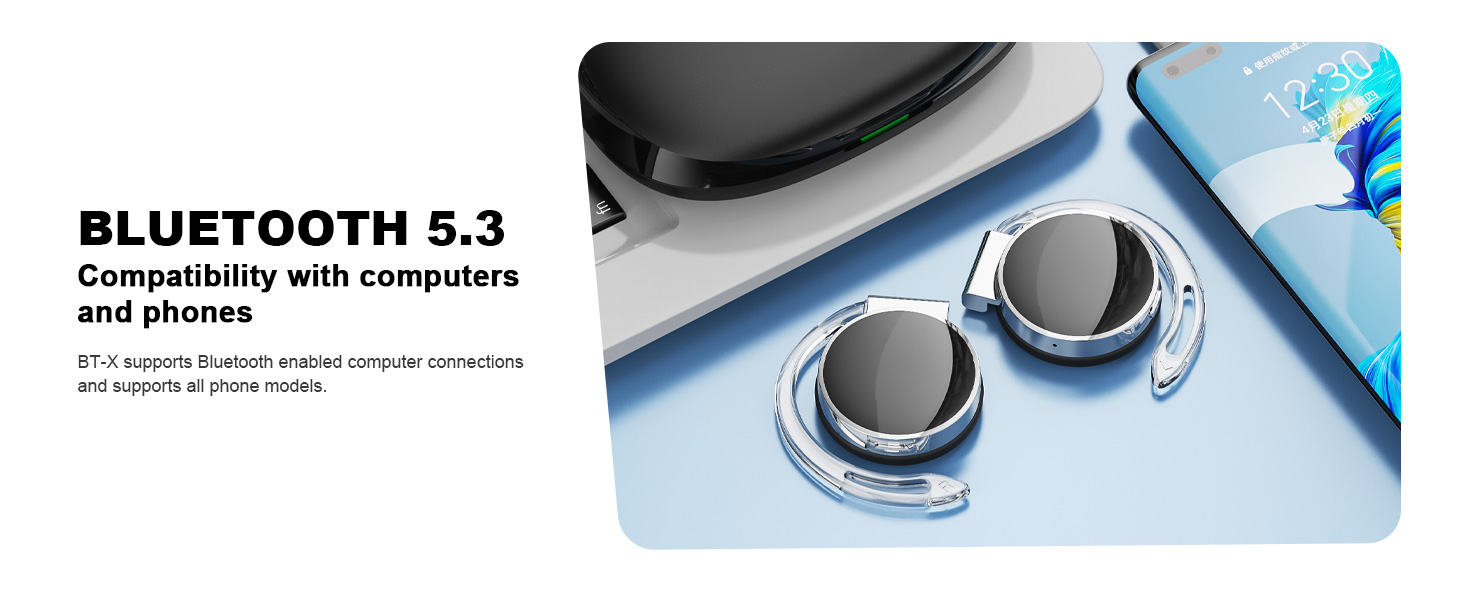
Image: Micool BT-X headphones demonstrating compatibility with various devices including laptops and smartphones via Bluetooth 5.3.
5. Носіння навушників
For optimal sound and comfort, wear the headphones correctly as shown below:

Image: Step-by-step guide on how to wear the Micool BT-X headphones.
- Крок 1: Separate the earhooks at a 30-degree angle.
- Крок 2: Rotate the earhook along the inside of your ear to the bottom.
- Крок 3: Press the headphones gently until they feel secure on your ears.
- Крок 4: Adjust for a comfortable and stable fit. The sponge earmuffs are designed for comfort during extended wear.
6. Інструкція з експлуатації
The Micool BT-X headphones feature multi-function buttons on each earbud for easy control.
6.1 Керування музикою
- Відтворення/пауза: Один раз натисніть багатофункціональну кнопку на будь-якому навушнику.
- Наступна пісня: Двічі натисніть багатофункціональну кнопку на правому навушнику.
- Попередня пісня: Двічі натисніть багатофункціональну кнопку на лівому навушнику.
- Збільшення гучності: Triple press the multi-function button on the right earbud.
- Зменшення гучності: Triple press the multi-function button on the left earbud.
6.2 Керування дзвінками
- Відповісти/закінчити виклик: Один раз натисніть багатофункціональну кнопку на будь-якому навушнику.
- Відхилити виклик: Натисніть і утримуйте багатофункціональну кнопку на будь-якому навушнику протягом 2 секунд.
6.3 Голосовий помічник
- Активувати голосового помічника: Натисніть і утримуйте багатофункціональну кнопку на будь-якому навушнику протягом 3 секунд.
7. Зарядка
The Micool BT-X headphones offer extended battery life with their charging case.
- Headphone Battery Life: Up to 15 hours of music playback on a single full charge.
- Загальний час роботи від батареї з футляром: The charging case provides approximately 3 additional full charges, extending total listening time up to 42 hours.
- Зарядка футляра: Connect the provided USB-C cable to the charging port on the case and a power source. The battery indicator on the case will show the charging status and remaining battery capacity.
- Зарядка навушників: Place the headphones into the charging case. They will automatically begin charging.

Image: Visual representation of the extended battery life for Micool BT-X headphones and their charging case.
8. Технічні характеристики
| Особливість | Специфікація |
|---|---|
| Бренд | Мікул |
| Номер моделі | BT-X |
| Версія Bluetooth | 5.3 |
| Технологія підключення | Бездротовий |
| Розташування вуха | На вухо |
| Середній термін служби батареї | 15 Hours (Headphones), 42 Hours (with Charging Case) |
| Тип управління | Голосове керування |
| Спосіб контролю | Дотик, голос |
| Тип аудіо драйвера | Динамічний драйвер (28-мм динаміки) |
| мікрофони | 4 (with Noise Cancelling) |
| Сумісні пристрої | Мобільні телефони, планшети, ноутбуки, настільні комп'ютери |
9. Вирішення проблем
- Не вдається з’єднати пристрій із:
Ensure the headphones are charged and the insulation film is removed. Turn off Bluetooth on other nearby devices. Restart your device and try pairing again. If issues persist, reset the headphones (refer to manufacturer's webсайт для отримання конкретних інструкцій зі скидання, якщо їх немає в інструкції). - Немає звуку або низька гучність:
Check the volume levels on both your device and the headphones. Ensure the headphones are properly connected to your device. Try playing audio from a different application or device. - Переривчасте підключення:
Ensure there are no obstructions between the headphones and your device. Stay within the Bluetooth range (up to 10 meters). Avoid environments with strong electromagnetic interference. - Навушники не заряджаються:
Verify the USB-C cable is securely connected to both the charging case and the power source. Ensure the headphones are correctly seated in the charging case. Check the charging case's battery level.
10. Інформація про безпеку
- Do not expose the headphones or charging case to extreme temperatures, humidity, or liquids.
- Avoid dropping, impacting, or disassembling the product.
- Використовуйте для заряджання лише наданий зарядний кабель або сертифікований кабель USB-C.
- Clean the headphones with a soft, dry cloth. Do not use harsh chemicals.
- Тривале прослуховування на високій гучності може пошкодити слух. Відрегулюйте гучність до безпечного рівня.
- Be aware of your surroundings when using headphones, especially in traffic or hazardous situations.
11. Гарантія та підтримка
Micool products come with a standard warranty. For detailed warranty information, product support, or service inquiries, please refer to the official Micool webсайт або зверніться до служби підтримки клієнтів через вашу платформу для покупок.
Micool is committed to providing 24-hour after-sales service for all purchased items.
Webсайт: Visit the Micool Store on Amazon