
ВЕСЕКУУ 8050
Інструкція користувача камери безпеки WESECUU Light Lighting, модель 8050
Модель: 8050
1. Вступ
This manual provides detailed instructions for the installation, operation, and maintenance of your WESECUU Light Bulb Security Camera Model 8050. Please read this manual thoroughly before using the product to ensure proper function and safety.

Image 1.1: WESECUU Light Bulb Security Camera Model 8050 (Two Pack) and smartphone interface.
2. Інформація про безпеку
- Перед встановленням або техобслуговуванням переконайтеся, що джерело живлення відключено.
- The camera is designed for E27 light sockets (100V~240V). Use only with compatible sockets.
- Avoid exposing the camera to extreme temperatures, humidity, or direct water spray. While rated IP65 for outdoor use, proper placement is crucial to prevent water ingress into the socket.
- Не намагайтеся розбирати або ремонтувати камеру самостійно. Зверніться до служби підтримки клієнтів за допомогою.
- Зберігати в недоступному для дітей місці.
3. Вміст упаковки
Перевірте наявність усіх предметів у вашій упаковці:
- WESECUU Light Bulb Security Camera(s)
- E27 Light Socket Adapter
- Інструкція з експлуатації (цей документ)
4. Продукт закінчивсяview
The WESECUU Light Bulb Security Camera Model 8050 offers comprehensive surveillance features in a discreet light bulb form factor. Key features include:
- 2K FHD Resolution: Забезпечує чітке та детальне відео footage.
- Дводіапазонний Wi-Fi: Supports both 2.4GHz and 5GHz wireless networks for flexible connectivity.
- Покриття 360°: Панорамування на 355° та нахил на 90° для широкого ракурсу viewплощі.
- Кольорове нічне бачення: Equipped with floodlights and IR lights for clear, colored images in low-light conditions.
- Двостороння розмова: Вбудований мікрофон і динамік для зв'язку в режимі реального часу.
- Розумне виявлення людини: Reduces false alarms by focusing on human shapes.
- Відстеження руху: Automatically follows detected objects.
- Запис 24/7: Supports cloud storage and local TF card storage (up to 128GB, not included).
- Сумісність Alexa: Integrate with Amazon Alexa for voice control and viewінж.


Зображення 4.1: Різні views of the WESECUU Light Bulb Security Camera.
5. Інструкції з налаштування
5.1 Фізичне встановлення
- Вимкнення живлення: Ensure the power to the light socket is turned off at the circuit breaker before beginning installation.
- Вкручування: Carefully screw the WESECUU Light Bulb Security Camera into a standard E27 light socket. If your existing socket is not E27, use the provided E27 light socket adapter.
- Увімкнення: Restore power to the light socket. The camera will power on and initiate its self-test.

Image 5.1: Easy installation into an E27 light socket.
5.2 Завантаження програми та підключення
- Завантажити додаток: шукати the 'Eseecloud' app in your smartphone's app store (iOS or Android) and download it.
- Реєстрація облікового запису: Open the Eseecloud app and follow the on-screen instructions to register a new account or log in if you already have one.
- Додати пристрій: У застосунку натисніть значок «+», щоб додати новий пристрій.
- Bluetooth Quick Connection: Enable Bluetooth on your smartphone. The app will guide you through the Bluetooth quick connection process to detect and pair with the camera.
- Конфігурація WiFi: Select your 2.4GHz or 5GHz WiFi network and enter the password. Ensure your phone is connected to the same WiFi network during this step.
- Завершення: Після підключення ви можете назвати свою камеру та розпочати пряму трансляцію viewінж.

Image 5.2: The camera supports both 2.4GHz and 5GHz WiFi networks.
6. Інструкція з експлуатації
6.1 Живий View і Відтворення
- Open the Eseecloud app and select your camera from the device list to access the live view.
- Використовуйте функцію відтворення для повторногоview записаний footage from your cloud storage or TF card.
6.2 Керування панорамуванням, нахилом та масштабуванням (PTZ)
The camera offers a 355° horizontal pan and 90° vertical tilt. Use the controls within the Eseecloud app to adjust the camera's viewкут.

Image 6.1: Camera demonstrating auto-tracking and PTZ capabilities.
6.3 Двосторонній зв'язок
To use the two-way talk feature, tap the microphone icon in the live view interface of the Eseecloud app. You can speak through your phone, and your voice will be projected through the camera's speaker. Similarly, you can hear audio from the camera's location through your phone.

Image 6.2: Illustration of the two-way voice communication feature.
6.4 Виявлення руху та сповіщення
- Увімкнути виявлення: In the app settings, enable motion detection and smart human detection. This will filter alerts to primarily notify you of human presence.
- Сповіщення: When motion or a human is detected, the camera will send real-time notifications to your smartphone.
- Відстеження руху: If enabled, the camera will automatically track the detected object within its field of view.
- Сирена: An audible siren can be activated via the app to deter intruders.

Image 6.3: Human detection and real-time alert functionality.
6.5 Нічне бачення
The camera automatically switches between day and night vision modes. It utilizes six floodlights and six IR lights to provide clear, colored images even in complete darkness.
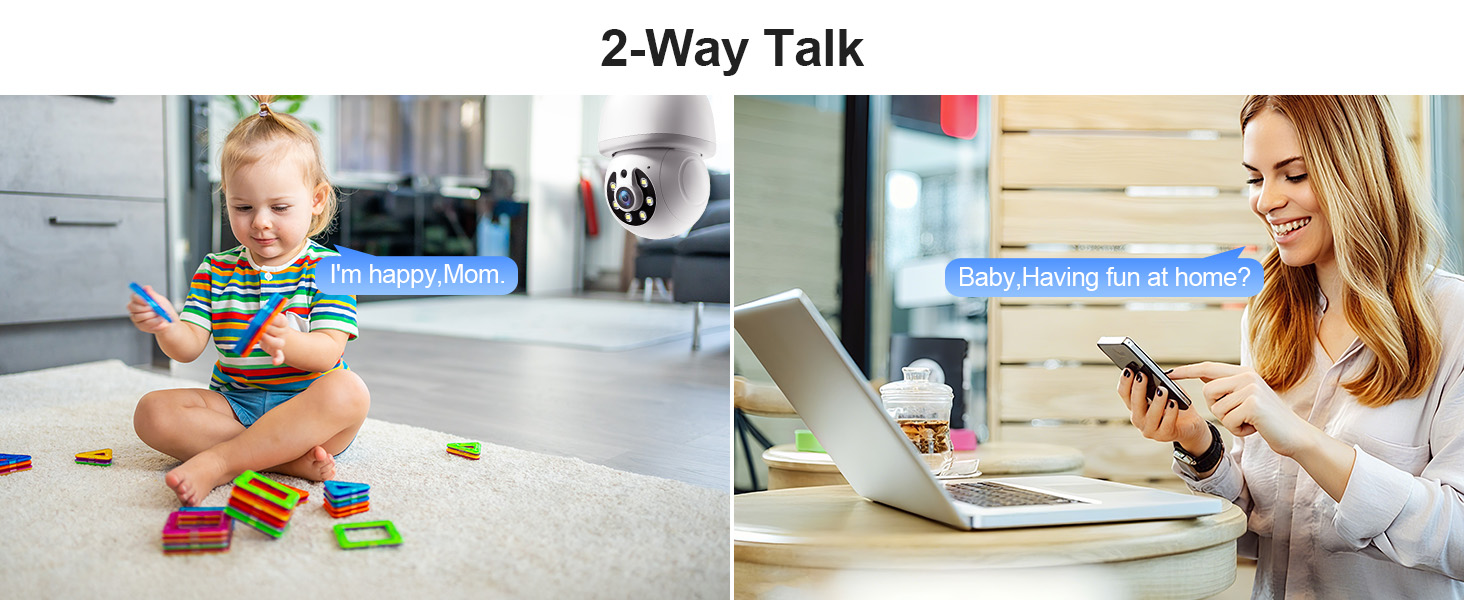
Image 6.4: Comparison of infrared and 2K full-color night vision.
6.6 Запис і зберігання
The camera supports continuous 24/7 recording. You have two storage options:
- Хмарне сховище: Subscribe to the Eseecloud app's cloud storage service for remote access to your recordings.
- Зберігання карт TF: Insert a TF (microSD) card (up to 128GB, not included) into the camera's slot for local recording.

Image 6.5: 24/7 recording options with cloud and SD card storage.
6.7 Інтеграція з Alexa
The WESECUU camera is compatible with Amazon Alexa. To connect:
- Відкрийте програму Alexa на своєму смартфоні.
- Go to 'Skills & Games' and search for 'Eseecloud'.
- Enable the Eseecloud skill and link your Eseecloud account.
- Discover devices. You can then use voice commands like "Alexa, show me the [camera name]" on compatible Alexa devices with screens.

Image 6.6: Camera integration with Amazon Alexa.
6.8 Patrol Guard Mode
The Patrol Guard mode allows you to set multiple distinct viewpoints (presets). The camera will automatically cycle through these preset positions at custom intervals, providing continuous monitoring of different areas.

Image 6.7: Visualization of the Patrol Guard mode with multiple presets.
7. Технічне обслуговування
- Прибирання: Обережно протріть об’єктив та корпус камери м’якою сухою тканиною. Не використовуйте агресивні хімікати або абразивні засоби для чищення.
- Оновлення прошивки: Регулярно перевіряйте застосунок Eseecloud на наявність оновлень прошивки, щоб забезпечити оптимальну продуктивність і безпеку.
- Зберігання: Якщо камеру зберігатимете протягом тривалого часу, від’єднайте її від живлення та зберігайте у прохолодному сухому місці.
8. Вирішення проблем
| проблема | Можлива причина | Рішення |
|---|---|---|
| Камера не підключається до Wi-Fi | Incorrect WiFi password; camera too far from router; incorrect WiFi band selected. | Verify WiFi password. Move camera closer to router. Ensure you are connecting to a 2.4GHz or 5GHz network as supported. Restart camera and router. |
| Погана якість зображення | Брудний об'єктив; недостатнє освітлення; проблеми з пропускною здатністю мережі. | Clean the camera lens. Ensure adequate lighting for optimal color night vision. Check your internet speed. |
| Немає сповіщень про виявлення руху | Motion detection disabled; sensitivity too low; app notifications blocked. | Enable motion detection and human detection in the app. Adjust sensitivity settings. Check your phone's notification settings for the Eseecloud app. |
| Двостороння розмова не працює | Microphone/speaker permissions not granted; volume too low. | Check app permissions on your phone. Adjust volume settings in the app and on your phone. |
| TF card not recording | TF card full or corrupted; not inserted correctly. | Format the TF card in the app. Reinsert the TF card. Replace with a new TF card if corrupted. |
9. Технічні характеристики
| Особливість | Специфікація |
|---|---|
| Назва моделі | 8050 |
| Використання в приміщенні/зовні | Indoor, Outdoor (IP65 rated) |
| Роздільна здатність захоплення відео | 2K (максимум 3 Мп) WebРоздільна здатність зображення камери) |
| Технологія підключення | Wireless (Wi-Fi 2.4G/5G) |
| Джерело живлення | Corded Electric (E27 light socket, 100V~240V) |
| Тип контролера | Amazon Alexa |
| Тип монтажу | Стельове кріплення |
| Особливості | 2-Way Audio, Image Sensor, Color Night Vision, Human Detection, Motion Tracking |
| Параметри зберігання | Cloud Storage, TF Card (up to 128GB, not included) |
| Розміри продукту | 1 x 1 x 1 дюймів |
| Вага товару | 1.1 фунта |
10. Підтримка клієнтів
For technical assistance, troubleshooting not covered in this manual, or warranty inquiries, please contact WESECUU customer support through the contact information provided with your purchase or on the official WESECUU webсайт.
Ask a question about this manual
Ask about setup, troubleshooting, compatibility, parts, safety, or missing instructions. Manuals+ will review the question and use this page’s manual context to help answer it.