
Продукт закінченийview
The Baseus 65W USB C Charger is a compact and powerful charging solution featuring GaN technology. It includes three ports (two USB-C and one USB-A) for simultaneous charging of multiple devices, offering fast charging capabilities for a wide range of electronics including smartphones, tablets, and laptops.
This charger is designed for efficiency and portability, making it suitable for various environments from home to travel.
Що в коробці
- Baseus 65W USB C Charger
- 100W USB-C to USB-C Cable with E-marker Chip
- Посібник користувача

Image: The Baseus 65W USB C Charger shown with its included 100W USB-C to USB-C cable.
Налаштування
- Розгорніть зубці: Обережно витягніть складні штирі з корпусу зарядного пристрою.
- Підключіть до розетки: Insert the charger firmly into a standard wall power outlet (Type A - 2 pin, North American).
- Підключіть пристрої: Use appropriate USB-C or USB-A cables to connect your devices to the charger's available ports. For optimal fast charging, use the included 100W USB-C to USB-C cable or other high-quality cables.

Image: The Baseus 65W USB C Charger with its foldable prongs extended, ready for use.
Video: Demonstrates the foldable prongs and compact design of the Baseus 65W USB C Charger.
Інструкція з експлуатації
Зарядні пристрої
The Baseus 65W charger features three output ports: two USB-C ports and one USB-A port. It supports various fast-charging protocols, including 45W Samsung Super Fast Charging.
- Зарядка через один порт: When only one port is in use, the charger delivers maximum power output. For example, a single USB-C port can provide up to 65W, capable of charging a MacBook Pro 13" in approximately 2 hours.
- Багатопортова зарядка: When multiple devices are connected, the charger intelligently distributes power across the ports.
Інтелектуальний розподіл енергії
The charger automatically adjusts power output based on the number and type of connected devices to ensure efficient and safe charging.
- Single USB-C Port: До 65 Вт.
- Single USB-A Port: До 60 Вт.
- Two Ports (e.g., USB-C1 + USB-C2): Typically 45W + 18W.
- Three Ports (USB-C1 + USB-C2 + USB-A): Power is distributed, for example, 45W + 15W.
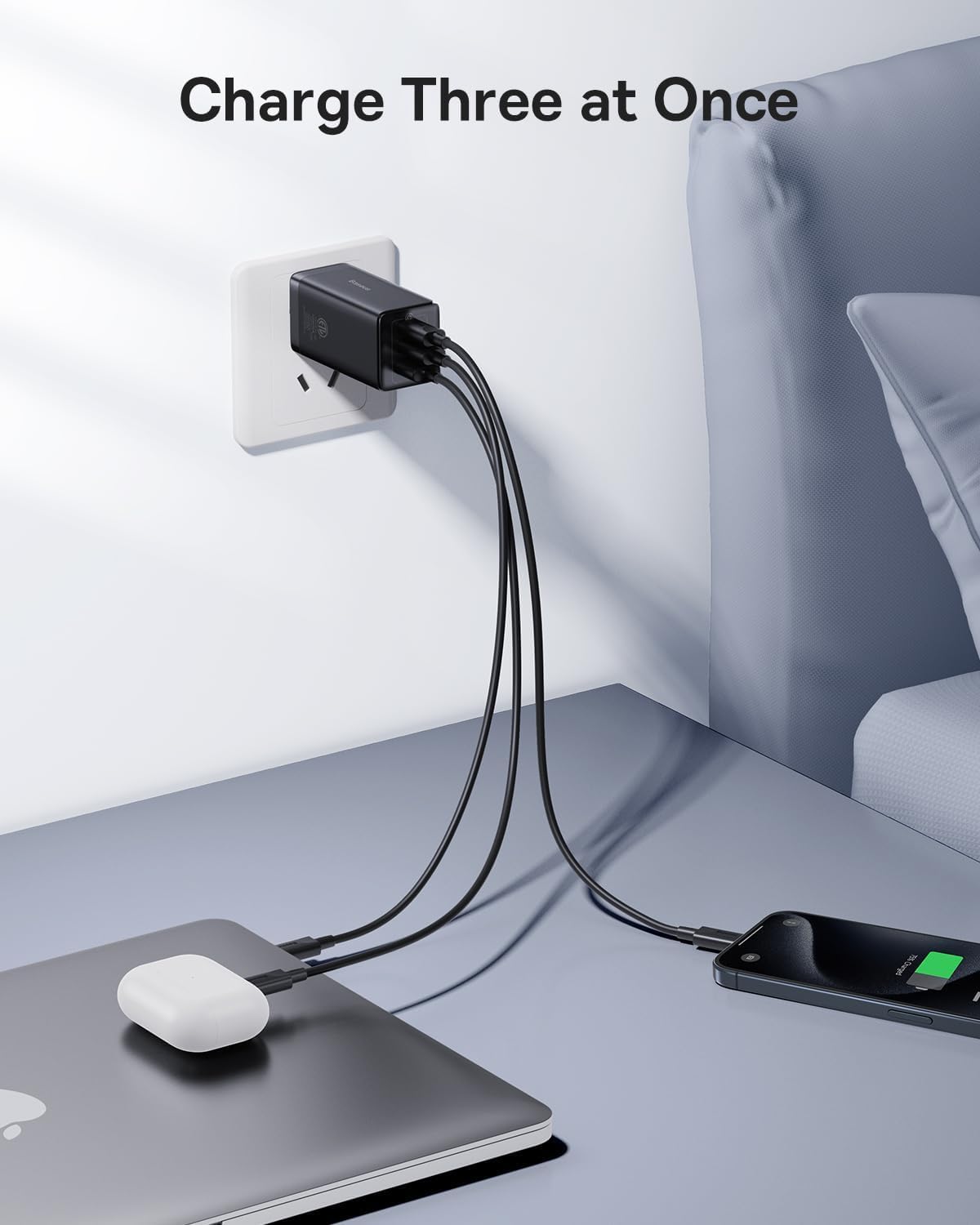
Image: The Baseus 65W USB C Charger connected to a wall outlet, charging a laptop, earbuds, and a smartphone simultaneously.

Image: A diagram showing the power distribution (in watts) for single, two, and three-port charging scenarios with the Baseus 65W charger.
Технічне обслуговування
- Прибирання: Від’єднайте зарядний пристрій від розетки перед чищенням. Використовуйте суху м’яку тканину для протирання поверхні. Не використовуйте рідкі засоби для чищення або аерозолі.
- Зберігання: Коли зарядний пристрій не використовується, складіть штекери для компактного зберігання. Зберігайте його в прохолодному, сухому місці, подалі від прямих сонячних променів та екстремальних температур.
- Обробка: Уникайте падіння зарядного пристрою та сильних ударів. Не намагайтеся розбирати чи ремонтувати зарядний пристрій самостійно.
Усунення несправностей
| проблема | Можлива причина | Рішення |
|---|---|---|
| Пристрій не заряджається або заряджається повільно. |
|
|
| Зарядний пристрій нагрівається під час роботи. | Normal operation, especially during fast charging or when multiple devices are connected. | This is normal. The GaN technology helps manage heat efficiently. If it becomes excessively hot to touch, disconnect immediately and contact support. |
| USB-A port not working. | Port malfunction or incompatible device/cable. | Try a different USB-A cable and device. If the issue persists, contact customer service for assistance. |
| Charger pulls out of outlet easily. | Loose outlet or heavy cables pulling down. | Ensure the outlet is not worn. Position cables to minimize downward pull on the charger. |
Технічні характеристики
| Особливість | Деталь |
|---|---|
| Бренд | Baseus |
| Номер моделі | CCGAN65S5 |
| Тип роз'єму | USB типу C, USB типу A |
| Загальна кількість портів USB | 3 (2x USB-C, 1x USB-A) |
| Wattage | 65W (Max Output) |
| Вхідний об'ємtage | 240 volts_of_alternating_current (Standard North American) |
| Вихідний струм | 5 А |
| Особливість | Fast Charging, GaN Technology, Foldable Prongs |
| Колір | чорний |
| Форм-фактор | Розкладний |
| Сумісні пристрої | Tablets, Rog Ally, Laptops, iPhone (15/15 Plus/15 Pro/15 Pro Max/14/14 Plus/14 Pro/14 Pro Max/13/13 Mini/13 Pro/13 Pro Max/12/12 Mini/12 Pro/12 Pro Max/XS/XS Max/XR/X /11/11 Pro/11 Pro max/8 Plus/8/7/6), Samsung (Galaxy S22+/S22/ S21 Ultra/S21+/ S21/ S20 Ultra/ S20+/ S20/S10/S10+/S9/S9+/S8/S8+ / Note20+/20/Note10+/10/Note 9/Note 8/ Note 7/Z Fold2 / Z Flip), LG (V60/ V50/ G8/ G7), Oneplus (9 Pro/9/8T/8 Pro/8/7 pro/6T), Google Pixel (3/4/4a/5), MacBook Air (2020)/ MacBook Pro (13" 2017/ 13" 2020 / 15" 2017/ 16" / 12" / Air 13" / Air 12"), iPad Pro (12.9"/11"/10.5"/9.7"), iPad Air (1/2/3/4) / iPad mini (1/2/3/4/5), AirPods / AirPods Pro / Apple Watch (6/SE/3), Surface Pro 7 / HP Stream 14"/Omen 17/Envy 13t/Spectre x360 13t, DELL Latitude 7380/XPS 13/16, ASUS ROG zephyrus G14/Zenbook13/14/15/flip 15/TUF A15/Vivobook 14/15/17, Lenovo ThinkPad X1 Carbon / X1 YOGA/YOGA 730/YOGA 920 /YOGA 930 /X1 NANO / E14 / E15/ T490s /T495s/T480s/X270/X390/T470 /E490 / IdeaPad 3 /5 / flex 5, MSI GS66 / MSI PRESTIGE 15, Nintendo Switch Dock, and more. |
Гарантія та підтримка
Інформація про гарантію
Цей продукт Baseus постачається з Гарантія 2 рік from the date of purchase, covering manufacturing defects and normal operational failures.
Підтримка клієнтів
For technical assistance, troubleshooting, or warranty claims, please contact Baseus customer service. You can typically find contact information through your purchase platform (e.g., Amazon order details page) by selecting "Ask a question" or "Send message" to the seller.
All messages are generally answered within 48 hours.

Image: Baseus product showcasing design awards, indicating quality and innovation.


