
вступ
Thank you for choosing the Generic G61 Gaming Keyboard. This 61-key mechanical keyboard features vibrant RGB backlighting and versatile dual-mode connectivity (2.4G wireless and Bluetooth), making it an ideal choice for PC and computer gaming. This manual provides detailed instructions on setting up, operating, maintaining, and troubleshooting your new keyboard to ensure optimal performance and longevity.
Інформація про безпеку
- Keep the keyboard away from water, moisture, and excessive heat.
- Не намагайтеся розбирати або модифікувати клавіатуру. Це може призвести до анулювання гарантії та пошкодження.
- Використовуйте лише наданий зарядний кабель або його сертифікований еквівалент.
- Уникайте падіння або сильних ударів клавіатури.
- Clean the keyboard with a soft, dry cloth. Do not use liquid cleaners or aerosols.
Вміст упаковки
- G61 Gaming Keyboard (Pink)
- USB Wireless Receiver (2.4G)
- USB-кабель для зарядки
- Посібник користувача
Продукт закінченийview
The G61 is a compact 61-key mechanical keyboard designed for gaming and general use. Its layout optimizes space while retaining essential functions through function key combinations. The keyboard features customizable RGB backlighting and supports both 2.4G wireless and Bluetooth connectivity for versatile use across various devices.

Image: The G61 Gaming Keyboard in pink, showcasinзавдяки компактному 61-клавішному розташуванню та елегантному дизайну.

Зображення: Детальний view of the G61 keyboard's 61-key layout, highlighting keycap legends and compact form factor.
Налаштування
1. Заряджання клавіатури
Before first use, fully charge the keyboard. Connect the provided USB charging cable to the keyboard's charging port and the other end to a USB power source (e.g., computer USB port, USB wall adapter). The charging indicator light will show the charging status and turn off when fully charged.
2. Бездротове підключення
2.1. Бездротовий режим 2.4G
- Знайдіть бездротовий USB-приймач.
- Підключіть бездротовий USB-приймач до вільного USB-порту на вашому комп'ютері.
- Turn on the keyboard. The keyboard should automatically connect to the receiver.

Image: The compact 2.4G USB wireless receiver, essential for wireless connectivity.
2.2. Режим Bluetooth
- Ensure the keyboard is in Bluetooth pairing mode (refer to Operating Instructions for mode switching).
- На своєму пристрої (ПК, ноутбуці, планшеті, телефоні) увімкніть Bluetooth та почніть пошук нових пристроїв.
- Select "G61 Keyboard" or a similar name from the list of available devices to pair.
- Дотримуйтеся будь-яких підказок на екрані, щоб завершити процес створення пари.
3. Сумісність
The G61 Gaming Keyboard is compatible with a wide range of operating systems, including Windows, Android, and iOS devices, ensuring broad usability across your platforms.
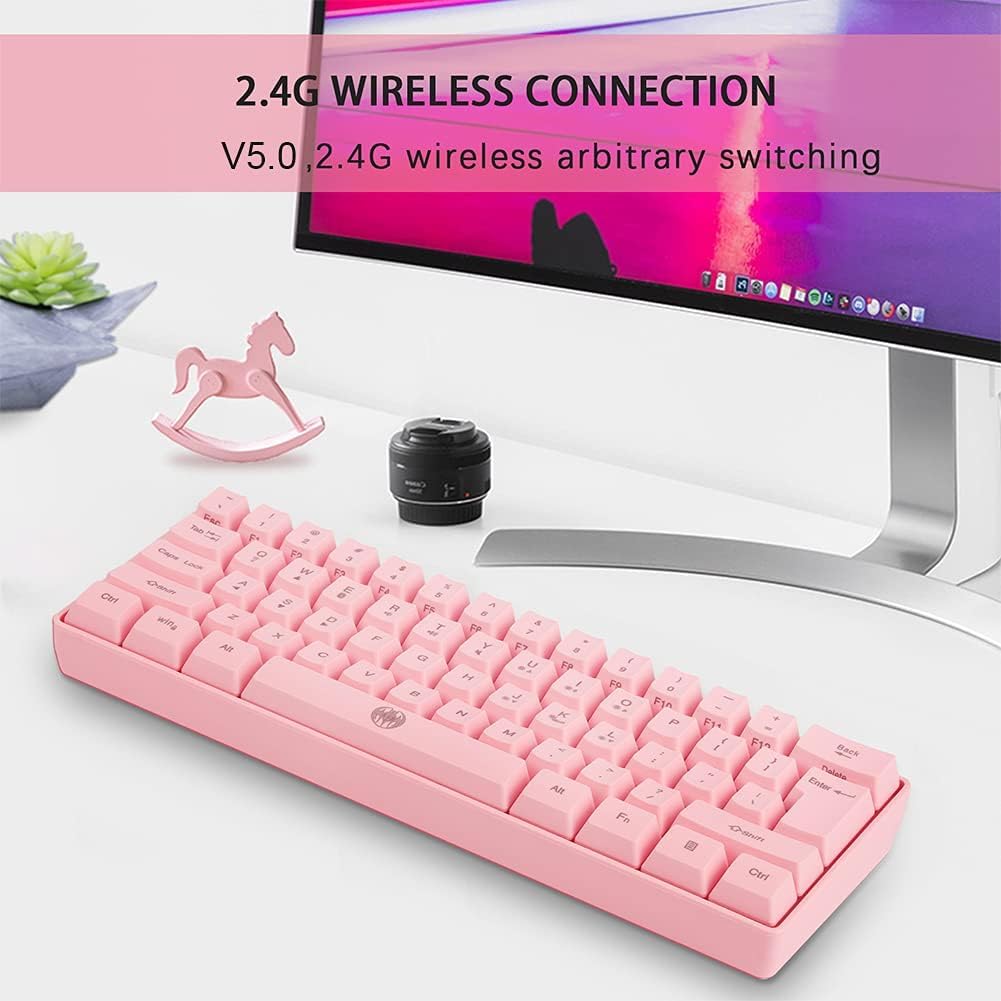
Image: Icons indicating compatibility with Windows, Android, and iOS operating systems.
Інструкція з експлуатації
1. Основні функції клавіш
The G61 keyboard utilizes a compact 61-key layout. Many functions are accessed via the Fn key in combination with other keys. Refer to the keycap legends for specific Fn combinations (e.g., Fn + 1-0 for F-keys, Fn + P for Print Screen).
2. Керування RGB-підсвічуванням
The keyboard features dynamic RGB backlighting with multiple modes and colors. Use the following key combinations to control the lighting:
- Fn + I: підсвічування ON/OFF
- Fn + K: Switch Light Mode (cycle through various lighting effects)
- інше Fn combinations may control brightness or specific color changes.
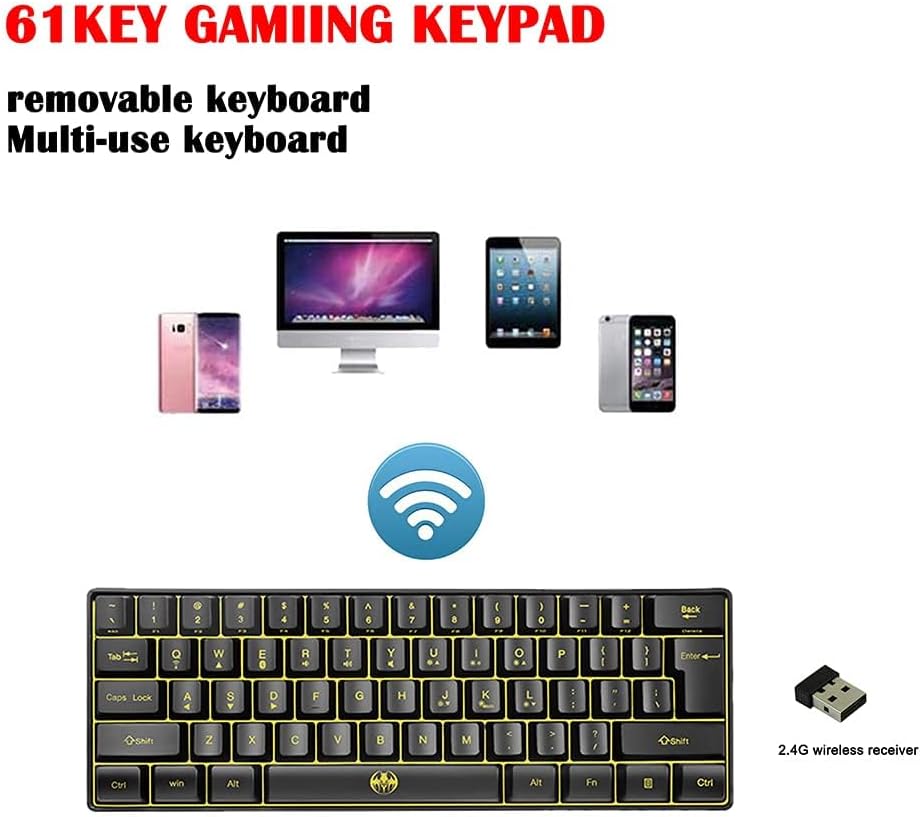
Image: Illustration showing the Fn + I and Fn + K key combinations for backlight control.

Image: Depiction of the keyboard with various RGB backlight colors, demonstrating the customizable lighting.
3. Перемикання двох режимів
The G61 keyboard supports both 2.4G wireless and Bluetooth connectivity. To switch between modes, use the designated switch on the keyboard (usually on the back or side) or a specific Fn key combination. Ensure the correct mode is selected for your desired connection type.
Технічне обслуговування
- Прибирання: Use a soft, lint-free cloth to wipe the keyboard surface. For dust between keycaps, use compressed air. Do not spray liquid directly onto the keyboard.
- Зберігання: Якщо клавіатура не використовується протягом тривалого часу, зберігайте її в прохолодному, сухому місці, подалі від прямих сонячних променів та екстремальних температур.
- Догляд за акумулятором: Щоб продовжити термін служби батареї, уникайте частого повного розрядження клавіатури. Заряджайте її, коли з’являється індикатор низького заряду батареї.
Усунення несправностей
| проблема | Можлива причина | Рішення |
|---|---|---|
| Клавіатура не відповідає | Low battery; Incorrect connection mode; Driver issue; Receiver not plugged in (2.4G) | Charge the keyboard; Switch to correct mode (2.4G/BT); Reinstall drivers; Plug in receiver securely. |
| Помилка з’єднання Bluetooth | Keyboard not in pairing mode; Device Bluetooth off; Interference | Ensure keyboard is in pairing mode; Turn on device Bluetooth; Move closer to device; Try pairing again. |
| Не працює підсвічування | Backlight turned off; Software glitch | Прес Fn + I to turn on; Restart keyboard. |
| Ключі не реєструються | Dust/debris under keycap; Faulty switch | Clean under keycap with compressed air; If issue persists, contact support. |
Технічні характеристики
| Особливість | Деталь |
|---|---|
| Модель | G61 |
| Ключі | 61 ключі |
| Підключення | Dual Mode (2.4G Wireless, Bluetooth) |
| Підсвічування | RGB (7-color illuminated) |
| Стиль роботи | Механічний |
| Тип інтерфейсу | Bluetooth |
| застосування | Laptop, PC, Computer |
| Сумісні пристрої | Ноутбук |
| Операційна система | Windows 7 and above, Android, iOS |
| Колір | Рожевий |
| матеріал | інше |
| Рекомендоване використання | Ігри |
Гарантія та підтримка
The manufacturer commits to a 12-month warranty for this product. This warranty covers manufacturing defects and issues arising from normal use.
If you encounter any problems with your G61 Gaming Keyboard, such as damaged products or incorrect items received, please do not hesitate to contact customer support. We aim to reply to all inquiries within 24 hours to provide assistance and resolution.
For support, please refer to the contact information provided by your retailer or the product's packaging.