
MorePro M-HM08
MorePro Fitness Tracker User Manual
Model: M-HM08
Your guide to a healthier lifestyle.
1. Вступ
The MorePro Fitness Tracker (Model M-HM08) is a versatile smartwatch designed to help you monitor your health and fitness activities. It features a 1.47-inch HD color display and offers comprehensive tracking for heart rate, blood pressure, blood oxygen, sleep, and various sports modes. This manual provides detailed instructions to help you get the most out of your device.

Image: MorePro Fitness Tracker with customizable watch faces and a 1.47-inch HD color display.
2. Налаштування
2.1. Розпакування та компоненти
Перш ніж почати, переконайтеся, що всі компоненти присутні в упаковці:
- MorePro Fitness Tracker (M-HM08)
- Дивитися групу
- Магнітний USB-кабель для зарядки
- Посібник користувача (цей документ)
2.2. Зарядка пристрою
To charge your fitness tracker:
- Connect the magnetic end of the USB charging cable to the charging points on the back of the watch. Ensure the pins align correctly.
- Підключіть USB-кінець кабелю до стандартного USB-адаптера живлення (рекомендовано 5 В/1 А) або USB-порту комп’ютера.
- The watch screen will display a charging indicator. A full charge typically takes about 2 hours and provides up to 10 days of standby time.

Image: The MorePro Fitness Tracker connected to its magnetic charging cable, illustrating the charging process and highlighting its 10-day standby mode.
2.3. Installing the Watch Band
The watch band is designed for easy installation:
- Locate the spring bars on the watch band.
- Align one end of the spring bar with the lug hole on the watch case.
- Push the spring bar inwards and slide the other end into the corresponding lug hole on the opposite side.
- Release the spring bar to secure the band. Gently pull on the band to ensure it is firmly attached.
Video: Official MorePro guide demonstrating how to install the watch band on the HM08 fitness tracker, showing the process of attaching the strap to the watch body.
2.4. Connecting to the App (FitCloudPro)
To unlock the full potential of your MorePro Fitness Tracker, connect it to the FitCloudPro app:
- Download the 'FitCloudPro' app from your smartphone's app store (available on iOS and Android).
- Переконайтеся, що Bluetooth увімкнено на вашому смартфоні.
- Open the FitCloudPro app and follow the on-screen instructions to create an account and set up your personal profile.
- In the app, navigate to the 'Device' section and select 'Bind Bracelet' or 'Add Device'.
- The app will search for nearby devices. Select 'HM08' or the corresponding device name from the list to pair.
- Підтвердьте запит на сполучення як на телефоні, так і на годиннику, якщо буде запропоновано.
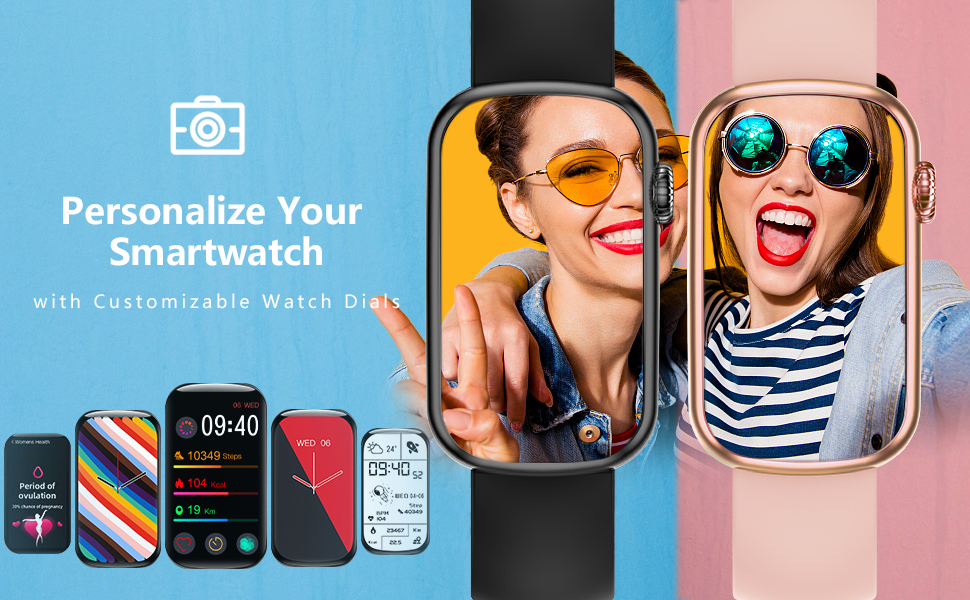
Image: The FitCloudPro app interface, showcasing practical tools like music control, water reminder, calorie tracking, camera control, alarm clock, pedometer, weather, and find phone features.
Video: Official MorePro tutorial on how to connect the HM08 fitness tracker to a smartphone using the FitCloudPro app, demonstrating the pairing process.
3. Експлуатація пристрою
3.1. Основна навігація
The MorePro Fitness Tracker features a responsive touchscreen and a side button for navigation:
- Сенсорний екран: Swipe left/right or up/down to navigate through different menus and features. Tap to select an option.
- Бічна кнопка: Press the side button to return to the previous screen or the main watch face. Long-press to power on/off the device.

Image: The MorePro Fitness Tracker displaying its main screen with time, steps, calories, and distance, showcasinйого елегантний дизайн.
3.2. Monitoring Health Metrics
Your fitness tracker can monitor several key health indicators:
- Частота серцевих скорочень (HR): Access the HR interface on the watch to measure your real-time heart rate. For continuous monitoring, enable the feature in the FitCloudPro app.
- Blood Pressure (BP): Navigate to the BP interface to take a blood pressure reading. Ensure the watch is worn correctly on your wrist for accurate results.
- Кисень крові (SpO2): Select the SpO2 function to measure your blood oxygen saturation level.
- Відстеження сну: The device automatically tracks your sleep patterns, including deep sleep, light sleep, and awake times. View detailed sleep data in the FitCloudPro app.

Image: Visual representation of the watch's health monitoring capabilities, including heart rate, blood pressure, blood oxygen, and sleep tracking, with corresponding app screens.

Image: A woman sleeping with the MorePro Fitness Tracker, highlighting its scientific sleep analysis function that differentiates between deep sleep, light sleep, and awake states.
Video: An official MorePro video showcasing the HM08 Fitness Tracker's capabilities, including heart rate monitoring, various sports modes, and overall health tracking.
Video: An official MorePro video demonstrating the activity and blood pressure tracking features of the fitness tracker, highlighting its health monitoring functions.
3.3. Відстеження активності
The tracker supports multiple sport modes and records your daily activity:
- Кроки, калорії, дистанція: The watch automatically tracks your daily steps, estimated calories burned, and distance covered.
- Спортивні режими: Select from various built-in sport modes (e.g., walking, running, cycling) to get more accurate data for specific activities.

Image: The MorePro Fitness Tracker highlighting its 7 common sport modes for activity tracking and its IP68 waterproof rating, suitable for various activities.

Image: The MorePro Fitness Tracker showing different sport modes available for tracking, including walking, running, cycling, and yoga, to help users monitor specific activities.
3.4. Розумні функції
Покращте свій щоденний розпорядок за допомогою цих розумних функцій:
- Нагадування про дзвінки та повідомлення: Receive notifications for incoming calls, text messages, and app alerts directly on your watch. Manage notification settings in the FitCloudPro app.
- Керування музикою: Керуйте відтворенням музики на своєму смартфоні безпосередньо з годинника.
- Погода: View real-time weather updates on your watch after syncing with the app.
- Знайти телефон: Use this feature on your watch to make your paired smartphone ring, helping you locate it quickly.
- Будильник: Set alarms through the app, and your watch will vibrate to wake you up or remind you of tasks.
- Нагадування про напої: Встановіть нагадування, щоб забезпечити водний баланс протягом дня.
- Відстеження менструального циклу: Utilize the dedicated women's health feature to track and predict menstrual cycles.
- Настроювані циферблати: Personalize your watch with a variety of pre-installed watch faces or create your own using the FitCloudPro app.
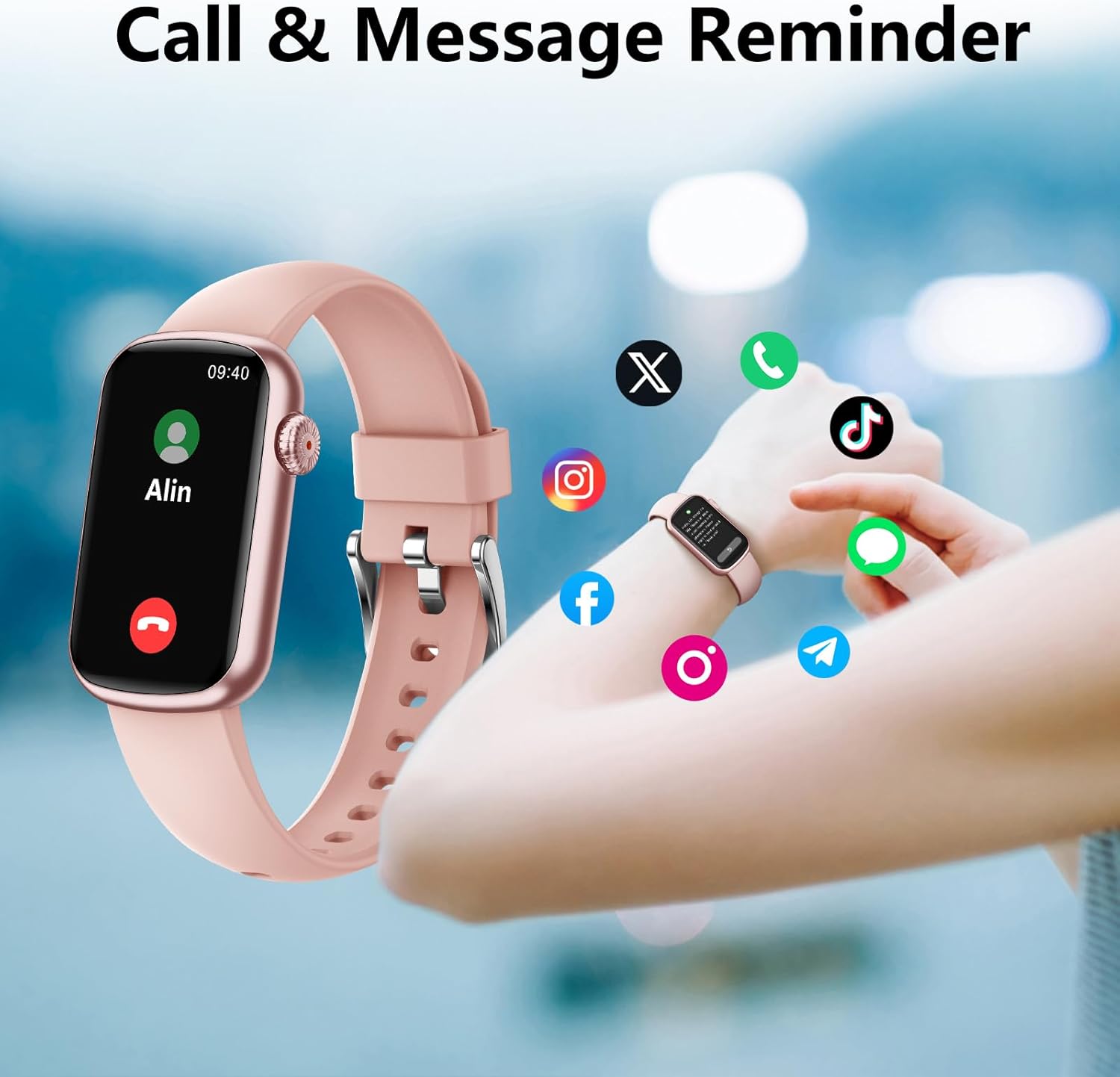
Image: The MorePro Fitness Tracker showing an incoming call notification and various social media app icons, illustrating its call and message reminder features.
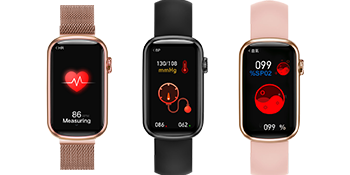
Image: The MorePro Fitness Tracker showing message notifications from popular social media and messaging applications, ensuring you stay connected.

Image: The MorePro Fitness Tracker displaying a menstrual cycle reminder, indicating its built-in features for women's health tracking.

Image: The MorePro Fitness Tracker showcasing its customizable watch faces and additional features like motion record, menstrual cycle tracking, music player, blood oxygen, weather, find phone, alarm clock, and drink reminder.
4. Технічне обслуговування
4.1. Очищення пристрою
Для підтримки оптимальної продуктивності та гігієни:
- Wipe the watch screen and body regularly with a soft, lint-free cloth.
- Якщо необхідно, використовуйте злегка damp тканину з м’яким милом, потім змийте та ретельно висушіть.
- Clean the charging contacts periodically to ensure proper connection.
4.2. Водостійкість (IP68)
The MorePro Fitness Tracker is IP68 waterproof, meaning it is resistant to dust and can withstand immersion in water up to 1.5 meters for 30 minutes. While it is suitable for daily use and light swimming, it is not recommended for hot showers, saunas, or diving, as steam and hot water can damage the seals.
Image: The MorePro Fitness Tracker highlighting its 7 common sport modes for activity tracking and its IP68 waterproof rating, suitable for various activities.
5. Вирішення проблем
If you encounter any issues with your MorePro Fitness Tracker, try the following solutions:
| Випуск | Можливе рішення |
|---|---|
| Пристрій не вмикається | Ensure the device is fully charged. Connect to the magnetic charging cable and check for the charging indicator. |
| Unable to pair with app | Ensure Bluetooth is enabled on your phone. Restart both the watch and your phone. Make sure the app is updated to the latest version. Keep the watch close to your phone during pairing. |
| Неточні показники здоров'я | Переконайтеся, що годинник щільно прилягає до зап'ястя, приблизно на ширині одного пальця від кісточки зап'ястя. Уникайте надмірних рухів під час вимірювань. |
| Сповіщення не отримано | Check notification settings in the FitCloudPro app and your phone's system settings to ensure permissions are granted. Ensure the app is running in the background. |
| Короткий час автономної роботи | Reduce screen brightness, disable continuous heart rate monitoring, and limit frequent notifications. |
For more detailed troubleshooting and FAQs, please refer to the FitCloudPro app's help section or the official MorePro support resources.
6. Технічні характеристики
| Особливість | Деталь |
|---|---|
| Назва моделі | M-HM08 |
| Розмір екрана | 1.47 дюймів |
| Технологія підключення | Bluetooth |
| Водонепроникність | IP68 |
| Вага товару | 30 грамів |
| матеріал | Rubber (Band) |
| Термін служби батареї (в режимі очікування) | До 10 днів |
| Особливості | Activity Tracker, Heart Rate Monitor, Blood Pressure, Blood Oxygen, Sleep Tracking, Call/Message Reminders, Menstrual Cycle Tracking |
7. Гарантія та підтримка
7.1. Інформація про гарантію
The MorePro Fitness Tracker (Model M-HM08) comes with a 1-year warranty from the date of purchase. This warranty covers manufacturing defects and issues arising from normal use. It does not cover damage caused by misuse, accidents, unauthorized repairs, or normal wear and tear.
7.2. Підтримка клієнтів
For any questions, technical assistance, or warranty claims, please contact MorePro customer support through the following channels:
- Офіційний Webсайт: Visit the MorePro official webсайт із ресурсами підтримки, поширеними запитаннями та контактними формами.
- Підтримка електронною поштою: Зверніться до упаковки вашого продукту або до офіційного webсайт для адреси електронної пошти служби підтримки клієнтів.
- Підтримка в додатку: The FitCloudPro app may offer a direct support or feedback option.
Ви також можете звернутися до Посібник користувача (PDF) для отримання додаткової інформації.
Ask a question about this manual
Ask about setup, troubleshooting, compatibility, parts, safety, or missing instructions. Manuals+ will review the question and use this page’s manual context to help answer it.