
Docooler 14 Inch 2-in-1 Touchscreen Laptop
Docooler 14 Inch 2-in-1 Touchscreen Laptop User Manual
Model: 14 Inch 2-in-1 Touchscreen Laptop
1. Продукт закінчивсяview
The Docooler 14 Inch 2-in-1 Touchscreen Laptop is a versatile computing device designed for both productivity and entertainment. Featuring a 4K UHD IPS display and a 360-degree convertible design, it adapts to various usage scenarios, from traditional laptop mode to tablet mode. Powered by an Intel N95 processor, it offers efficient performance for daily tasks.

Image: The Docooler 14 Inch 2-in-1 Touchscreen Laptop in its tent configuration, showcasing its flexible design and vibrant display.
2. Вміст упаковки
Будь ласка, перевірте наявність усіх предметів у упаковці:
- Docooler 14 Inch 2-in-1 Touchscreen Laptop
- Зарядний кабель
- Посібник користувача
3. Початок роботи
3.1 Початкове налаштування
- Charge the Laptop: Before first use, connect the charging cable to the laptop's USB-C port and plug it into a power outlet. Allow the battery to charge fully.
- Увімкнення: Press and hold the power button located on the side of the laptop until the screen illuminates.
- Налаштування Windows: Follow the on-screen prompts to complete the Windows 11 initial setup, including language selection, network connection, and user account creation.
4. Understanding Your Laptop
4.1 Основні характеристики
- Дисплей: 14-inch 4K UHD (3840x2160) IPS touchscreen with 500 Nits brightness for a clear visual experience.
- Процесор: Equipped with the 12th Gen Intel N95 CPU (4-core, 4-thread, up to 3.4GHz) for efficient performance.
- Пам'ять і зберігання: 12GB LPDDR5 4800MHz high-frequency memory and 512GB/1TB NVMe SSD for fast operation and ampле сховище.
- Кабріолет Дизайн: 360-degree flip-and-fold design allows for multiple modes of use.
- Сенсорний екран: 10-level multi-touch screen with gravity sensing for intuitive interaction.
- Безпека: Fingerprint unlock for quick and secure access.
- Клавіатура: Backlit keyboard for comfortable typing in various lighting conditions.
- Підключення: Dual-band Wi-Fi (2.4G/5.0G Hz 802.11ac) and Bluetooth for stable wireless connections.

Image: Visual representation of the laptop's 4K UHD display capabilities, highlighting its high resolution and brightness.

Image: Illustration of the Intel N95 12th Generation processor, emphasizing its role in the laptop's performance.
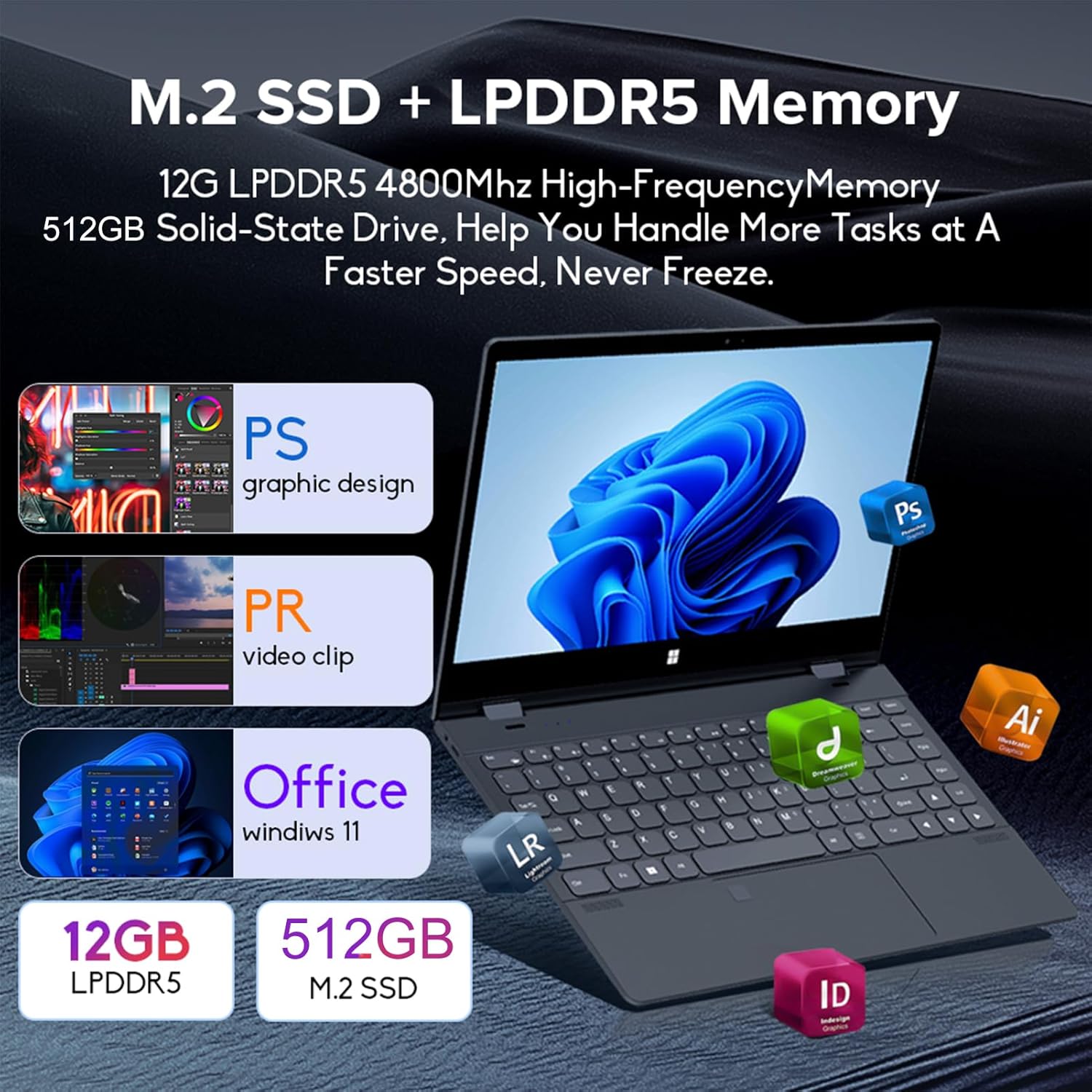
Image: Depiction of the laptop's memory and storage, showing 12GB LPDDR5 RAM and 512GB/1TB M.2 SSD, suitable for various applications.
4.2 Порти та роз’єми
Ознайомтеся з доступними портами на вашому ноутбуці:
- USB-C (повнофункціональний): Supports audio, video, data transmission, and PD2.0 fast charging.
- USB 3.0: Для підключення USB-пристроїв.
- Аудіовхід: Для навушників або зовнішніх динаміків.
- Вхід постійного струму: Power input (if applicable, though USB-C is primary charging).
- Зчитувач TF карт: Для карт пам'яті.

Зображення: Детальний view of the laptop's side ports, including USB-C, USB 3.0, audio jack, and TF card slot.
4.3 Конвертовані режими
The 360-degree hinge allows the laptop to transform into four distinct modes:
- Notebook Mode: Traditional laptop experience for typing and productivity.
- Режим планшета: Fold the screen back completely for a tablet experience, ideal for touch-based applications and gaming.
- Viewing Mode (Tent Mode): Stand the laptop in a tent shape for watching videos or presentations.
- Conference Mode (Stand Mode): Flip the keyboard under the screen to share content easily in a group setting.

Image: Visual guide demonstrating the four convertible modes of the laptop: Notebook, Tablet, Viewing, and Conference.
5. Операція
5.1 Використання сенсорного екрана
The 10-point multi-touch screen allows for intuitive navigation. Use gestures similar to a smartphone or tablet. The gravity sensing feature enhances the experience, especially in tablet mode.

Image: Demonstrates the ease of touchscreen operation and the benefit of gravity sensing for gaming.
5.2 Using the Backlit Keyboard and Fingerprint Unlock
- Клавіатура з підсвічуванням: Press the Function (Fn) key combined with the appropriate F-key (usually F3 or F4, check keyboard icons) to toggle the keyboard backlight on/off or adjust its brightness.
- Розблокування відбитком пальця: Set up your fingerprint in Windows Settings > Accounts > Sign-in options. Once configured, you can unlock your laptop quickly by placing your registered finger on the fingerprint sensor.
5.3 Підключення до Wi-Fi та Bluetooth
The laptop supports dual-band Wi-Fi (2.4G/5.0G Hz 802.11ac) and Bluetooth for wireless connectivity.
- Wi-Fi: Click the Wi-Fi icon in the taskbar, select your desired network, enter the password if prompted, and click Connect.
- Bluetooth: Go to Windows Settings > Bluetooth & devices. Ensure Bluetooth is turned on, then click 'Add device' to pair with Bluetooth peripherals like headphones or mice.

Image: Visual representation of the laptop's dual-band Wi-Fi and Bluetooth connectivity features.
6. Технічне обслуговування та догляд
- Прибирання: Злегка протріть м’якою тканиною без ворсу dampводою або засобом для чищення екранів для очищення дисплея. Для клавіатури та корпусу використовуйте суху м’яку тканину. Уникайте агресивних хімікатів.
- Догляд за акумулятором: Щоб продовжити термін служби акумулятора, уникайте частого повного розряджання акумулятора. Зберігайте ноутбук у прохолодному сухому місці, коли він не використовується протягом тривалого часу.
- Вентиляція: Переконайтеся, що вентиляційні отвори ноутбука не заблоковані, щоб запобігти перегріву. Використовуйте ноутбук на твердій, рівній поверхні.
- Оновлення програмного забезпечення: Регулярно оновлюйте операційну систему та драйвери, щоб забезпечити оптимальну продуктивність та безпеку.
7. Вирішення проблем
| проблема | Можливе рішення |
|---|---|
| Ноутбук не вмикається. | Ensure the charging cable is securely connected and the power outlet is functional. Allow the laptop to charge for at least 30 minutes before attempting to power on again. |
| Проблеми з підключенням до Wi-Fi. | Restart your router and modem. On the laptop, disable and re-enable Wi-Fi. Ensure you are within range of the Wi-Fi signal. |
| Сенсорний екран не реагує. | Restart the laptop. Check for any physical obstructions on the screen. Ensure Windows updates are current. |
| Не працює підсвічування клавіатури. | Press Fn + F-key (check keyboard icon) to toggle or adjust backlight brightness. Ensure drivers are up to date. |
| Ноутбук працює повільно. | Закрийте непотрібні програми. Перевірте фонові процеси. Забезпечте достатньо вільного місця для зберігання. Запустіть перевірку системи на наявність шкідливих програм. |
8. Технічні характеристики
| Особливість | Специфікація |
|---|---|
| Розмір екрана | 14 дюймів |
| роздільна здатність | 3840 x 2160 пікселів (4K UHD) |
| Процесор | Intel N95 (up to 3.4GHz) |
| Розмір встановленої оперативної пам'яті | 12 ГБ LPDDR5 |
| Опис жорсткого диска | 512GB/1TB NVMe SSD |
| Операційна система | Windows 11 Домашня |
| Графічний співпроцесор | Графіка Intel UHD (інтегрована) |
| Бездротове підключення | 2.4G/5.0G Hz 802.11ac Wi-Fi, Bluetooth |
| Загальна кількість портів USB | 2 (including 1 full-featured USB-C) |
| Колір | Сріблясто-сірий |
| Вага товару | 3.46 фунта (1570 грам) |
| Розміри упаковки | 15.35 x 9.84 x 3.35 дюймів |
| Країна походження | Китай |
9. Гарантія та підтримка
For warranty information and technical support, please refer to the documentation provided with your purchase or visit the official Docooler webсайт. Зберігайте чек про покупку для гарантійних претензій.
Docooler is committed to providing quality products and customer satisfaction. For further assistance, please contact Docooler customer service.
Note: Protection plans may be available for extended coverage. Please check with your retailer for details.