
SZSINOCAM B0CPXDFVRP
Szsinocam Wi-Fi Camera Outdoor/Indoor User Manual
Model: B0CPXDFVRP | Brand: SZSINOCAM
1. Вступ
This manual provides detailed instructions for the installation, operation, and maintenance of your Szsinocam Wi-Fi Camera. Designed for both outdoor and indoor surveillance, this camera offers advanced features to enhance your security and monitoring needs. Please read this manual thoroughly before using the product to ensure proper setup and optimal performance.

Figure 1: Szsinocam Wi-Fi Camera and Mobile Application Interface
2. Особливості продукту
The Szsinocam Wi-Fi Camera is equipped with a range of features designed for comprehensive surveillance:
- Dual Lens & Dual Screen Monitoring: Features two independent lenses allowing simultaneous monitoring of two different areas.
- Зображення високої роздільної здатності: Захоплює чіткі та деталізовані зображення їжіtage with 4-megapixel resolution.
- Гнучке панорамування та нахил: Offers a 355° horizontal rotation and 60° vertical tilt for extensive coverage.
- 6-кратне цифрове збільшення: Allows for closer inspection of details within the monitored area.
- Три режими нічного бачення: Supports infrared, full-color, and intelligent night vision for clear viewв умовах слабкого освітлення.
- Виявлення руху та сповіщення: Automatically detects movement and sends instant notifications to your connected device.
- Двостороннє аудіо: Enables real-time communication through the camera's built-in microphone and speaker.
- Кілька варіантів зберігання: Supports both cloud storage and local storage via a Micro SD card (up to 256GB, sold separately).
- Універсальний монтаж: Can be mounted on a wall, placed on a flat surface, or installed on the ceiling.

Figure 2: Dual Lens and Dual Screen Capability

Figure 3: High-Resolution 4MP Image Quality
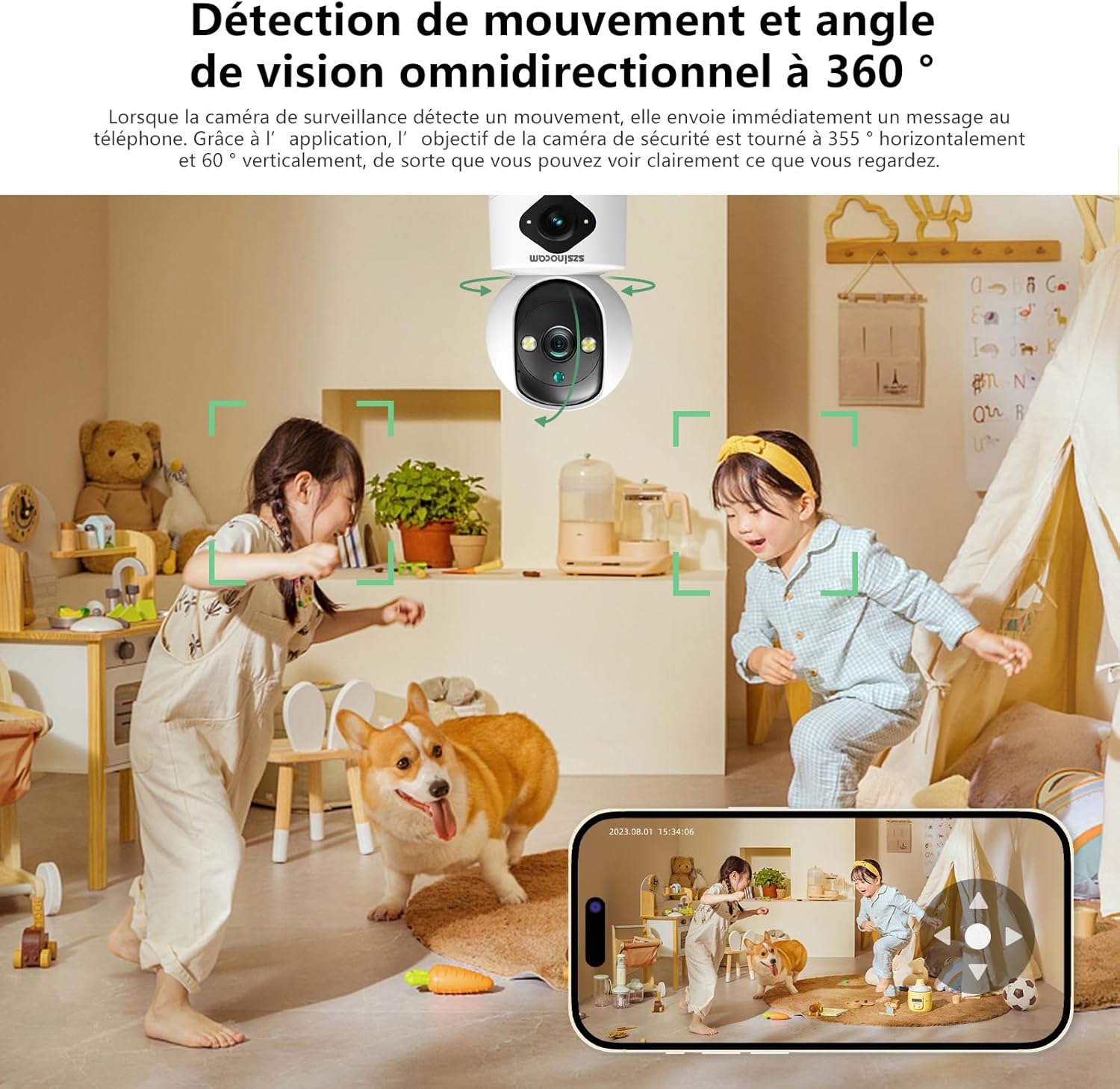
Рисунок 4: Три режими нічного бачення
3. Посібник із налаштування
3.1 Вміст упаковки
Перш ніж продовжити, переконайтеся, що всі предмети присутні в упаковці:
- Szsinocam Wi-Fi Camera
- Адаптер живлення
- USB кабель
- Монтажний кронштейн і гвинти
- Посібник користувача (цей документ)
3.2 Увімкнення камери
- Підключіть USB-кабель до порту живлення камери.
- Підключіть інший кінець USB-кабелю до наданого адаптера живлення.
- Plug the power adapter into a standard electrical outlet. The camera will power on and initiate its startup sequence.
3.3 Встановлення мобільного застосунку
Для контролю і view your camera, you need to install the dedicated mobile application:
- Scan the QR code provided on the camera packaging or in the quick start guide to download the official application. Alternatively, search for the application name (e.g., "OKAM PRO" or similar) in your device's app store (App Store for iOS, Google Play Store for Android).
- Встановіть програму на свій смартфон або планшет.
- Зареєструйте новий обліковий запис або увійдіть, якщо у вас вже є обліковий запис.
3.4 Сполучення камери
Follow these steps to pair your camera with the mobile application:
- Ensure your mobile device is connected to a 2.4GHz Wi-Fi network. The camera supports both 2.4GHz and 5GHz Wi-Fi.
- Open the mobile application and select "Add Device" or the '+' icon.
- Choose the camera type (e.g., "Wi-Fi Camera" or "Smart Camera").
- Follow the on-screen prompts to enter your Wi-Fi network name (SSID) and password.
- The application will generate a QR code. Position your camera's lens approximately 15-20 cm (6-8 inches) in front of your phone screen, ensuring the QR code is clearly visible to the camera.
- Wait for the camera to emit a confirmation sound or voice prompt indicating successful connection.
- Після підключення ви можете назвати свою камеру та розпочати пряму трансляцію viewінж.
4. Інструкція з експлуатації
4.1 Живий View і контроль
After successful pairing, tap on the camera's name in the application to access the live viewЗвідси ви можете:
- Панорама та нахил: Use the directional controls on the screen to rotate the camera horizontally (355°) and vertically (60°).
- Цифрове збільшення: Pinch to zoom in or out on the live feed (up to 6x).
- Двостороннє аудіо: Торкніться значка мікрофона, щоб говорити через динамік камери, і слухати через динамік телефону.
- Snapshot & Record: Capture still images or record video clips directly to your phone's gallery.
4.2 Запис і зберігання
The camera supports two primary recording methods:
- Зберігання карти Micro SD: Insert a Micro SD card (up to 256GB, Class 10 or higher recommended) into the designated slot on the camera. The camera will automatically begin recording based on your settings (continuous, motion-triggered).
- Хмарне сховище: Subscribe to the cloud storage service through the mobile application for secure, off-site video backup. This ensures your footage is safe even if the camera is damaged or stolen.

Figure 5: Recording Options: Cloud and Micro SD Card
4.3 Виявлення руху та сповіщення
Configure motion detection settings in the application:
- Увімкнути/вимкнути: Turn motion detection on or off.
- Чутливість: Налаштуйте чутливість виявлення, щоб мінімізувати хибні тривоги.
- Сповіщення: Отримуйте push-сповіщення на свій мобільний пристрій, коли виявляється рух.
- Зони діяльності: Визначте конкретні області в межах камери view для виявлення руху.

Figure 6: Motion Detection and Wide Angle View
4.4 Режими нічного бачення
The camera offers three night vision modes for optimal viewing in various low-light conditions:
- Інфрачервоний режим: Забезпечує чітке чорно-біле зображення в повній темряві завдяки інфрачервоним світлодіодам.
- Повнокольорове нічне бачення: Utilizes built-in spotlights to provide full-color images even in very low light.
- Інтелектуальний режим: Автоматично перемикається між інфрачервоним та повнокольоровим режимами на основі виявленого руху або умов освітлення.
5. Параметри встановлення
The Szsinocam Wi-Fi Camera offers flexible installation to suit your needs:
- Настінне кріплення: Використовуйте наданий монтажний кронштейн та гвинти, щоб закріпити камеру на стіні.
- Розташування на плоскій поверхні: Просто помістіть камеру на будь-яку рівну поверхню, таку як стіл, полиця або письмовий стіл.
- Стельовий монтаж: Attach the camera to the ceiling using the mounting bracket for an overhead view.

Рисунок 7: Гнучкі варіанти встановлення
6. Технічне обслуговування
- Прибирання: Використовуйте м’яку суху тканину для очищення об’єктива та корпусу камери. Не використовуйте рідкі засоби для чищення або абразивні матеріали.
- Оновлення прошивки: Regularly check the mobile application for firmware updates. Keeping your camera's firmware updated ensures optimal performance, new features, and security enhancements.
- Умови навколишнього середовища: Ensure the camera is operated within its specified temperature and humidity ranges. Avoid direct exposure to extreme weather conditions if installed outdoors without proper protection.
7. Вирішення проблем
| проблема | Можлива причина | Рішення |
|---|---|---|
| Камера не вмикається. | Power adapter or cable faulty; no power from outlet. | Check power connection. Try a different outlet or USB cable/adapter. |
| Unable to pair camera with app. | Incorrect Wi-Fi password; camera too far from router; 5GHz network used; QR code not scanned properly. | Ensure correct 2.4GHz Wi-Fi password. Move camera closer to router. Ensure QR code is clear and camera lens is clean. Reset camera if necessary. |
| Погана якість зображення. | Брудний об'єктив; недостатнє освітлення; проблеми з пропускною здатністю мережі. | Clean the camera lens. Ensure adequate lighting or enable appropriate night vision mode. Check Wi-Fi signal strength. |
| Сповіщення про виявлення руху не отримано. | Motion detection disabled; app notifications turned off; incorrect sensitivity. | Увімкніть виявлення руху в додатку. Перевірте налаштування сповіщень телефону. Налаштуйте чутливість. |
| SD-карта не записує. | SD card full, faulty, or not formatted; recording settings incorrect. | Format SD card via app. Replace SD card if faulty. Check recording schedule/settings. |
8. Технічні характеристики
| Особливість | Деталь |
|---|---|
| Бренд | SZSINOCAM |
| Модель | B0CPXDFVRP |
| Ефективне вирішення проблеми | 3 Мп |
| Максимальна витримка | 1/30 секунди |
| Розміри упаковки (Д x Ш x В) | 12.8 х 10.6 х 8.7 сантиметрів |
| Вага упаковки | 0.36 кілограма |
| Підключення | Wi-Fi (2.4 ГГц/5 ГГц) |
| Зберігання | Карта пам'яті Micro SD (до 256 ГБ), хмарне сховище |
| Перша доступна дата | 16 грудня 2023 р |
Примітка. Специфікації можуть бути змінені без попереднього повідомлення.
9. Гарантія та підтримка
For warranty information and technical support, please refer to the contact details provided with your purchase or visit the official SZSINOCAM webсайт. Зберігайте чек про покупку як підтвердження покупки для гарантійних претензій.
Для отримання додаткової допомоги ви також можете зв’язатися з продавцем через платформу, де було придбано товар.
Ask a question about this manual
Ask about setup, troubleshooting, compatibility, parts, safety, or missing instructions. Manuals+ will review the question and use this page’s manual context to help answer it.